


- Name WeChat
- Category Social
- Available on PC
- OS Windows 10 version 0.0 or higher
- languages Chinese (Simplified), Chinese (Traditional Chinese), English
WeChat for Windows: Bridging Conversations with a Robust Desktop Experience
WeChat for Windows, developed by Tencent WeChat Limited, serves as a seamless bridge between your mobile messaging world and desktop convenience. It combines familiar chat functionalities with enhanced features tailored for desktop users, making staying connected more flexible and efficient.
An Overview: Your Desktop Messenger Companion
In the bustling landscape of social communication apps, WeChat for Windows aims to deliver a native desktop experience that retains the core of its mobile counterpart. With an emphasis on ease of use and reliable performance, this app caters to users who prefer managing conversations from their PCs without sacrificing the richness of features. Whether you're a professional communicating with colleagues or a casual user catching up with friends, WeChat Windows positions itself as a versatile tool to keep conversations flowing smoothly.
Core Features & Highlights
1. Multi-Device Synchronization: Keep your chats consistent across mobile and desktop, ensuring no message is missed regardless of device. 2. File & Media Sharing Simplified: Drag and drop files directly into chats—photos, documents, or even short videos—making sharing effortless. 3. Voice & Video Calls: Experience clear voice and video communication straight from your desktop, transforming your PC into a communication hub. 4. Privacy & Security: Features like authentication verification and encrypted chats help protect your conversations, fostering trust in your digital interactions.
Immersive and Intuitive User Experience
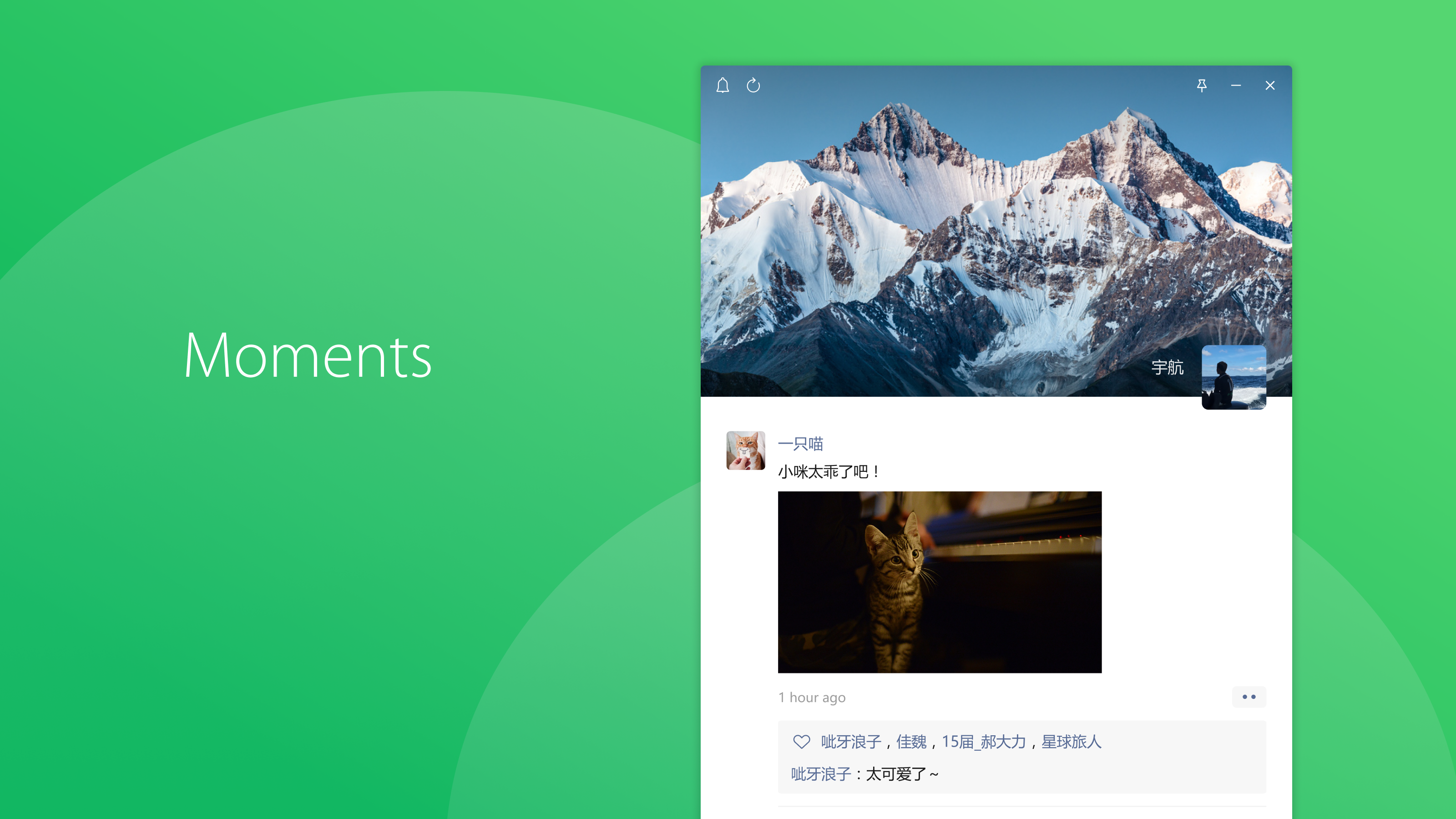
Imagine opening WeChat on your desktop—it's akin to walking into a familiar cozy lounge, where everything is laid out intuitively. The interface design is sleek, minimalistic, yet packed with thoughtful touches, such as quick access buttons and a clean chat list. Navigation feels natural—click, type, send—no unnecessary clutter or confusing menus disrupting the flow. The app responds swiftly to your commands, making multitasking in a busy workday feel almost effortless. Learning curves are gentle; if you've used WeChat on mobile, you'll find transitioning to the desktop version straightforward, with many features mirrored seamlessly.
Unique Selling Points: What Sets It Apart?
Compared to other social apps, WeChat for Windows shines in two particularly distinctive areas: User Profile Customization & Authenticity Verification and Connection Discovery. Its profile customization allows users to tailor their public persona with detailed information, profile pictures, and statuses—imagine your digital identity as a well-designed business card, crafted to give authenticity and personality. Verification features help confirm your contacts' identities, adding a layer of trust that's crucial in professional or sensitive exchanges. Moreover, the connection discovery feature actively suggests new contacts based on mutual networks or shared interests, transforming your social graph into a vibrant online community rather than just a static list. These features elevate WeChat from a simple messaging tool to a more personalized, trustworthy, and socially dynamic platform, especially valuable in professional contexts or network-building scenarios.
Recommendations & Usage Scenarios
All considered, WeChat for Windows comes highly recommended for users who prioritize integrating messaging into a desktop environment without sacrificing features. It's particularly suitable for business users, remote workers, or anyone who frequently handles media-rich conversations. Its stability, combined with the core strengths of personalization and verified connections, makes it a reliable companion for everyday communication needs. However, if your primary use involves casual chatting with limited file sharing, you might find the mobile version more lightweight and faster for quick messages.
In summary, WeChat for Windows stands out as a solid, thoughtfully designed desktop messenger that balances user-friendly features with a focus on security and personalized connectivity. If you're looking to make your digital conversations more authentic and connected, this app deserves a spot on your desktop.
Pros
- Seamless integration with Windows ecosystem
- User-friendly interface with intuitive navigation
- Supports a wide range of multimedia content
- Regular updates improve stability and introduce new features
- Official version provides reliable security and privacy controls
Cons
- Limited feature set compared to the mobile version
- Occasional sync delays between devices
- Notifications sometimes do not appear promptly
- File sharing size limits can be restrictive
- Some customization options are limited in desktop app











