

- Name Threads, an Instagram app
- Category Social
- Available on PC
- OS Windows 10 version 19041.0 or higher
- Memory 2 GB
- languages English (United States)
Introducing Threads on Windows: A Fresh Take on Social Connectivity
As an avid user of social media, I am always on the lookout for apps that streamline our digital conversations. Threads, an Instagram-developed application now available for Windows, promises to bring the seamless, intimate sharing experience of its mobile counterpart to the desktop. Think of it as moving your cozy corner of the social universe from a tiny phone screen to a wide, inviting desktop landscape—more space, more clarity, more connection.
Essential Information: Bridging Simplicity and Functionality
Developed by Instagram, Threads for Windows is designed to deepen social engagement through an optimized desktop experience. The app's core strengths lie in providing real-time updates from your trusted network, facilitating quick and intuitive messaging, and enabling personalized profile customization.
- Main highlights: Instant notifications and feed updates, streamlined messaging interface, enhanced profile control, and robust connection discovery features.
- Target users: Social media enthusiasts, content creators, influencers, and anyone eager to keep their Instagram network close and easy to access on a larger screen.
Brightening Up the Desktop: An Engaging User Experience
Launching Threads on Windows feels like discovering a familiar friend in a new environment—intuitive, welcoming, and surprisingly smooth. From the moment you open the app, its clean layout immediately reminds you of familiar Instagram aesthetics but with the added comfort of a desktop interface. Navigating through your feed feels effortless, almost like flipping through a digital scrapbook where each frame is a snapshot of your social universe.
Core Feature Spotlight 1: Real-Time Connection & Content Updates
What makes Threads especially appealing is its ability to deliver instant notifications and live updates. Imagine having a social radar: you instantly see new posts, reactions, and messages as they happen, all within a sleek, dedicated window. This immediacy transforms the desktop experience from a passive scroll into an engaging pulse of your social circles—perfect for those who rely on timely updates to stay in the loop.
Core Feature Spotlight 2: Personalized Profile & Authenticity Verification
One standout feature is the app's focus on authenticity and user profile customization. Threads allows users to verify their identities more transparently and personalize their profiles to reflect their unique online personas. It's like hosting a dinner party and making sure everyone's table setting truly represents them. This layer of authenticity fosters trust and encourages genuine interactions, setting it apart from other social platforms that often feel impersonal or overly curated.
Core Feature Spotlight 3: Discover & Connect Seamlessly
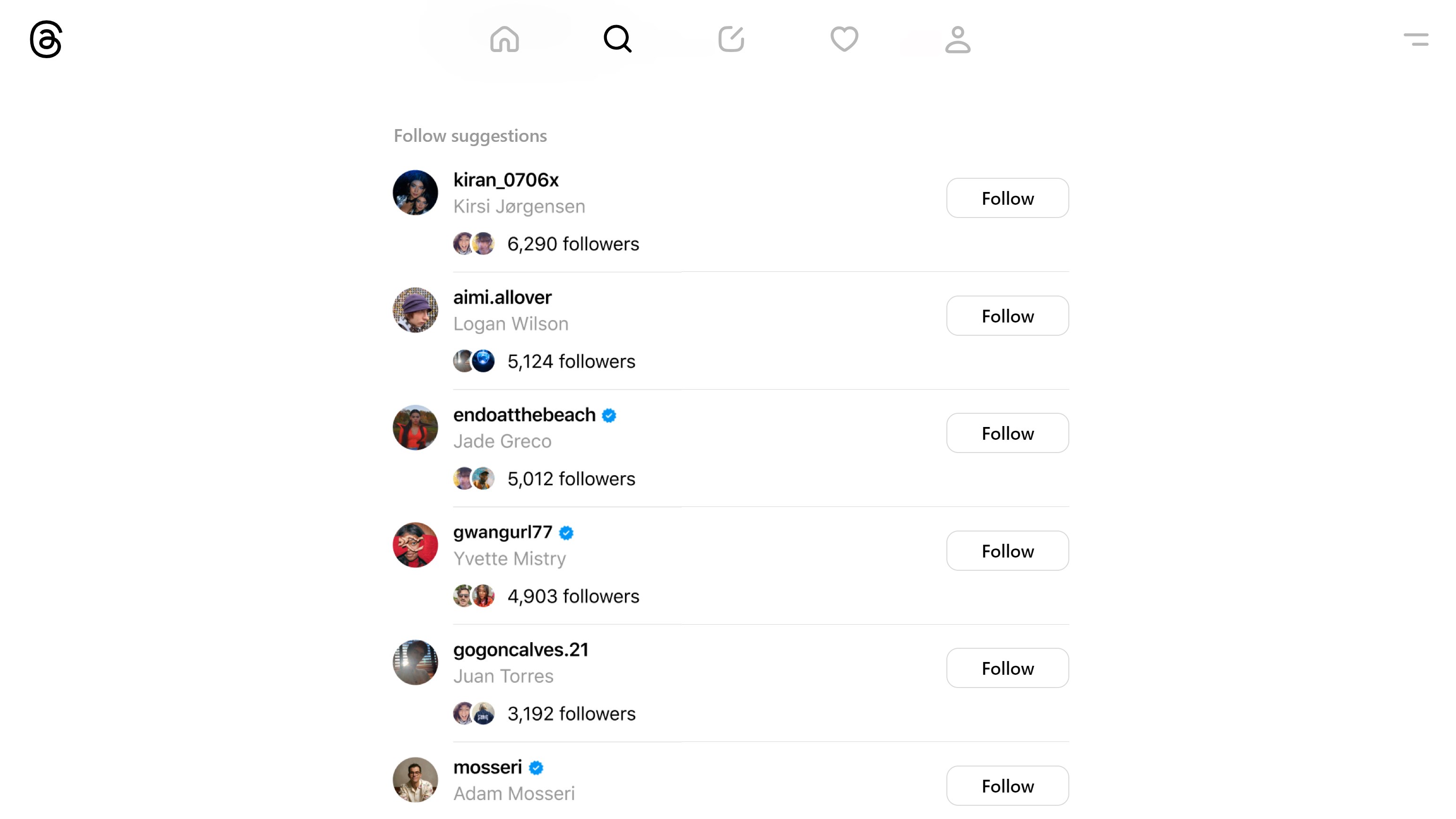
The connection discovery feature is like having a social GPS—helping you find new friends, interesting communities, or potential collaborators with ease. Whether you're browsing profiles or exploring hashtags, the app's intelligent suggestions make expanding your network feel natural, almost like serendipitous encounters during a coffee break. This intuitive discovery process elevates Threads beyond a mere messaging app into a vibrant social hub.
User Experience and Final Recommendations
The interface design strikes a balance between minimalism and functionality, making navigation feel natural even for first-time users. The app's responsiveness is commendable; scrolling and loading happen fluidly, with minimal lag. The learning curve is gentle—most features are straightforward, so you can start connecting almost immediately. For users already invested in Instagram, transitioning to Threads on Windows will seem like a logical step to deepen social involvement without losing familiarity.
Compared to other social apps like Twitter or Facebook Messenger, Threads emphasizes profile authenticity and connection discovery, offering a more curated and personalized environment. Its focus on verifying identities and customizing profiles tracks well with the current social emphasis on transparency and individuality.
Given its strengths and smooth user experience, I would recommend Threads to anyone looking for a dedicated platform to keep their Instagram network close—especially those who appreciate personalized profiles and authentic interactions. It's not meant to replace all social apps but adds a meaningful layer to your social toolkit.
In summary, Threads for Windows delivers a refined, user-friendly social experience rooted in authenticity and discovery. It's a promising tool for both casual users and content creators aiming for closer, more genuine connections—making it worth trying out for those eager to keep their social life organized and lively on the big screen.
Pros
- Intuitive User Interface
- Close Integration with Instagram
- Real-time Updates
- Enhanced Privacy Settings
- Fast Loading Times
Cons
- Limited Content Types
- Occasional App Crashes
- Battery Consumption
- Limited Customization Options
- Learning Curve for New Users










