

- Name Signal Private Messenger
- Category Social
- Developer Signal Messenger, LLC
- Available on PC
- OS Windows 10 version 0.0 or higher
- languages English, Afrikaans, Albanian, Arabic, Azerbaijani, Basque, Bosnian (Latin), Bulgarian, Catalan, Chinese, Chinese (Simplified), Chinese (Traditional Chinese), Croatian, Czech, Danish, Dutch, Estonian, Filipino, Finnish, French, Galician, Georgian, German, Greek, Gujarati, Hebrew, Hindi, Hungarian, Indonesian, Irish, Italian, Japanese, Kannada, Kazakh, Khmer, Kiswahili, Korean, Kyrgyz, Latvian, Lithuanian, Macedonian, Malay, Malayalam, Marathi, Norwegian, Persian/Farsi, Polish, Portuguese, Portuguese (Brazil), Portuguese (Portugal), Punjabi, Romanian, Russian, Serbian, Slovak, Slovenian, Spanish, Swedish, Tamil, Telugu, Thai, Turkish, Ukrainian, Urdu, Uyghur, Vietnamese
Introducing Signal Private Messenger for Windows: A Secure Communication Tool with a Focus on Authenticity
Signal Private Messenger for Windows is a desktop application designed to bring the robust privacy and security features of Signal's messaging platform to your PC, aiming to provide a seamless, encrypted communication experience that keeps your conversations protected and authentic.
About the Developer and Core Features
Developer & Publisher
Both developed and published by Signal Messenger, LLC, a company renowned for its commitment to privacy-focused communication solutions.
Key Highlights
- End-to-End Encryption: All messages, voice calls, and media are protected by Signal's trusted encryption protocols, ensuring privacy from sender to recipient.
- Seamless Sync with Mobile: The application synchronizes with your Signal account on mobile devices, offering continuity and effortless access across devices.
- Connection Discovery & User Profile Customization: Unique features like discovering new contacts via secure connection discovery and customizing user profiles with verified information elevate the user experience.
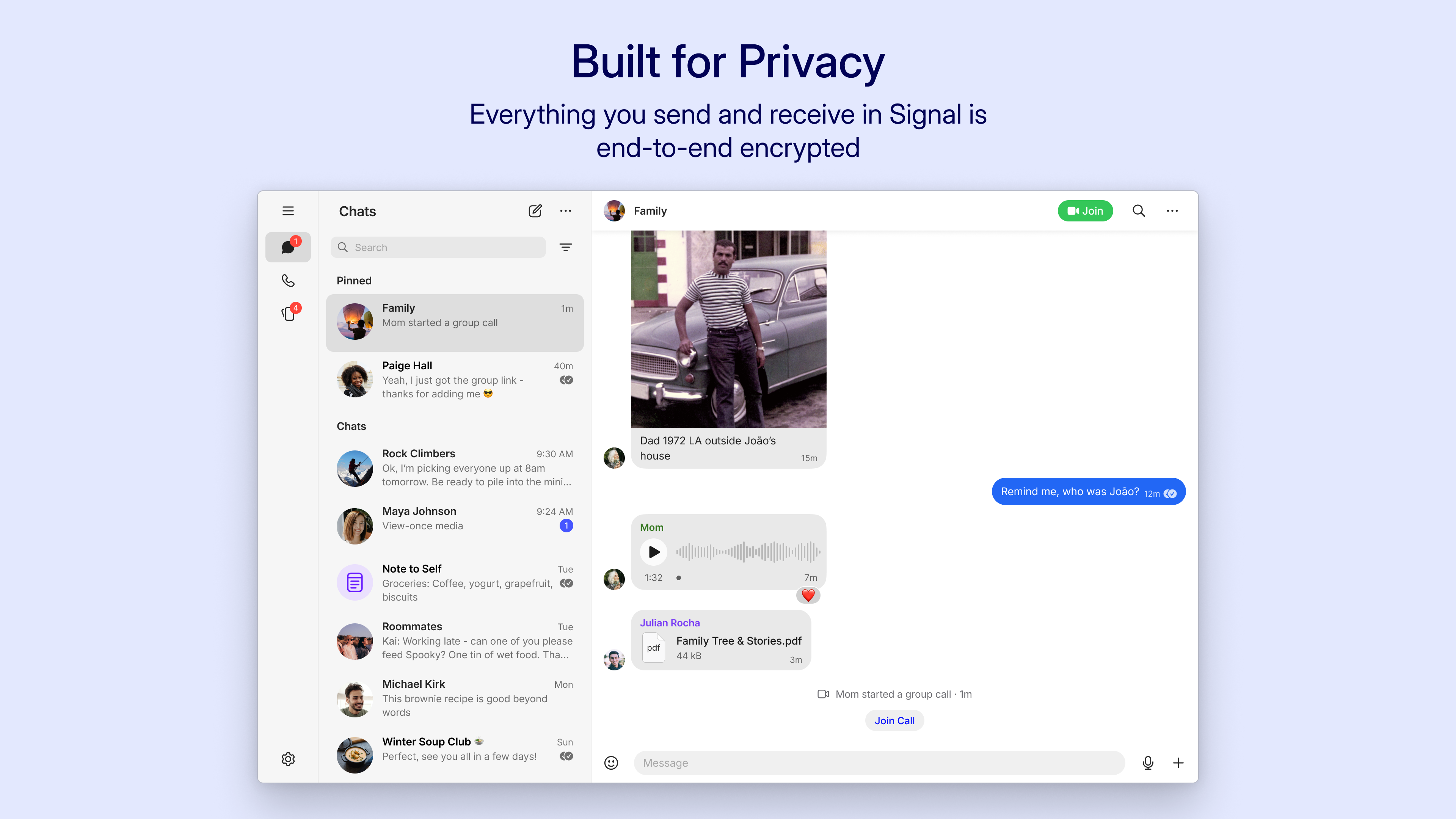
- Minimalistic and Intuitive UI: The clean interface makes navigation straightforward, even for those new to secure messaging apps.
Engaging and Intuitive User Experience
Launching Signal for Windows feels like stepping into a cozy, familiar workspace designed with security and simplicity in mind. The moment you open the app, you'll notice its minimalist interface—neatly organized, uncluttered, and thoughtfully crafted to mirror the seamlessness of a well-orchestrated conversation. Whether you're starting a new chat or catching up on missed messages, the app responds smoothly, almost as if it's anticipating your next move, thanks to its optimized lightweight architecture.
Designed for Ease: Interface & Navigation
The user interface strikes a perfect balance between elegance and functionality. Buttons are intuitively placed, and switching between chats or accessing settings feels fluid. The dark mode option not only reduces eye strain during long sessions but also enhances the sleek aesthetic. Even if you're new to Signal, the learning curve is gentle—it's designed to feel natural, like catching up with an old friend, rather than navigating a complex maze.
Core Functionality: Privacy & Connection Discovery
One of Signal's most compelling features is its focus on user authenticity. During setup, users can verify their contacts through safety numbers, a cryptographic feature that fosters trust. Additionally, the connection discovery capability allows users to find and securely connect with contacts who also use Signal, making initial setup feel like uncovering hidden pathways in a dense forest, leading to trusted interactions.
Customization & Differentiation
Unlike many social apps that prioritize mass outreach or social feeds, Signal emphasizes authenticity and user control. The profile customization options enable users to set verified user details, enhancing credibility—particularly crucial for professional or sensitive communications. Furthermore, its connection discovery system ensures that users aren't bombarded with irrelevant contacts, but rather, find genuine, trustworthy connections that align with their communication needs. This focus on verified identities and secure connections sets Signal apart from more casual, less secure social platforms.
Final Thoughts & Recommendations
If privacy, security, and authentic connections are your top priorities, Signal Private Messenger for Windows deserves a serious look. Its straightforward interface combined with advanced features like connection discovery and user verification creates a tailored environment for discreet yet genuine communication. While it may have a bit of a learning curve for newcomers to encrypted messaging, dedicated users will appreciate its minimalism and effectiveness.
Overall, I recommend Signal for Windows to anyone who values privacy in digital communication, especially professionals, journalists, or anyone wishing to maintain control over their digital identity. For casual users, it's an excellent, secure alternative to mainstream chat apps—and one that's easier to use than you might expect.
Pros
- End-to-End Encryption
- Open Source Protocol
- Rich Multimedia Support
- Cross-Platform Compatibility
- No Ads or Tracking
Cons
- Limited Customization Options
- Small User Base Compared to Mainstream Apps
- Occasional Lag in Sending Media Files
- No Built-in Voice/Video Calling for Desktop
- Limited Business Features










