


- Name Pinterest
- Category Social
- Available on PC
- OS Windows 10 version 19041.0 or higher
- languages English (United States)
Pinterest for Windows: A Visual Mood Board in the Desktop Realm
Offering a seamless blend of inspiration and organization, Pinterest for Windows transforms the way you discover and curate visual content directly on your desktop, making it a must-have tool for creatives and hobbyists alike.
About the App: Your Digital Canvas
Designed by Pinterest Inc., Pinterest for Windows aims to bring the beloved web and mobile experience to the desktop, providing users with a dedicated space to explore, save, and organize ideas with ease. It positions itself as a visual discovery platform that caters to a diverse audience—from home decorators and fashion enthusiasts to DIY aficionados and students crafting their next project.
- Main Features: High-quality image browsing, personalized feed, effortless pinning and boards management, and robust search capabilities.
- Developer: Pinterest Inc.
- Target Demographic: Creative individuals, content curators, students, and professionals seeking visual inspiration and idea organization.
A Fresh Take on Inspiration: Setting the Scene
Imagine sitting comfortably at your desk, surrounded by the soft glow of your monitor, as countless images flicker to life—the charming interior decor, the innovative craft projects, or the latest fashion trends—all effortlessly accessible with just a few clicks. Pinterest for Windows transforms this daydream into reality, serving as your digital mood board that lives right on your PC. Its intuitive interface and fluid interactions make browsing and pinning feel almost like flipping through a scented magazine—familiar yet freshly inspiring every time.
Core Features That Shine Bright
Personalized Feeds & Curated Content Discovery
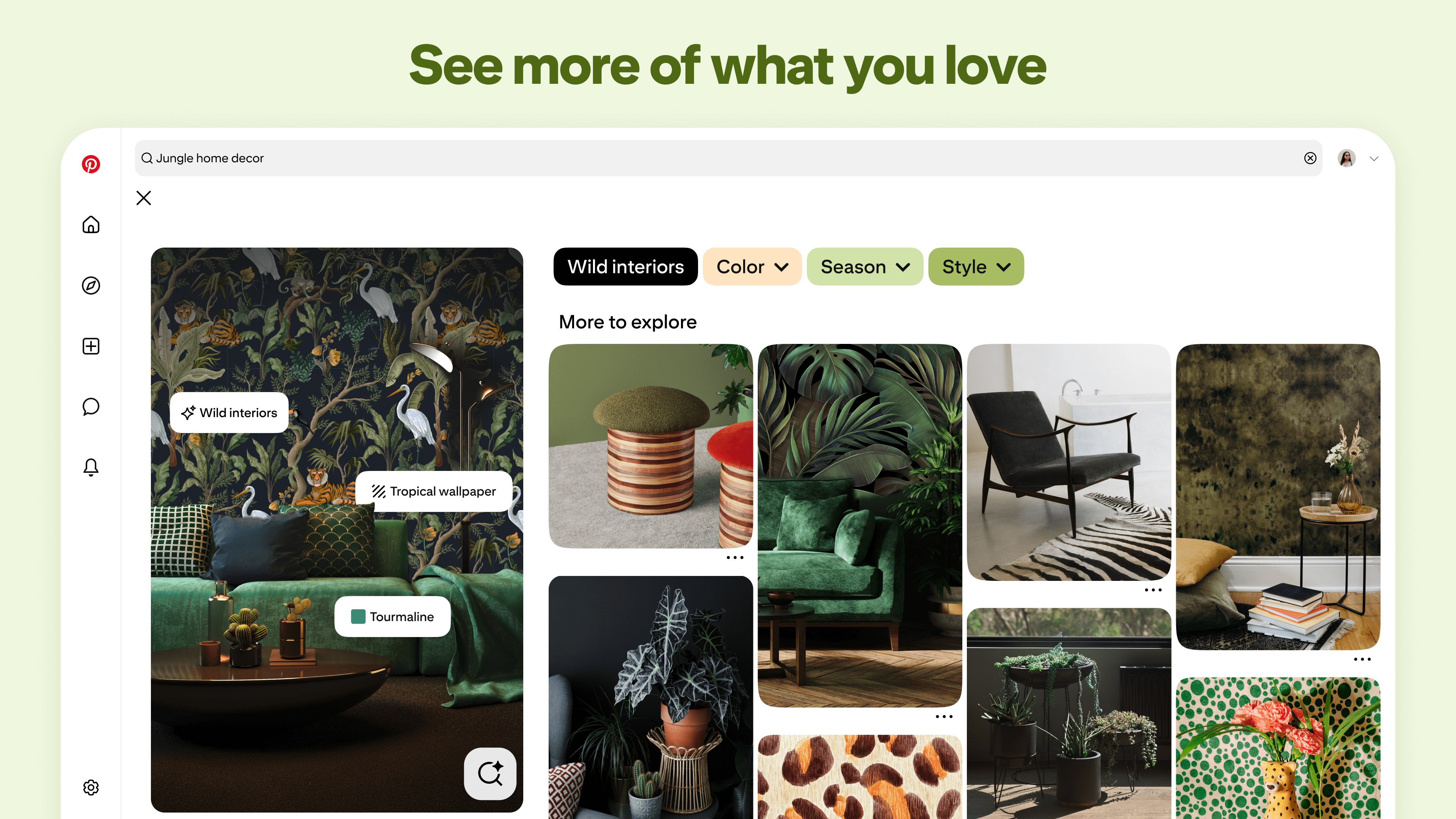
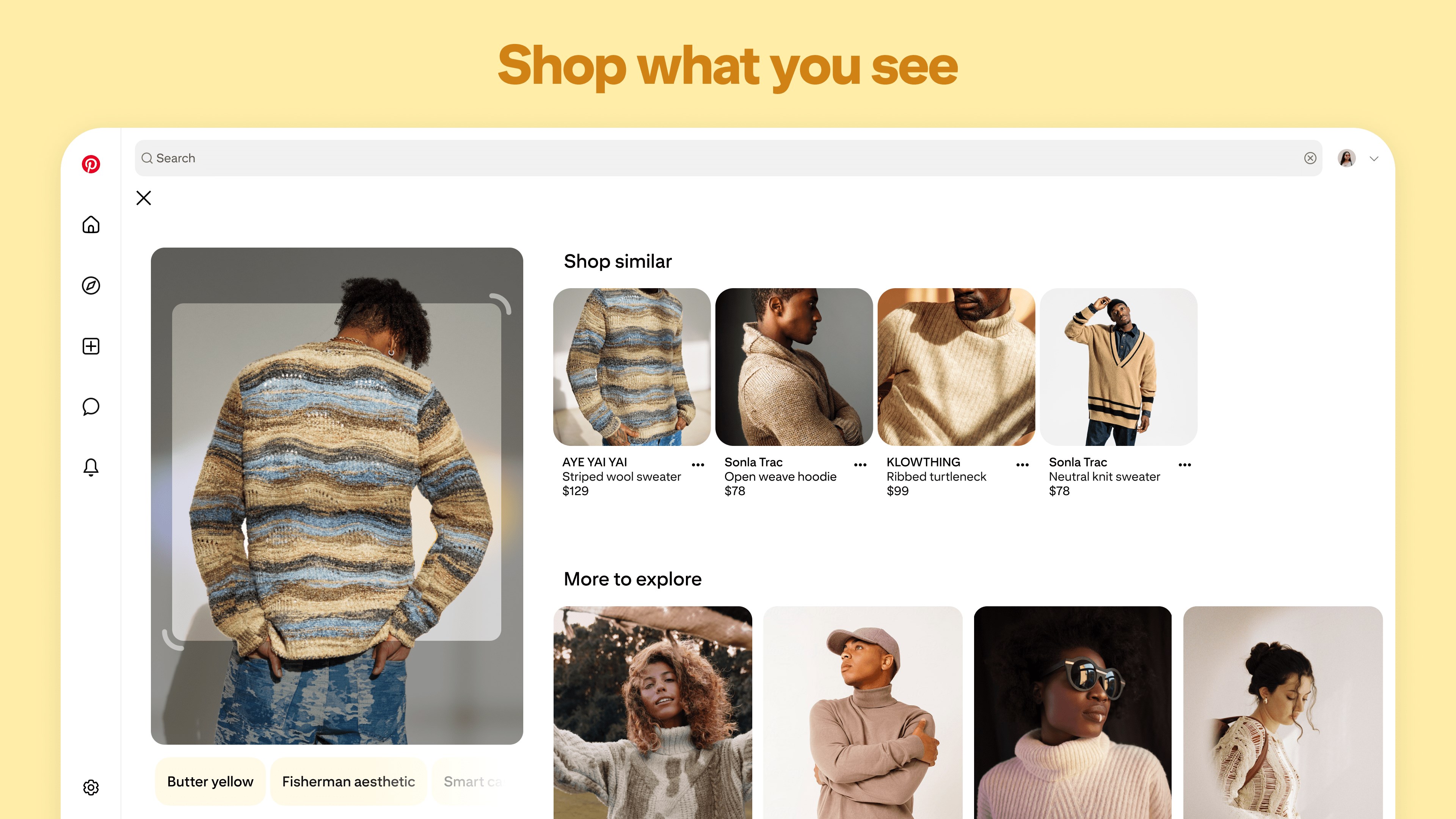
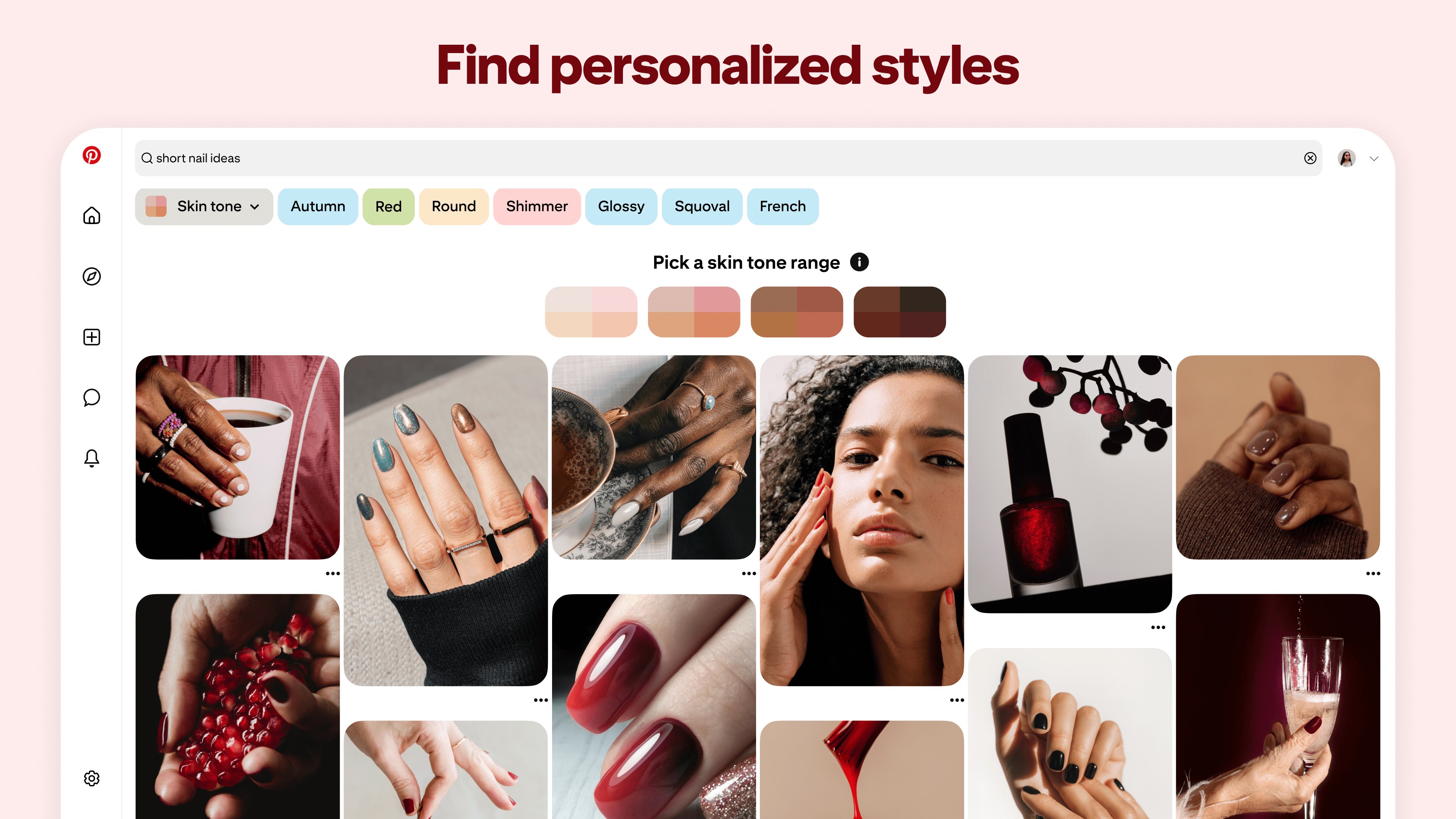
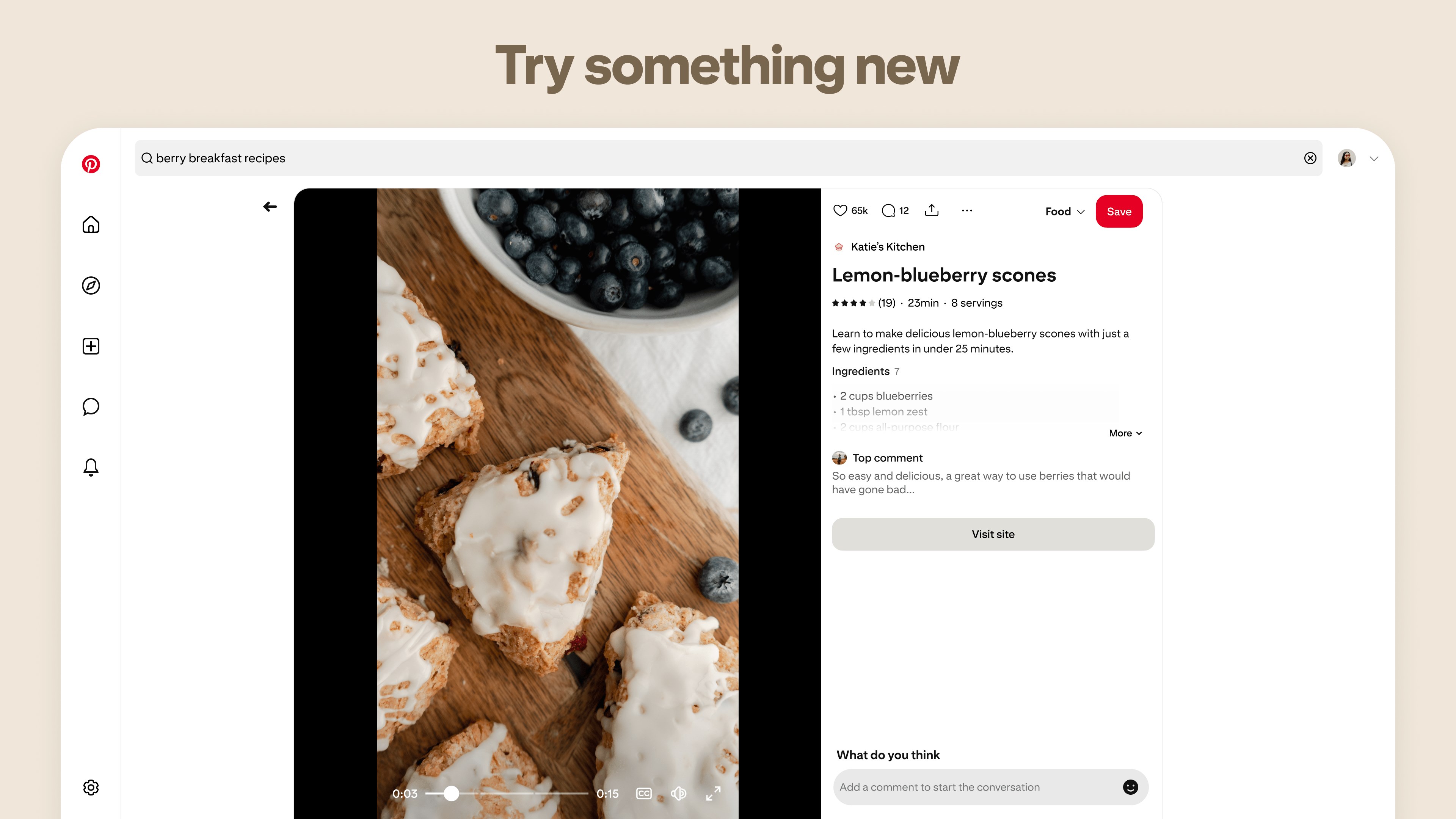
The heart of Pinterest for Windows lies in its ability to serve up personalized content based on your interests. As you scroll, the app intelligently suggests pins aligned with your previous interactions, revealing a treasure trove tailored just for you. Its advanced recommendation engine feels like having a knowledgeable assistant who knows exactly what you'd love—be it home decor ideas or mouth-watering recipes. This feature makes the discovery process smooth and continuously engaging, reducing the need for endless searching.
Visual Organization with Boards and Pins
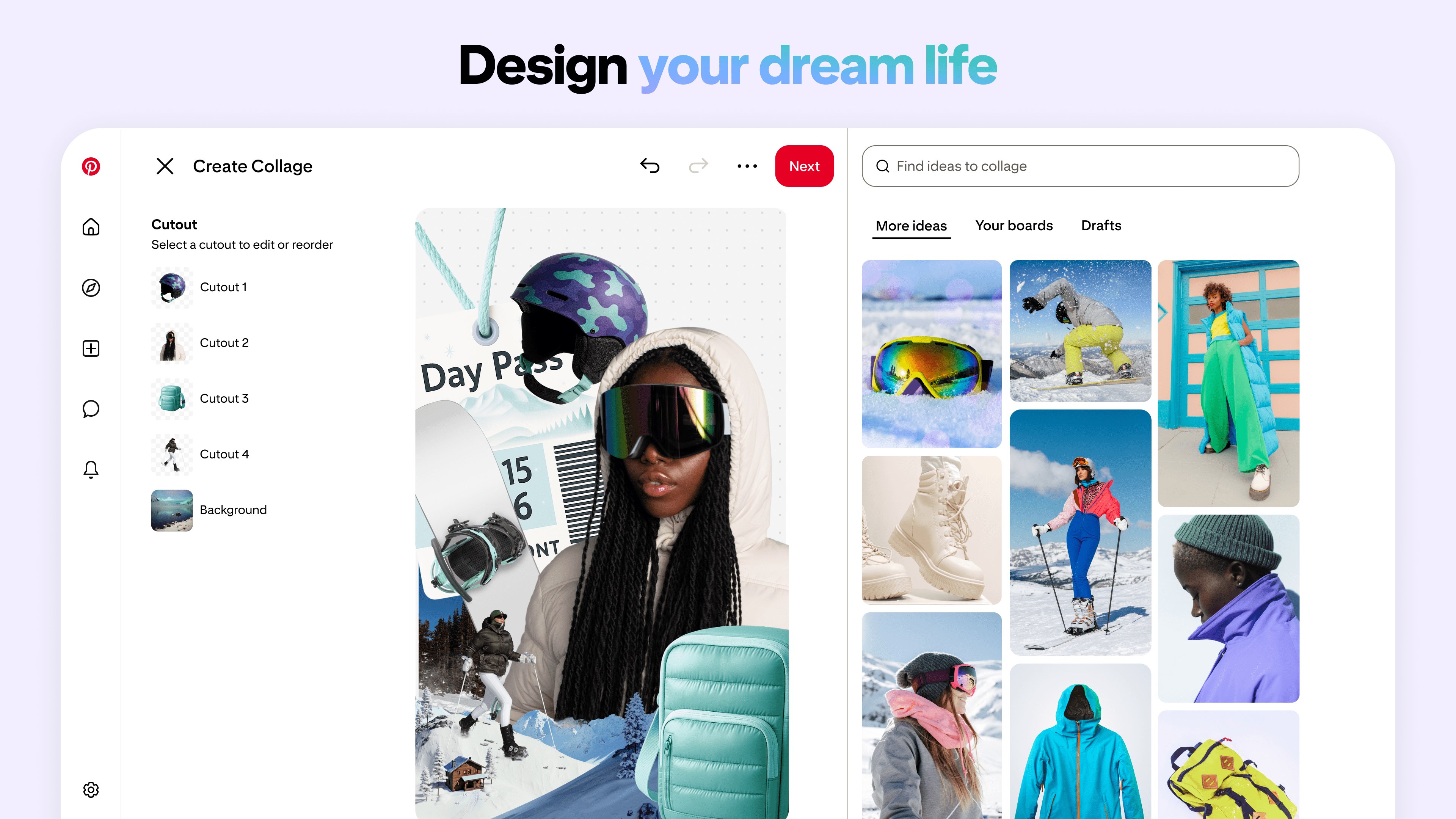
Browsing is only half the fun—organizing your thoughts into themed boards creates a digital scrapbook that's both artful and functional. Pinterest's similarity to a physical pinboard is perfect—dragging pins into different boards, editing descriptions, and rearranging visuals with drag-and-drop makes curating your collection an intuitive experience. The app excels at helping you maintain clarity amid a visual chaos, turning inspiration into a neatly arranged gallery.
Enhanced User Experience & Unique Differentiators
The interface design of Pinterest for Windows embraces minimalism with a dash of elegance—clean lines, high-res imagery, and easy navigation make browsing delightful. The app's fluid performance ensures smooth scrolling and quick load times, with minimal lag, even when handling large collections of pins. Moreover, the learning curve is gentle—new users quickly get the hang of pinning, searching, and organizing without frustration.
What truly sets Pinterest apart from other social apps is the emphasis on profile customization and authenticity. Users can tailor their profiles with detailed interests and categorization, enhancing the personalized experience. Additionally, Pinterest incorporates verification mechanisms to ensure content authenticity, creating a trustworthy environment for discovering genuine ideas and inspirations. The connection discovery feature—suggesting users with similar tastes or collaborative boards—fosters a community feel, turning solitary browsing into a shared source of inspiration.
Final Verdict: A Desktop Dream for Visual Enthusiasts
Overall, Pinterest for Windows is a thoughtfully designed application that elevates the typical pinning experience by integrating power features like enhanced personalization and community connections directly into your desktop workspace. It's particularly recommended for users who crave a dedicated, clutter-free environment to gather and organize visual ideas. Whether you're planning a renovation, searching for fashion inspo, or simply want a beautifully organized digital space, this app offers a robust platform to turn inspiration into easily accessible collections. While it may not revolutionize the social media landscape, its refined features and user-centric design make it a compelling choice—definitely worth adding to your productivity toolkit.
Pros
- Intuitive Visual Layout
- Personalized Content Feed
- Robust Search Functionality
- Wide Range of Content Categories
- Excellent Community Engagement
Cons
- Limited Offline Access
- High Battery Consumption
- Occasional Content Overload
- Notification Settings Complexity
- Limited Video Content Features










