

- Name CrosshairX-CustomGameCrosshair
- Category Social
- Available on PC
- OS Windows 10 version 17763.0 or higher
- languages English (United States)
A New Frontier in Gaming Customization: CrosshairX-CustomGameCrosshair for Windows
If you're someone who spends hours tweaking your in-game experience, the CrosshairX app by Goldenman Limited offers a tailored approach to personalizing your crosshairs, transforming your gameplay into a more immersive and precise adventure. With its user-friendly interface and innovative features, this tool aims to bridge the gap between mundane default crosshairs and your unique gaming style.
Who's Behind the Curtain: Developer Insight
Developed by Goldenman Limited, a company dedicated to enhancing gaming experiences through smart customization tools, CrosshairX is designed specifically for Windows users eager to fine-tune their aiming reticles. The team appears to focus on ease of use, adaptability, and authenticity, striving to cater to both casual gamers and competitive eSports enthusiasts.
Major Highlights: What Makes CrosshairX Stand Out
- Highly Customizable Crosshairs: Choose from a variety of shapes, colors, sizes, and transparency levels, making every gamer's ideal reticle a reality.
- Profile Management & Personalization: Save multiple profiles tailored for different games or playstyles, seamlessly switching among them.
- Authenticity and User Verification: Built-in mechanisms ensure users are genuine, fostering a reliable community environment.
- Connection Discovery: Facilitates discovering and connecting with fellow gamers who share similar preferences, enhancing social engagement.
In-Depth Review: From Aesthetic to Practicality
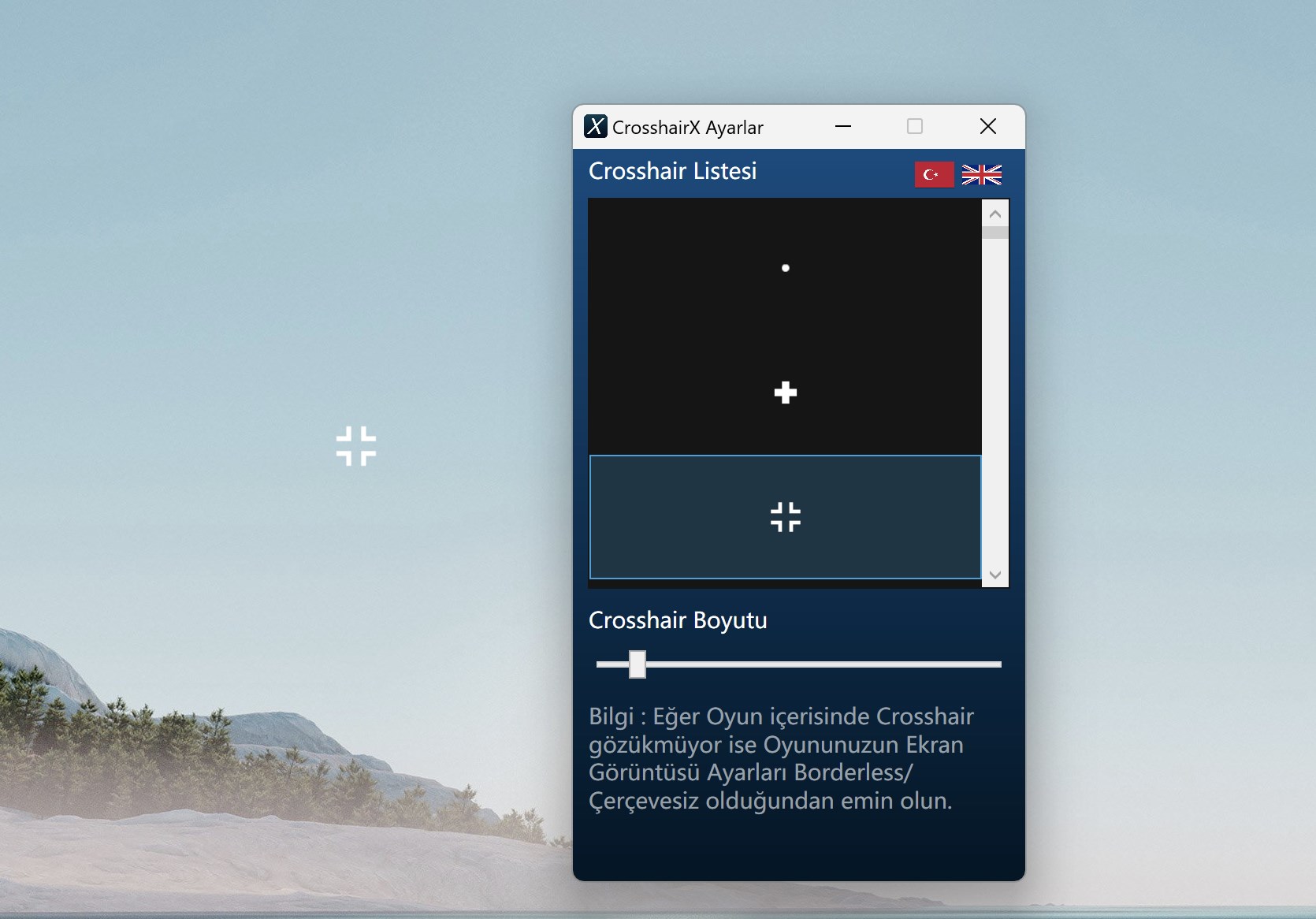
Imagine launching into your favorite game, your aim steady as a hawk, thanks to a crosshair fine-tuned to your liking – that's the promise and potential of CrosshairX. Its interface resembles a sleek control panel — straightforward and inviting, much like setting up a cozy cockpit before takeoff. Navigating through menus feels smooth, with no noticeable lag, a crucial aspect for gamers who demand quick adjustments in high-stakes scenarios. The learning curve isn't steep; most users get comfortable within minutes, thanks to clear icons and guided setups.
Core Functionalities: Precision and Personal Touch
The first standout feature is the level of customization. Whether you prefer a minimalistic dot or a complex reticle with multiple rings, CrosshairX provides an intuitive editor that makes designing your ideal crosshair a breeze. Colors can be vibrant or subtle, and transparency settings allow for unobtrusive aiming aids — all vital for an accurate shot without cluttering your visual space.
Secondly, profile management elevates user experience. Gamers can craft different setups tailored for FPS shooters, MOBA titles, or casual play, then effortlessly swap between them via a simple menu. This flexibility ensures you're always game-ready, no matter the genre or play context.
The third notable feature is the community-oriented component — connection discovery. It acts like a social hub where gamers can find others with similar preferences, share profiles, and verify authenticity through built-in mechanisms. This creates a trustworthy environment, encouraging genuine exchanges and collaborative learning.
Experience and Differentiation: How It Stands Out
Compared to other crosshair customization tools or social gaming apps, CrosshairX's unique selling point lies in its dual focus on personalization and community trust. Its profile system allows for highly specific, personalized setups that are easy to manage, reminiscent of a preferred playlist—always ready at your fingertips. The authenticity verification feature adds a layer of security, a rare aspect in gaming customization apps, reassuring users against imposters and spam.
Final Words: Should You Try It?
All considered, CrosshairX offers a thoughtful and practical suite of tools for gamers committed to refining their aim and connecting authentically with like-minded players. Its ease of use, coupled with powerful customization features and community safeguards, makes it a strong candidate for both newcomers and seasoned players aiming to elevate their in-game precision. I recommend giving it a shot if you're seeking a personalized, trustworthy crosshair management solution that respects your gaming style without unnecessary fluff.
Pros
- Highly customizable crosshairs
- Easy to use interface
- Wide variety of crosshair styles
- Low latency overlay
- Compatibility with various games
Cons
- Occasional overlay flickering
- Limited free customization options
- Potential compatibility issues with screen resolution settings
- Learning curve for advanced features
- Some lag after recent updates










