

- Name QR Code Reader & Scanner
- Category Social
- Available on PC, Mobile, Surface Hub, HoloLens
- OS Windows 10 version 17763.0 or higher
- languages English (United States)
Unlocking Simplicity: An In-Depth Look at QR Code Reader & Scanner for Windows
If you've ever been puzzled by a cluttered barcode or struggled to interpret a QR code while juggling multiple apps, this straightforward utility promises to be your reliable companion. Designed to effortlessly decode QR codes and barcodes on your Windows device, it aims to make information retrieval quick and hassle-free, whether you're scanning product labels, event tickets, or Wi-Fi credentials.
Meet the Developer: Gentle Dan
Developed by Gentle Dan, a team committed to creating user-friendly and reliable utility apps for everyday digital needs, this application exemplifies their focus on simplicity and efficiency. Their expertise lies in crafting tools that seamlessly integrate into users' routines, ensuring both practicality and performance.
Key Features That Stand Out
- Fast and Accurate Scanning: The app leverages optimized algorithms to swiftly recognize and interpret QR codes and barcodes, even from slightly blurry or poorly lit images, making sure you don't miss vital information.
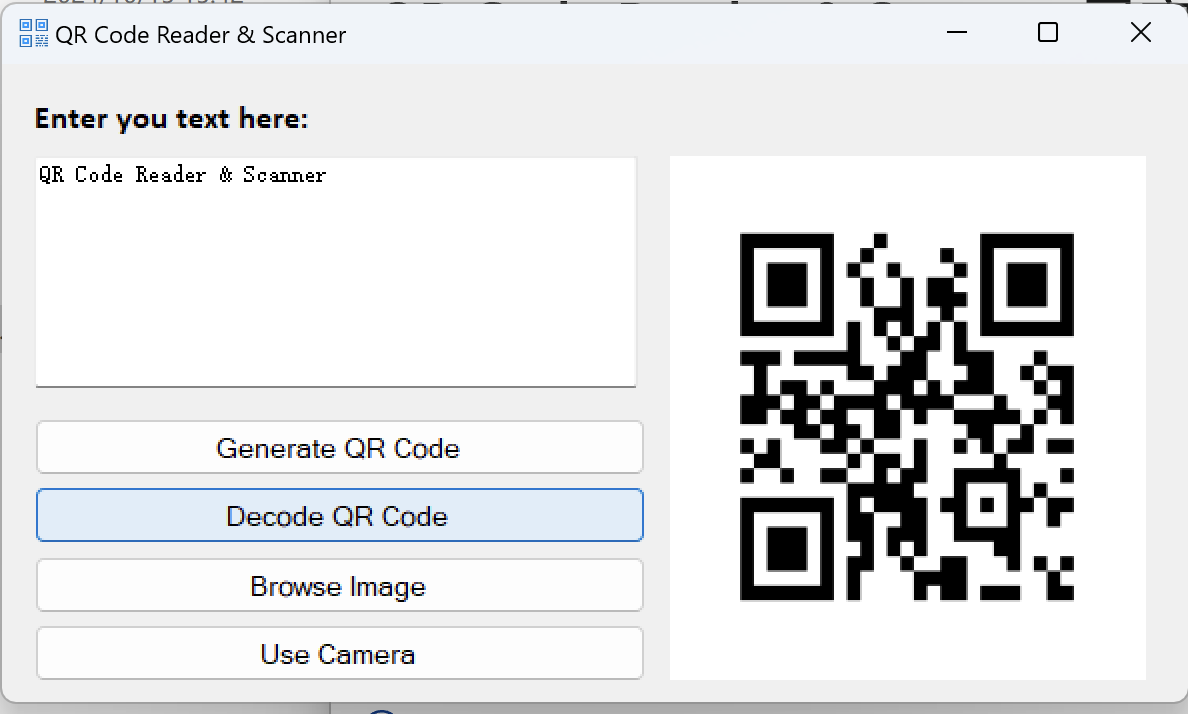
- User-Friendly Interface: An intuitively designed layout ensures that even first-time users can operate the scanner effortlessly, with clear buttons and uncluttered views guiding every step.
- Versatile Data Handling: Capable of reading various barcode formats beyond QR codes, such as Code 128, EAN, and UPC, facilitating a wide range of applications from shopping to inventory management.
- Easy Data Storage & Sharing: Results can be easily copied, saved, or shared directly from the app, streamlining workflows and enhancing productivity.
Vivid Experience: How It Feels to Use the App
Imagine holding your phone over a mysterious, cryptic QR code—suddenly, within a second, all the embedded information materializes on your screen like magic. The app's interface feels smooth and responsive, akin to turning a well-oiled page. Its minimalist design allows you to focus solely on scanning without distractions, making the process almost like a game of digital sleight of hand that's both fun and efficient. The learning curve is gentle; even tech novices will find themselves quickly mastering the tool, thanks to clear icons and concise prompts.
Highlighting Its Unique Abilities: What Sets It Apart
One of the most intriguing features of QR Code Reader & Scanner for Windows is its emphasis on authenticity verification and connection discovery. Unlike generic scanners, this app can verify the integrity of certain codes, ensuring that what you're scanning is genuine—peace of mind for those handling sensitive or official data. Moreover, its connection discovery feature allows users to find and validate nearby devices or services through QR codes, making it invaluable for networking in professional or social contexts. This sets it apart from heavy social media-focused barcode apps and positions it more as a trustworthy, versatile utility that understands both security and connectivity.
Final Word: Is It Worth Your While?
Considering its straightforward design, reliable performance, and standout features like authenticity verification and connection discovery, QR Code Reader & Scanner for Windows is a commendable tool for everyday use. It's especially recommended for users who seek a no-fuss, dependable scanner that can handle a variety of codes while ensuring security. Whether you're a casual user scanning restaurant menus or a professional needing quick data validation, this app offers a balanced blend of simplicity and functionality. Overall, I'd rate it as a solid choice—an effective, unobtrusive assistant for your digital life.
Pros
- Fast and accurate scanning
- User-friendly interface
- Supports multiple formats
- Instantly opens links and displays details
- No ads and lightweight
Cons
- Limited editing features after scanning
- Occasional misreads in low lighting
- Lacks batch scanning support
- No history or storage function
- UI could be more customizable










