

- Name TextNow - Unlimited Texts + Calls
- Category Social
- Available on PC
- OS Windows 10 version 14316.0 or higher
- languages English (United States)
Introduction to TextNow - Unlimited Texts + Calls for Windows
In a digital landscape flooded with messaging and calling apps, TextNow stands out as a straightforward, reliable communication tool designed for users who value simplicity and unlimited connectivity. Available on the Microsoft Store, this app aims to provide seamless messaging and calling experiences without the hassle of traditional carriers, making it an appealing choice for both casual users and those seeking an affordable communication alternative.
Developers and Core Features
Developed by TextNow Inc., a company specializing in internet-based communication solutions, the app brings together familiar features with a couple of noteworthy innovations. Its main strengths include:
- Unlimited Texts and Calls: An essential feature, allowing users to send unlimited messages and make calls over Wi-Fi or data, eliminating traditional carrier costs.
- Free Phone Number Provision: Users are assigned a local phone number, making the app function as a full-fledged communication device from the desktop.
- Voicemail and Call Recording: Basic but useful features that enhance the app's practicality for everyday communication needs.
- Cross-Platform Compatibility: Syncs effortlessly with mobile apps, providing a cohesive experience across devices.
Targeted mainly at students, remote workers, expats, or anyone seeking an additional communication line, the app offers a simplified, cost-effective alternative to traditional telephony.
A Closer Look: Features That Make a Difference
Messaging and Calling Experience
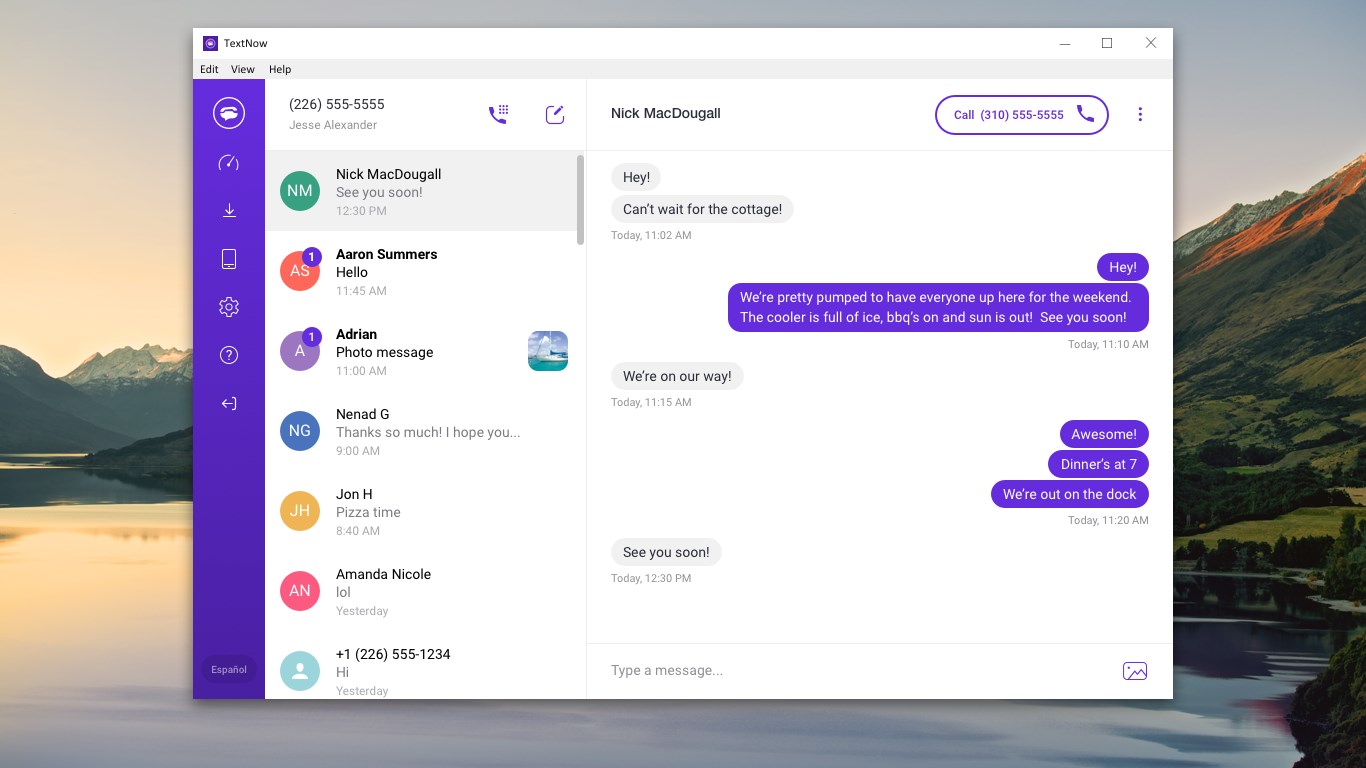
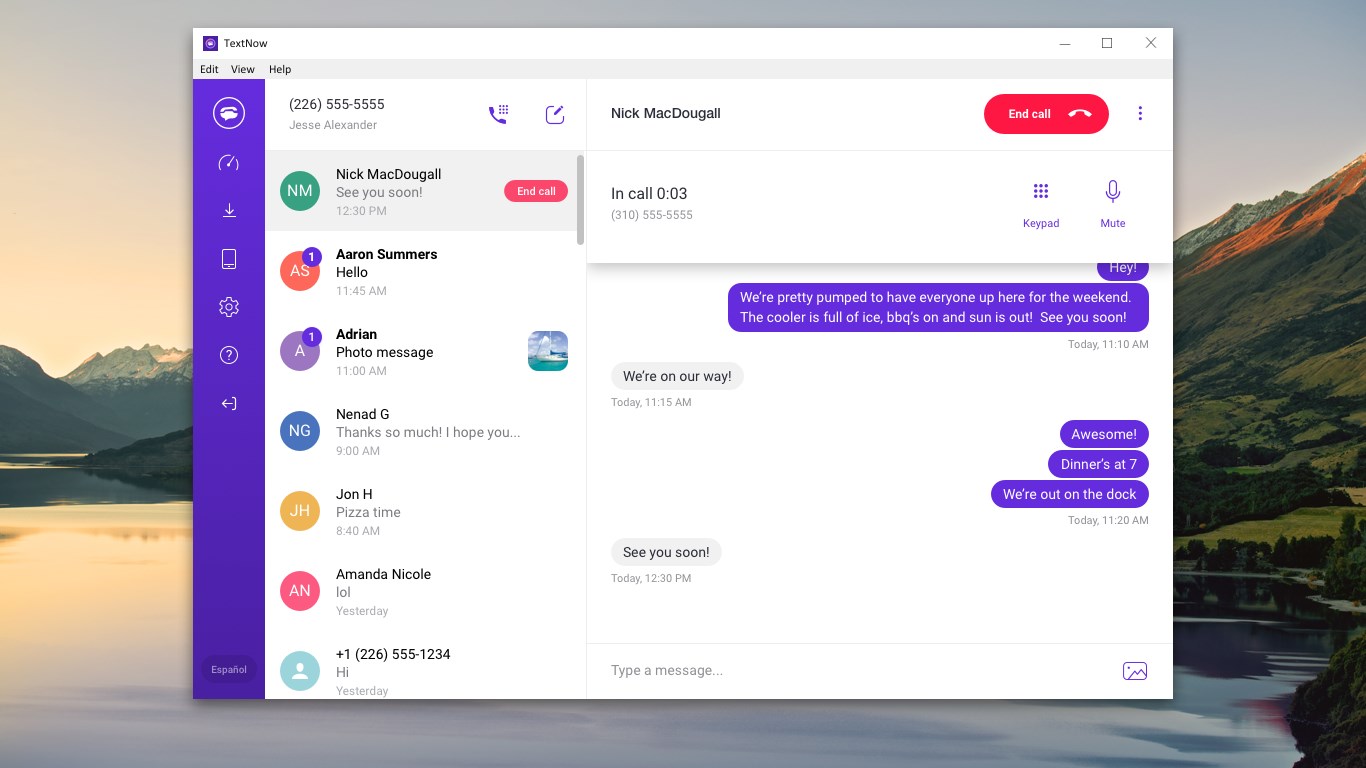
Imagine a chat room where conversations flow smoothly, and the sound of your voice is crisp—TextNow's core function is delivering exactly that. The interface is intuitive: a clean layout with familiar chat bubbles and easy access to contacts. Initiating calls or sending messages feels natural, thanks to responsive controls. With no noticeable lag, users can switch between text and voice effortlessly, making the communication process feel seamless. The app's reliability over Wi-Fi and data networks ensures that even in fluctuating signal areas, conversations don't drop unexpectedly.
User Interface and Usability
Entering TextNow is like stepping into a well-organized digital workspace. The design adopts a friendly yet functional aesthetic—light background, easy-to-read font, and simple icons. Navigating through contacts, recent calls, and message threads is straightforward, much like flipping through a familiar photo album. The app's learning curve is gentle; even first-time users will quickly get the hang of it. Transitioning between different functions is smooth, and the overall experience feels as fluid as gliding on a well-paved road. This ensures users aren't left frustrated with complex menus or sluggish performance.
Unique Features and Differentiators
What truly sets TextNow apart in a crowded space of communication apps are its personalized profile customization and authenticity verification features. Users can craft detailed profiles, add photos, and choose display names—making interactions more genuine. Additionally, the app includes mechanisms for verifying user identities, fostering trust in peer-to-peer conversations. Unlike many competitors that focus solely on messaging, TextNow excels in enabling user profile customization, which helps in creating a more authentic and personalized interaction environment.
Furthermore, the app emphasizes connection discovery—finding friends or colleagues who also use TextNow—is facilitated through integrated contact synchronization. This feature acts like a social compass, guiding users to forge new connections without stepping outside the app ecosystem. The combination of personalization and community-centric design significantly enhances user engagement, setting TextNow apart from generic social or messaging platforms.
Final Thoughts: Should You Try It?
Based on its features, user-friendly interface, and unique focus on personalization, TextNow is a solid choice for anyone looking for a reliable, free communication solution on Windows. Its core strengths—persistent connection, ease of use, and authentic user profiles—make it stand out among similar apps. For casual chatting, remote work, or maintaining personal contacts, the app delivers consistent performance without overwhelming complexity.
We recommend giving TextNow a try, especially if you value customization and a community-centric experience. It's well-suited for users who need a straightforward, no-cost way to stay connected, with the bonus of profile personalization setting it apart from typical messaging apps. Just keep in mind that, while features like identity verification add a layer of safety, the app's primary utility shines in everyday communication rather than enterprise-grade security.
Pros
- Unlimited texts and calls without extra charges
- Cross-platform availability
- Easy to set up and use
- Supports various international numbers
- Integrated with existing contacts
Cons
- Limited free features compared to paid plans
- Occasional connectivity issues
- Ads may appear in the free version
- Limited support for administrative or business features
- Dependence on internet connection











