




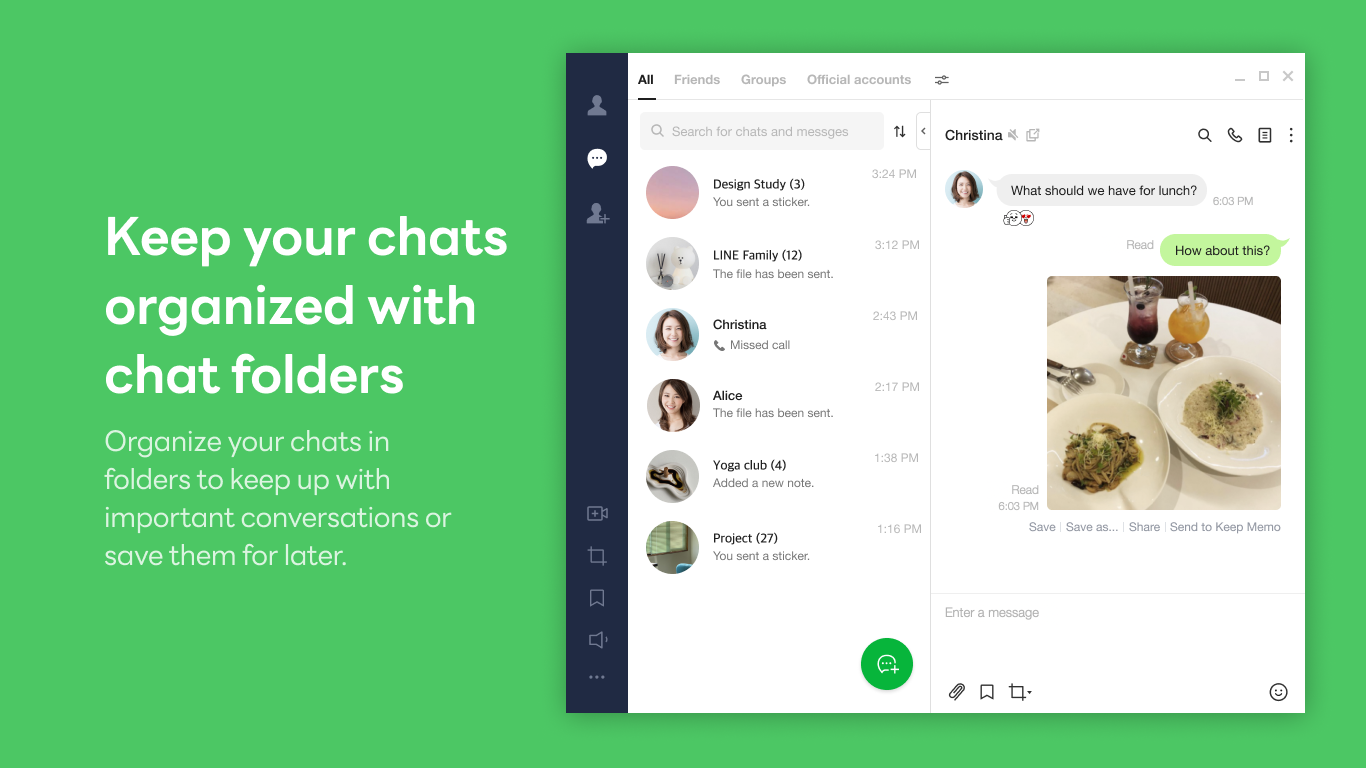
- Name LINE Desktop
- Category Social
- Available on PC
- OS Windows 10 version 0.0 or higher
- languages Chinese, Chinese (Simplified), Chinese (Traditional Chinese), Chinese (Traditional), English, English (United States), Indonesian, Japanese, Korean, Russian, Spanish (Latin America), Spanish (Spain), Thai, Thai, Turkish
A Closer Look at LINE Desktop for Windows: Your Messaging Companion Reimagined
LINE Desktop for Windows is a dedicated application designed to bring the popular messaging platform to your desktop, seamlessly integrating your conversations into your daily workflow with familiar features and enhanced connectivity.
Developer and Core Features
Developed by LY Corporation under the LINE brand, this app seeks to extend the mobile messaging experience onto Windows PCs. Its main appeal lies in its user-friendly interface, quick message synchronization, and security-focused features. Notably, the app offers streamlined chat management, multimedia sharing, and the ability to connect with contacts efficiently—making communication smoother and more accessible.
Target Audience
This application caters primarily to active LINE users who prefer to keep their conversations open and accessible from their desktops. It's ideal for professionals, remote workers, and anyone who relies heavily on instant messaging for both personal and business communication, seeking a clutter-free and dedicated desktop environment.
Engaging and Intuitive User Experience
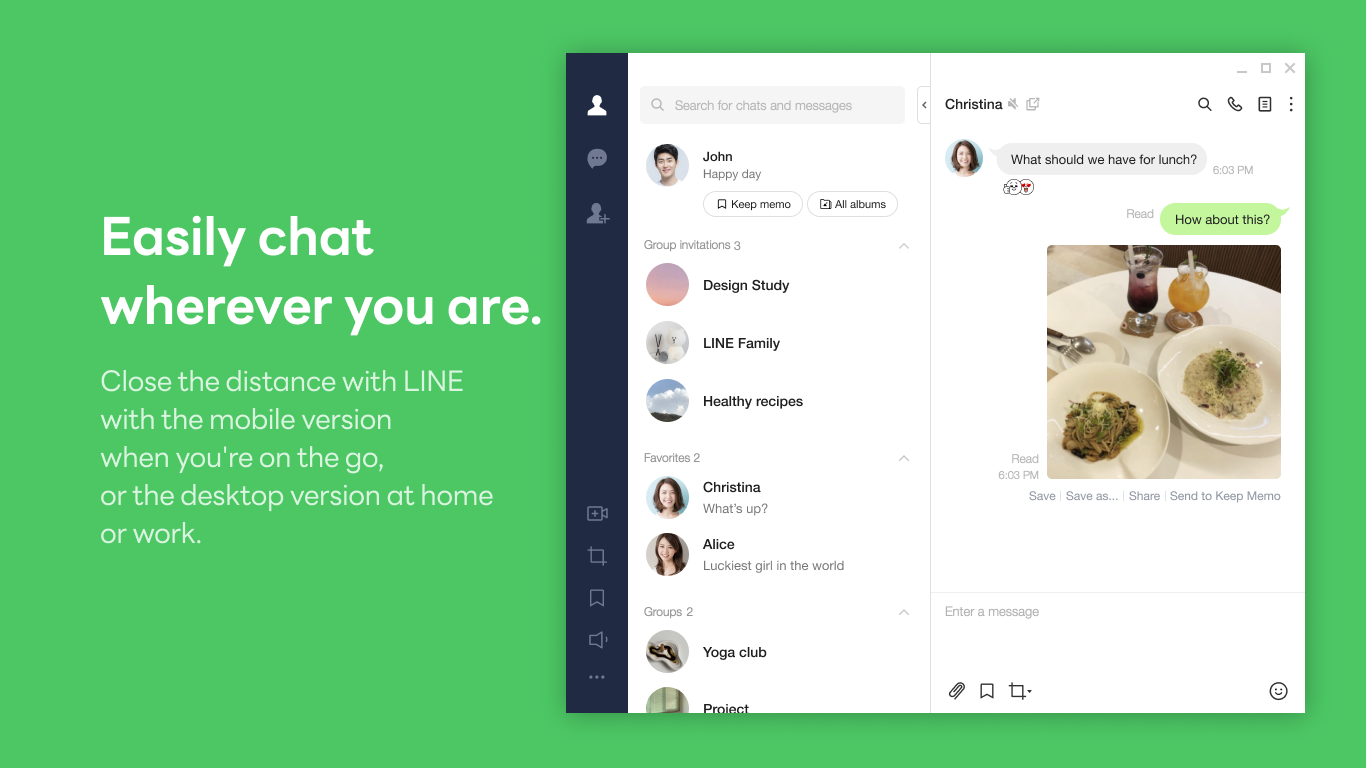
Picture this: you've just settled into your work desk, and your primary messaging hub is right there on your screen—no need to juggle your phone or swap tabs. LINE Desktop for Windows offers a refreshingly straightforward interface that feels familiar yet optimized for larger screens. Navigating between chats, media, and contacts is akin to flipping through a well-organized photo album—intuitive and effortless. The app's responsiveness ensures that messages arrive without lag, providing a fluid experience similar to catching up with a good friend in real time. Even those less tech-savvy will find the learning curve gentle, thanks to thoughtful design and clear navigation.
Highlighting Core Functionalities
**Message Synchronization & Multi-Device Syncing**
One of the standout features of LINE Desktop is its real-time message synchronization. Imagine having your chats perfectly mirrored across your phone and PC, so you never miss a beat. This multi-device syncing ensures that a message received on your mobile instantly appears on the desktop, and vice versa, creating a cohesive communication experience. The app's background processes operate seamlessly, freeing you from manual refreshes or delays, much like having a dedicated relay runner who keeps the message trail flowing effortlessly.
**Rich Media Sharing & Multimedia Support**
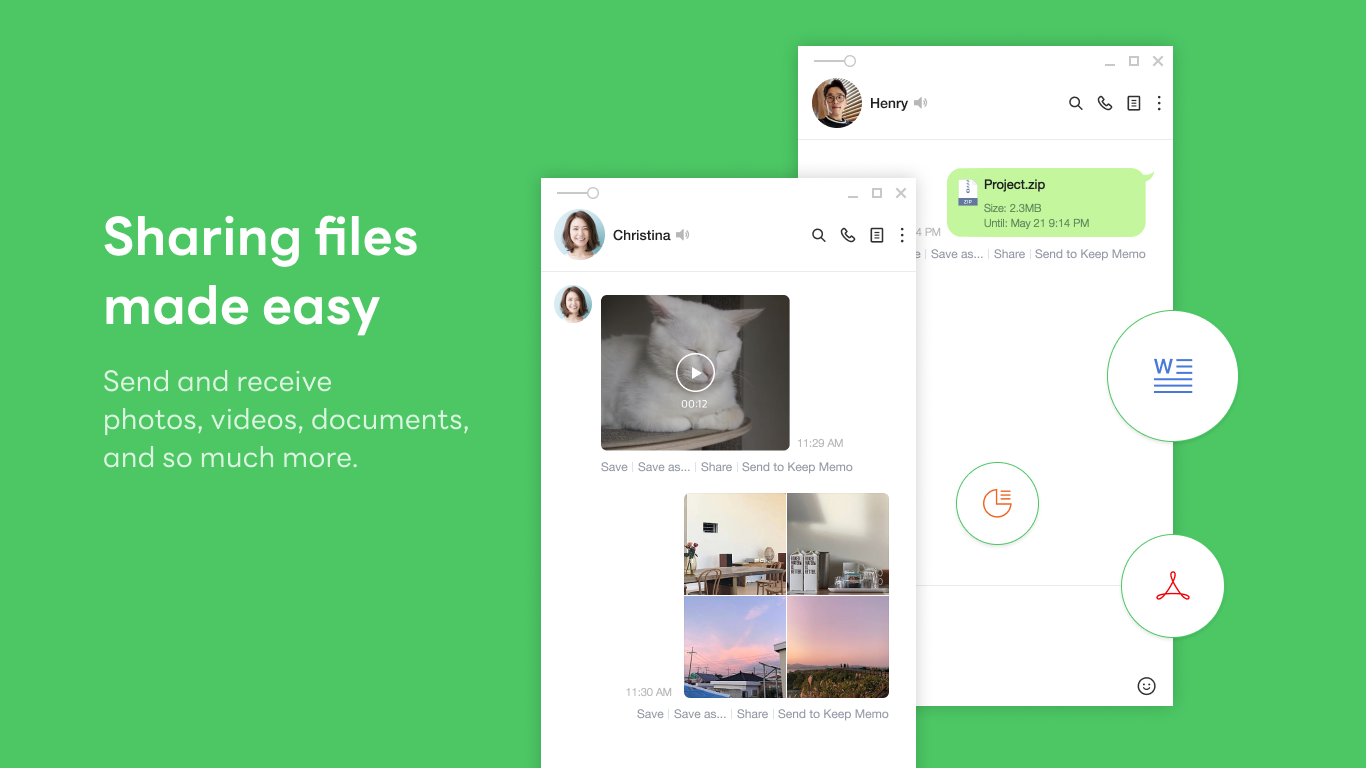
Expressing yourself visually has never been easier. Whether it's sharing a funny gif, a voice message, or a high-quality photo, the desktop app handles media smoothly. Drag and drop features make multimedia sharing feel natural, much like passing a note directly into a friend's hand. The UI maintains clarity, ensuring media previews are easily accessible and large enough for review—all within a well-organized layout.
**Connection Discovery & Authenticity Verification**
What sets LINE Desktop apart from generic messengers is its emphasis on secure, verified contacts and personalized profiles. Users can explore new connections with confidence, knowing that identities are verified, reducing the risk of scams or impersonation. Additionally, profile customization options allow users to craft an authentic digital persona, enhancing trust and making interactions more genuine. This focus on authenticity and community creates a richer, more trustworthy social space—like attending a gathering where everyone's identity is confirmed, making conversations feel more real and meaningful.
Overall Verdict and Recommendations
In summary, LINE Desktop for Windows excels in providing a reliable and user-centric messaging environment. Its core features—snap synchronization, media support, and verified profiles—capture the essential needs of modern digital communication, making it a valuable tool for both personal and professional contexts.
While it may lack some of the more advanced collaboration tools found in broader business apps, it compensates with a clean, straightforward user experience and unique features that foster genuine interactions. For active LINE users seeking a dedicated, reliable desktop client, this app is definitely worth installing. I'd recommend it especially for those who prioritize security, trust, and seamless multi-platform connectivity in their messaging routines.
Pros
- Seamless integration with Microsoft services
- User-friendly interface
- Rich media support
- Notification alerts
- Multi-platform availability
Cons
- Limited customization options
- Occasional sync delays
- Basic emoji set
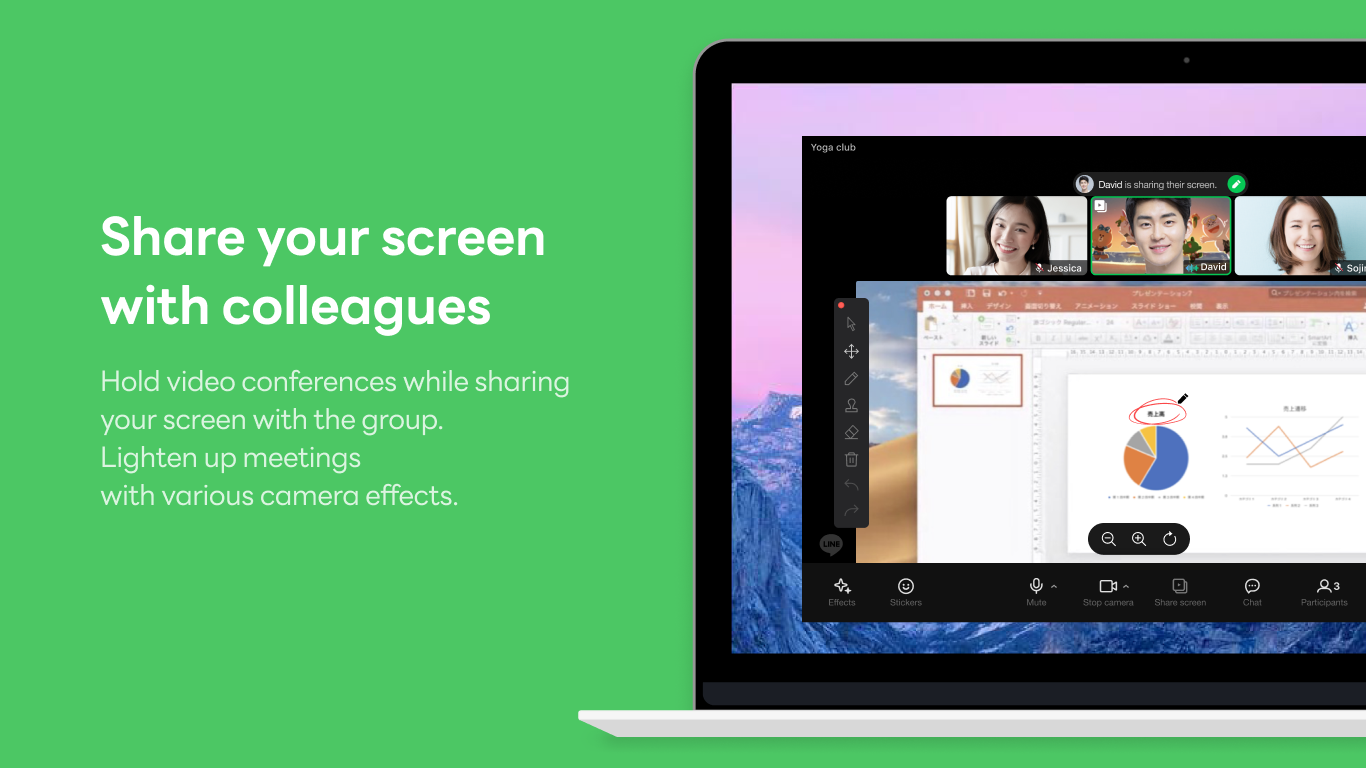
- No built-in voice/video call feature
- Occasional app crashes











