

- Name Zoom Workplace
- Category Productivity
- Developer Zoom Video Communications, Inc.
- Available on PC
- OS Windows 10 version 0.0 or higher
- languages English
Zoom Workplace for Windows: A Seamless Hub for Modern Collaboration
Zoom Workplace for Windows, developed by Zoom Video Communications, Inc., is a professional application designed to streamline team communication and productivity within a unified workspace environment. Serving as an integrated platform, it aims to simplify remote collaboration by bringing together video meetings, messaging, file sharing, and workflow integrations all in one place. Whether you're part of a startup, a remote team, or an enterprise, Zoom Workplace seeks to be your central command center for efficient teamwork.
Understanding the Core of Zoom Workplace
Zoom Workplace is more than just a rebranding or a simple supplement to Zoom's existing offerings; it's an ambitious attempt to fuse essential communication tools into a cohesive platform tailored for modern workplaces. Created by the renowned Zoom Video Communications, Inc., the app capitalizes on the company's robust experience in virtual meetings and team connectivity.
The main features that set Zoom Workplace apart include:
- Integrated Video Conferencing with Persistent Workspaces
- Unified Messaging and Notifications to Reduce Context Switching
- Deep Workflow Integration with Third-party Apps and Services
- Intuitive User Interface Designed for Ease of Use
The target audience spans from small to large organizations looking for efficient remote collaboration, project teams that require real-time communication, and managers seeking to reduce cognitive load while managing multiple workflows.
Lightning-Fast Commutes: Jump into Meetings and Chat
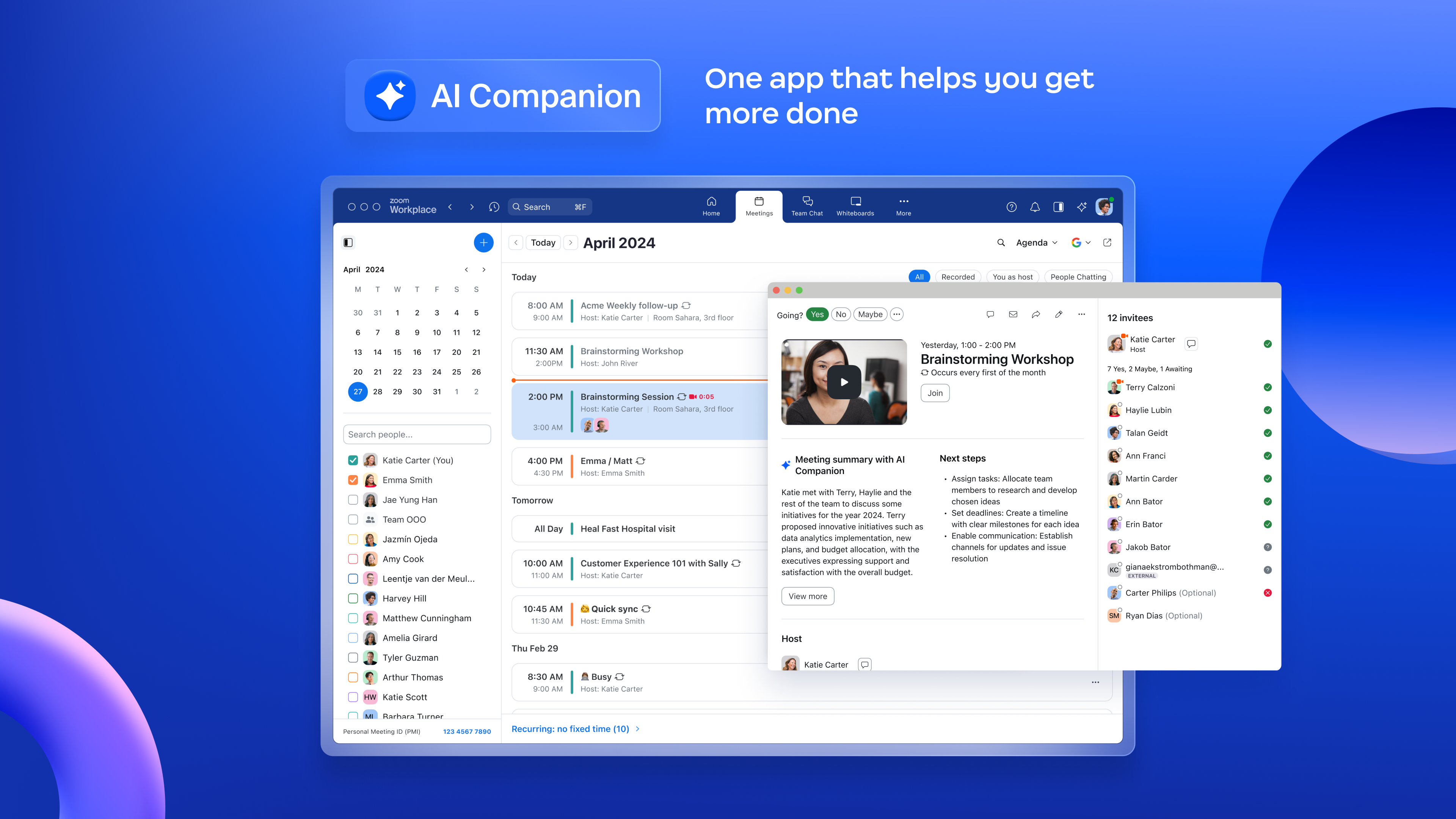
From the moment you open Zoom Workplace, it's like stepping into a well-organized digital command center. The app's home screen greets users with a clean, minimalist interface that highlights ongoing projects, upcoming meetings, and recent messages. This thoughtful layout minimizes distraction and allows users to quickly catch up or join meetings without hunting through cluttered menus.
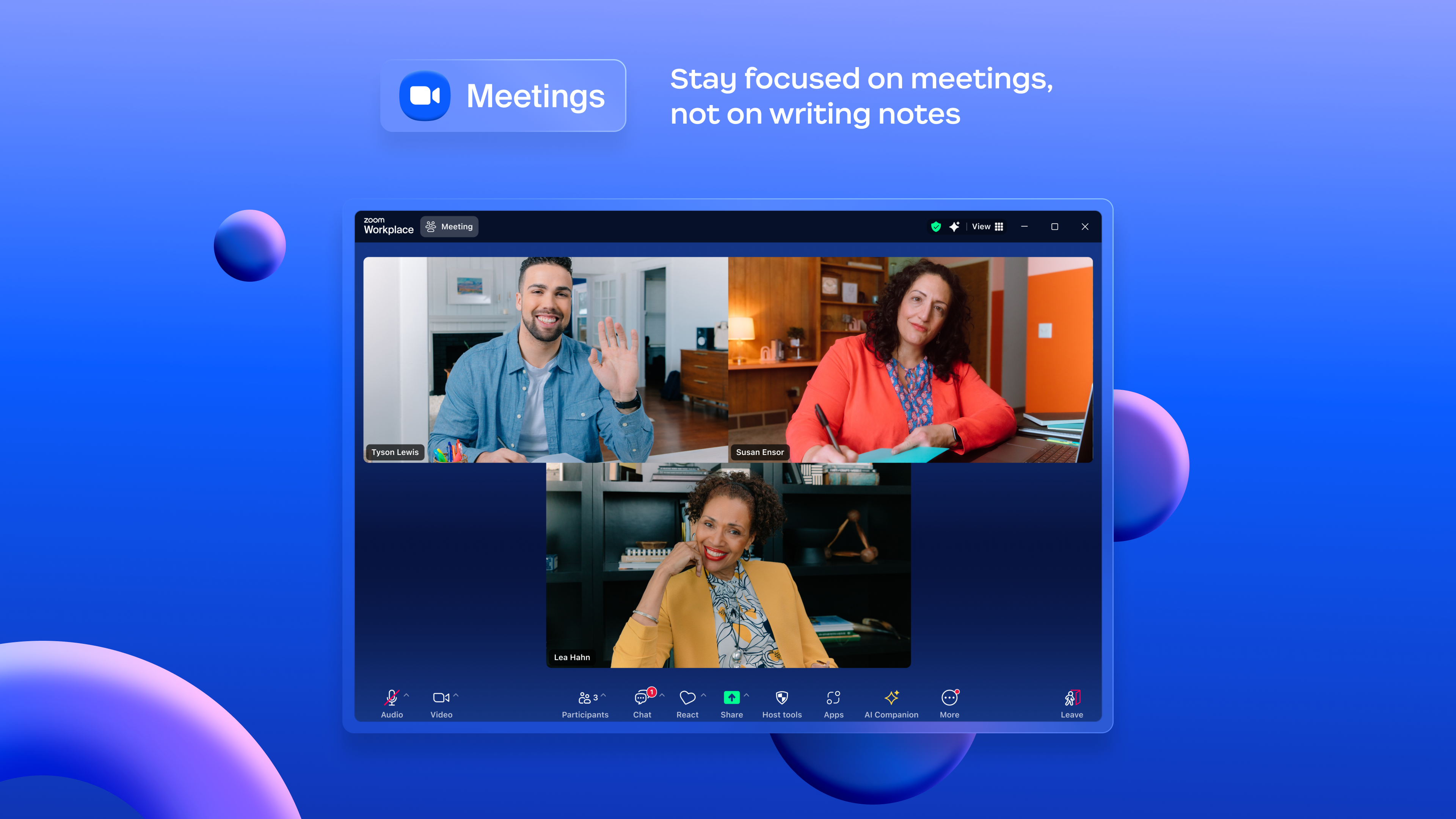
The platform's video conferencing features are robust and reliable, supporting HD video, screen sharing, and breakout rooms. What really captivates is how seamlessly meetings integrate into your daily workflow—no need to switch tabs or apps; everything is accessible from the same workspace. The persistent workspace concept permits ongoing conversations and meetings to be accessible at a moment's notice, akin to walking into an office where conversations continue seamlessly.
Streamlined Collaboration with Unified Messaging
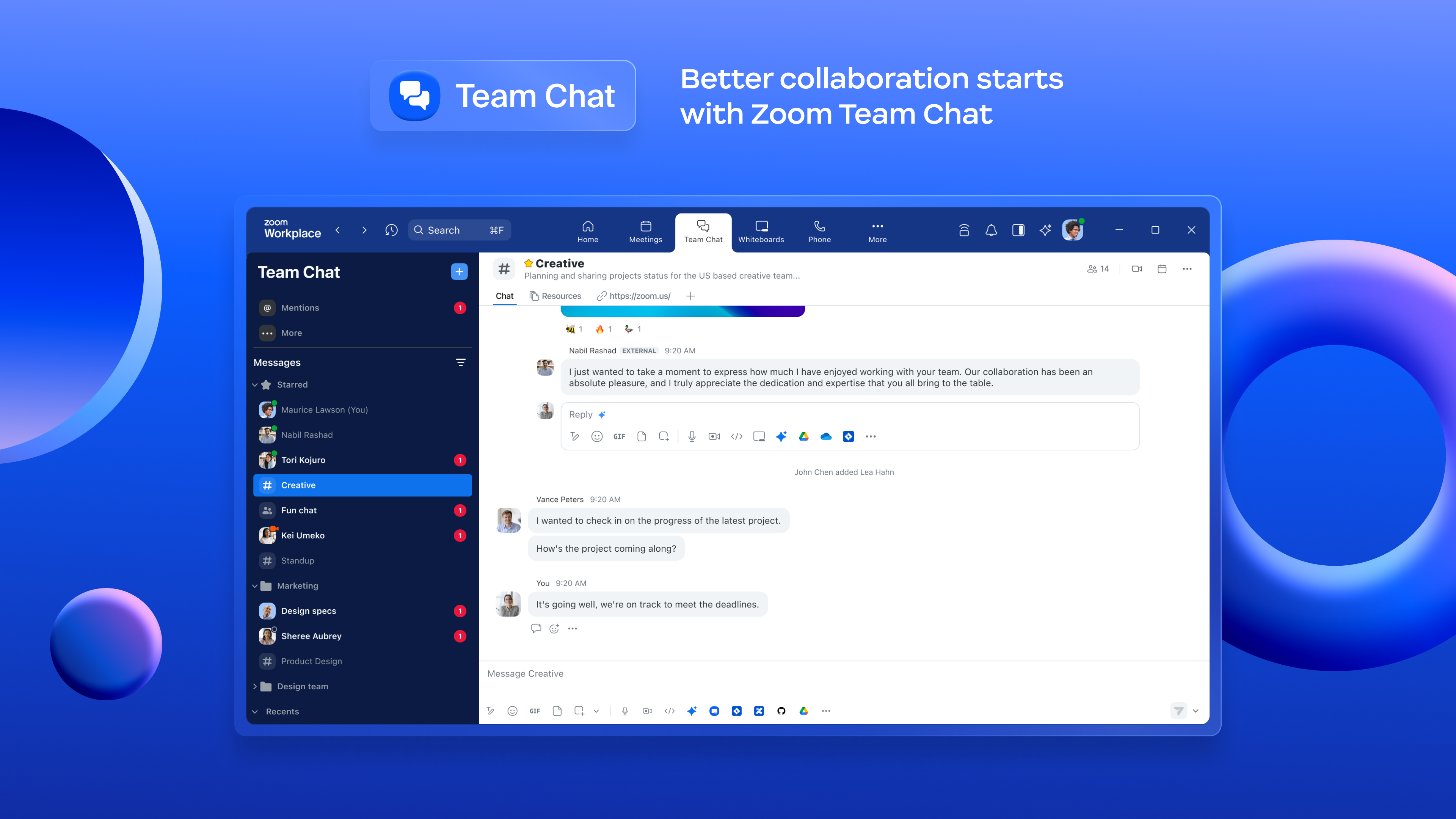
The messaging component is designed to mirror familiar chat apps but with a professional twist. It consolidates direct messages, team channels, and notifications into a single feed, reducing the mental clutter often caused by juggling multiple apps. The emphasis on reducing cognitive load is evident through features like threaded conversations, customizable notification settings, and streamlined search functionalities. These elements serve as a digital assistant, quietly filtering out irrelevant chatter and keeping important messages front and center.
Another highlight is the app's ability to embed shared files directly into chat threads, enabling brainstorms or quick file exchanges without breaking the flow. This integration fosters a more natural and continuous collaboration, much like passing notes across a conference table but in a polished, digital format.
Workflow Integration and User Experience: A Maestro at Work
The user experience of Zoom Workplace stands out through its intuitive design, enabling users to learn and adapt rapidly. The interface strikes a balance between feature richness and simplicity, avoiding the overwhelming complexity that can plague similar productivity tools. For example, integrating with third-party services like Microsoft 365, Slack, or Trello is straightforward, creating a cohesive environment that aligns with existing workflows.
Compared to other productivity platforms, Zoom Workplace's highlight is its focus on reducing cognitive burden. Instead of presenting users with dozens of disconnected features, it consolidates essential communication and workflow tools, allowing users to focus on the task at hand without being distracted by unnecessary options. The result is a workspace that's more of a cognitive extension of your team than an extra layer of complexity.
Recommendation and Usage Tips
All in all, Zoom Workplace for Windows is a well-designed communications platform that prioritizes workflow efficiency and user convenience. It's most suitable for organizations that need a unified workspace to tie together multiple channels of communication seamlessly. I'd recommend it to teams that value clarity, reduced mental clutter, and reliable integration over superficial feature bloat.
For optimal use, I suggest taking advantage of its workflow integrations early on—link your existing apps and tools to create a cohesive environment. Also, invest some time in customizing notifications and interface elements to match your team's specific needs. While it may not replace all tools, it excels at making team collaboration more fluid and less cognitively demanding.
In conclusion, Zoom Workplace's standout features—its persistent workspaces and tight workflow integration—make it a compelling choice for teams seeking to enhance remote collaboration without adding unnecessary complexity. For those looking for a platform that works behind the scenes to reduce mental load while boosting efficiency, this app is worth exploring.
Pros
- Seamless Integration with Microsoft Ecosystem
- High-Quality Video and Audio
- User-Friendly Interface
- Robust Security Features
- Cross-Device Compatibility
Cons
- Limited Free Meeting Duration
- Occasional Connectivity Issues
- Complex Meeting Management Settings
- Limited Customization Options
- Battery Consumption on Mobile Devices











