

- Name WinZip Microsoft Store Edition
- Category Productivity
- Available on PC
- OS Windows 10 version 17763.0 or higher
- languages Chinese (Simplified), Dutch, English (United States), French, German, Italian, Japanese, Portuguese (Brazil), Spanish (Spain)
Streamlining Your Compression Needs with WinZip Microsoft Store Edition
Imagine having a reliable digital assistant that effortlessly manages your compressed files, keeps your data secure, and integrates seamlessly into your Windows workflow. That's exactly what WinZip Microsoft Store Edition promises — a straightforward yet powerful tool designed for users who value efficiency and simplicity without sacrificing reliability.
About the App: A Trusted Name Reinvented for Windows Store
WinZip Microsoft Store Edition, developed by WinZip Computing, is a modern take on the classic file compression software reimagined for Windows 10 and 11 users. This version leverages the Microsoft Store's streamlined distribution platform, ensuring easy access and regular updates. The app's core mission is to help users compress and decompress files smoothly, while also providing robust encryption options to safeguard sensitive data.
Its main features include intuitive zip/unzip functions, file encryption, cloud storage integration, and support for multiple archive formats. Targeted at professionals, students, and everyday users alike, this app caters to anyone needing a dependable solution that simplifies file management amidst today's data-driven world.
Vivid First Impressions: A User-Friendly Companion
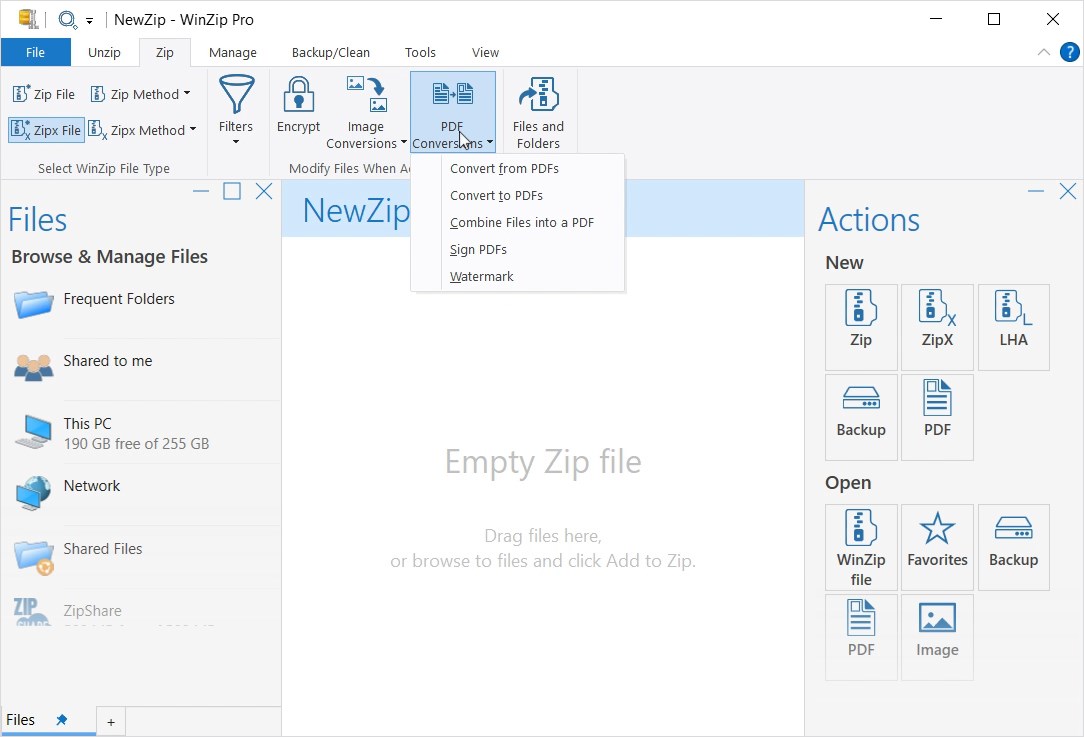
Stepping into the interface of WinZip Microsoft Store Edition feels like opening a cozy, well-organized workspace. It's a tool that feels familiar yet modern, inviting users of all skill levels to dive right in. The clean design ensures that even novices are able to navigate without fuss, turning what could be a technical chore into a near-pleasure of digital tidying. Its snappy responsiveness keeps the workflow brisk, almost like having a trusted assistant by your side, quickly sorting out your archives so you can focus on what truly matters.
Core Features that Elevate Your File Management Experience
Effortless Compression and Decompression
The heart of WinZip's appeal is its straightforward approach to compressing and extracting files. With just a few clicks, users can zip large batches of files, reducing storage space and simplifying sharing. For decompression, the app swiftly unfolds various formats like ZIP, RAR, 7z, and more, ensuring compatibility across different sources. The drag-and-drop functionality adds a touch of magic—just like arranging files on your desk but in a digital realm—making routine tasks feel effortless.
Enhanced Security through Powerful Encryption
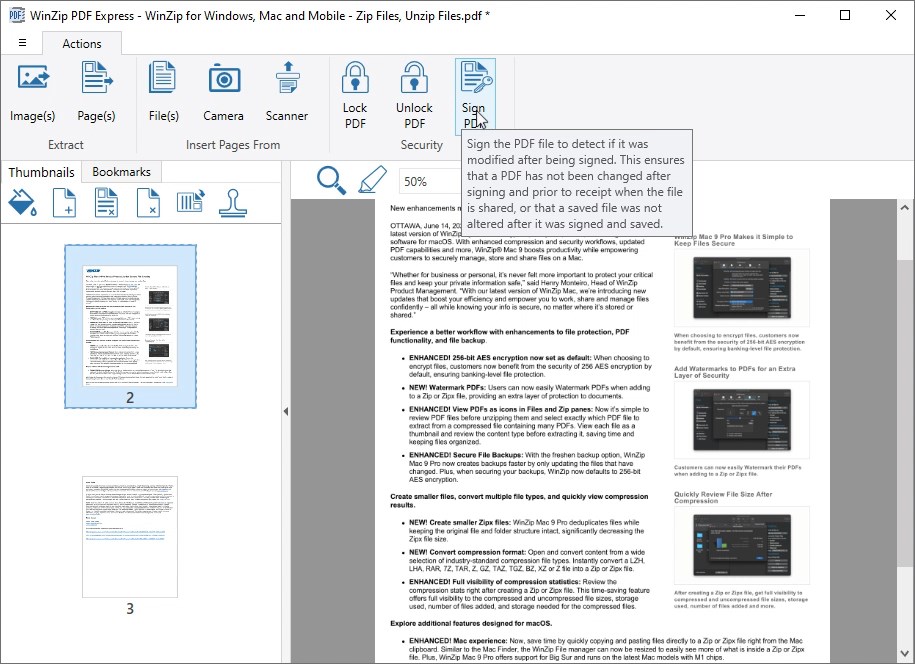
Security is often a concern when sharing files, and WinZip Microsoft Store Edition takes this seriously. Its standout feature is the integration of strong AES encryption, allowing users to protect sensitive archives with passwords. Think of it as locking your files in a safe, accessible only to those with the key. This feature is particularly beneficial for professionals handling confidential information or anyone serious about data privacy.
Cloud Integration and Collaboration
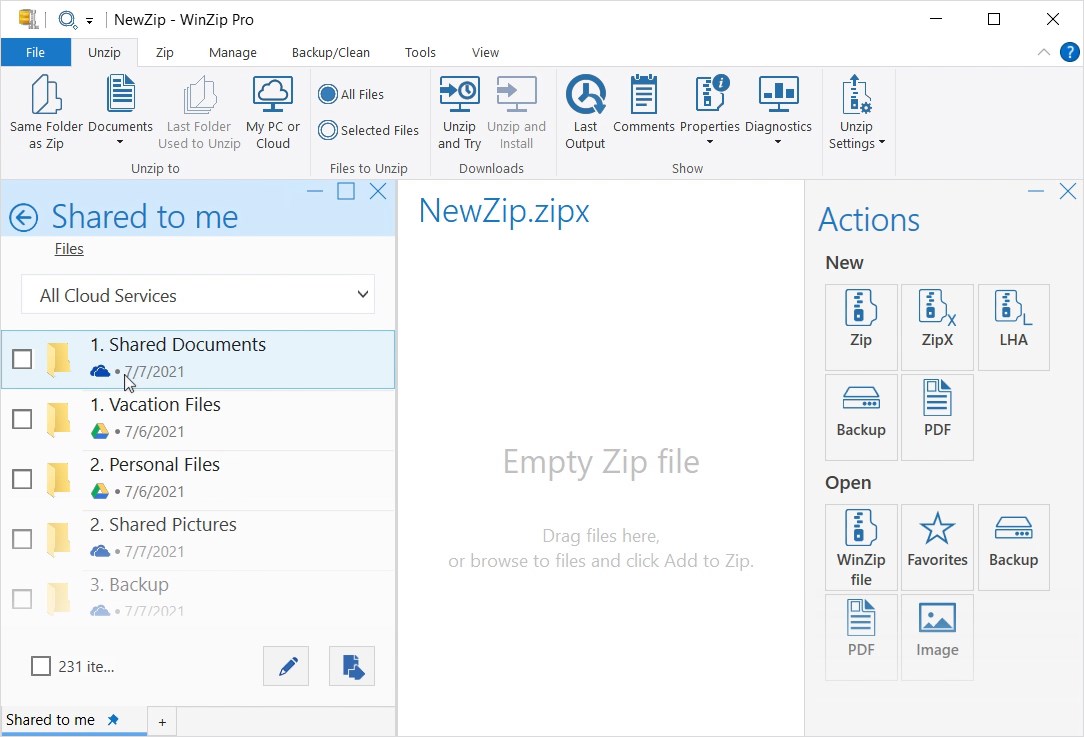
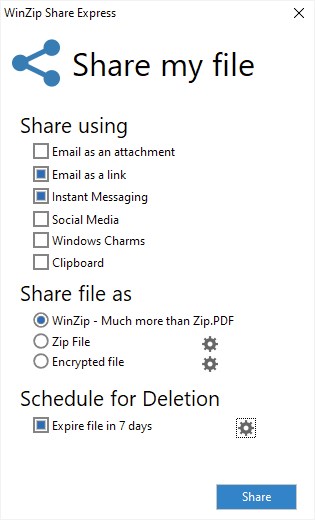
The app's ability to connect seamlessly with cloud services like OneDrive, Google Drive, and Dropbox elevates its utility. Now, compress and encrypt files directly from cloud storage and share them without cumbersome downloads. This creates a smooth, continuous workflow—like having a magically expanded workspace that bridges local and cloud environments, saving time and reducing cognitive load. The straightforward process ensures users don't get lost in complex steps, maintaining focus on their core tasks.
User Experience and Differentiation: Simple, Fast, and Focused
Compared with more feature-heavy competitors, WinZip Microsoft Store Edition emphasizes reducing cognitive overload. Its minimalist interface and streamlined functionalities resemble a well-organized toolbox, where everything you need is just within reach, while unnecessary complexities are left behind. This focus on workflow efficiency means you spend less time figuring out how to do things and more time completing your work.
The app's responsiveness and intuitive design allow users to quickly learn its features—the learning curve is gentle enough for newcomers, yet it offers enough depth for power users. Unlike some tools that dazzle with endless options but slow you down, WinZip keeps things straightforward and effective, making it ideal for those who value a no-nonsense, reliable compression solution integrated seamlessly into their Windows environment.
Final Verdict: A Solid Choice for Windows Users
If you're seeking a dependable, easy-to-use compression tool that quietly enhances your data management without adding clutter, WinZip Microsoft Store Edition is worth considering. Its key strengths lie in its combination of simplicity, security, and workflow integration—the perfect trifecta for busy professionals and casual users alike. I recommend giving it a try, especially if your daily work involves handling numerous files that need quick compression, encryption, or cloud sharing. It's not just a utility; it's a reliable partner in your digital workflow.
Pros
- User-Friendly Interface
- Fast Compression and Extraction
- Supports Various File Formats
- Secure Encryption Options
- Integration with Microsoft Store
Cons
- Limited Customization Settings
- Occasional Slow Response on Large Files
- Basic User Interface
- Limited Free Features
- Lack of Batch Processing for Certain Tasks











