

- Name VPN Pro - High Speed and Secure Proxy
- Category Productivity
- Available on PC, Mobile, Surface Hub, HoloLens
- OS Windows 10 version 17763.0 or higher
- languages English (United States)
Introduction: Seamless, Secure, and Speedy Connectivity
In today's interconnected world, maintaining fast and secure online access is more essential than ever. VPN Pro - High Speed and Secure Proxy for Windows by BoostingSuite positions itself as a reliable gateway that promises both speed and privacy. Its straightforward yet powerful approach aims to elevate your browsing experience without complicating your digital life, making it a noteworthy contender in the crowded VPN space.
Basic Information: Clear Purpose with a Focus on User Needs
VPN Pro is designed to provide users with a high-speed, secure proxy connection on Windows devices. Its primary goal is to enable safe browsing and unblock geographically restricted content effortlessly.
Developer and Publisher
Developed and published by BoostingSuite, a team dedicated to creating user-friendly connectivity tools with an emphasis on privacy and performance.
Main Features and Highlights
- Ultra-fast connections optimized for minimal latency—perfect for streaming, gaming, or everyday browsing.
- Robust security protocols, including AES encryption and stealth features, to safeguard user data.
- Easy-to-use interface with quick connection toggles, making VPN usage accessible even for beginners.
- Multiple server locations around the globe facilitating flexible access to international content.
Target User Group
This app caters to casual users who want reliable anonymity, remote workers needing secure connections, and anyone seeking to bypass geo-restrictions without sacrificing speed or ease of use.
Vivid First Impressions: A Sleek and Friendly User Experience
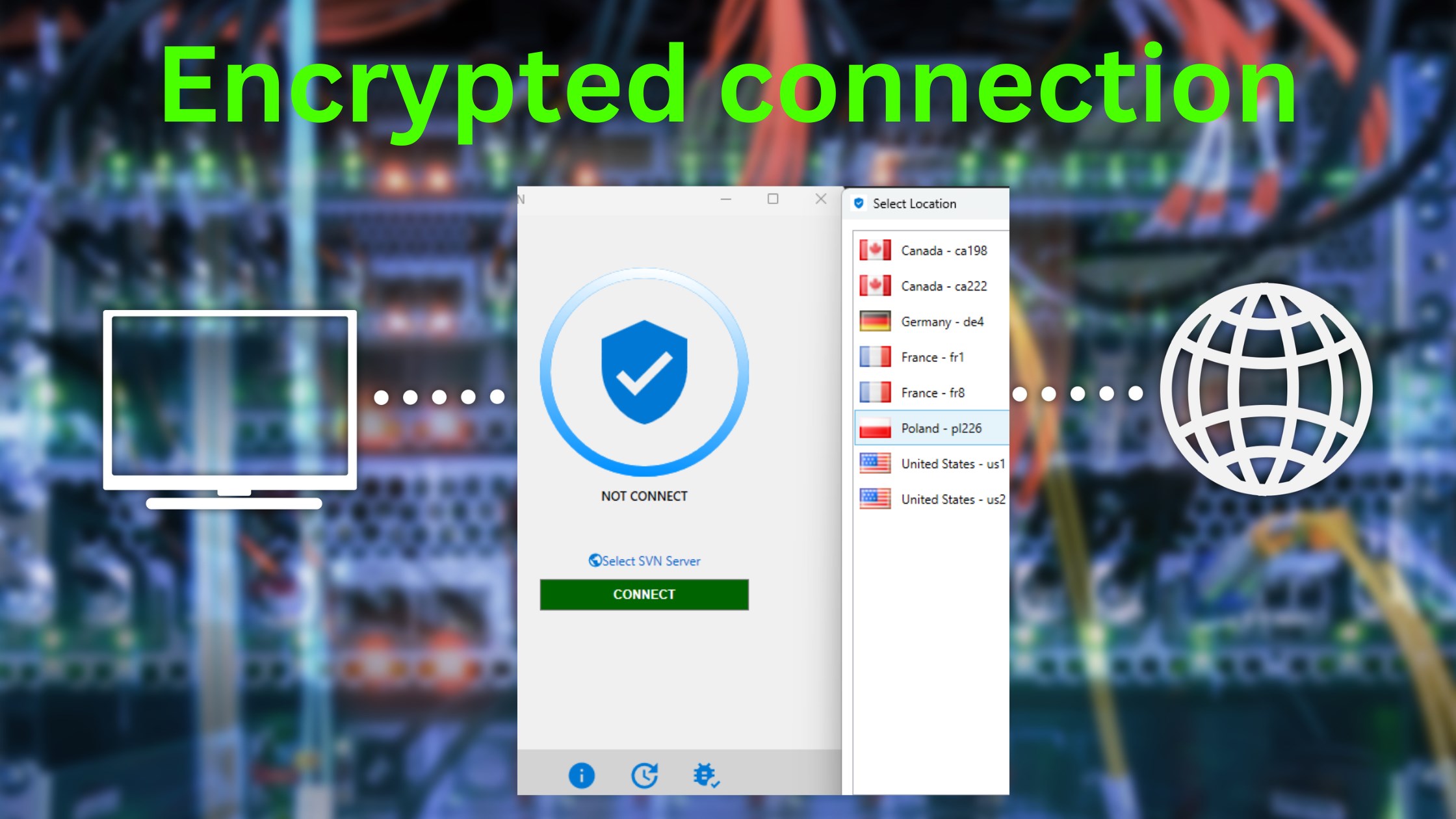
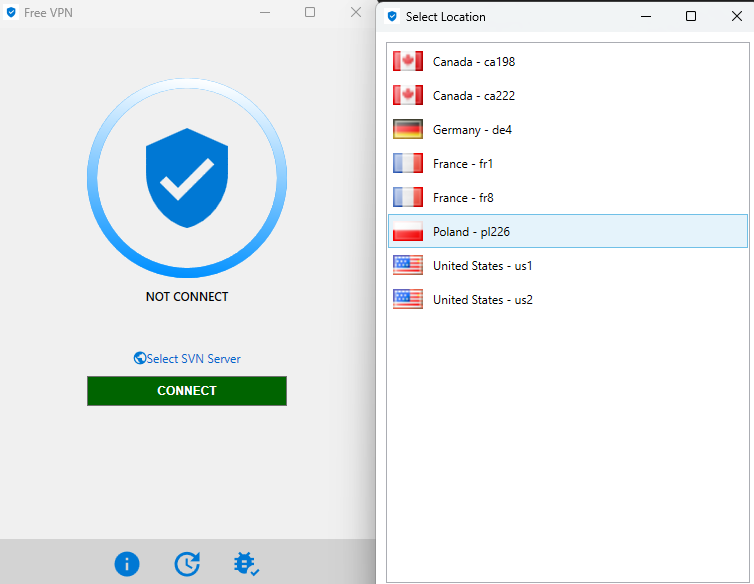
Imagine opening a window into a bustling city—bright, inviting, and full of possibilities—that's the vibe VPN Pro delivers right from the start. The interface is clean and uncluttered, much like a well-organized workspace, showing prominently placed buttons for quick connect/disconnect actions. It's designed to be straightforward for newcomers and efficient for power users. From the moment you click to activate the VPN, the transition feels seamless—almost like flipping a switch to a quieter, safer digital lane, where your online journey is both swift and shielded.
Core Features that Drive Your Connection Forward
Speed and Performance: The Heartbeat of VPN Pro
Speed is king in the VPN realm, and VPN Pro shines here. Its underlying infrastructure appears optimized to reduce lag and buffering, even during peak hours. By intelligently selecting nearby servers or favoring less congested nodes, it ensures your streaming sessions, video calls, or data uploads happen smoothly—much like gliding on a freshly paved road. The app's intelligent routing minimizes latency, supporting high-definition streaming and fast downloads without breaking a sweat.
Security and Privacy: Your Digital Shield
Instead of overwhelming you with jargon, VPN Pro simplifies security to an easily understandable level—think of it as having a trusted personal bodyguard while navigating the web. It employs standard AES encryption, along with stealth features that help bypass censorship and firewalls. This dual approach guarantees your online activities remain private and untraceable, providing peace of mind whether you're shopping, working remotely, or accessing sensitive information from public Wi-Fi.
User Interface and Usability: Making VPNs Friendly
One of VPN Pro's standout qualities is its user-centric design. With intuitive controls—big toggle buttons, clear server lists, and minimalistic menus—the app lowers the entry barrier for newcomers. Connecting takes mere seconds, and switching servers is as simple as clicking a dropdown—much like choosing a seat in your favorite café. The straightforward layout reduces cognitive load, meaning users can focus on their tasks without fussing over complex settings or ghostly menus.
Comparison with Similar Productivity Tools: What Sets VPN Pro Apart
While many VPNs offer similar core features—speed, security, and ease of use—VPN Pro's true differentiation lies in its workflow integration efficiency and user experience. Unlike feature-heavy competitors with cluttered interfaces, it emphasizes reducing cognitive load—allowing users to connect swiftly without a steep learning curve. Its emphasis on high-speed connections tailored for streaming and gaming makes it a productivity tool that aligns with dynamic, fast-paced digital routines. The app acts almost like a reliable relay runner, smoothly passing your data through secure channels with minimal fuss, thus enhancing your overall workflow without unnecessary complexity.
Final Verdict and Recommendations
VPN Pro stands out as a well-balanced, user-friendly VPN solution that combines speed, security, and simplicity. Its most special features—particularly its emphasis on high-speed performance and seamless workflow integration—make it suitable for users who want trustworthy connectivity without the hassle of intricate configurations. For casual users, remote workers, or anyone who values efficiency alongside safety, VPN Pro is worth a try. I recommend it to those seeking a straightforward yet powerful tool to enhance their online freedom and security, especially if speed and ease of use are top priorities. Consider giving it a shot if your digital routines demand reliability without the complexity of traditional VPNs.
Pros
- High-Speed Connection
- Strong Security Features
- Easy-to-Use Interface
- Reliable Connection Stability
- Wide Server Network
Cons
- Limited Free Version
- Occasional Connection Drops
- App Performance on Older Devices
- Customer Support Response Time
- Lack of Advanced Customization Options











