

- Name VPN - Planet VPN
- Category Productivity
- Developer Free VPN Planet
- Available on PC
- OS Windows 10 version 17763.0 or higher
- Keyboard Integrated Keyboard
- Memory 1 GB
- Mouse Not specified
- languages English (United States), French, German, Russian, Spanish (Spain)
An Introduction to VPN - Planet VPN for Windows
Imagine navigating the vast digital landscape with a secure and seamless gateway that keeps your online activities private while unlocking regions and content effortlessly. VPN - Planet VPN for Windows positions itself as a straightforward solution for users seeking reliable VPN services without the complexities often associated with more feature-heavy counterparts.
Basic Information and Target Audience
Developed by Free VPN Planet, this application is designed to provide users with simple and quick access to VPN connectivity directly from their Windows devices. Its primary function is to offer secure, encrypted internet access to enhance privacy and bypass geo-restrictions. The target users include casual internet users, remote workers, students, and anyone needing a quick and easy VPN connection without the need for technical prior knowledge.
Engaging and Reliable: First Impressions
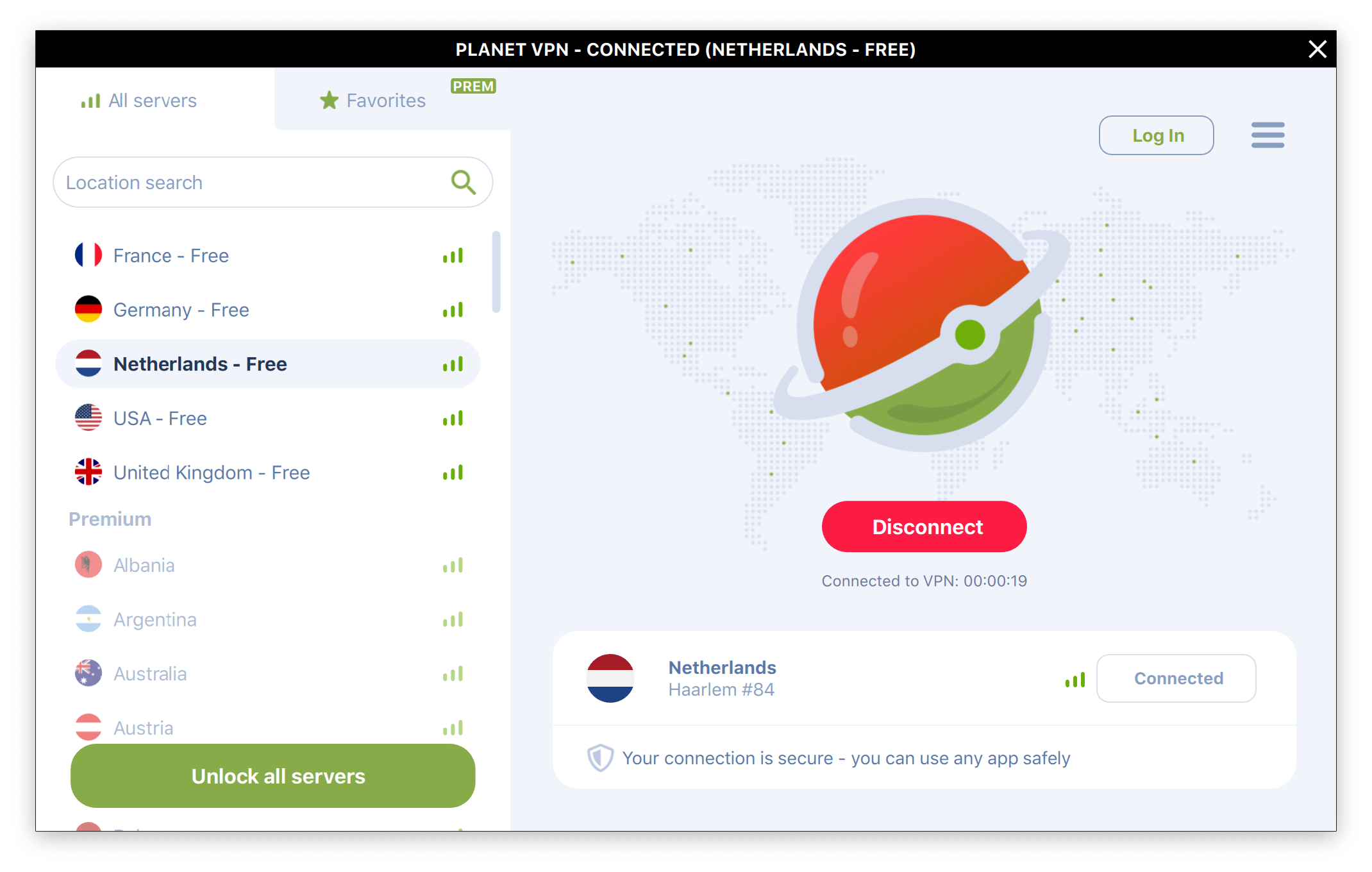
Starting up VPN - Planet VPN feels like opening a friendly portal into a safer online world. The interface is crisp, intuitive, and surprisingly clutter-free. It's akin to stepping into a well-organized control room where everything you need is accessible at your fingertips. Within moments, I was able to connect to the VPN, feeling confident about my privacy—no complex configurations or confusing menus in sight. For those overwhelmed by technical jargon, this app offers a pleasant, user-friendly experience that feels more like flipping a switch than navigating a maze.
Core Functionality 1: Seamless Connection & Region Switching
The most outstanding feature of VPN - Planet VPN is its effortless connection process. The app provides a one-click connect button, instantly establishing a secure tunnel for your online activities. Additionally, switching between different server regions is a breeze—simply select your desired location from a straightforward list or map. This simplicity drastically reduces the cognitive load often associated with VPN management, making it accessible even for less tech-savvy users. For example, if you're streaming a show only available in the US, a quick click switches your virtual location, unlocking content without fuss or delays.
Core Functionality 2: Auto-Reconnect & Connection Stability
Once connected, VPN - Planet VPN impresses with its stability. Its auto-reconnect feature ensures that even if your network flickers or drops temporarily, your VPN connection restores seamlessly in the background. This reliability feels like having an attentive guardian watching over your online journey—your privacy remains intact without the need for constant manual intervention. Such features are pivotal for remote workers or streaming enthusiasts who rely on continuous connectivity and value peace of mind.
Design, Usability, and Experience
The app's design is minimalistic yet effective, with a clean layout that guides users intuitively. Navigating from connection to server selection involves very little learning curve, thanks to clear icons and straightforward menus. Smooth transitions and quick responses contribute to a fluid user experience, reminiscent of driving an automatic car—no need to worry about gear shifts, just focus on the road ahead. For new VPN users, this means less frustration and a faster route to secured browsing.
Unique Edge: Workflow-friendly and Low Cognitive Load
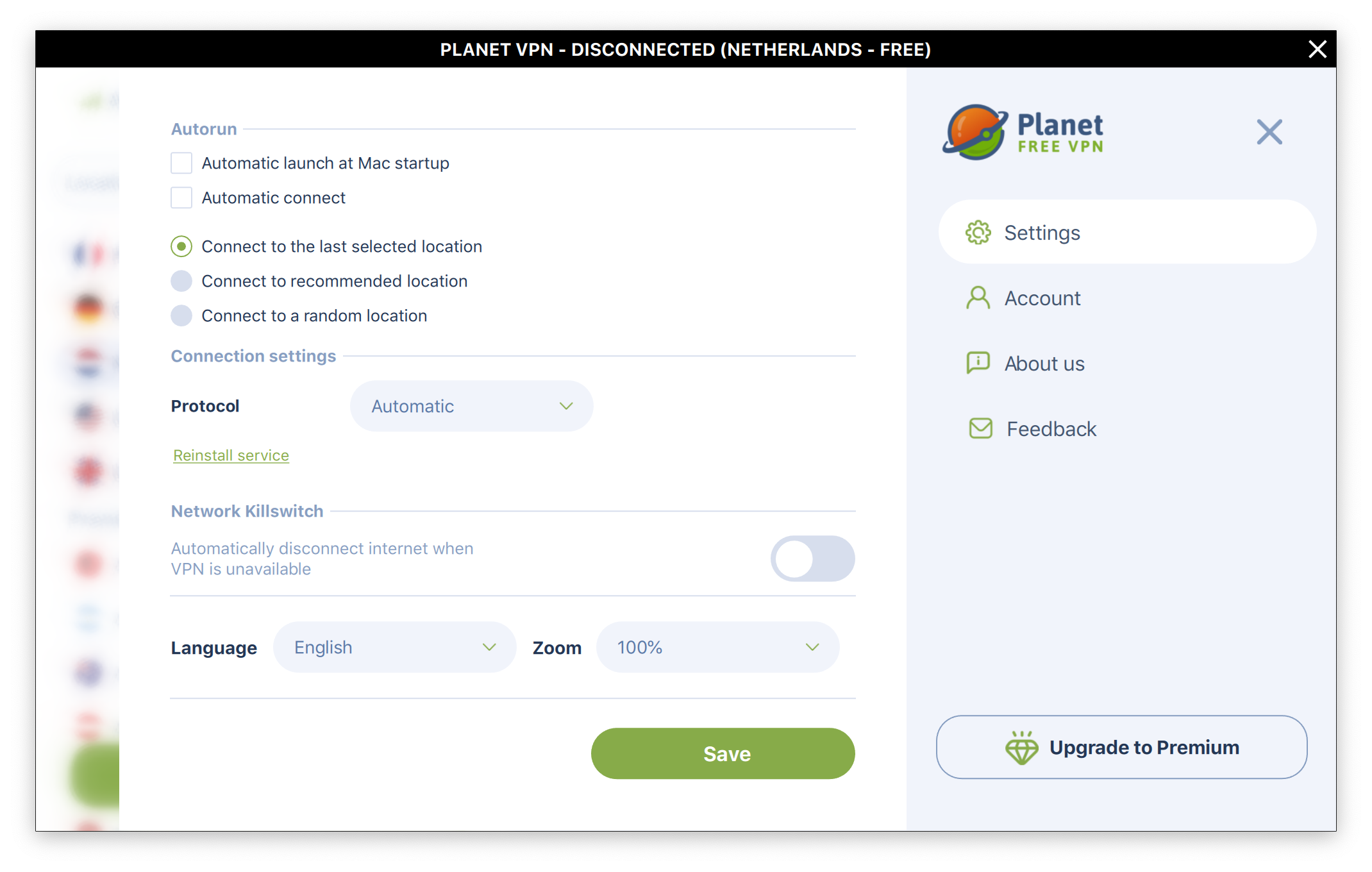
What sets VPN - Planet VPN apart from many counterparts is its emphasis on reducing feature complexity while maintaining core functionality. Unlike VPN services laden with numerous settings and advanced options that can overwhelm users, this app narrows its focus: quick, reliable VPN connections with minimal distractions. Compared to more bloated applications, it acts like a well-organized toolbox—giving you just the right tools without the clutter. This approach enhances workflow efficiency, especially for casual users or those integrating VPN use into daily routines, minimizing the mental effort needed to operate it.
Final Verdict and Recommendations
All things considered, VPN - Planet VPN for Windows emerges as a competent, user-focused VPN solution that prioritizes ease of use and reliability over overwhelming feature sets. Its straightforward interface, swift server switching, and stable connections make it an excellent choice for users seeking quick privacy enhancement or content access without diving into technical settings. I would recommend it to anyone new to VPNs, or those who appreciate simplicity and efficiency in their online tools.
While it may lack some of the advanced customization options found in premium VPNs, its core strength lies in providing a worry-free, hassle-free browsing experience. Overall, VPN - Planet VPN is like a dependable neighborhood watch—always ready to keep your online activity safe and accessible with minimal effort, making it a solid addition to your digital security toolkit.
Pros
- Strong Security Protocols
- Easy-to-Use Interface
- Wide Server Network
- Reliable Connection Stability
- Free Version Available
Cons
- Limited Free Bandwidth
- Speed Variability
- Occasional Server Disconnects
- Limited Support for Streaming Services
- Lack of Advanced Settings











