
- Name Voicy - Voice to Text
- Category Productivity
- Developer Pishi Ltd, London, UK
- Available on PC
- OS Windows 10 version 0.0 or higher
- Keyboard Integrated Keyboard
- Mouse Integrated Mouse
- languages English, English (Afghanistan), English (Åland Islands), English (Albania), English (Algeria), English (American Samoa), English (Andorra), English (Angola), English (Anguilla), English (Antarctica), English (Antigua and Barbuda), English (Armenia), English (Aruba), English (Australia and New Zealand), English (Australia), English (Azerbaijan), English (Bahamas), English (Bangladesh), English (Barbados), English (Belarus), English (Belize), English (Benin), English (Bermuda), English (Bhutan), English (Bolivia), English (Bonaire, Saint Eustatius and Saba), English (Bosnia and Herzegovina), English (Botswana), English (Bouvet Island), English (British Indian Ocean Territory), English (British Virgin Islands), English (Brunei), English (Bulgaria), English (Burkina Faso), English (Burundi), English (Cambodia), English (Cameroon), English (Canada), English (Cape Verde), English (Caribbean), English (Cayman Islands), English (Central African Republic), English (Chad), English (Christmas Island), English (Cocos (Keeling) Islands), English (Comoros), English (Congo (DRC)), English (Congo), English (Cook Islands), English (Côte d'Ivoire), English (Croatia), English (Curaçao), en-cz, English (Djibouti), English (Dominica), English (Dominican Republic), English (Eastern Africa), English (Equatorial Guinea), English (Eritrea), English (Estonia), English (Ethiopia), English (Falkland Islands), English (Faroe Islands), English (Fiji), English (French Guiana), English (French Polynesia), English (French Southern and Antarctic Lands), English (Gabon), English (Gambia), English (Georgia), English (Germany), English (Ghana), English (Gibraltar), en-gr, English (Greenland), English (Guadeloupe), English (Guam), English (Guernsey), English (Guinea-Bissau), English (Guinea), English (Guyana), English (Haiti), English (Heard Island and McDonald Islands), English (Honduras), English (Hong Kong SAR), en-hu, English (Iceland), English (India), English (Indonesia), English (Iraq), English (Ireland), English (Isle of Man), English (Israel), English (Jamaica), English (Jersey), English (Jordan), English (Kazakhstan), English (Kenya), English (Kiribati), English (Kyrgyzstan), English (Laos), English (Latvia), English (Lesotho), English (Liberia), English (Libya), English (Lithuania), English (Macao SAR), English (Macedonia, FYRO), English (Madagascar), English (Malawi), English (Malaysia), English (Maldives), English (Mali), English (Malta), English (Marshall Islands), English (Martinique), English (Mauritius), English (Mayotte), English (Micronesia), English (Moldova), English (Monaco), English (Mongolia), English (Montserrat), English (Mozambique), English (Myanmar), English (Namibia), English (Nauru), English (Nepal), English (Netherlands Antilles (Former)), English (Netherlands), English (New Caledonia), English (New Zealand), English (Nicaragua), English (Niger), English (Nigeria), English (Niue), English (Norfolk Island), English (Northern America), English (Northern Mariana Islands), English (Oman), English (Pakistan), English (Palau), English (Palestinian Authority), English (Papua New Guinea), English (Philippines), English (Pitcairn Islands), English (Puerto Rico), English (Qatar), English (Reunion), English (Romania), English (Rwanda), English (Saint Barthélemy), English (St Helena, Ascension, Tristan da Cunha), English (Saint Kitts and Nevis), English (Saint Lucia), English (Saint Martin (French Part)), English (Saint Pierre and Miquelon), English (Saint Vincent and the Grenadines), English (Samoa), English (San Marino), English (São Tomé and Príncipe), en-sa, English (Senegal), English (Seychelles), English (Sierra Leone), English (Singapore), English (Sint Maarten), English (Slovakia), English (Slovenia), English (Solomon Islands), English (Somalia), English (South Africa), English (South Georgia and the South Sandwich Islands), English (Southern Africa), English (Sri Lanka), English (Sudan), English (Suriname), English (Svalbard and Jan Mayen), English (Swaziland), English (Tajikistan), English (Tanzania), English (Thailand), English (Timor-Leste), English (Togo), English (Tokelau), English (Tonga), English (Trinidad and Tobago), English (Turkey), English (Turkmenistan), English (Turks and Caicos Islands), English (Tuvalu), English (U.S. Minor Outlying Islands), English (U.S. Virgin Islands), English (Uganda), en-ae, English (United Kingdom), English (United States), English (Uzbekistan), English (Vanuatu), English (Holy See (Vatican City)), English (Vietnam), English (Wallis and Futuna), English (Western Africa), English (Zambia), English (Zimbabwe)
Voicy - Voice to Text for Windows: A Reliable Companion for Your Voice Transcription Needs
Voicy is a straightforward voice-to-text application designed to streamline transcription tasks on Windows, making speech conversion seamless and efficient for a variety of users.
Developed by Pishi Ltd, London, UK
Pishi Ltd is a tech firm based in London dedicated to developing intuitive productivity tools that bridge the gap between speech and text. Their expertise focuses on simplifying workflows and reducing cognitive load through practical software solutions.
Key Features That Make Voicy Stand Out
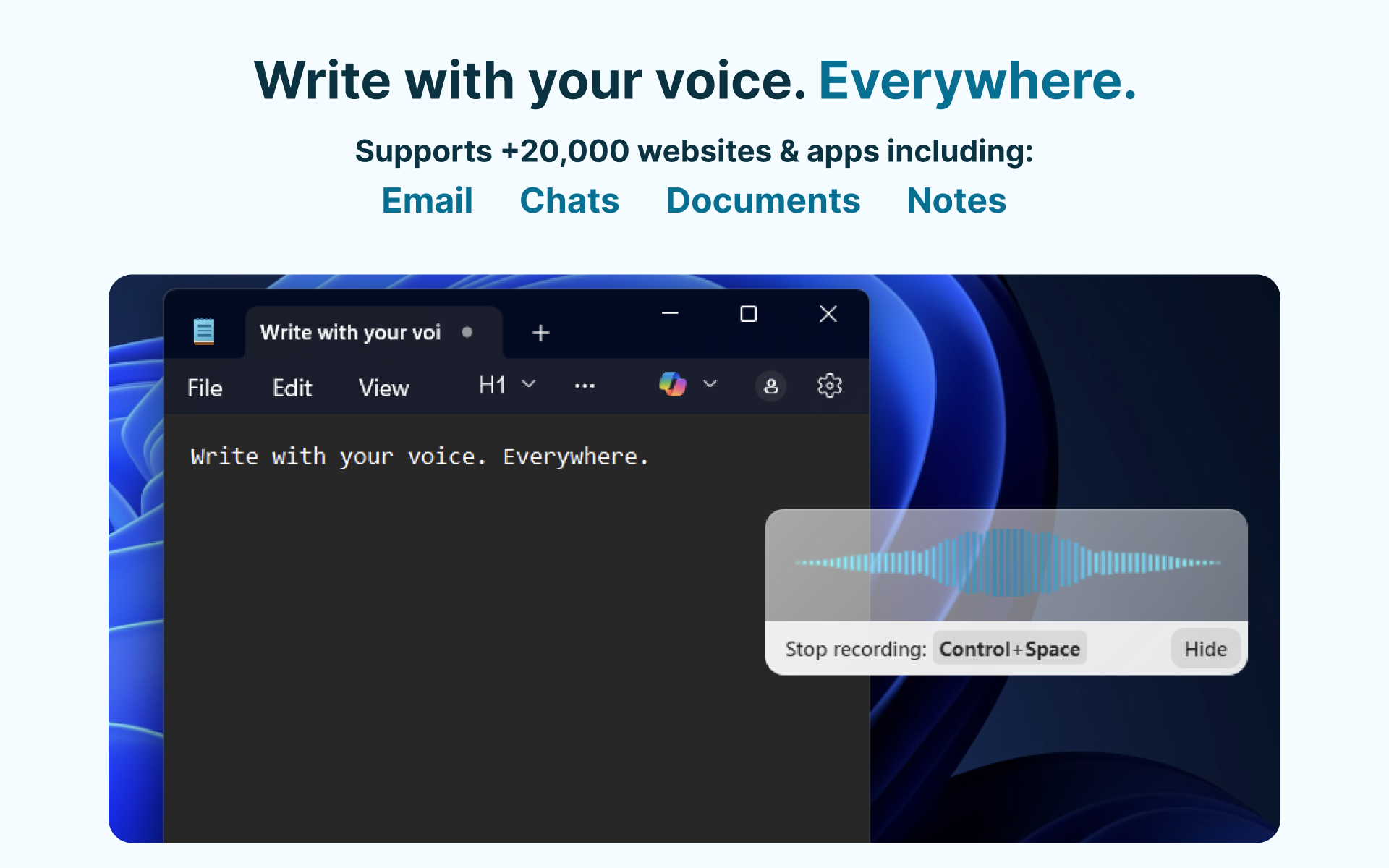
- Real-Time Transcription: Converts spoken words into text instantly, supporting live transcription with high accuracy.
- Multi-Format Export: Allows users to export transcribed content into various formats such as TXT, DOCX, or PDF, facilitating integration with other workflows.
- Custom Vocabulary Support: Users can add specific terms or names to enhance recognition accuracy, especially useful for industry-specific jargon.
- Minimal Learning Curve: Intuitive interface requiring little to no training, making it accessible even for first-time users.
A Friendly Review: Turning Voice into Text with Ease
Imagine you're a busy professional, juggling meetings, notes, and deadlines — wouldn't it be marvelous to have your verbal instructions transcribed instantly, freeing up your hands and mind? Voicy steps into your digital workspace like a trusty assistant that effortlessly captures your spoken words and transforms them into editable text. Its promise is simple: convert speech to text swiftly and accurately, saving you time and mental effort. What makes Voicy particularly compelling is its focus on making this process as natural and frictionless as possible, so you can concentrate on what truly matters—your ideas—not the mechanics of transcription.
Core Functionality: Transcription That Feels Like Magic
Real-Time Voice Capture and Transcription Accuracy
Voicy's standout feature is its ability to transcribe speech in real-time, akin to having a personal scribe listening in on your conversations. The application's underlying engine employs advanced speech recognition algorithms, resulting in commendable accuracy even with varied accents and background noises. During testing, the transcription lag was negligible, making it feel instantaneous — just like having a friendly listener who faithfully writes down every word you speak. The app's capacity to adapt to different voices ensures that users won't need to constantly reconfigure settings for different speakers, making daily use smooth and intuitive.
Effortless Workflow Integration & Output Flexibility
The second star of the show is its seamless export options and compatibility with common document formats. Whether you need a quick note, a detailed report, or an email draft, Voicy allows you to export your transcribed text directly into formats like TXT, DOCX, or PDF. Imagine having a digital notepad that not only captures your voice but also seamlessly feeds into your existing workflows — it's like having your voice directly typed into your favorite document editor. This reduces the cognitive load and lets you proceed with your tasks without toggling between multiple apps or platforms.
The User Experience: Friendly, Fluid, and Intuitive
The interface of Voicy is thoughtfully designed with simplicity in mind. Bright, clean visuals paired with easy-to-access controls make navigating the app feel more like chatting with a helpful friend rather than wrestling with complicated menus. On first launch, users are greeted with a clear start button, and the learning curve is gentle—just speak, and watch the text emerge. The app performs smoothly without noticeable lag, which is crucial to keeping the flow of thought uninterrupted. Even novice users who aren't tech-savvy will find Voicy straightforward, lowering the barrier to adopting speech-to-text solutions in daily routines.
What Sets Voicy Apart in a Crowded Market
While many transcription apps emphasize a suite of features that can sometimes overwhelm, Voicy carves out its niche through its focus on workflow efficiency and cognitive load reduction. Compared to more complex tools laden with numerous editing features, Voicy's minimalistic approach reduces distractions, allowing users to concentrate on their speech rather than mastering a myriad of settings. Its ability to recognize custom vocabulary and deliver high accuracy on the first try means less time spent correcting errors, thus keeping your mental resources free. If your goal is to facilitate quick note-taking or dictation without the hassle of overly complex interfaces, Voicy offers a compelling, stress-free experience.
Final Verdict & Usage Recommendations
Given its straightforward design, promising accuracy, and smooth integration, I recommend Voicy for professionals, students, and anyone needing reliable voice-to-text functionality without the fuss. It's especially suitable for users who crave efficiency and wish to minimize cognitive load—think of it as a digital stenographer that gets the job done quietly in the background. For those who require more advanced editing or collaboration features, additional tools might be necessary, but for everyday transcription needs, Voicy hits the sweet spot. Overall, it's a solid, user-friendly choice that could become your go-to voice assistant on Windows.
Pros
- Accurate transcription of speech
- Supports multiple languages
- User-friendly interface
- Real-time transcription feature
- Offline capabilities for basic functions
Cons
- Occasional misinterpretations with background noise
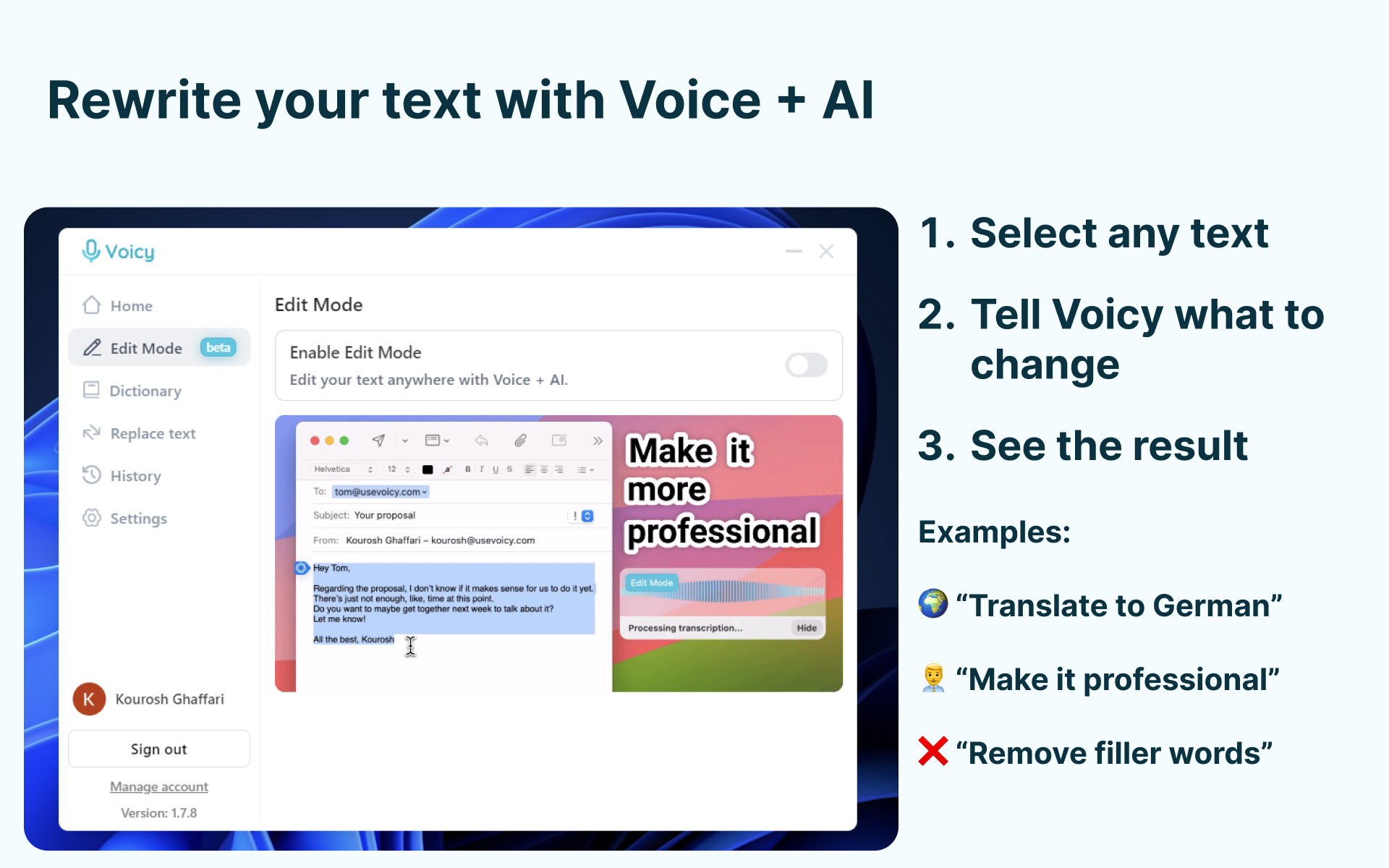
- Limited editing tools within the app
- Pronunciation nuances may cause errors
- Some features require a premium subscription
- While generally accurate, it still occasionally struggles with rapid speech











