
- Name VariCAD
- Category Multimedia design
- Available on PC
- OS Windows 10 version 0.0 or higher
- Keyboard Integrated Keyboard
- Mouse Integrated Mouse
- languages Czech, English, German, Portuguese, Japanese
Introducing VariCAD for Windows: A Robust CAD Solution for Engineers and Designers
VariCAD for Windows is a professional 3D/2D CAD software tailored for mechanical engineers, designers, and draftsmen seeking precise modeling, flexible editing, and comprehensive calculations. Its versatility makes it a go-to tool for designing mechanical parts and assemblies with ease.
About the Developer: A Trusted Name in CAD Software
Developed by VARICAD, a reputable team with extensive experience in CAD solutions, VariCAD leverages years of engineering and software development expertise to deliver a reliable and efficient design tool tailored for technical professionals worldwide.
Key Features that Set VariCAD Apart
- Intuitive 3D modeling and editing capabilities designed specifically for mechanical parts
- Built-in calculations for dimensions, fits, and tolerances to ensure manufacturability
- Comprehensive library of standard parts and tools for streamlined design workflows
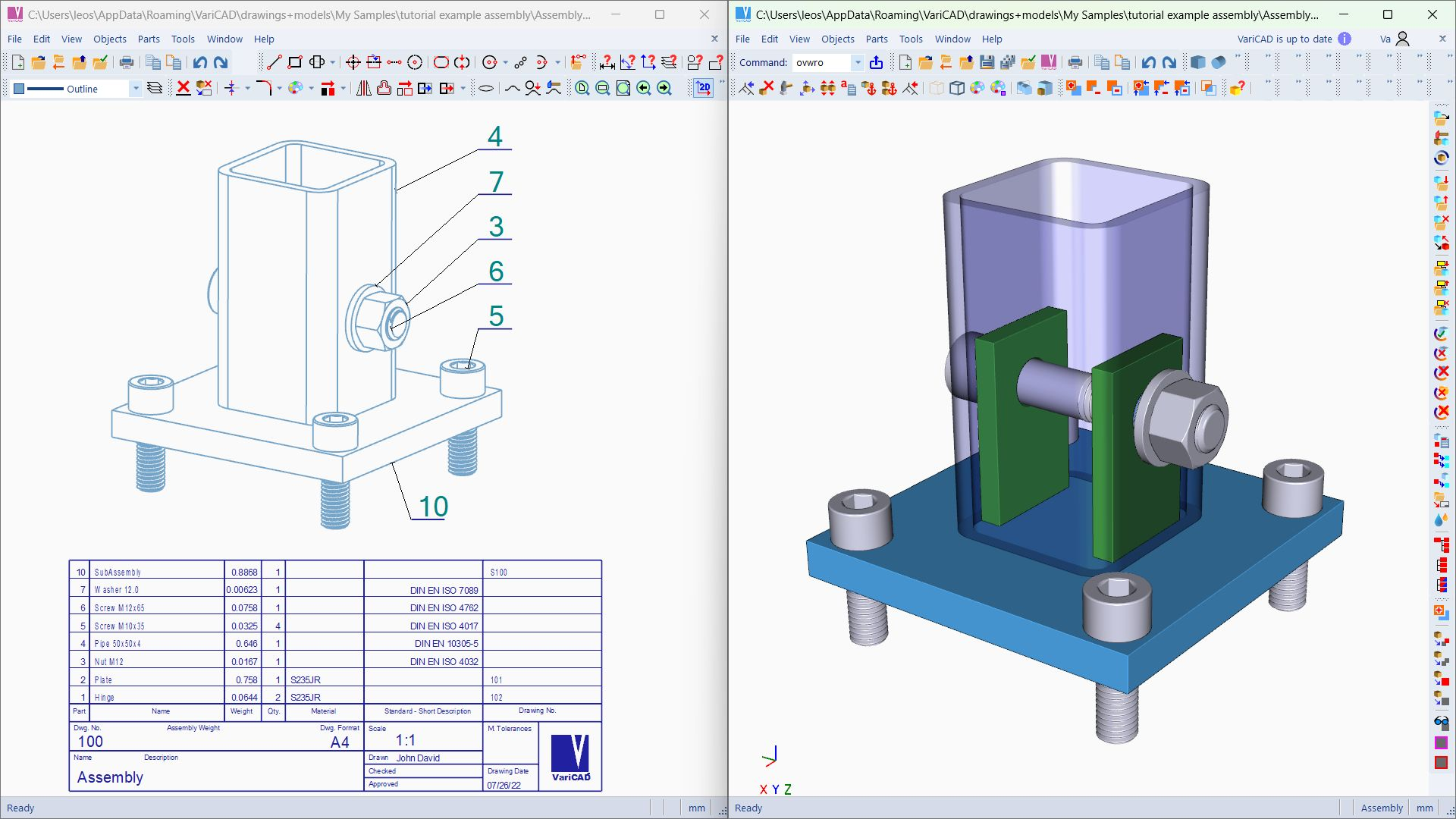
- Integrated 2D drawing creation from 3D models with detailed annotation options
A Fresh Take on CAD: Making Mechanical Design Intuitive
Stepping into VariCAD feels like entering a skilled artisan's workshop—every tool intuitively placed, ready to shape your ideas into precise engineering drawings. Whether you're refining a complex gear mechanism or drafting a simple bracket, VariCAD's interface guides you effortlessly, making what once felt daunting now comfortably manageable, even for newcomers. Its user-centric design encourages exploration and experimentation, turning the often intimidating CAD process into an engaging and productive experience.
Robust 3D Modeling with Precision and Flexibility
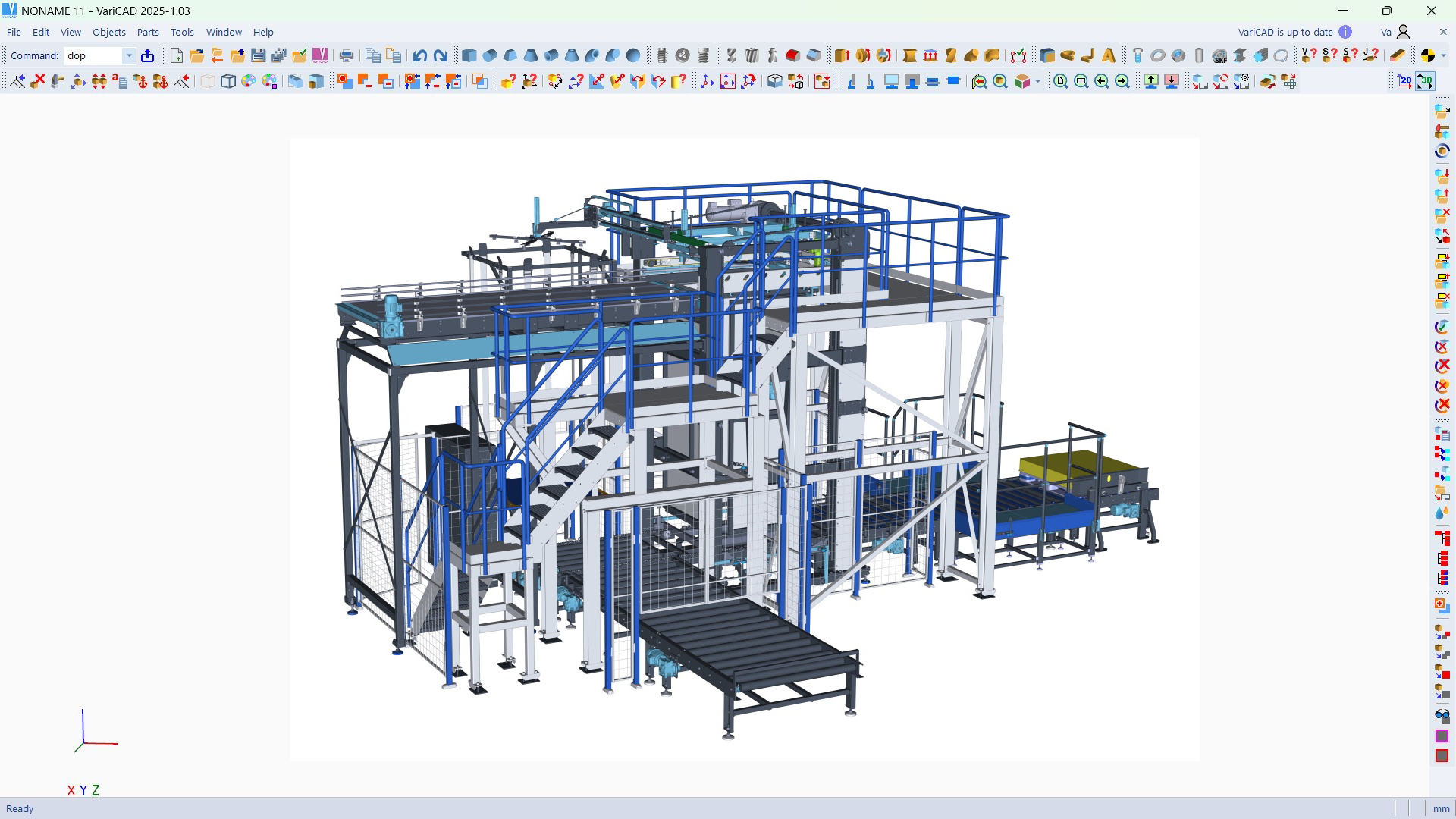
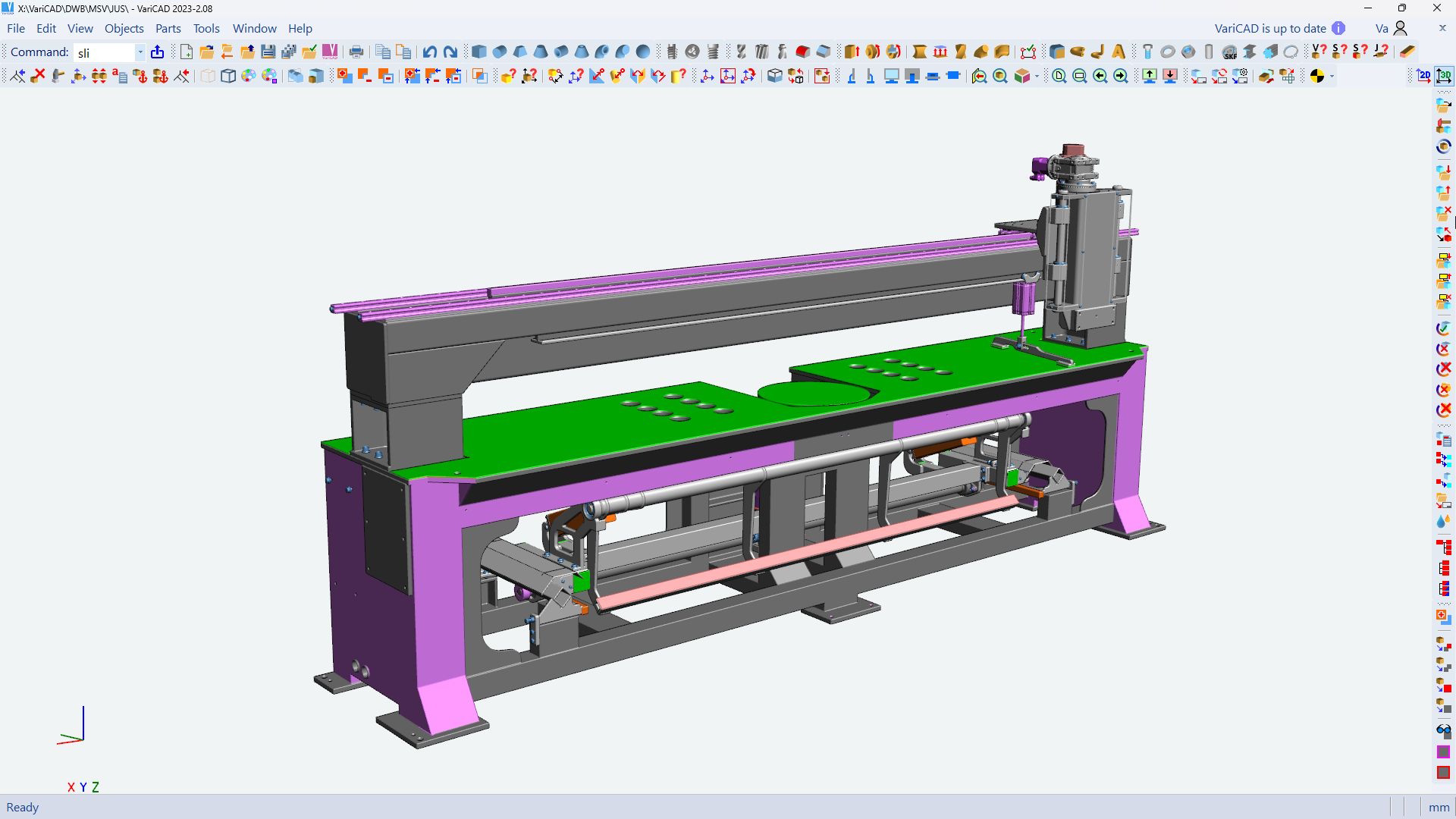
VariCAD excels in its core function: 3D modeling tailored for mechanical components. Its interface resembles a well-organized toolbox—intuitive ribbons, logical menus, and quick-access tools that feel natural. The software offers powerful features like feature-based modeling, fillet and chamfer tools, and precise dimensioning. It handles complex geometries with relative ease, allowing you to modify models dynamically. The real standout is its built-in parameter-driven design, which enables fast adjustments and iterative modifications, saving time and boosting accuracy.
Seamless Transition from Design to Documentation
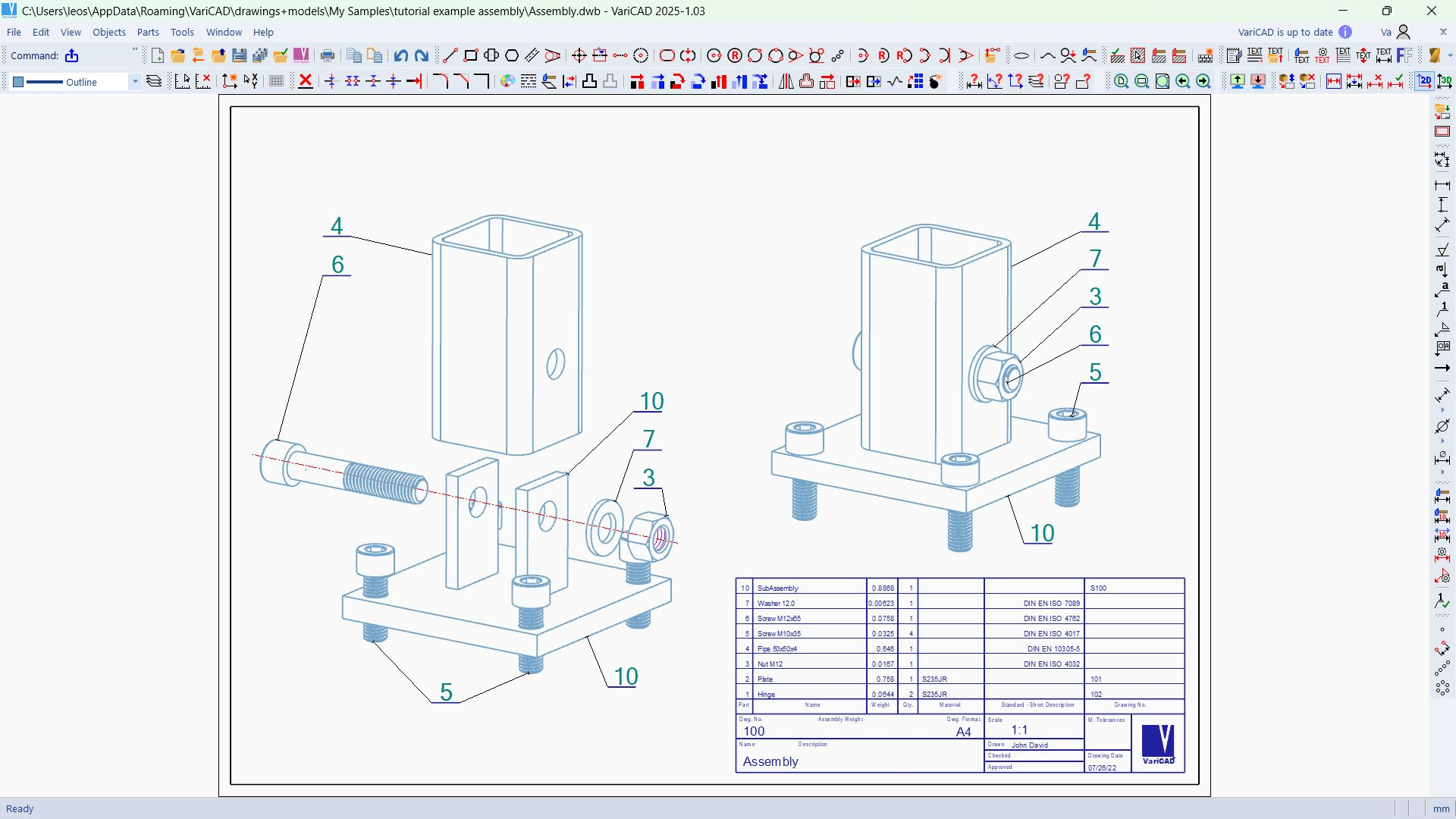
Creating detailed 2D drawings from 3D models is made straightforward in VariCAD. The drawing environment is well-organized, providing flexible annotation, cross-section views, and detailed tolerances to ensure your designs are production-ready. The automatic update feature ensures that any change in the 3D model instantly reflects in the drawings, maintaining consistency and reducing mistakes. This interconnected environment streamlines the entire workflow, from initial concept to manufacturing documentation.
User Experience and Unique Selling Points
One of VariCAD's most compelling advantages is its focus on mechanical design, positioning it distinctively against general-purpose multimedia design apps. Unlike visual-centric CAD tools, VariCAD emphasizes engineering precision—think of it as a Swiss Army knife for technical design rather than just a sketchpad. Its ability to perform embedded calculations guarantees that the parts you design meet real-world constraints, a feature often overlooked in more visually focused applications. The interface, while sophisticated, is approachable; the learning curve is moderate, especially for users familiar with CAD principles.
Final Recommendation: A Practical, Engineering-Focused CAD Tool
If you are a mechanical engineer seeking a reliable, detailed-oriented CAD software that balances power with usability, VariCAD for Windows is highly recommended. Its unique calculation features and dedicated component libraries make it especially valuable for manufacturing and product development contexts. While it might require some initial learning, the payoff in precise design and efficient workflow is significant. For those looking for a specialized tool that prioritizes engineering accuracy over visual flair, VariCAD stands out as a competent companion in your design projects.
Pros
- User-Friendly Interface
- Comprehensive Toolset
- Affordable Pricing
- Good Compatibility
- Regular Updates
Cons
- Limited 3D Rendering Features
- Steep Learning Curve for Advanced Features
- Occasional Stability Issues
- Limited Collaboration Tools
- Learning Resources Could Be Expanded











