

- Name Blender
- Category Multimedia design
- Developer Blender Foundation
- Available on PC
- OS Windows 10 version 17763.0 or higher
- Keyboard Integrated Keyboard
- Mouse Integrated Mouse
- Memory 2 GB
- languages English (United States)
Unleashing 3D Creativity on Windows: A Deep Dive into Blender for Windows
If you're a hobbyist or professional in the world of 3D modeling and animation, Blender has long been a name to reckon with. Now, with its dedicated Windows app, Blender aims to bring its powerful toolkit directly to your desktop, delivering a seamless 3D creation experience. As a seasoned tech enthusiast, I've taken a close look at this application to see how it stacks up in today's crowded multimedia design landscape.
Basic Info: What's Blender for Windows All About?
Blender for Windows is a free, open-source 3D creation suite designed to enable users to model, animate, render, and simulate in a unified environment. Developed and maintained by the Blender Foundation—an organization committed to open-source software—it embodies a community-driven approach to digital content creation. This version specifically targets Windows users, simplifying access and reducing setup hurdles.
Key highlights include:
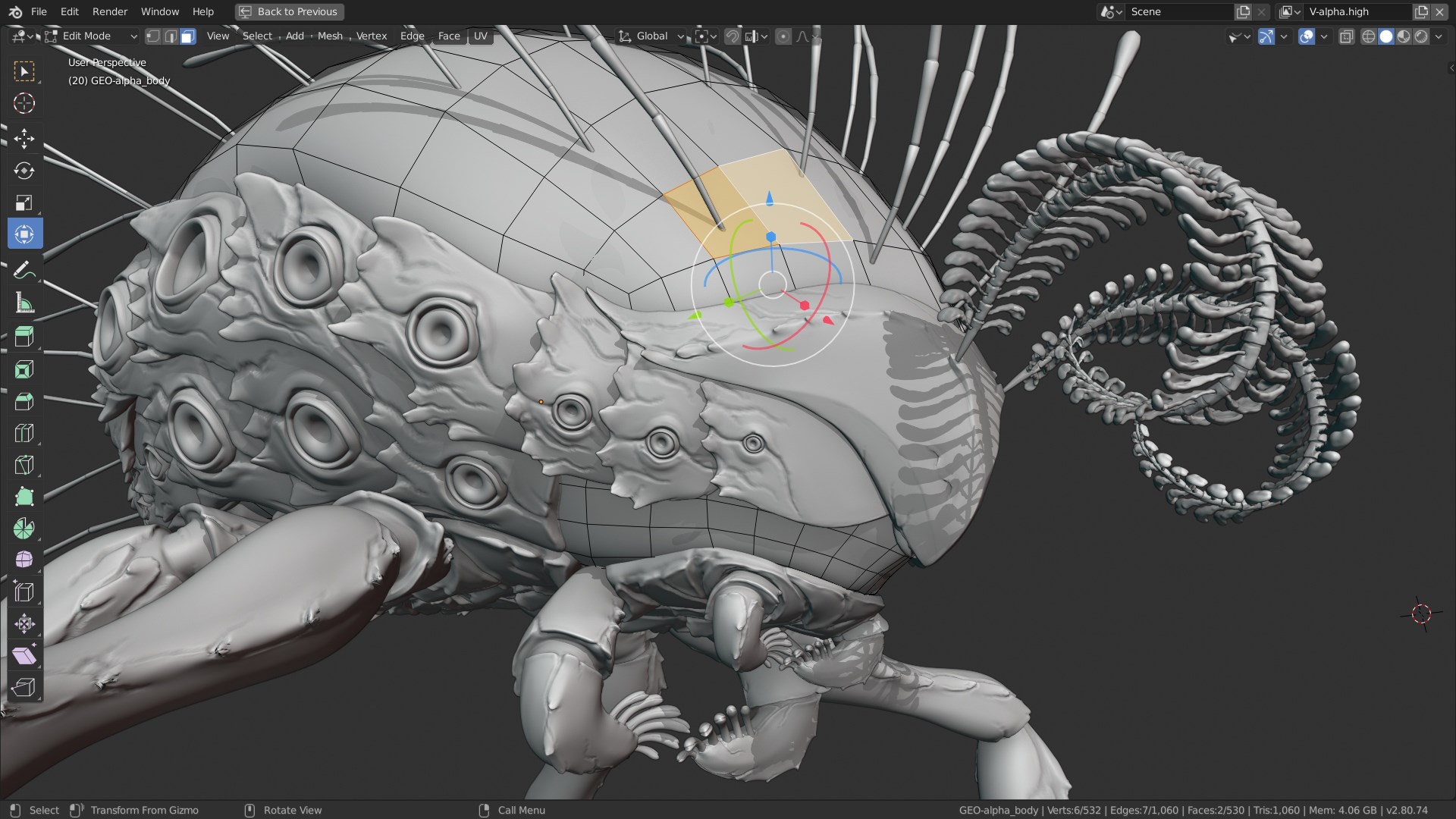
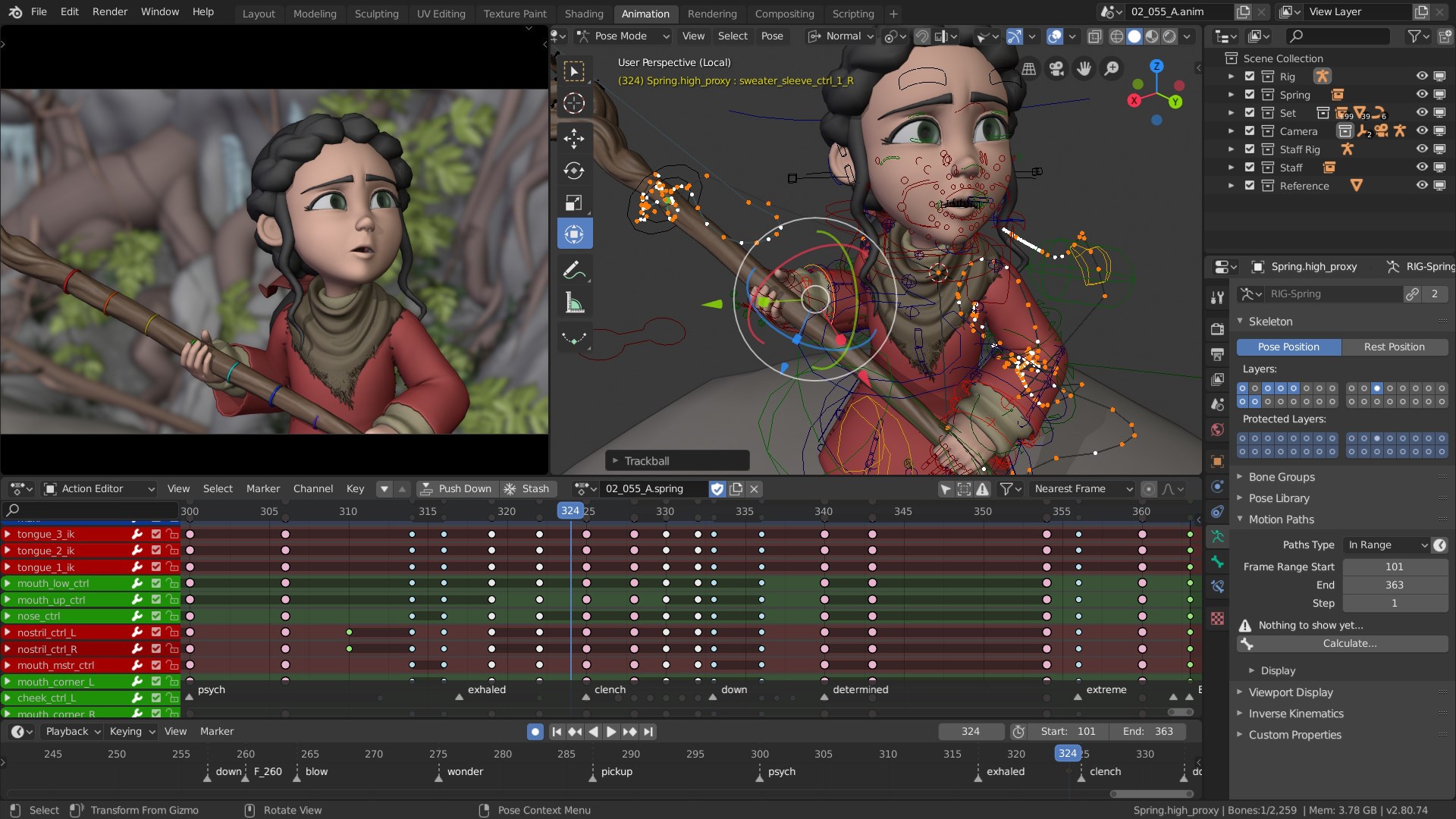
- Comprehensive 3D modeling, sculpting, and animation tools.
- Built-in rendering engines like Cycles and Eevee for photorealistic and real-time visuals.
- Robust simulation features including fluid, smoke, and cloth dynamics.
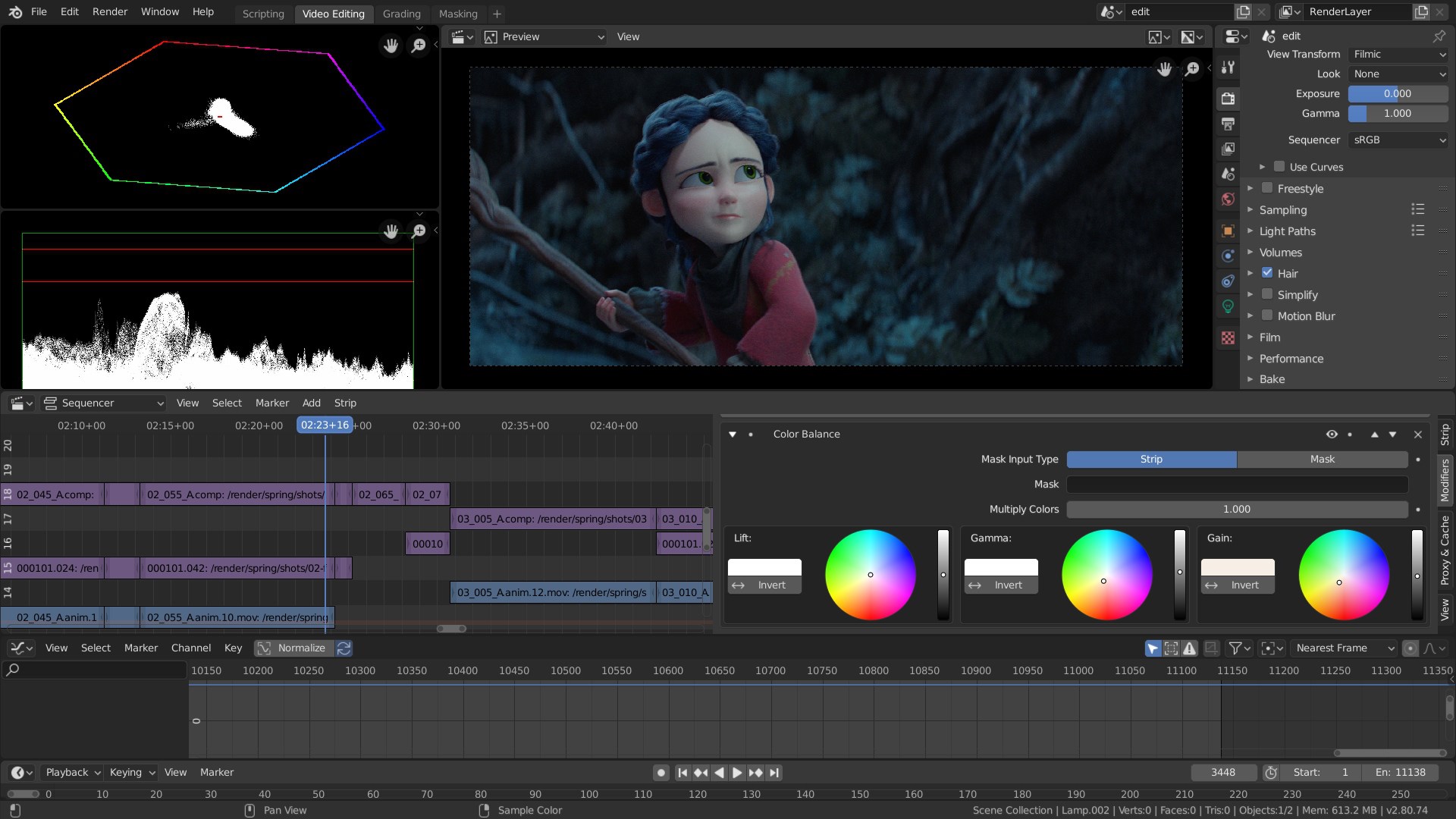
- Integrated video editing and compositing capabilities.
Designed primarily for digital artists, animators, VFX professionals, and game developers, Blender for Windows offers a professional-level suite accessible to beginners and seasoned users alike.
Brightening the 3D Sky: An Engaging Overview
Imagine stepping into a workshop buzzing with creative energy—every tool you need laid out before you, ready to bring your ideas to life. Blender for Windows captures this spirit, transforming what might seem like complex 3D workflows into an inviting, approachable experience. Its interface beckons both curious newcomers and seasoned pros to explore endless creative possibilities with transparency and ease. As I navigated through its features, I was struck by how it balances power with usability, much like a sleek sports car that's both fast and comfortable to drive.
Powerful 3D Modeling and Sculpting: Your Digital Clay
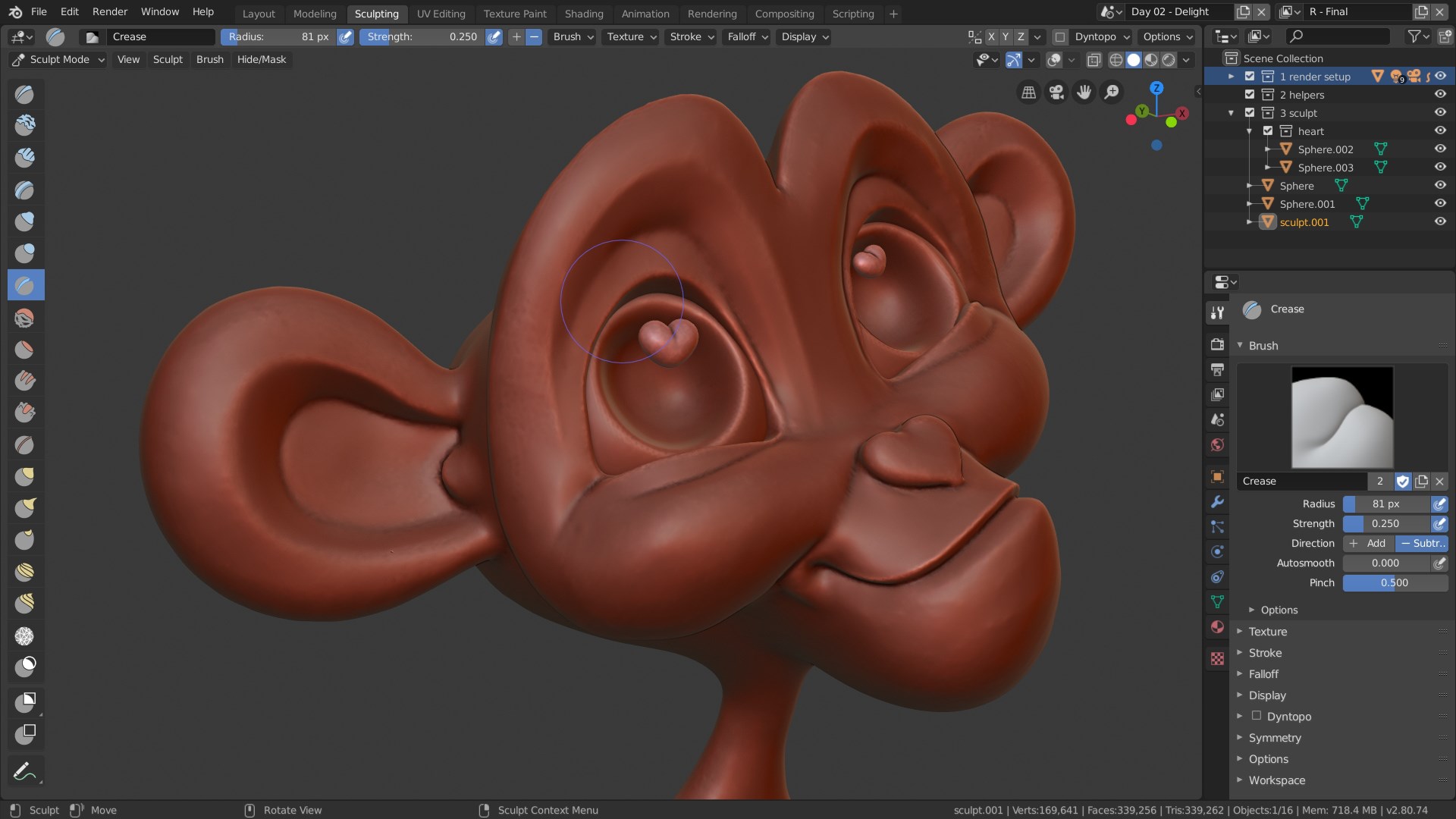
The first feature that truly shines is Blender's modeling suite. With a variety of mesh editing tools, advanced modifiers, and sculpting brushes, it offers a near-infinite palette for shaping your virtual objects. Whether you're creating an intricate character or a macro-environment, Blender's workflow remains intuitive. The options for parametrization, along with dynamic topology sculpting, make flowing from rough shapes to detailed designs feel almost like sculpting from clay. Unlike some competitors that lock you into rigid workflows, Blender fosters a creative freedom that's as natural as playing with digital clay.
Smoothing workflows and real-time previews ensure that you can see your changes instantly, making the modeling process both satisfying and efficient. This feature especially benefits artists who want to evaluate ideas quickly without compromising detail or precision.
Rendering and Real-Time Visualization: Bringing Ideas to Light
Rendering is often the make-or-break aspect for 3D software, and Blender's dual engines, Cycles and Eevee, provide a compelling toolkit. Cycles offers unbiased photorealistic rendering—you can think of it as taking a high-powered camera to capture your scene with authentic lighting and material interactions. Eevee, on the other hand, shines in real-time rendering, allowing you to see your scene as it would appear in a game or interactive application. This immediate feedback is akin to having a crystal-clear window into your project, enabling iterative improvements and creative experimentation without long wait times.
The integration of these engines within Blender's interface is smooth, with straightforward controls that let artists toggle between modes depending on their needs. For instance, starting with Eevee for quick previews and switching to Cycles for final renderings mimics the natural workflow of many professional artists.
Intuitive User Experience: Ease Meets Depth
One might expect that a program with such vast features would be daunting, but Blender manages to present its tools through a user-friendly, logically organized interface. The layout feels like a well-designed artist's studio—everything is accessible yet unobtrusive. The learning curve may pose a challenge initially, especially for absolute beginners, but an abundance of tutorials, community support, and in-application help resources make the journey smoother. For seasoned users, the customizable workspace and keyboard shortcuts enable rapid workflow optimization.
The app's responsiveness ensures that even complex scenes with multiple objects and lights remain smooth, providing a seamless experience whether you're modeling, animating, or rendering. This level of fluidity lends itself well to creative exploration without frustration.
Unique Strengths: What Sets Blender Apart?
What truly differentiates Blender for Windows from other multimedia design applications is its open-source nature combined with a comprehensive feature set. Unlike proprietary tools that require hefty subscriptions, Blender offers professional-grade capabilities free of charge—an attractive proposition for startups, students, and independent artists. Moreover, its active community continually contributes to feature enhancements, plugins, and tutorials, making it a constantly evolving platform.
Another distinctive advantage is Blender's powerful simulation engines and real-time rendering, which bridge the gap between modeling and final visualization. The integration of video editing and compositing tools within the same package simplifies workflows that traditionally spanned multiple applications. These aspects render Blender a one-stop-shop for complex multimedia projects, capable of handling both creative design and technical VFX with equal finesse.
Final Verdict and Recommendations
Overall, Blender for Windows stands out as a robust, versatile, and user-centric tool that caters to a wide spectrum of digital creators. Its strengths lie in its comprehensive feature set, real-time visualization capabilities, and free accessibility, making it an excellent choice for both learning and professional work. While the learning curve can be steep for newcomers, the wealth of tutorials and community support makes mastering Blender a rewarding endeavor.
For hobbyists eager to dive into 3D modeling or professionals seeking an all-in-one multimedia platform without licensing costs, Blender for Windows is highly recommended. Enthusiasts should prepare for an initial investment in learning but will find a powerful ally for their creative pursuits.
In conclusion, if you're ready to explore the frontier of digital creation with a tool as flexible as it is formidable, Blender for Windows deserves your attention—your virtual toolkit is just a click away from unlocking new worlds of imagination.
Pros
- Powerful 3D Modeling and Animation Tools
- Open Source and Free
- Regular Updates and Improvements
- Robust Rendering Capabilities
- Cross-Platform Compatibility
Cons
- Steep Learning Curve
- Occasional Stability Issues
- Heavy System Requirements
- Limited Customer Support
- Incomplete Built-in Materials Library










