
- Name Thy Phone
- Category Productivity
- Developer Peter Foot
- Available on PC
- OS Windows 10 version 20000.0 or higher
- Keyboard Not specified
- Mouse Not specified
- languages English (United Kingdom), English (United States)
Thy Phone for Windows: Seamless Your Smartphone on Your Desktop
Thy Phone for Windows is a productivity application designed to bridge your smartphone and PC, allowing for effortless interaction and management of your mobile device directly from your Windows desktop.
Developer and Core Features
Developed by Peter Foot and published by In The Hand Ltd, this app embodies a commitment to simplifying mobile-PC workflows. Its main highlights include:
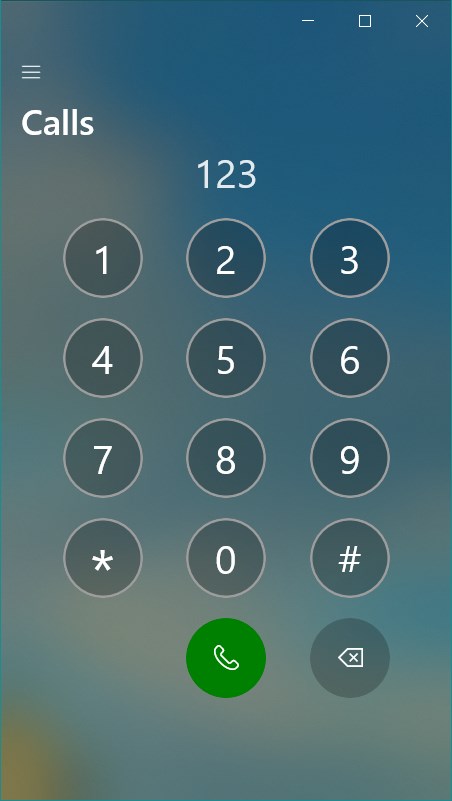
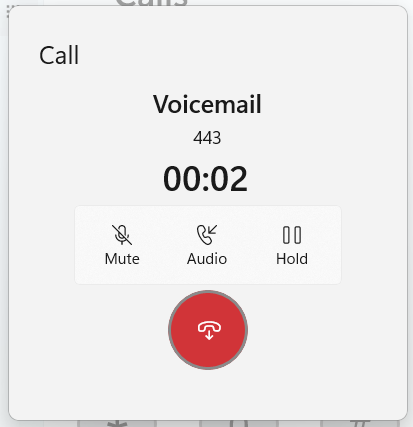
- Comprehensive Device Connectivity: Syncing messages, notifications, calls, and photos seamlessly between Android or Windows phones and your Windows PC.
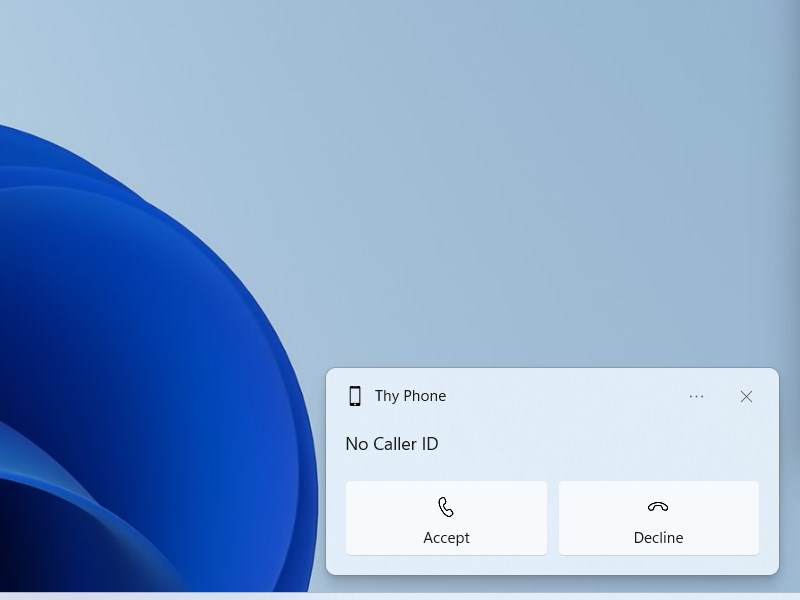
- Real-Time Notification Mirroring: Keep abreast of incoming alerts without switching devices, reducing interruptions.
- Media and File Sharing: Easily transfer photos and files between your phone and PC without the need for cables or third-party apps.
- Synchronization of Apps and Content: Access contacts, messages, and recent activity across devices to streamline your digital life.
Designed with a focus on efficiency, Thy Phone aims at users seeking to reduce device toggling and streamline their communication workflows.
An Engaging Dive into the User Experience
From the first launch, Thy Phone greets you with an intuitive interface that feels like walking into a well-organized workspace. So smooth that you might forget you're operating two devices simultaneously. Transferring a photo from your phone to your desktop? It's as effortless as dropping a file into a virtual tray. The app's design emphasizes clarity, with clean icons and streamlined menus that minimize cognitive load, making even first-time users feel like pros in minutes.
Connecting and Navigating with Ease
Setting up is straightforward, supported by guided prompts that reduce the usual friction when connecting devices. Once linked, the app's dashboard provides quick access to messages, calls, notifications, and media. The real-time mirroring of notifications is particularly useful—imagine having your phone's alerts floating like floating heads over your desktop, so you never miss an important message during busy work sessions. Tasks like replying to texts or viewing images feel natural, with the app maintaining fluid responsiveness throughout.
Workflow Integration and Unique Strengths
What truly sets Thy Phone apart from similar productivity tools is its focus on flow efficiency rather than feature clutter. Unlike crowded multi-purpose apps, this software prioritizes reducing cognitive load—making simple tasks simple. Its seamless notification mirroring and direct media sharing mean you don't need to juggle multiple apps or switch contexts unnecessarily. While many applications bloat with features, Thy Phone zeroes in on what matters most for integrated communication—supporting your workflow rather than complicating it.
Final Verdict and Recommendations
Thy Phone for Windows stands out as a thoughtfully designed bridge, offering a clean, efficient way to integrate your phone's core functionalities into your desktop environment. Its standout features, especially real-time notification mirroring and effortless media sharing, make it a valuable tool for professionals, students, and anyone who wants smoother device interaction.
If your daily routine involves frequent toggling between smartphone and PC—be it for messaging, media, or notifications—this app is a highly recommended addition. Its streamlined approach minimizes distraction and cognitive overload, making your digital workspace more cohesive. While it may not replace more extensive device management suites, its targeted functionalities excel at enhancing workflow efficiency.
In conclusion, Thy Phone for Windows is a refined, user-friendly app that respects your time and cognitive space—an excellent choice for those seeking a smarter, less cluttered digital experience.
Pros
- Seamless Phone-PC integration
- Easy access to notifications
- Supports a wide range of Android devices
- User-friendly interface
- Accelerates file transfer between devices
Cons
- Limited feature set on some devices
- Occasional connection instability
- Requires Windows and Android updates for optimal performance
- Limited customization options for notifications
- Some features may consume significant battery or data











