

- Name Stream Game Launcher Pro – Game Library & Download Manager
- Category Productivity
- Developer Roadkill
- Available on PC, Mobile, Surface Hub, HoloLens
- OS Windows 10 version 14393.0 or higher
- languages English (United States)
Stream Game Launcher Pro: Your Unified Hub for Gaming Organization and Download Management
Stream Game Launcher Pro by Roadkill emerges as a promising tool in the realm of gaming productivity, providing a streamlined interface to manage and access your entire game library on Windows. Its goal is to transform the often chaotic process of handling multiple game platforms into a smooth, organized experience, making it ideal for gamers who juggle numerous titles across different sources.
About the Developer and Core Features
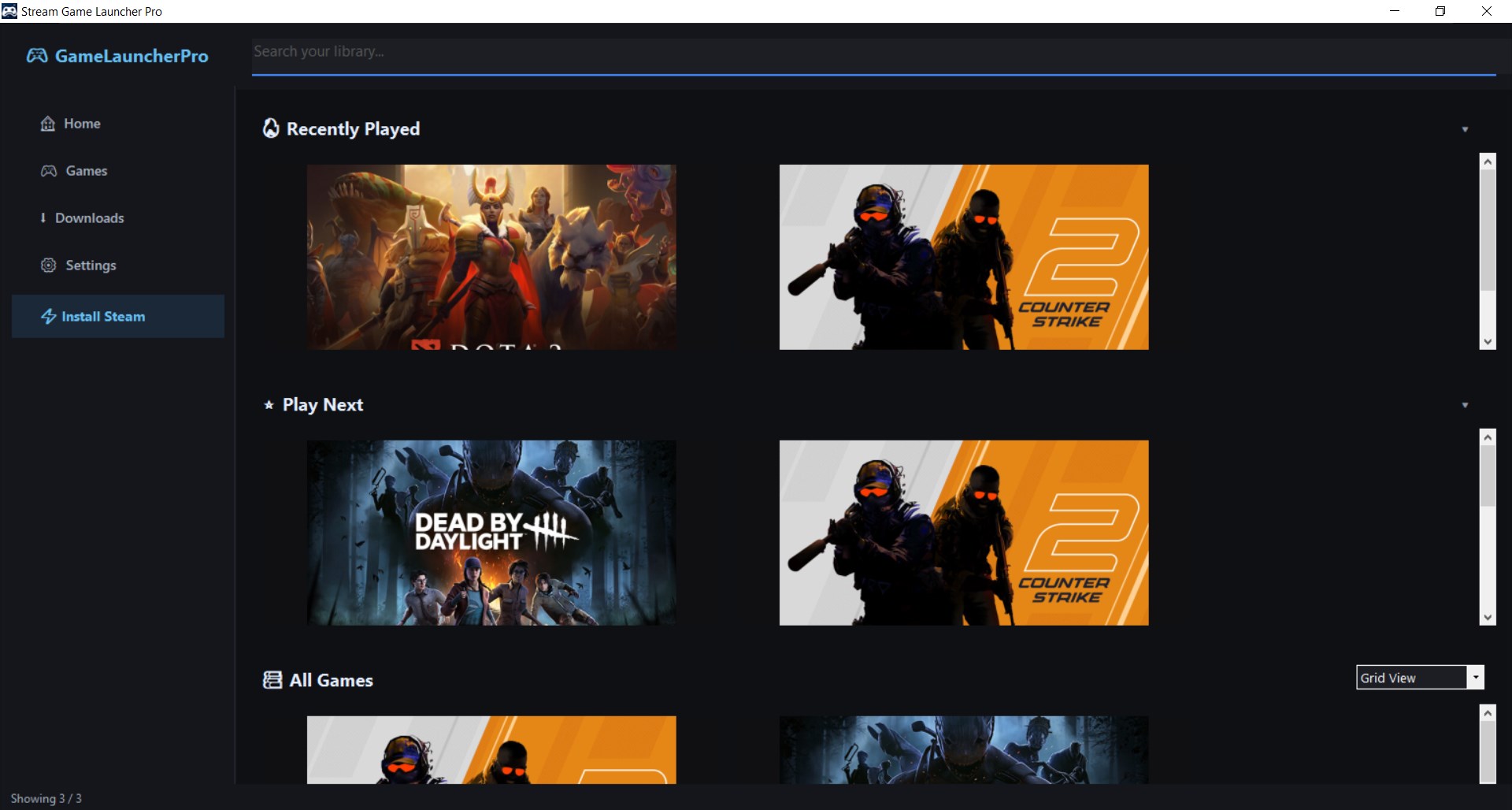
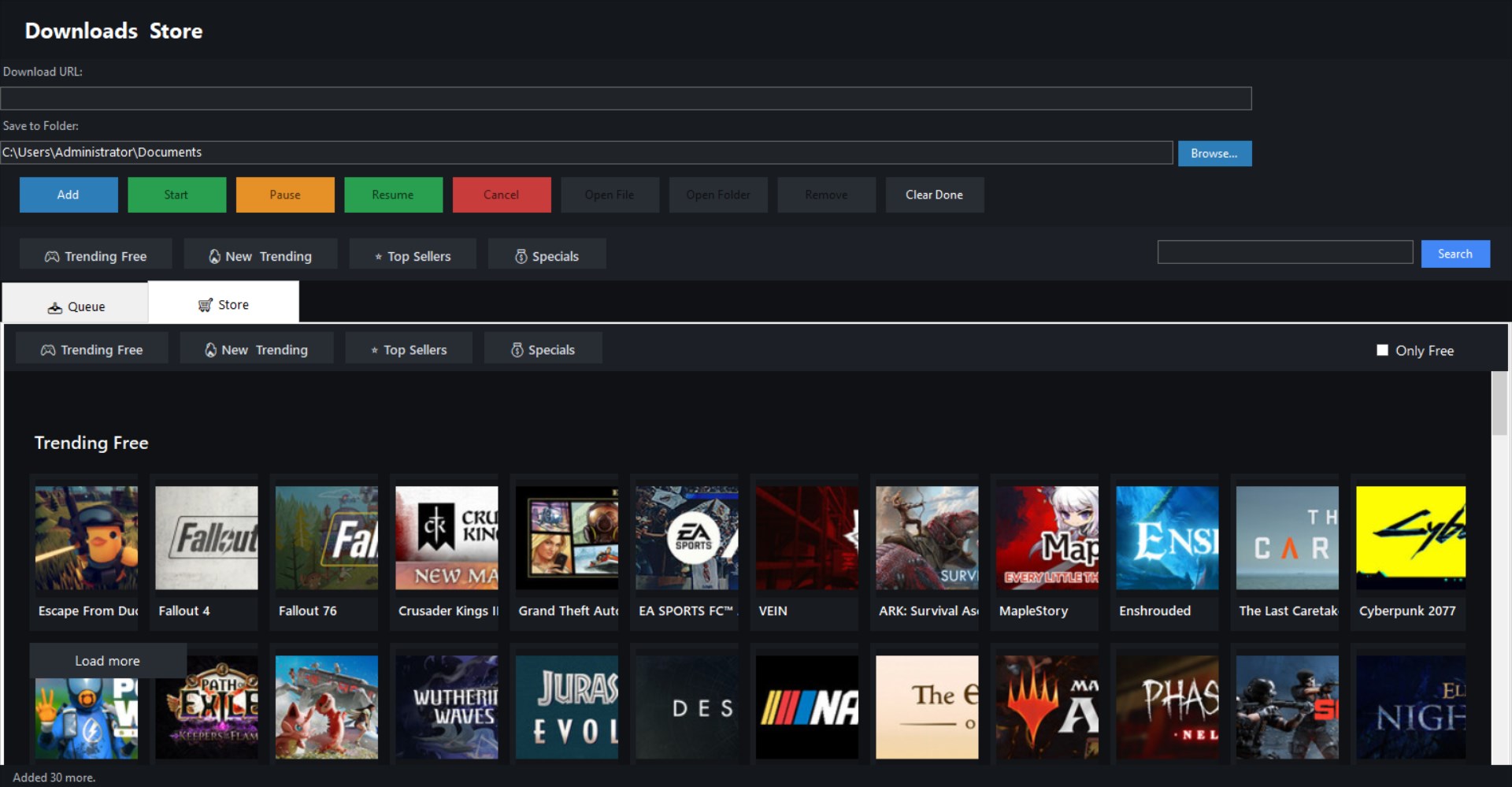
Developed and published by Roadkill, Stream Game Launcher Pro is designed by a dedicated team committed to enhancing gamers' workflow efficiency. Its standout features include: 1) centralized game library management—consolidating titles from various sources into one interface, 2) efficient download and update management—allowing users to handle game downloads and patches seamlessly, 3) intuitive interface design that emphasizes ease of use, and 4) customizable categories and filtering options, enabling users to personalize their library views.
An Invitation to a More Organized Gaming World
Imagine a typical gaming session—scanning multiple platforms, hunting for updates, opening countless icons just to find that elusive game. Now, picture a single, sleek console that aggregates all your favorite titles and manages everything in one place—that's what Stream Game Launcher Pro aims to be. Its simplicity and purpose-driven design make it a breath of fresh air in an industry often cluttered with feature-heavy, unintuitive tools. With this launcher, gamers can focus more on gameplay and less on navigating a maze of applications.
Key Features in Detail
Unified Game Library Management
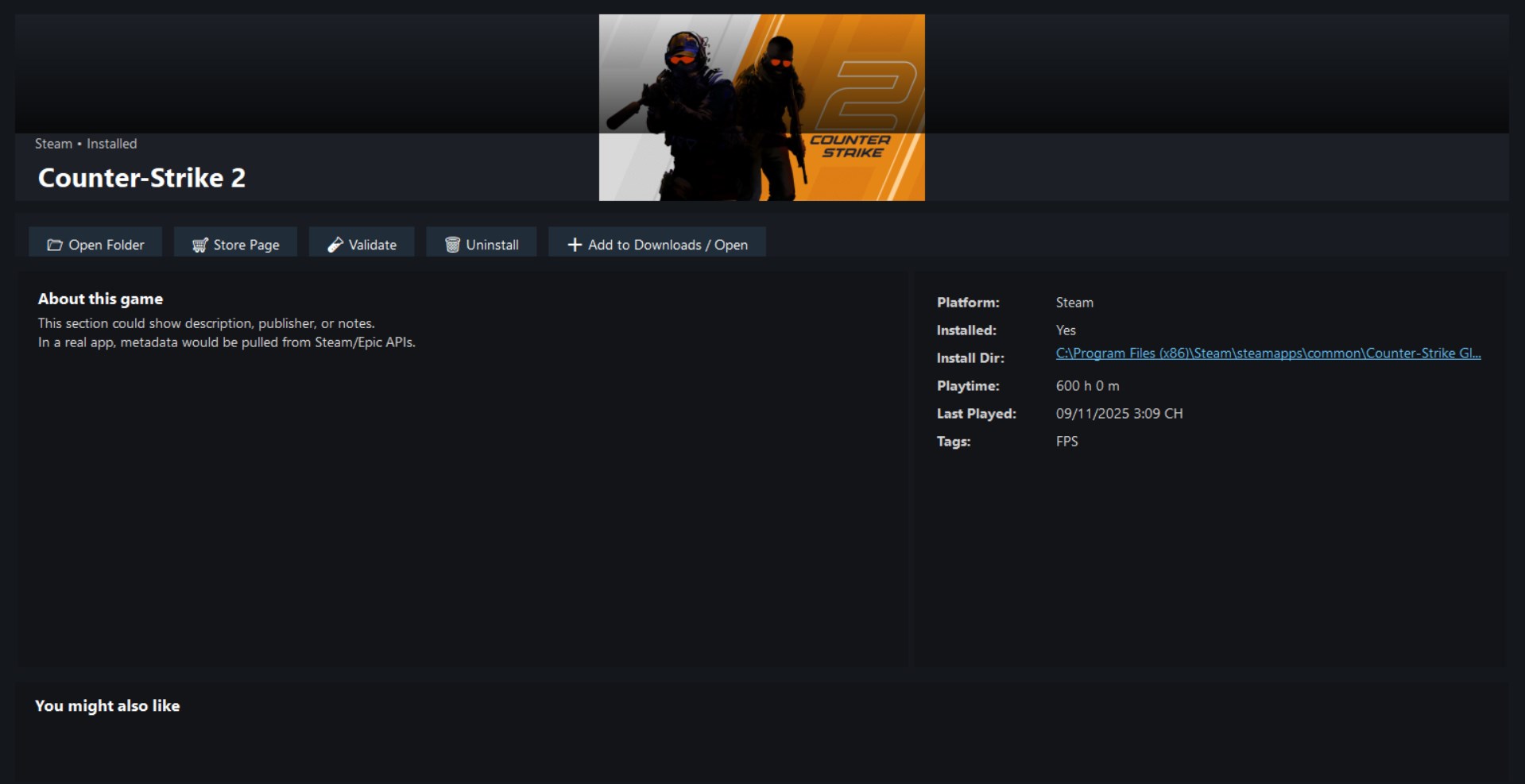
Stream Game Launcher Pro acts like a digital librarian for your gaming collection. It supports integration of games from multiple sources—be it Steam, Epic Games, GOG, or other platforms—and displays them cohesively. This eliminates the need to switch among different apps or hunt down game files manually. The interface presents your library with clear icons and categorization options, making it easy to find what you want at a glance. Imagine having your entire game collection as a neatly organized bookshelf—each game easy to locate, launch, and manage.
Seamless Download & Update Handling
One of the application's standout features is its robust management of game downloads and updates. It provides a consolidated download manager that allocates bandwidth efficiently and queues multiple game installs or updates without overwhelming your system. This means less waiting and more playing—like a smart traffic controller that smooths out the flow, so your gaming sessions start faster and with fewer hiccups. The update process is also streamlined, reducing the cognitive load associated with keeping games current.
User Experience: Interface, Fluidity, and Learning Curve
The interface design of Stream Game Launcher Pro exudes clean minimalism; it's user-friendly and approachable, even for novices. Navigating through your library feels like flipping through a well-organized magazine—intuitive tabs and clear labels guide your every move. Performance-wise, the app runs smoothly without lags, even when managing large collections. The learning curve is gentle: most users will grasp its core functionalities within minutes, turning it into a natural extension of their gaming workflow rather than an obstacle to overcome.
The Differentiator: Focused on Workflow Efficiency and Cognitive Load Reduction
Compared to other productivity or game management apps, Stream Game Launcher Pro shines in how it emphasizes reducing the mental effort involved in managing multiple games. Rather than drowning users in endless options or features, it concentrates on core workflows—library organization and download management—delivering these with minimal complexity. It's like having a skilled personal assistant who keeps your gaming routine efficient, freeing you from the clutter of multiple launcher windows, multiple account logins, or manual updates. This makes it particularly attractive for gamers with extensive libraries who seek hassle-free management without sacrificing control or customization.
Should You Use It? Recommendations
If you find yourself frustrated by scattered game management across different platforms or tired of juggling multiple launchers, Stream Game Launcher Pro is a worthwhile candidate to streamline your experience. Its straightforward yet powerful approach makes it suitable for casual gamers who want convenience, as well as for enthusiasts managing large collections. However, it does not replace dedicated game platforms' features like social elements or exclusive services, so it's best used as a supplementary tool rather than the sole launcher in your ecosystem. Overall, I recommend giving it a try if efficiency and organization are your gaming priorities.
Pros
- User-Friendly Interface
- Fast Download Speeds
- Comprehensive Game Library Management
- Integrated Game Streaming Support
- Automatic Updates & Patches
Cons
- Limited Compatibility with Non-Microsoft Games
- Occasional App Freezing or Crashes
- Basic Customization Options
- Limited Offline Functionality
- Notification Overload











