

- Name Smart Printer & Drivers
- Category Productivity
- Developer FlickApp
- Available on PC, Mobile, Surface Hub, HoloLens
- OS Windows 10 version 14393.0 or higher
- languages English (United States)
Smart Printer & Drivers for Windows: Your Seamless Printer Companion
In the digital age where efficiency is paramount, managing multiple printers and drivers can often become a headache. Enter *Smart Printer & Drivers for Windows*—a thoughtfully designed app by FlickApp that aims to simplify your printing workflows, making it more intuitive and less stressful. Whether you're in an office, at home, or a small business owner, this application promises to streamline your printing experience with smart management features.
About the App: Quick Facts
Smart Printer & Drivers for Windows is a utility application that consolidates printer device management into a single, user-friendly platform. Developed and published by FlickApp, this app focuses on enhancing how users connect, configure, and troubleshoot their printers effortlessly.
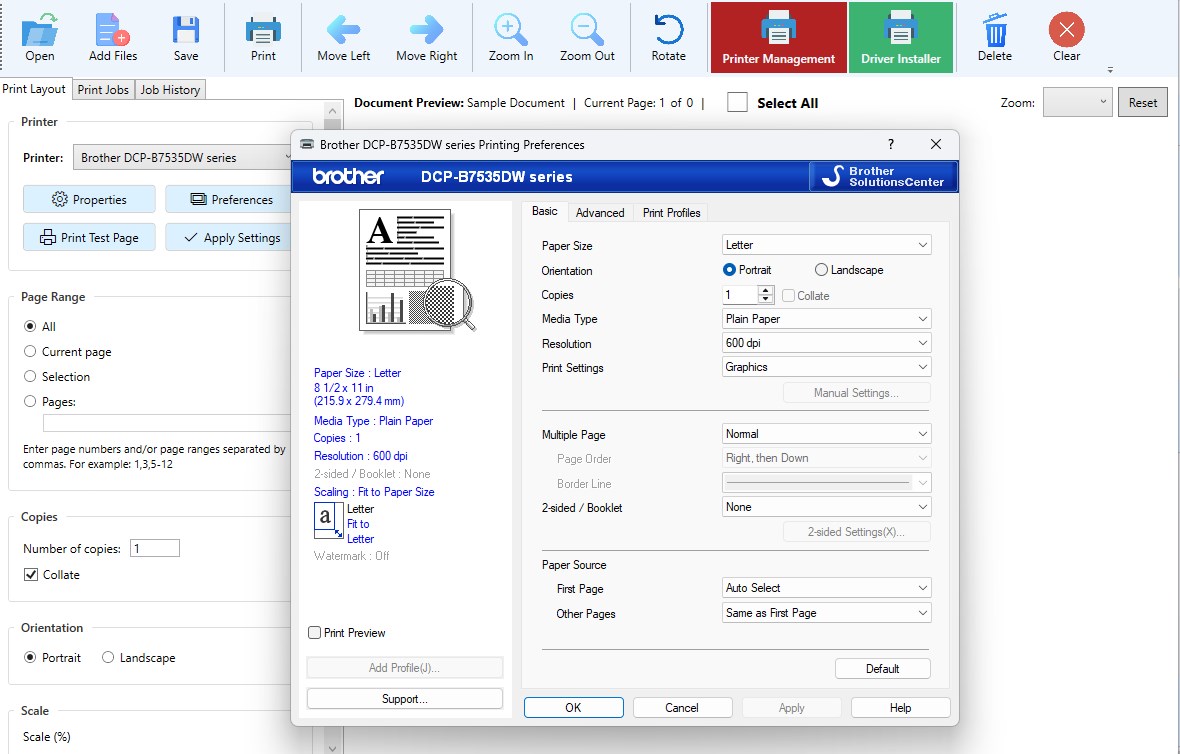
- Main Highlights: Automatic driver detection and update, printer status monitoring, simplified driver installation, and troubleshooting assistance.
- Target Audience: Small business owners, IT administrators, remote workers, and everyday home users seeking an easier way to handle their printers without diving into convoluted settings or manual driver searches.
A Fresh Breeze in Printing Management
Imagine you're preparing for a big presentation, and your printer suddenly refuses to cooperate. Frustrating, right? Now, picture having a friendly virtual assistant sitting in your corner, ready to diagnose issues, update drivers, and get you back on track—all with just a few clicks. That's what *Smart Printer & Drivers for Windows* aims to be: your reliable partner in the often foggy world of printer management. Its straightforward interface and clever features turn what once felt like a chore into a smooth, almost enjoyable task.
Intelligent Driver Management: Your Printer's Best Friend
This app's standout feature is its ability to automatically detect your connected printers and recommend suitable drivers or updates. Instead of hunting through manufacturer websites or wading through Windows' complex device manager, users can rely on this tool to scan and manage driver installations effortlessly. This not only reduces downtime but also minimizes the risk of installing incompatible drivers, ensuring your printers run smoothly and safely.
Beyond installation, the app continually monitors printer status, notifying you of ink levels, paper jams, or connectivity issues—essentially acting like a health check-up for your printers. For businesses juggling multiple devices, this centralized monitor helps keep everything in check without opening multiple tabs or apps.
Streamlined Interface and User Experience
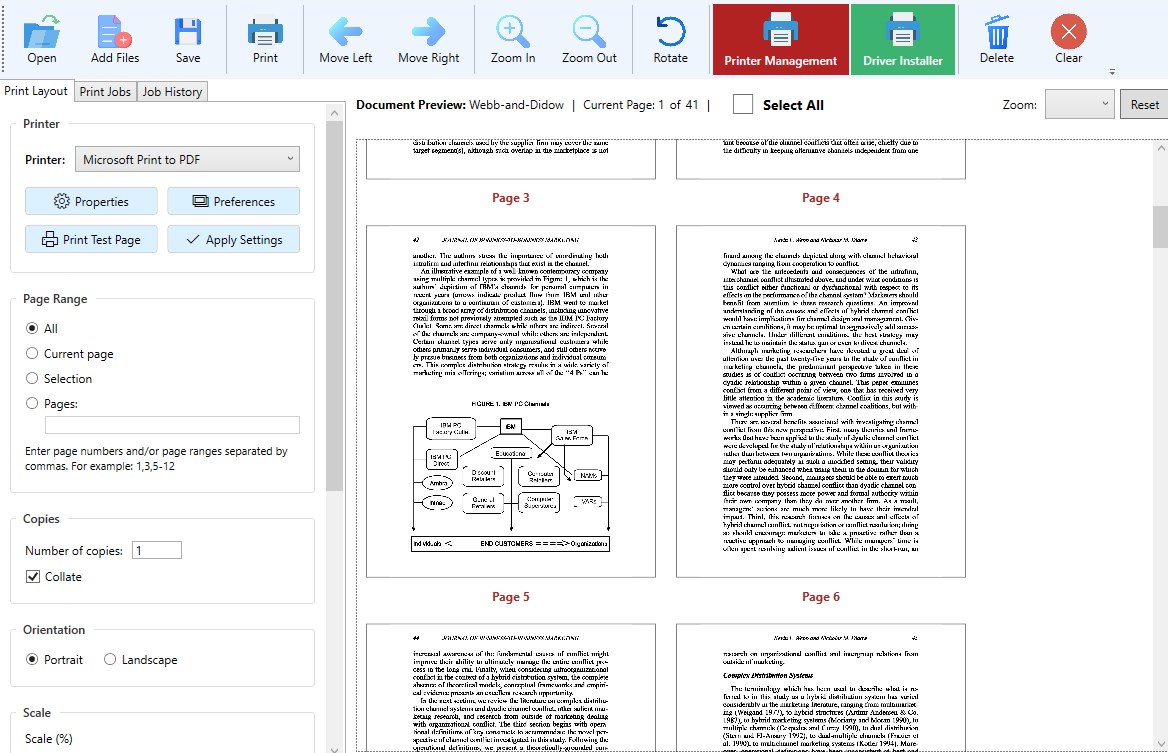
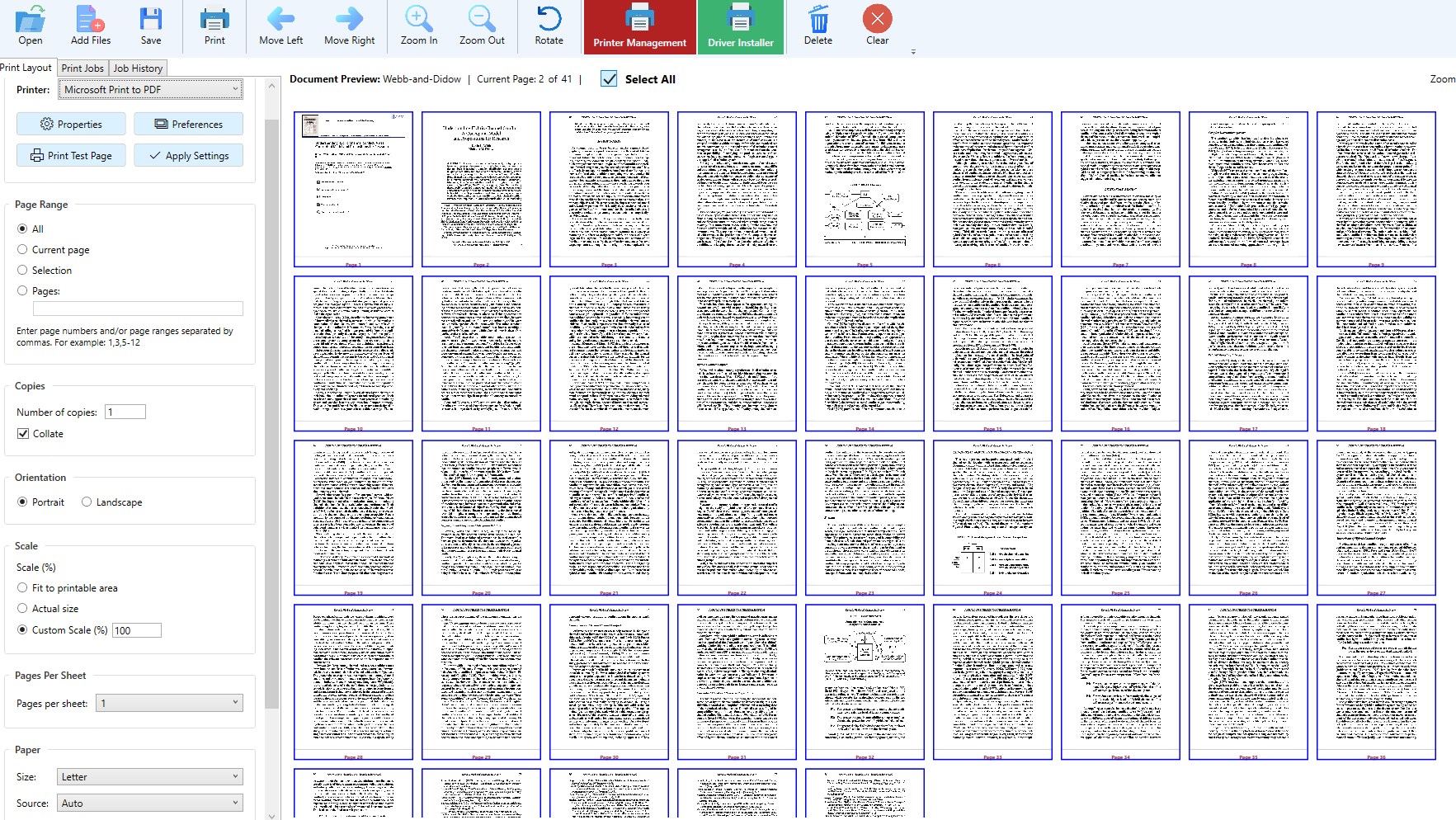
The design philosophy of *Smart Printer & Drivers for Windows* is grounded in simplicity. Its clean, intuitive interface resembles a well-organized toolbox rather than a cluttered control panel. Users across all tech levels can easily locate functions like driver updates, printer status, or troubleshooting guides. The app responds swiftly, with operations feeling snappy and fluid—almost as if a trusted assistant is personally guiding you through each step.
For those concerned about learning curves, the app offers clear prompts and straightforward workflows, ensuring even beginners can swiftly master its capabilities. The minimalistic approach reduces cognitive load, letting users focus on their tasks instead of wrestling with complex menus or settings.
How It Sets Itself Apart from Similar Tools
Many printer management apps impose high feature complexity, often overwhelming users and adding to their cognitive burden. In contrast, *Smart Printer & Drivers for Windows* emphasizes workflow efficiency by focusing on its core strengths—automatic detection, easy driver management, and proactive status monitoring—without unnecessary bells and whistles. This deliberate design means less time spent figuring out how to use the app, and more time enjoying consistent printer performance.
Its smart, integrated approach reduces the mental effort required to troubleshoot or update drivers, which is particularly beneficial in multi-user or multi-device environments. This focus on reducing cognitive load while maintaining comprehensive functionality makes it a unique player in the productivity tool landscape.
Recommendations and Usage Tips
Overall, I recommend *Smart Printer & Drivers for Windows* for anyone who frequently manages printers and seeks a reliable, clutter-free solution. It's especially useful for small offices or home setups where technical support resources might be limited. The app's automation features mean you can set it up once and forget about manual driver updates or troubleshooting—freeing up your mental space for more critical tasks.
For optimal use, ensure your printers are connected properly before launching the app. Regularly check for updates within the app to keep drivers current, helping prevent compatibility issues. While the app covers most essential tasks well, combining it with routine physical printer maintenance will ensure the best overall experience.
Final Thoughts: A Practical and User-Friendly Printer Manager
*Smart Printer & Drivers for Windows* doesn't boast flashy marketing or overhyped promises. Instead, it offers a practical, well-thought-out solution that respects your time and cognitive workload—making printer management a seamless part of your workflow. If you're tired of the ongoing printing woes or want a reliable tool that keeps things simple, this app is certainly worth a try.
Pros
- User-Friendly Interface
- Wide Compatibility
- Automatic Driver Updates
- Remote Printing Support
- Built-in Troubleshooting
Cons
- Occasional Driver Compatibility Issues
- Limited Advanced Features
- Slow Initial Load
- Inconsistent Notification Alerts
- Limited Multi-Device Management











