
- Name Samsung Notes
- Category Productivity
- Available on PC, Mobile, Surface Hub, HoloLens
- OS Windows 10 version 18362.0 or higher
- languages Albanian, Arabic, Armenian, Assamese, Azerbaijani, Bangla (Bangladesh), Bangla (India), Basque, Belarusian, Bosnian (Latin), Bulgarian, Catalan, Chinese (Simplified), Chinese (Traditional), Chinese (Traditional, Hong Kong SAR), Croatian, Czech, Danish, Dutch, English (Canada), English (Philippines), English (United Kingdom), English (United States), Estonian, Finnish, French, French (Canada), Galician , Georgian, German, Greek, Gujarati, Hindi, Hungarian, Icelandic, Indonesian, Irish, Italian, Japanese, Kannada, Kazakh, Khmer, Korean , Kyrgyz, Lao, Latvian, Lithuanian, Macedonian, Malay, Malayalam, Marathi, Mongolian (Mongolia), Nepali, Norwegian (Bokmål), Odia, Persian, Persian/Farsi, Polish , Portuguese (Brazil), Portuguese (Portugal), Punjabi (India), Romanian, Russian, Serbian (Latin), Sinhala, Slovak, Slovenian, Spanish (Argentina), Spanish (Chile), Spanish (Latin America), Spanish (Mexico), Spanish (Paraguay), Spanish (Spain), Spanish (United States), Spanish (Uruguay), Swedish, Tamil, Telugu, Thai, Turkish, Ukrainian, Urdu, Uyghur, Uzbek, Vietnamese
Samsung Notes for Windows: A Seamless Note-Taking Companion
Samsung Notes for Windows emerges as a versatile digital notebook designed to bridge the gap between your mobile and desktop workflows, offering an intuitive environment for capturing ideas, sketches, and notes effortlessly.
About the App
Positioning: A dedicated cross-platform note-taking app optimized for Windows users, emphasizing synchronization and productivity enhancement.
Developer: Samsung Electronics Co., Ltd.
Main Features:
- Seamless synchronization with Samsung mobile devices
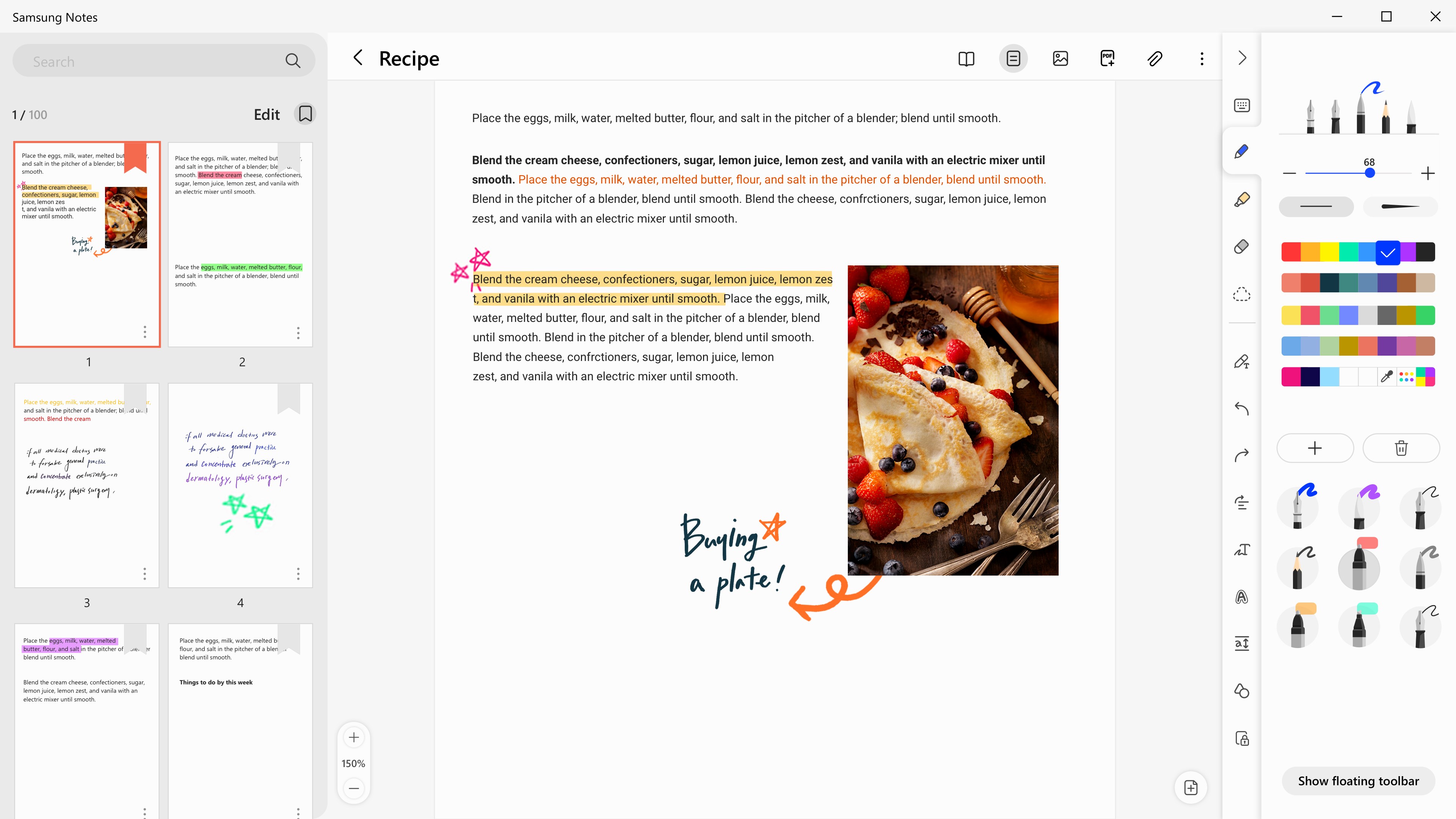
- Rich text and handwriting support
- Embedded multimedia and drawing tools
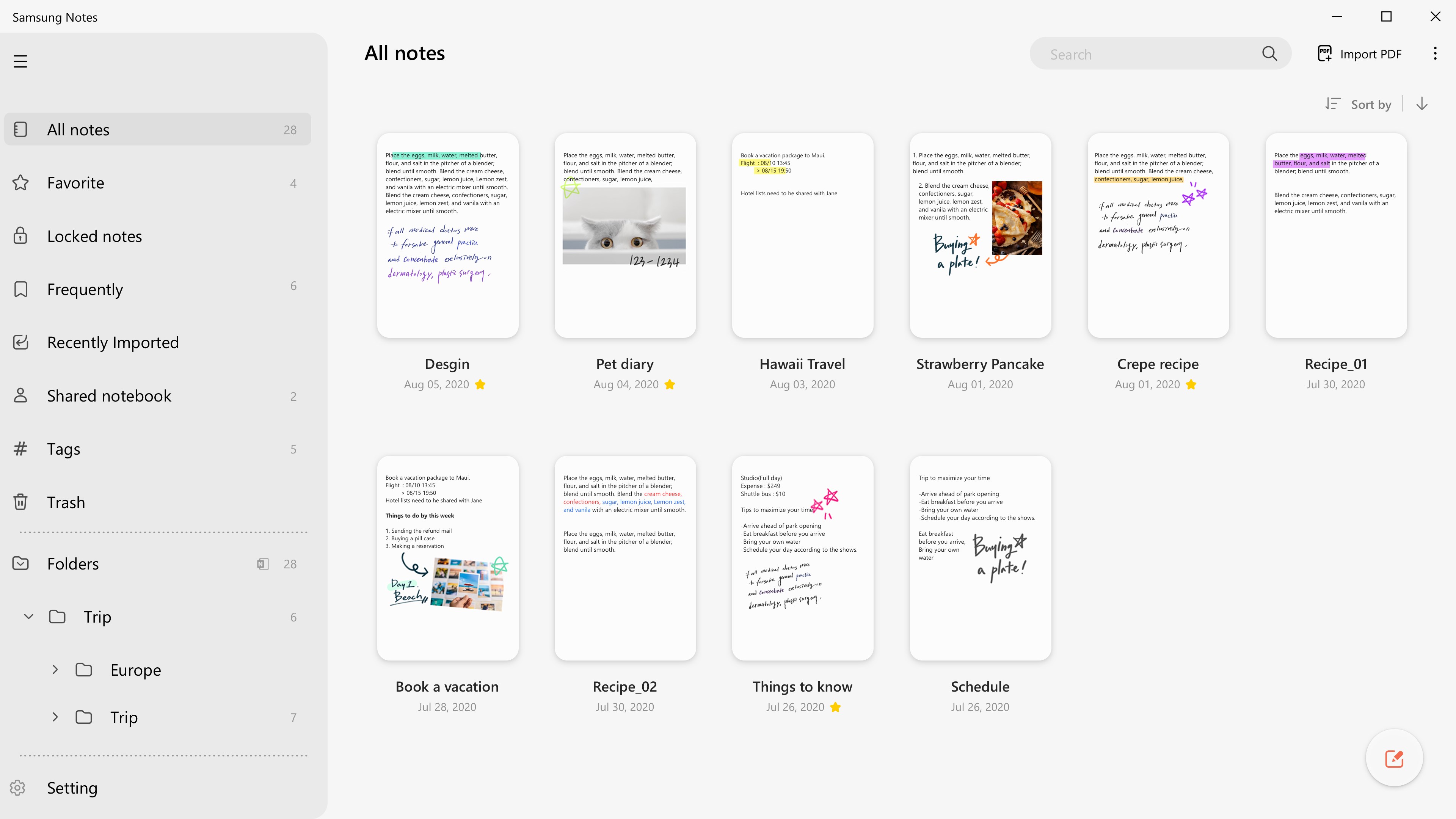
- Organized note management with folders and tags
Target Audience: Professionals, students, and everyone who values efficient, synchronized note-taking across devices.
A User-Friendly Dive into Samsung Notes
Imagine sitting at your desk, ready to jot down an emergent idea or sketch a quick diagram, and having your notes instantly sync across your Samsung smartphone and Windows PC. Samsung Notes for Windows isn't just another note app; it's like having a digital whiteboard that travels with you, maintaining your flow whether you're in a meeting, classroom, or on the go. Its design invites both casual users and power users to organize thoughts with minimal fuss, transforming traditional note-taking into a fluid, integrated experience. Now, let's explore what makes this app stand out and how it can streamline your productivity journey.
Core Functionality: Balancing Power and Simplicity
One of the standout features is its robust synchronization capability. Once you sign in with your Samsung account, your notes are seamlessly mirrored between your Galaxy device and Windows PC. This means no more manual transfers or hunting down files—just instant access to your latest ideas, whether you're on your phone or desktop. It's akin to having a virtual assistant that keeps your thoughts aligned across platforms effortlessly.
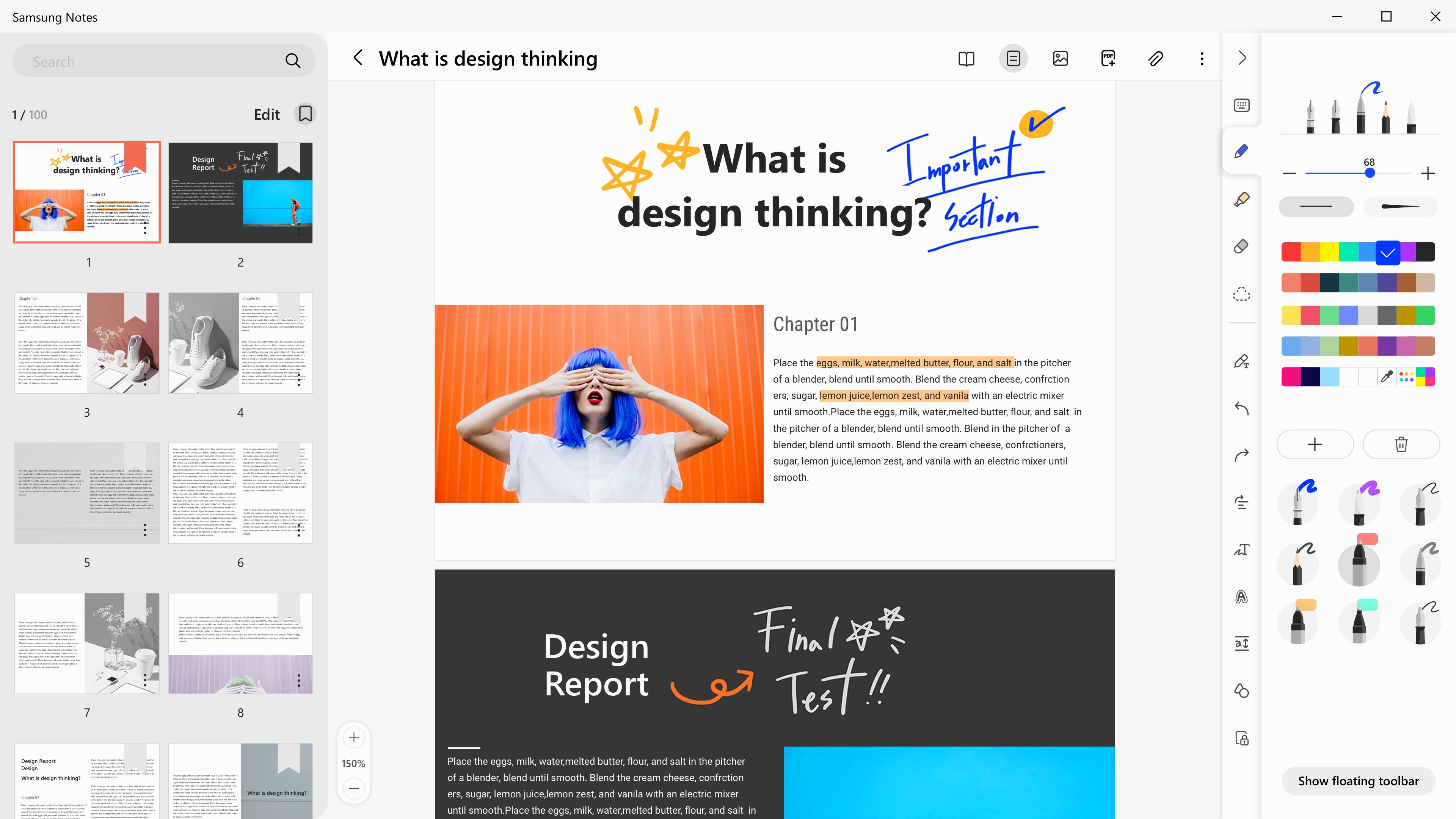
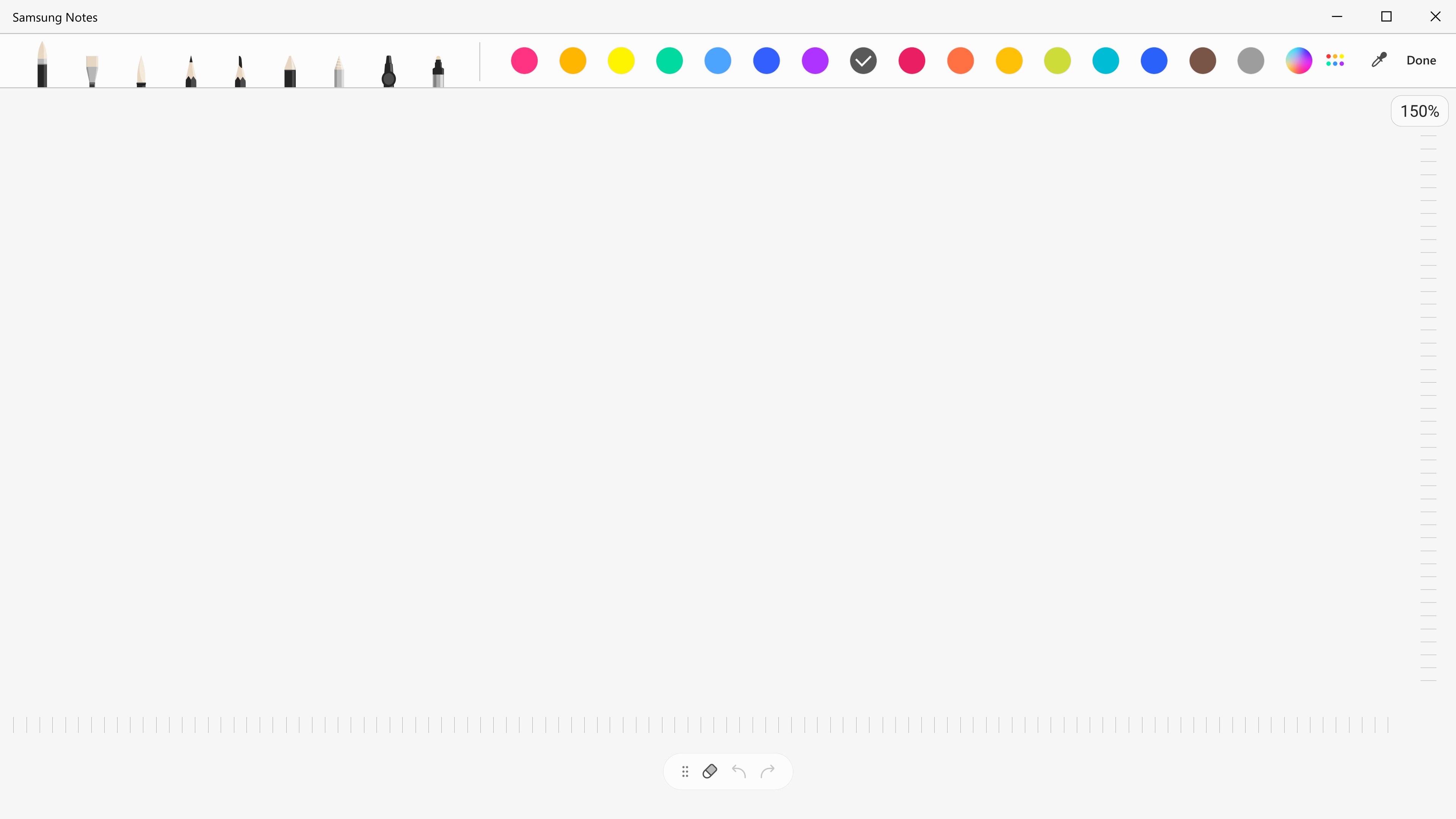
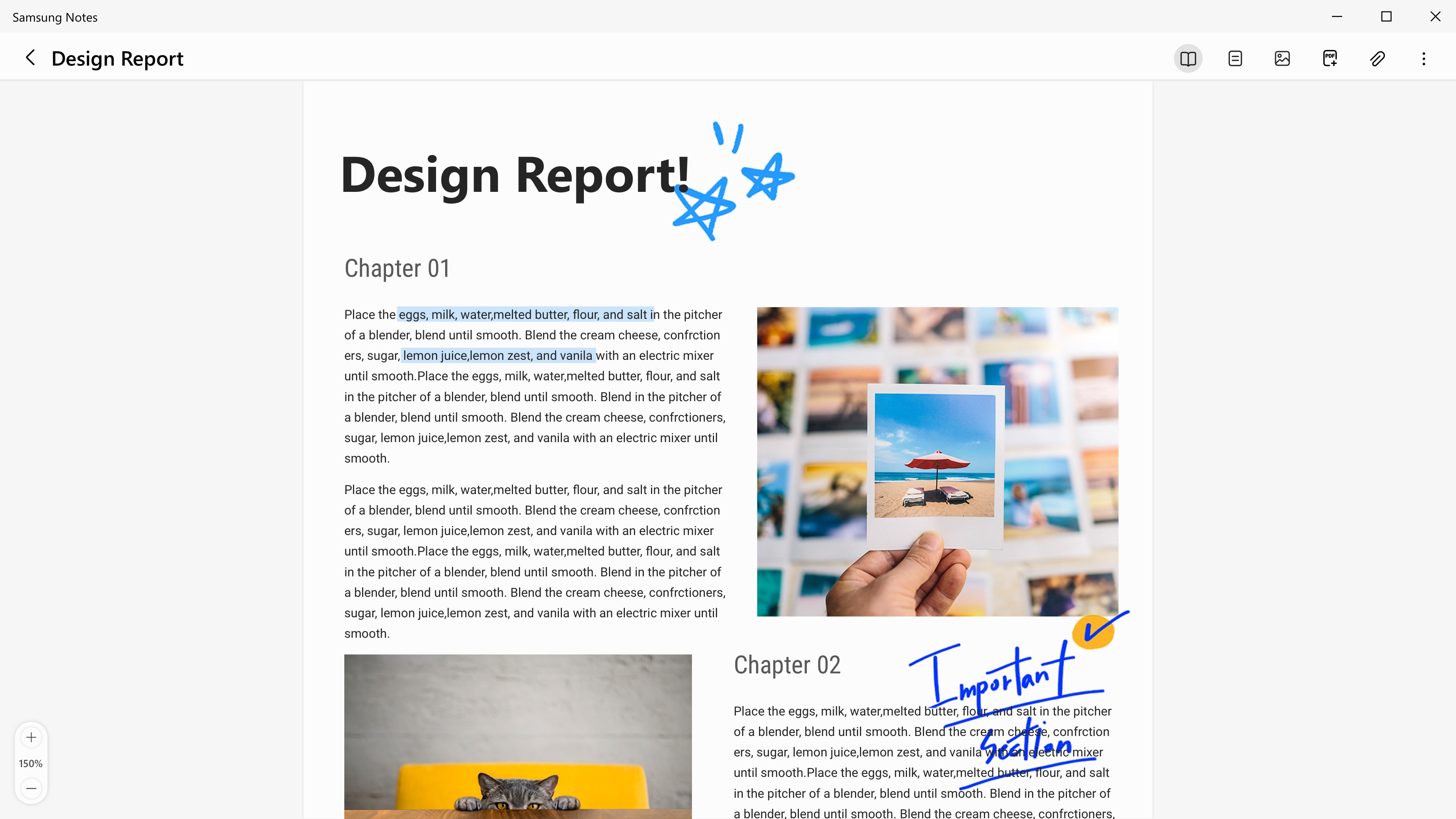
The app also excels in drawing and handwriting support. Using a stylus or your mouse, you can sketch diagrams, annotate images, or write handwritten notes with natural fluidity. The interface recognizes different pen types and colors, providing an authentic paper-like feel, which is perfect for creative brainstorming or detailed annotations.
Add to that support for multimedia insertion—images, voice recordings, and even small videos—making your notes rich and contextual. Organizing your thoughts is straightforward with folders and tags, ensuring that relevant notes are always at your fingertips. These features work synergistically to turn Samsung Notes into a comprehensive digital workspace.
Design, Usability, and Experience
The interface adopts a clean, minimalist aesthetic that resembles a traditional notebook, reducing cognitive load and making navigation intuitive. Despite its rich feature set, the layout avoids overwhelming the user, allowing for a gentle learning curve akin to flipping open a familiar notebook rather than deciphering a complex dashboard. Performance-wise, the app is smooth; gestures and transitions feel responsive, whether you're flipping through pages or drawing on a blank canvas.
For new users, the process of creating and organizing notes is straightforward—click, type, draw, and save. The synchronization process is automatic and runs quietly in the background, ensuring your workflow remains uninterrupted. The app also supports keyboard shortcuts and touch gestures, catering to both traditional and modern input styles. All these elements combine for a user experience that feels both natural and empowering, like having a steady hand guiding your creativity.
Unique Advantages and Differentiators
What sets Samsung Notes for Windows apart from other productivity tools is its laser focus on workflow integration and reducing cognitive load. Unlike generic note apps cluttered with overwhelming features, Samsung Notes emphasizes the core task: quick, efficient note capture that syncs seamlessly. Its optimized synchronization minimizes the mental effort to manage versions, freeing users to focus on ideas rather than files.
Moreover, its handwriting support and multimedia embedding elevate it beyond simple text editors, making it a true hybrid workspace that adapts to creative and professional needs. Its tight integration with Samsung's ecosystem offers a unique advantage for Samsung device owners, blurring the lines between mobile and desktop productivity in a way that feels both natural and effortless.
Final Verdict and Usage Recommendations
Samsung Notes for Windows warrants a commendable recommendation for those embedded within the Samsung ecosystem or anyone seeking a straightforward yet powerful note-taking solution. It's especially suitable for users who prioritize seamless synchronization and a clutter-free workspace. For casual note-takers, students, and professionals alike, this app can serve as a reliable companion to streamline your ideas across devices.
While it might not boast an extensive array of complex features like some enterprise-level apps, its focus on workflow efficiency and reducing cognitive overhead makes it a stand-out. Consider it your digital notepad buddy—ready to capture your thoughts anytime and anywhere, without fuss. If you value simplicity coupled with effective cross-device synchronization, Samsung Notes for Windows deserves a spot in your productivity toolkit.
Pros
- User-friendly interface
- Deep integration with Samsung devices
- Supports multimedia notes
- Cloud backup and syncing
- Advanced handwriting recognition
Cons
- Limited cross-platform compatibility
- Occasional sync delays
- Restrictive editing options
- Limited export formats
- Free version has some feature limitations











