

- Name QR Code Scanner
- Category Productivity
- Developer Matthias Duyck
- Available on PC, Mobile, Surface Hub, HoloLens
- OS Windows 10 version 18362.0 or higher
- Keyboard Integrated Keyboard
- Mouse Integrated Mouse
- languages English (United States)
A Clear Scan into Simplicity: Introducing the QR Code Scanner for Windows
Looking for an easy, efficient way to decode QR codes right on your Windows desktop? Matthias Duyck's QR Code Scanner for Windows offers a straightforward tool designed to seamlessly convert QR codes into usable data, saving you time and hassle. Whether you're checking a product URL, Wi-Fi credentials, or event details, this app aims to streamline your quick scans with minimal fuss.
Who's Behind the Code? Developer and Core Features
Developed and published by Matthias Duyck, this application is part of his suite of productivity tools emphasizing simplicity and direct functionality. The standout features of this QR Code Scanner include:
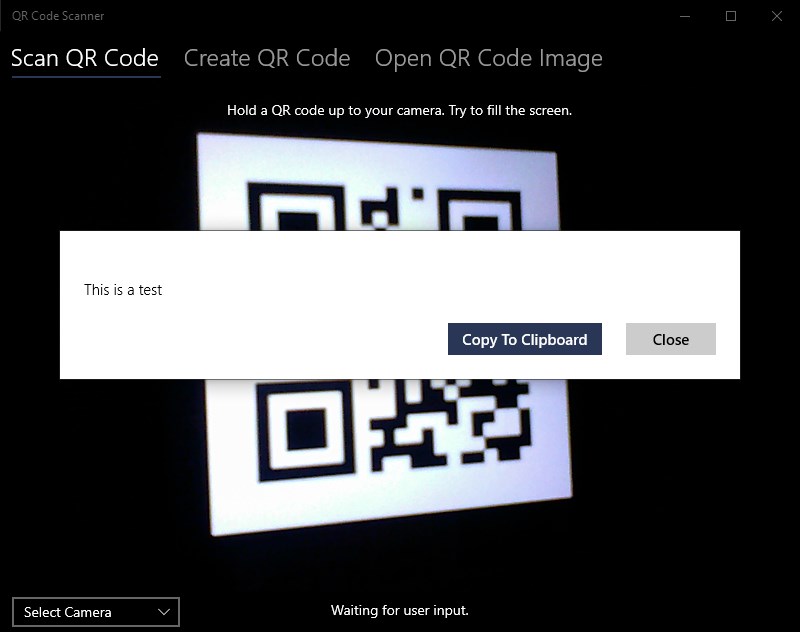
- Instant QR Code Decoding: Simply point your camera or upload an image, and the app rapidly extracts embedded information, providing results in seconds.
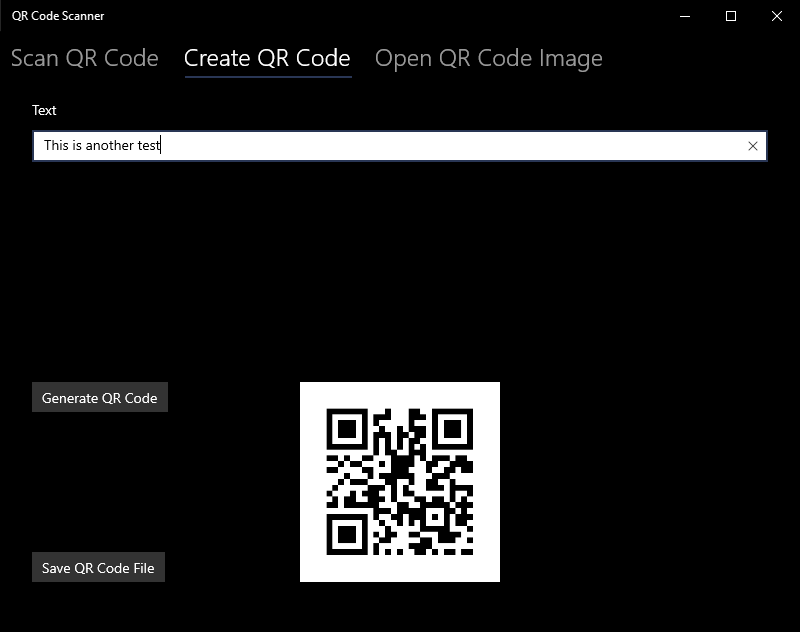
- Multiple Input Modes: Supports live camera scanning and image file uploads, offering flexibility based on user needs.
- Clean User Interface: Designed with minimalism in mind, the interface is clutter-free, making the experience intuitive for all users.
- Clipboard Integration: Easily copy decoded data to your clipboard for quick sharing or further processing.
The app caters primarily to individuals who frequently interact with QR codes—think office workers, event organizers, or tech-savvy users seeking a quick, no-fuss decoding solution.
Engaging and Effortless: A User Experience Review
Imagine you're at a conference, holding up a flyer with a QR code—no need to fuss with complex scanners or apps. The QR Code Scanner for Windows is like your reliable sidekick, ready to swiftly translate those cryptic black-and-white patterns into clear, actionable data. Its primary allure lies in its simplicity and speed, making it an excellent tool for those who need instant results without navigating through layers of options.
Once launched, the interface greets you with a sleek, straightforward window—no overwhelming menus or confusing settings. For live scanning, a quick camera setup is all it takes, and you're ready to point and click. The app's smooth operation ensures that even users with minimal technical background will find it easy to master. Uploading images also works flawlessly, supporting common formats and delivering speedy results. Such responsiveness significantly reduces cognitive load—users aren't bogged down trying to understand complicated workflows, but instead fully focused on their primary task of decoding codes efficiently.
Unique Strengths: Workflow Integration and Simplicity
Compared to other productivity or QR code apps, this scanner's key distinction lies in its laser focus on reducing complexity while enhancing workflow integration. Rather than overwhelming users with a multitude of features, it zeroes in on the core function—quick, reliable decoding. Its ability to smoothly switch between camera and file inputs embodies this efficiency, ensuring it serves as a perfect bridge within broader workflows. For instance, in a retail or event setting, staff can effortlessly scan QR codes on the fly, without juggling multiple apps or dealing with laggy interfaces.
This design philosophy—measuring and reducing cognitive load—means users can operate with high confidence and minimal training. Unlike complex scanning apps that might bombard users with options to customize every aspect, this app keeps things streamlined, delivering just what's necessary for fast decoding. Such focused simplicity transforms what could be a tedious task into a seamless part of your daily routine.
Final Verdict: A Practical Pick for Swift Scanning Needs
On balance, the QR Code Scanner for Windows earns a solid recommendation, especially for users seeking a no-nonsense, efficient QR decoding tool. It's best suited for those who prioritize speed and straightforward operation over extensive customization or extra features. If your workflow often involves quick scans of QR codes, this app will serve as a reliable and unobtrusive companion. While it might not boast the bells and whistles of more elaborate apps, its minimalistic approach makes it a practical choice for everyday use—just point, scan, and move on. For anyone tired of clunky scanners or over-complicated apps, this streamlined solution is definitely worth considering.
Pros
- Fast and accurate scanning
- Clean and intuitive user interface
- Supports multiple QR code types
- No ads or intrusive pop-ups
- Lightweight and quick to launch
Cons
- Limited editing options for scanned data
- Occasional misreads with damaged codes
- Lack of advanced features like batch scanning
- Limited customization options
- No built-in browser or share options











