
- Name Parallels Toolbox
- Category Productivity
- Developer Parallels International GmbH
- Available on PC
- OS Windows 10 version 0.0 or higher
- Keyboard Integrated Keyboard
- Mouse Integrated Mouse
- languages French, English, Chinese (Simplified), Chinese (Traditional Chinese), Czech, German, Italian, Japanese, Korean, Polish, Portuguese, Russian, Spanish (EU)
Parallels Toolbox for Windows: A compact suite of productivity essentials
Parallels Toolbox for Windows presents itself as a versatile toolkit designed to streamline everyday tasks, making your digital life more efficient without cluttering your workspace with multiple apps.
Who's behind the magic?
Developed by Parallels International GmbH and published by Corel Corporation, this application benefits from the expertise of two industry veterans—Parallels renowned for virtualization solutions, and Corel with its rich history in creative and software tools. This collaboration ensures a polished, reliable experience backed by solid development teams.
Bright spots in the toolbox
- One-Click Record and Screenshot Capture: Easily record your screen or capture high-quality screenshots with minimal fuss, perfect for tutorials, troubleshooting, or quickSharing.
- Disk Cleanup and File Management Tools: Tools that help you clear clutter swiftly, freeing up space and organizing files efficiently—reducing digital chaos in a matter of moments.
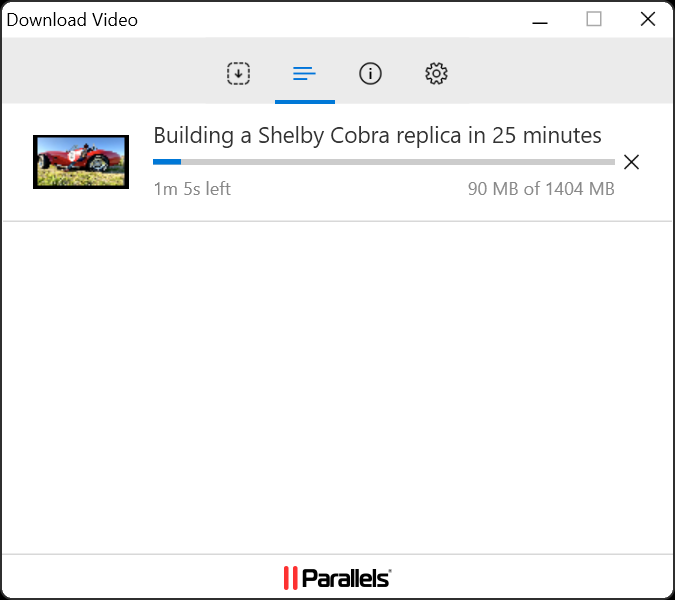
- Media Playback and Conversion Utilities: Play, convert, or extract media files seamlessly, supporting a variety of formats and simplifying your media management.
- Powerful but Intuitive Interface: An accessible design reduces the learning curve, making complex tasks straightforward even for beginners.
Engaging hands-on review
Imagine waking up to an untouched digital workspace—much like clearing a cluttered desk, Parallels Toolbox for Windows offers a suite of tools that tidy up and optimize your computer's environment in one swift, smooth motion. It's like having a multi-tool Swiss Army knife, ready to untangle your digital chores with just a few clicks, turning what used to be tedious chores into effortless routines.
Core Functionality Deep Dive
**Simplified Screen Recording and Capture:** This feature truly shines as a standout. Whether you're creating a quick tutorial or recording a game session, the toggle is one click away. The interface is straightforward—select 'Record Screen,' choose your options, and let the app do the rest. The recordings are crisp, and the process is faster than boiling water. Unlike complex screen recording suites that demand a steep learning curve, Parallels Toolbox keeps it simple but effective, making it accessible to users of all technical levels.
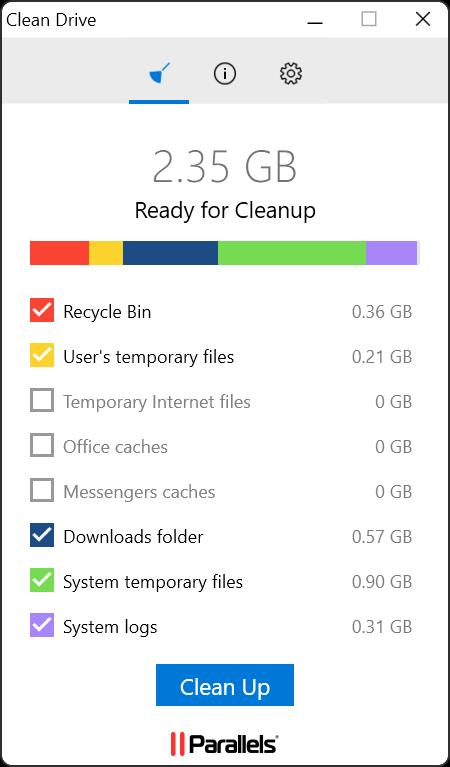
**Disk Cleanup and File Management:** Clearing out unnecessary files can feel daunting—like trying to find a needle in a haystack. Parallels Toolbox offers smart cleanup tools that automatically identify and eliminate redundant files, duplicates, or large items taking up space. The process is streamlined, requiring just select-and-activate steps. It feels like having an efficient cleaning robot that tidies up your digital environment while you move on to more important work.
Design, Ease of Use, and Workflow
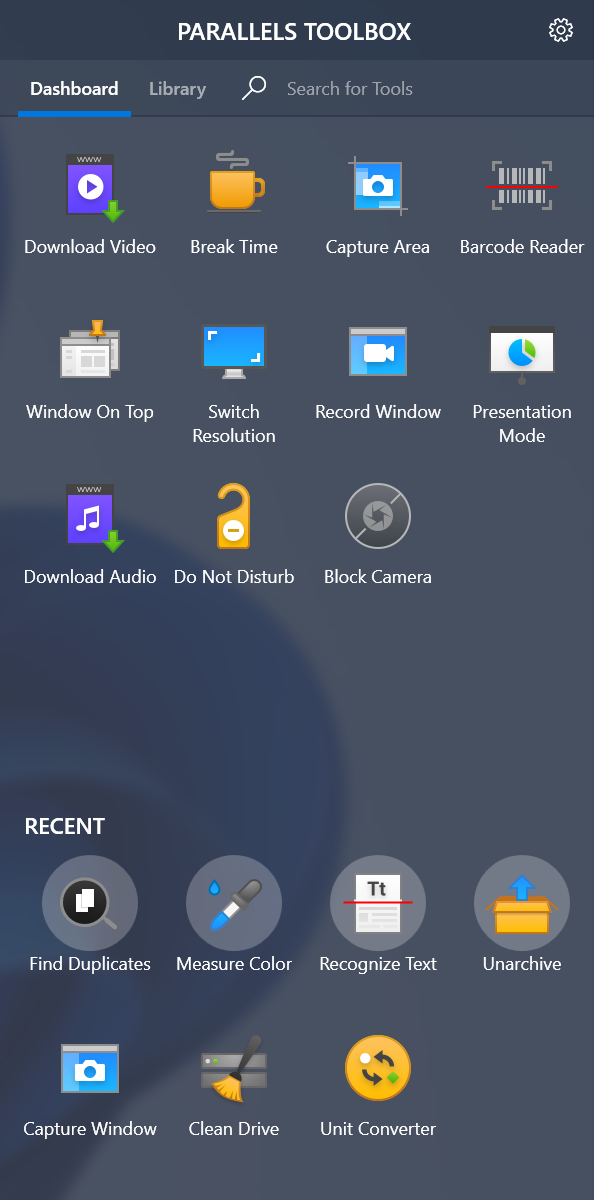
The application's interface resembles a well-organized toolbox—icon-based, clean, and inviting. It emphasizes ease of use, with essential functions front and center, minimizing the need to navigate through confusing menus. Operational fluency is high; tasks that could take multiple steps elsewhere are reduced to a single click here. The learning curve is gentle; even first-time users find themselves mastering key features rapidly, akin to picking up a new gadget and becoming proficient almost immediately.
Unique Selling Points and Differentiation
In comparison with similar productivity suites—like Snagit, OBS, or CCleaner—Parallels Toolbox for Windows stakes its uniqueness on workflow integration and cognitive load reduction. Unlike feature-heavy alternatives that sometimes overwhelm users with options, this app emphasizes task-specific simplicity and quick access. Its most notable advantage is how it minimizes distraction: instead of juggling multiple complex programs, users perform routine chores from a centralized, well-organized interface. This strategic design effectively reduces mental clutter and streamlines workflows, particularly for users who prefer straightforward, no-nonsense tools.
Final thoughts and recommendations
Parallels Toolbox for Windows emerges as a reliable companion for those seeking to unlock efficiency without the hassle of mastering complicated software. Its two most striking features—rapid screen recording and smart file cleanup—serve as the core strengths, catering to everyday productivity and digital hygiene.
For casual users, remote workers, or anyone looking to enhance their workflow with minimal fuss, this tool offers clear advantages. Since the app is lightweight and intuitive, I recommend trying it out if you're seeking an integrated, no-frills set of utilities to simplify your digital routines. It's not a replacement for specialized tools but a handy addition that can make your daily computer tasks smoother and more organized.
Pros
- User-friendly interface
- Wide range of tools
- Lightweight and efficient
- Automation capabilities
- Regular updates and support
Cons
- Limited advanced features
- Occasional compatibility issues
- Watermark on free version
- Limited customization options
- No mobile version











