
- Name Notebook LM MV Splitter
- Category Productivity
- Developer Antigravity_skseo
- Available on PC
- OS Windows 10 version 14316.0 or higher
- Keyboard Integrated Keyboard
- Mouse Integrated Mouse
- Memory 4 GB
- languages English (United States), Korean
Introducing Notebook LM MV Splitter: Streamlining Multitasking in Windows
In a world increasingly defined by multitasking—and often the chaos of juggling multiple windows—Notebook LM MV Splitter emerges as a sleek solution designed to bring order and efficiency to your workspace. Whether you're a developer, a content creator, or someone who simply wants to maximize productivity, this application aims to seamlessly split your screen real estate for a more organized flow of work.
About the Developer and Core Features
Who's Behind This Tool?
Developed and published by Antigravity_skseo, a team committed to enhancing productivity workflows through intuitive software solutions, this app brings years of experience in user-centered design and utility-driven features.
Key Features That Make a Difference
- Dynamic Multi-Window Management: Effortlessly split your screen into multiple functional zones, customizing layouts to fit various tasks—whether coding, designing, or multitasking with documents.
- Flexible Split Modes: Offers a variety of split configurations (e.g., 2, 3, or more panes) to adapt to your workflow, with quick toggles for shifting between modes.
- Seamless Integration and Automation: Easily combines with other Windows productivity tools, offering hotkeys and automation options to streamline your routine.
Vivid Experience and User Interface
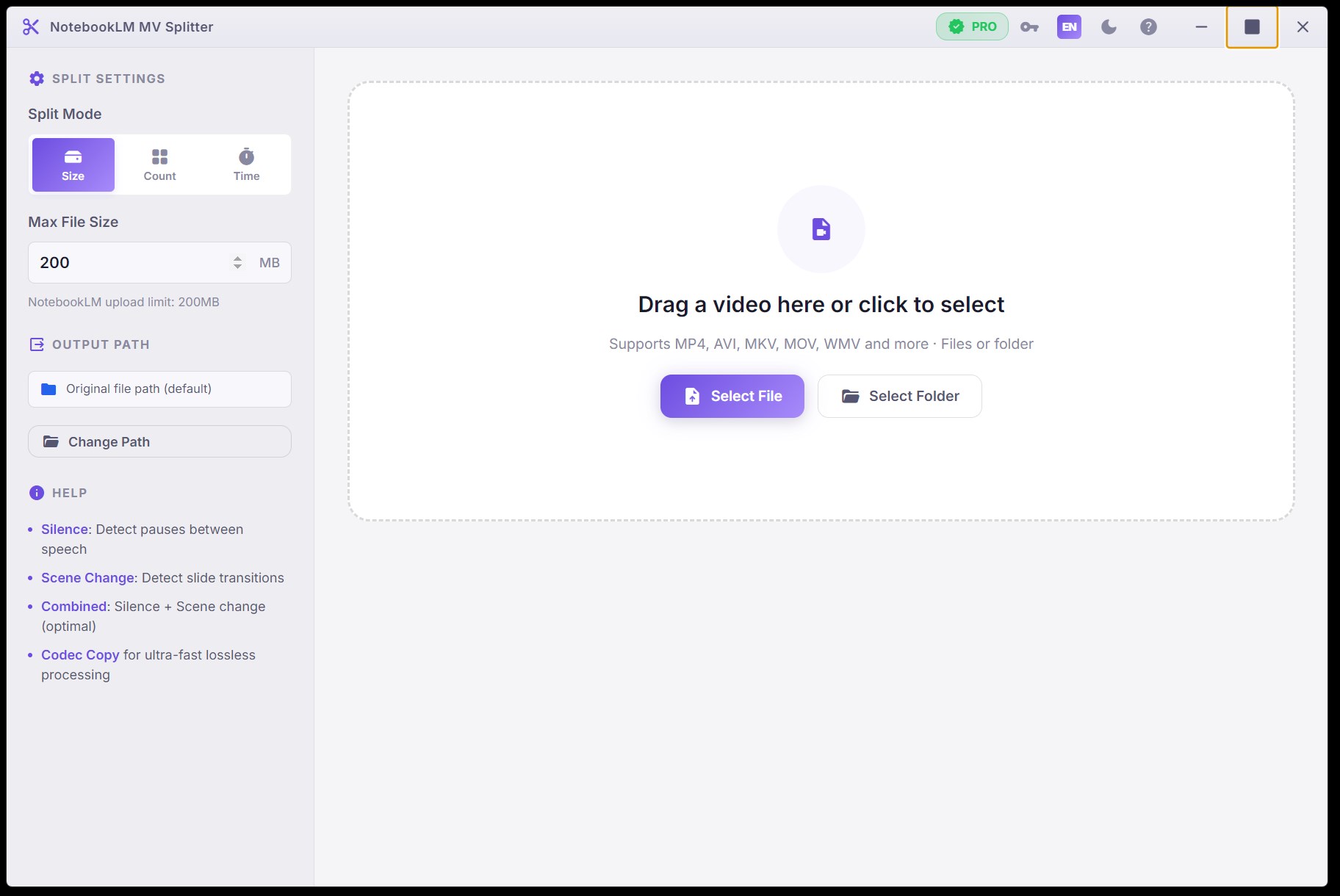
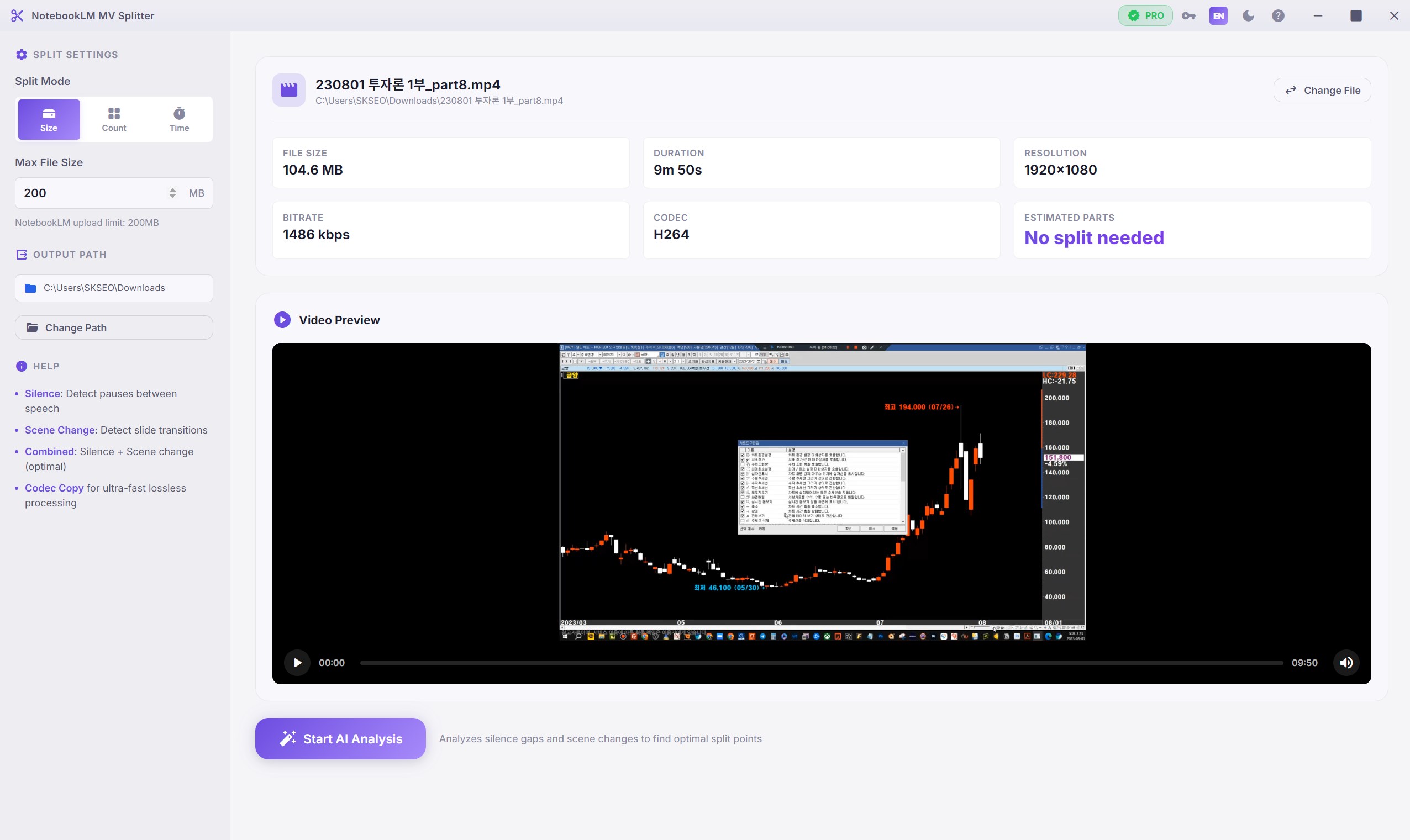
Imagine sitting in your favorite workspace, coffee in hand, as your screen morphs into a well-orchestrated orchestra of windows—each instrument perfectly aligned and ready to perform. Notebook LM MV Splitter delivers a clean and straightforward interface reminiscent of a well-organized control panel, avoiding clutter and overwhelming options.
Ease of Use and Learning Curve
The app's design prioritizes intuitive operation; even new users find it straightforward to navigate. Installing and setting up takes mere moments, and the customizable split options are accessible via easily memorable hotkeys. The learning curve is gentle—think of it as learning to ride a bike with training wheels before zipping through your workflow smoothly.
Performance and Responsiveness
On the performance front, Notebook LM MV Splitter operates with impressive responsiveness, maintaining fluid window adjustments without lag. It feels as if your workspace is transforming in real-time, responding to your commands as naturally as unfolding a well-planned origami masterpiece.
Standout Features and Unique Advantages
What sets Notebook LM MV Splitter apart from similar window management tools is primarily its focus on workflow integration efficiency. Unlike interfaces bloated with excessive features, this app emphasizes reducing cognitive load—allowing users to focus on tasks rather than navigating complex menus. Its ability to quickly adjust window layouts with hotkeys or minimal clicks mimics a well-rehearsed dance, making multitasking feel effortless.
Additionally, the app's modular design ensures it seamlessly fits into diverse workflows—whether you're side-by-side coding, comparing documents, or managing multiple applications simultaneously—without creating the distraction of feature overload.
Recommendations and Usage Scenarios
I'd recommend Notebook LM MV Splitter for users who desire a straightforward, reliable method to improve workspace organization. Especially beneficial to programmers, writers, or anyone dealing with multiple applications that need to coexist harmoniously on a single screen.
While it may lack some of the advanced customization found in heftier window management suites, its simplicity makes it particularly suited for those who want efficiency without steep learning curves. For users looking to enhance their multitasking flow with minimal fuss, this app could be a quiet yet powerful assistant.
Final Thoughts
All in all, Notebook LM MV Splitter for Windows is a neat, focused tool that shines in its capacity to reduce cognitive overload and streamline multitasking workflows. Its intuitive interface and quick customization options make it a worthy addition to anyone's productivity toolkit. Think of it as your personal window organizer—helping you keep everything in clear view, so you can concentrate on what truly matters.
Pros
- Enhanced multitasking capabilities
- User-friendly interface
- Customizable split layouts
- Smooth performance
- Lightweight app
Cons
- Limited free features
- Compatibility issues with certain display configurations
- Lack of detailed tutorials
- Occasional minor bugs in layout snapping
- Limited customization for hotkeys











