-
Name
Mixed Reality Link
-
Category
Productivity
-
Developer
Microsoft Corporation
-
Available on
PC
-
OS
Windows 11 version 22621.0 or higher
-
Keyboard
Integrated Keyboard
-
Mouse
Integrated Mouse
-
languages
Chinese (Simplified), Chinese (Traditional), Danish, Dutch, English (United Kingdom), English (United States), Finnish, French, German, Italian, Japanese, Norwegian (Bokmål), Polish , Portuguese (Brazil), Russian, Spanish (Spain), Swedish
**Mixed Reality Link for Windows: A Seamless Portal to Mixed Reality Experiences**
Imagine stepping into a new dimension where digital and physical worlds blend seamlessly—Mixed Reality Link for Windows acts as your trusty gateway, transforming your device into an immersive mixed reality hub. Designed by Microsoft Corporation, this app bridges Windows devices with compatible mixed reality headsets, offering an elegant and straightforward interface that invites both newcomers and seasoned VR enthusiasts to explore mixed reality content with ease.
---
### A Clear Purpose with Heavy Lifting from Microsoft
Microsoft Corporation, renowned for its innovation in productivity and immersive technologies, developed Mixed Reality Link specifically to streamline the process of connecting Windows devices to mixed reality headsets. The app boasts key functionalities such as effortless device pairing, quick access to mixed reality content, and streamlined management of headset settings—aimed at enhancing user convenience and reducing setup complexity. Its target audience ranges from enterprise users, educators, and developers to casual consumers who want to explore mixed reality without grappling with technical hurdles.
---
### An Immersive Launchpad: Bright, Intuitive, and User-Friendly
Upon opening Mixed Reality Link, you're greeted with a clean, modern interface—think of it as your digital control room, organized like the cockpit of a spaceship ready for interstellar exploration. Navigation is smooth, with clearly labeled sections guiding you through device pairing, content browsing, and headset management. The app's minimalistic design minimizes cognitive load, allowing users to focus on their immersive experiences rather than fussing over technical details.
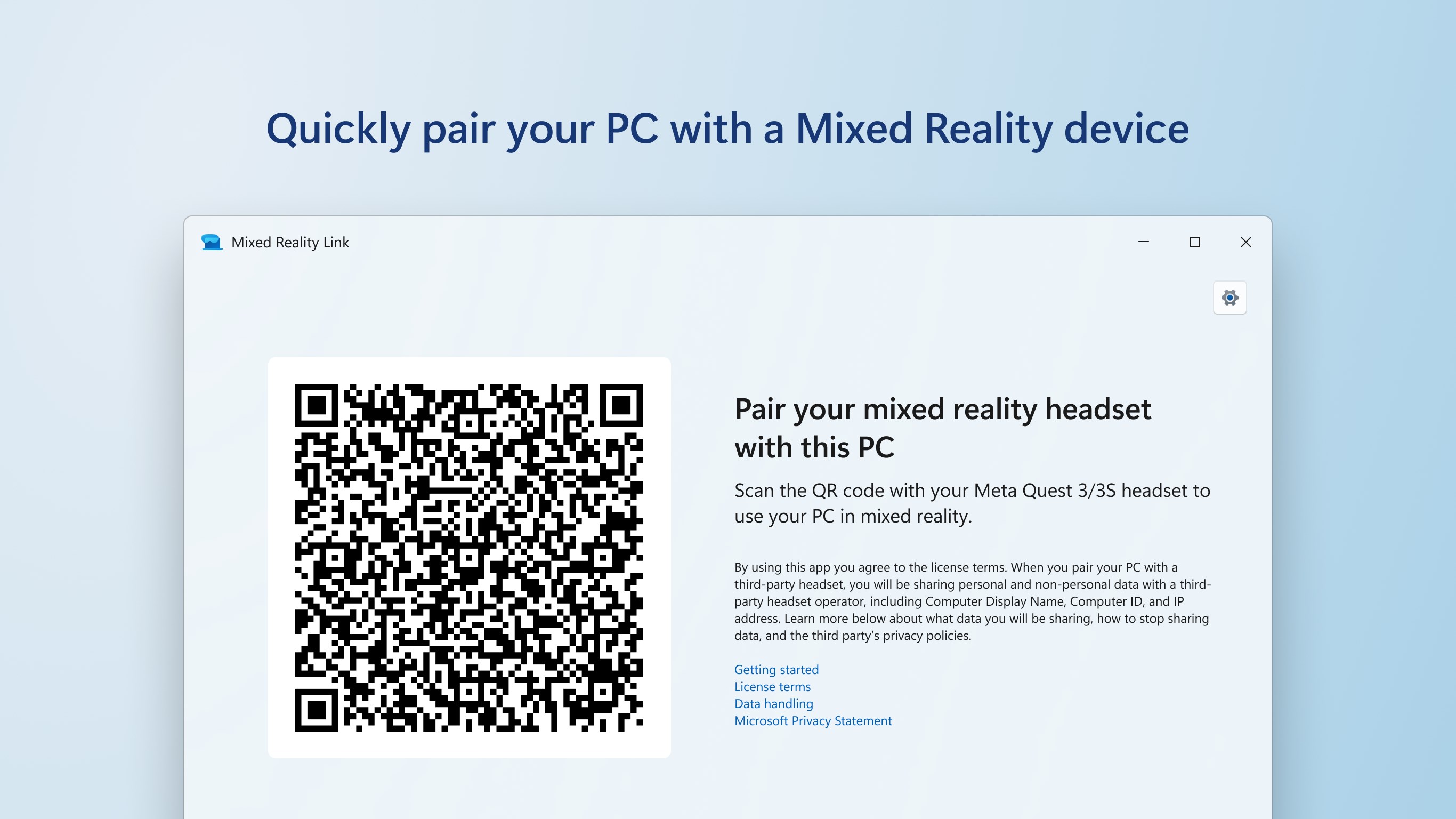
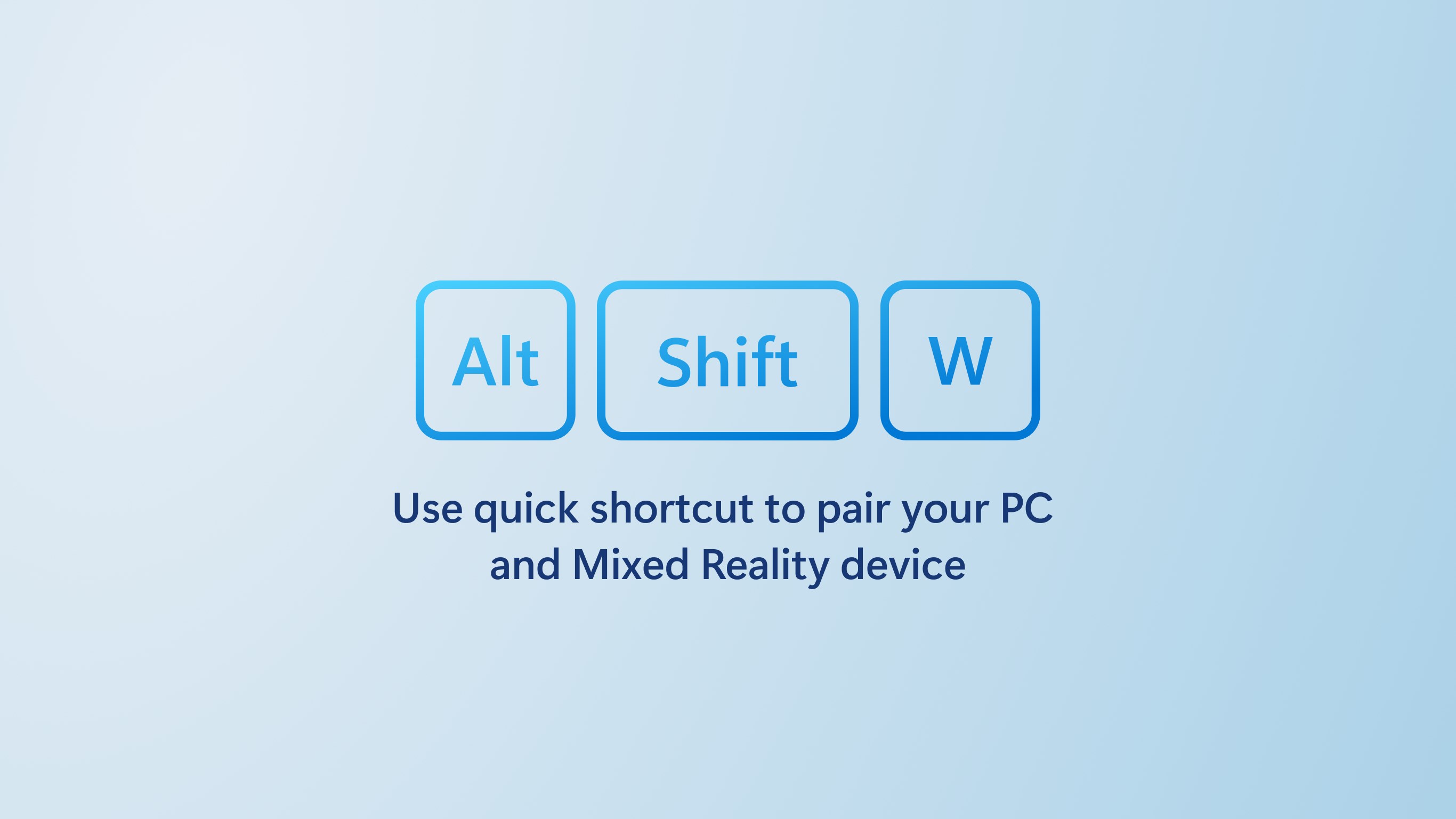
The setup process is streamlined: connecting a compatible headset, such as the HoloLens or Windows Mixed Reality headset, involves just a few clicks. Once paired, the app offers a responsive experience that feels like flipping a switch to enter another world. The interface adapts well to different screen sizes, whether you're on a desktop or a tablet, ensuring consistent usability.
---
### Powerful Features That Elevate Your Mixed Reality Experience
**Seamless Device Connectivity and Management**
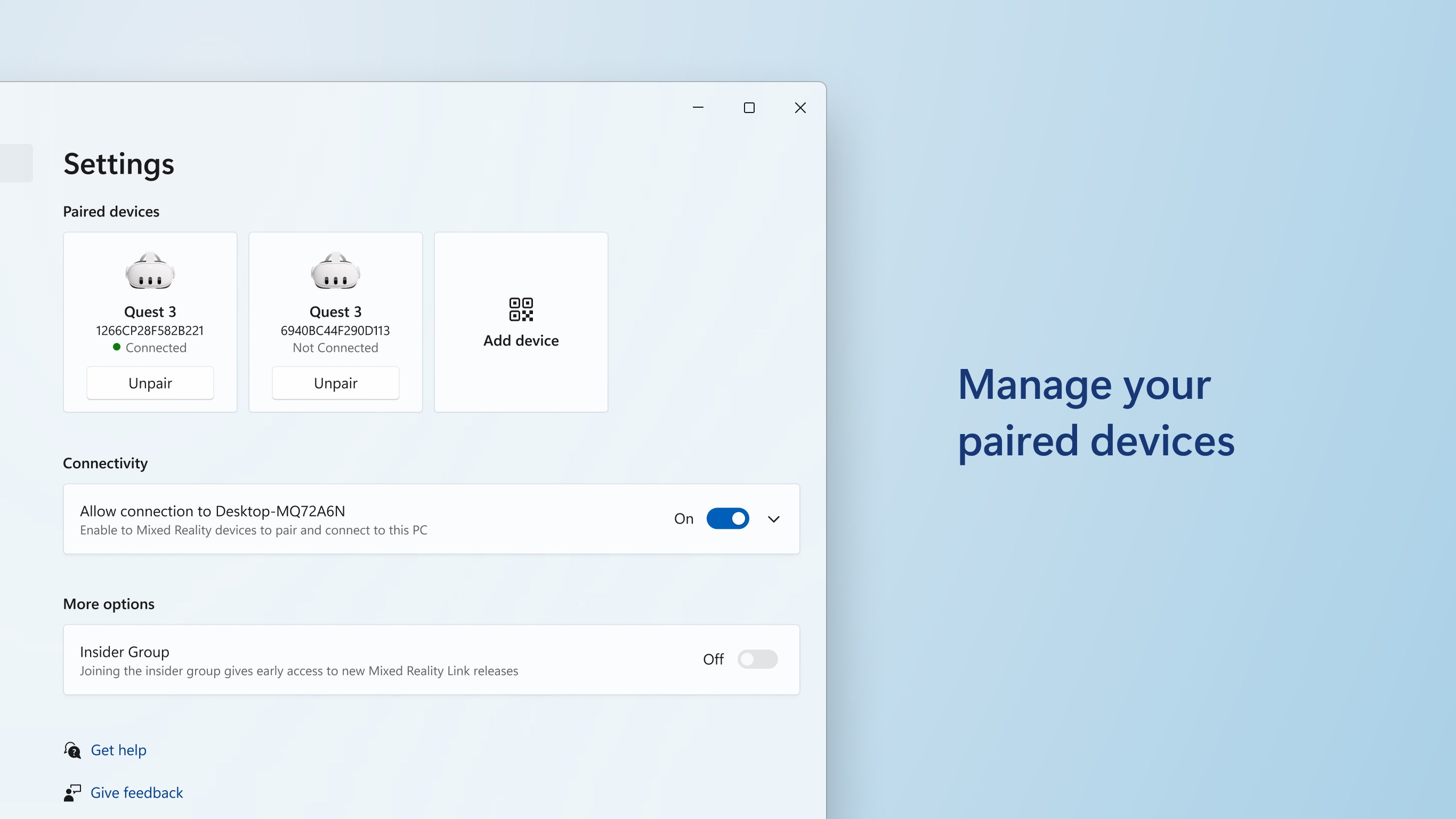
The core feature of Mixed Reality Link is its ability to establish and maintain a stable connection between your Windows device and your mixed reality headset. Unlike some apps that bombard users with complicated configuration menus, Microsoft's solution simplifies device recognition. Think of it as a friendly concierge pulling out your preferred travel itinerary—just a few taps, and your immersive journey begins. The app automatically detects compatible headsets nearby or connected via USB or wireless, and guides you through the pairing process effortlessly.
**Content Launch and Workspace Integration**
Once connected, users can access a curated library of mixed reality experiences, applications, and content directly through the app—no need for manual file management or multiple applications. It acts like a command center, allowing you to launch applications directly into your headset environment. This focused integration reduces the cognitive load significantly, enabling a more natural workflow—similar to having a remote control tailored specifically for your mixed reality experiences.
**Settings Optimization and Troubleshooting**
The app also provides a straightforward hub for headset configuration—adjusting display settings, calibration, and troubleshooting problems. These functions are accessible from a dedicated menu, neatly organized to prevent overwhelming users. This feature particularly shines in enterprise or educational environments, where quick adjustments and troubleshooting are often required.
---
### User Experience: An Interface as Friendly as a Well-Worn Map
Microsoft has done a commendable job crafting an interface that balances functionality with simplicity. For newcomers, the learning curve is gentle—imagine easing into a hot tub rather than diving into icy waters. Actions like connecting devices, launching content, or adjusting settings are just a few taps away, with intuitive icons guiding each step.
Performance-wise, the app feels snappy. Device pairing and content loading traditionally fraught with delays are handled swiftly, reminiscent of a well-trained concierge who's always ready. This responsiveness minimizes user frustration and fosters a sense of confidence—crucial for maintaining engagement in immersive environments.
In terms of usability, Mixed Reality Link shines at reducing cognitive load. Unlike apps that try to cram countless options into complex menus, this application focuses on core tasks. Users spend less mental energy figuring out how to operate the app and more on enjoying their mixed reality content.
---
### How It Outshines Other Productivity Tools
While apps like Windows Mixed Reality Portal or third-party management suites serve similar purposes, Mixed Reality Link distinguishes itself in several ways. Its primary advantage lies in its workflow integration efficiency. The app acts as a dedicated command hub, minimizing the number of steps needed to start and manage mixed reality experiences. It reduces feature overload—focusing on core functions rather than extraneous options—making the user experience more fluid.
Moreover, its design reduces cognitive load by presenting straightforward, purpose-driven controls. For instance, instead of wading through labyrinthine settings, users have quick access to essential functions, akin to a well-organized toolbox rather than an overstuffed drawer. This focus allows users to achieve their goals faster, fostering productivity and reducing frustration.
---
### Final Recommendation: A Solid Choice for Streamlined Mixed Reality
Considering its ease of use, stable performance, and targeted feature set, Mixed Reality Link for Windows is highly recommended for users seeking a hassle-free entry point into mixed reality. It's particularly suited for educational institutions, enterprise settings, and casual explorers who prioritize simplicity and reliability over feature bloat.
**Use it if:** You want an intuitive, efficient way to connect your Windows device with mixed reality headsets and launch immersive content effortlessly.
**Proceed with caution if:** You require advanced customization options or plan to manage a fleet of devices with complex configurations—other tools might offer more depth at the expense of simplicity.
In conclusion, Microsoft's Mixed Reality Link offers a thoughtful, user-centric gateway into the world of mixed reality, ensuring that stepping into new digital realms feels less like scaling a mountain and more like opening a door.
Pros
- Intuitive Mixed Reality Integration
- User-Friendly Interface
- Rich Content Ecosystem
- High-Quality Graphics Rendering
- Cross-Device Compatibility
Cons
- Occasional Lag During Intensive Tasks
- Limited Offline Functionality
- Battery Optimization Needed
- Initial Setup Can Be Complex
- Limited Customization Options