



- Name Microsoft Copilot
- Category Productivity
- Developer Microsoft Corporation
- Available on PC
- OS Windows 10 version 19041.0 or higher
- languages Afrikaans, Albanian, Amharic, Arabic, Armenian, Assamese, Azerbaijani, Bangla (India), Basque, Bosnian (Latin, Bosnia and Herzegovina), Bulgarian, Catalan, Chinese (Simplified), Chinese (Traditional), Croatian, Czech, Danish, Dutch, English (United Kingdom), English (United States), Estonian, Filipino, Finnish, French, French (Canada), Galician , Georgian, German, Greek, Gujarati, Hebrew, Hindi, Hungarian, Icelandic, Indonesian, Irish, Italian, Japanese, Kannada, Kazakh, Khmer, Konkani, Korean , Lao, Latvian, Lithuanian, Luxembourgish, Macedonian, Malay, Malayalam, Maltese, Maori, Marathi, Nepali, Norwegian (Bokmål), Odia, Persian, Polish , Portuguese (Brazil), Portuguese (Portugal), Punjabi (India), Quechua, Romanian, Russian, Scottish Gaelic, Serbian, Serbian (Cyrillic, Bosnia and Herzegovina), Serbian (Latin, Serbia), Slovak, Slovenian (Slovenia), Spanish (Mexico), Spanish (Spain), Swedish, Tamil, Tatar, Telugu, Thai, Turkish, Ukrainian, Urdu, Uyghur, Uzbek, Valencian, Vietnamese, Welsh
An In-Depth Look at Microsoft Copilot for Windows: Revolutionizing Workflow Assistance
Microsoft Copilot for Windows emerges as a groundbreaking AI-powered assistant aimed at seamlessly integrating intelligence into your daily digital routines. Developed by Microsoft Corporation, this app promises to elevate productivity by intelligently assisting users right within the Windows environment. Whether you're a busy professional, a student, or someone seeking smarter workflows, Copilot seeks to be your digital co-pilot, guiding you through tasks with clarity and ease.
Core Features and Highlights
- AI-Driven Contextual Assistance: Leveraging advanced AI, Copilot actively understands your current tasks, offering relevant suggestions, summaries, and actionable insights without interrupting your flow.
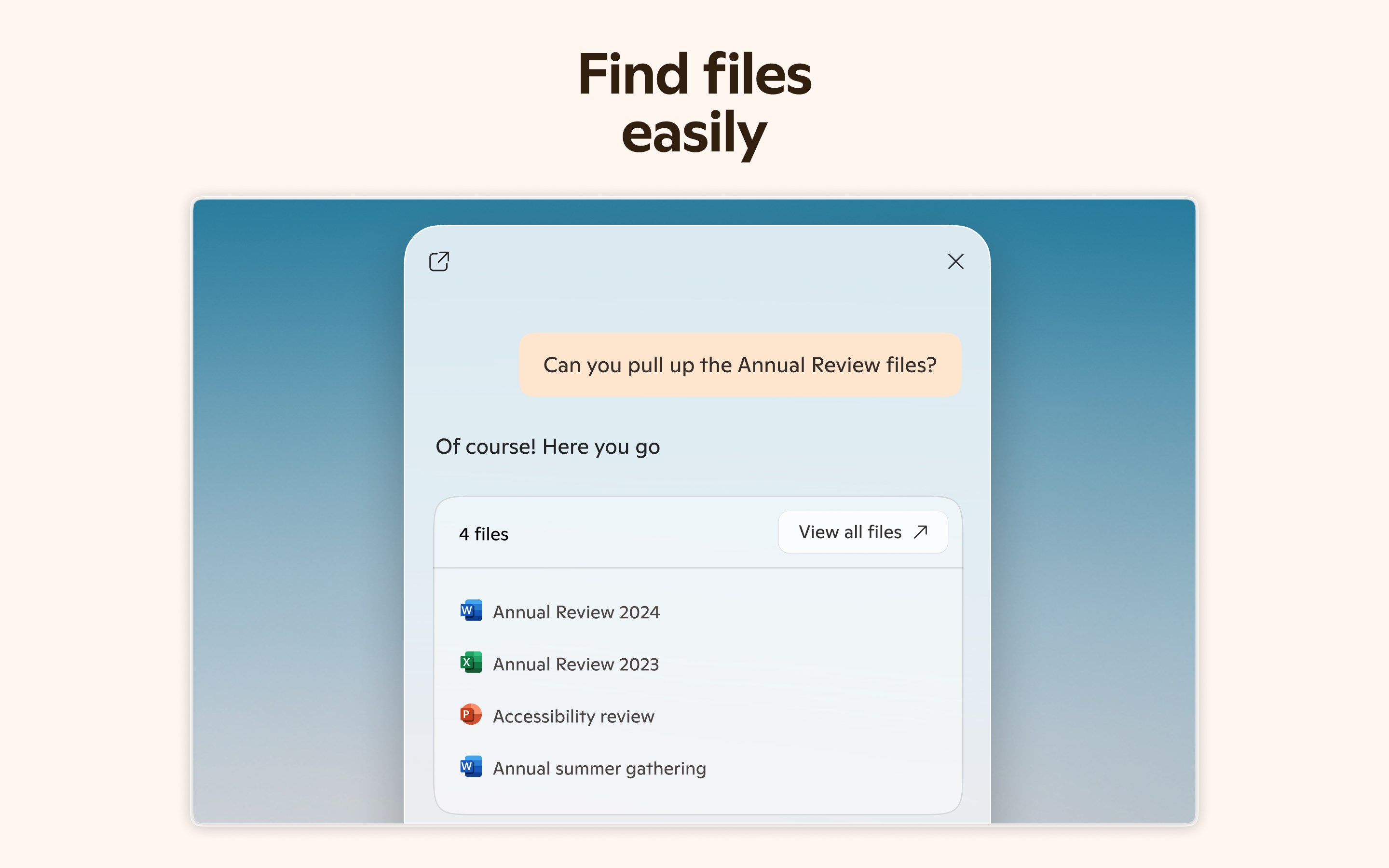
- Deep Workflow Integration: It seamlessly weaves into Windows and Microsoft 365 apps, enabling users to command and manage files, emails, and apps with natural language, reducing the need to switch contexts.
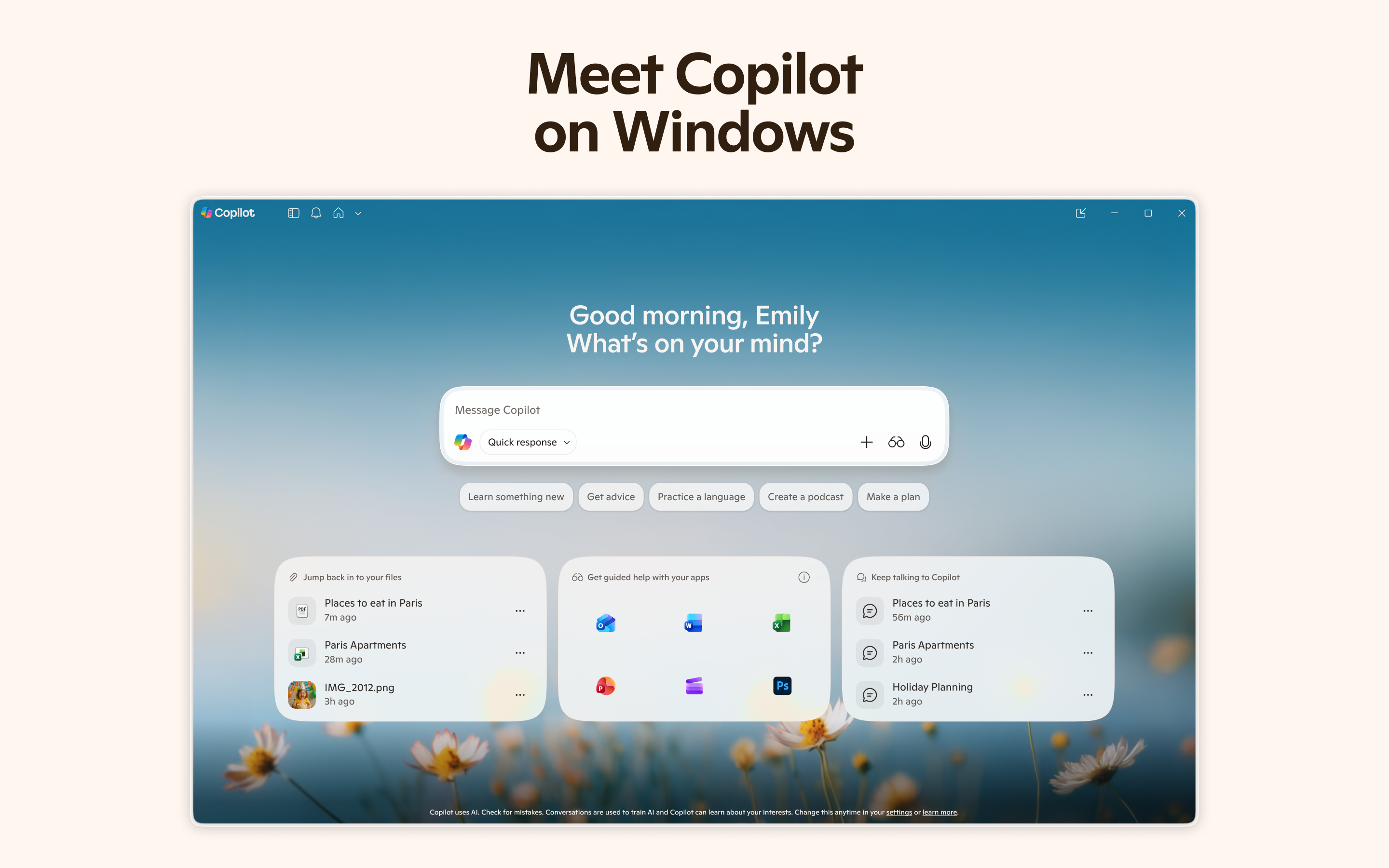
- Intuitive User Interface with Minimal Learning Curve: Designed with simplicity in mind, the interface facilitates quick adaptation, making advanced AI features accessible even to newcomers.
- Enhanced Productivity Through Automation: Copilot automates recurring tasks, prioritizes your schedule, and helps generate content, thus reducing cognitive load and freeing up creative energy.
A Captivating Introduction: Meet Your Digital Co-Pilot
Imagine having a seasoned assistant right by your side, whispering tips and handling mundane chores while you focus on the big picture. Microsoft's Copilot for Windows aims to turn that vision into reality. As an intuitive AI companion integrated deeply into your operating system, it's like having a personal productivity coach, ready to pick up where your attention wanes and streamline your digital life. Whether you're organizing a complex project or just trying to get through your daily emails, Copilot's friendly yet professional demeanor makes tech support feel less like a chore and more like a helpful conversation.
Deep Dive into Core Functionalities
Smart Contextual Assistance
At the heart of Copilot's appeal lies its ability to understand context. Instead of bombarding you with options or requiring complex commands, it interprets your natural language queries—think of it as having a multilingual assistant who always gets what you mean. For example, asking “Summarize my latest meeting notes” prompts Copilot to quickly generate concise summaries, saving you the time-consuming task of sifting through lengthy docs. This contextual awareness ensures that each suggestion or action is relevant, reducing unnecessary interruptions and keeping your workflow smooth.
Seamless Workflow Integration
Unlike standalone productivity tools, Microsoft Copilot melds effortlessly into the Windows ecosystem and Microsoft 365 apps. Whether you're drafting an email in Outlook, editing a PowerPoint presentation, or organizing files in File Explorer, Copilot is right there, responding to your instructions. This tight integration mirrors the feeling of having multiple intelligent assistants working in harmony, reducing the cognitive load that comes with juggling different apps and commands. It's akin to having a skilled assistant who can jump from your calendar to your emails with a simple request, orchestrating your tasks harmoniously.
User Experience: Intuitive, Efficient, and Accessible
From a user perspective, Copilot's interface is like a friendly dashboard—clean, minimalist, and inviting. Unlike many complex AI tools that come with steep learning curves, Copilot's learning curve is gentle. This is because it emphasizes natural language interaction over intricate menus or settings. The operation feels fluid, akin to having a chat with a knowledgeable colleague rather than navigating a labyrinth of options. Furthermore, the app is designed to adapt to your needs, progressively learning your preferences to become more efficient over time.
What Sets Copilot Apart from Other Productivity Apps?
While many productivity tools focus on feature-richness, Copilot differentiates itself by emphasizing workflow integration efficiency and cognitive load reduction. Rather than overwhelming users with a multitude of options, it simplifies the interaction by delivering only the most relevant information and actions—akin to a well-tailored suit instead of an oversized toolkit. Its ability to understand context and automate routine tasks reduces the mental effort required to manage digital clutter. This makes it not just a feature-heavy app but a thoughtful assistant that streamlines your entire work process, letting you focus on what truly matters.
Summary: Is It Worth Giving a Try?
Based on its design philosophy and capabilities, Microsoft Copilot for Windows is highly recommended for users seeking to enhance their productivity without the complexity of traditional enterprise tools. It's particularly suited for those embedded within the Microsoft ecosystem, as its deep integration amplifies efficiency. However, even casual users who want a smarter way to manage everyday tasks will find this tool valuable. For anyone looking to diminish distractions and elevate workflows seamlessly, Copilot stands out as a thoughtful partner in your digital day.
Pros
- Enhanced productivity with AI assistance
- Deep integration with Microsoft 365 apps
- Natural language understanding and responses
- Time-saving features for routine tasks
- Constant updates and improvements from Microsoft
Cons
- Limited offline functionality
- Learning curve for new users
- Potential privacy concerns with data handling
- Performance issues on lower-end devices
- Occasional inaccuracies in AI suggestions











