

- Name HP PC Hardware Diagnostics Windows
- Category Productivity
- Available on PC
- OS Windows 10 version 16299.0 or higher
- languages English (United States)
An Overview of HP PC Hardware Diagnostics Windows
HP PC Hardware Diagnostics Windows is a dedicated utility designed to simplify hardware health assessments, allowing users to identify potential issues with their HP devices effortlessly through a straightforward interface.
Developers and Core Highlights
Developed by HP Inc., this application aims to provide a reliable, easy-to-use diagnostic tool tailored specifically for HP PCs. Its main features include comprehensive hardware testing (CPU, memory, storage, and peripherals), an intuitive user interface that guides users step-by-step, and quick diagnostics that can detect potential hardware failures early on. The tool's focus on targeted HP device diagnostics ensures optimized performance and compatibility, making it highly suited for HP device owners.
Target Audience
This application is primarily geared toward HP PC users—from everyday consumers and small business owners to IT professionals—who seek a convenient way to verify hardware integrity without needing extensive technical expertise or third-party tools.
Vivid First Impressions: Unlocking the Power of Hardware Health Checks
Imagine your HP PC as a sturdy car—regular diagnostic scans are akin to checking the engine and brakes before a long journey. HP PC Hardware Diagnostics Windows slices through the tech complexity, offering a friendly mechanic that's always ready to ensure your device runs smoothly. Whether you're troubleshooting an occasional glitch or preparing for an upgrade, this app promises the peace of mind that comes from knowing your hardware is in top shape.
Core Functionality 1: Comprehensive Hardware Testing Made Simple
At the heart of this utility lies its ability to perform thorough diagnostic tests across your device's critical hardware components. From the CPU to memory modules, storage drives, and even peripherals, the app conducts targeted scans that precisely identify issues. Its intelligent design ensures that even users with limited technical background can initiate complex tests with just a few clicks. The results are presented in clear, concise reports—no cryptic codes or overwhelming data dumps—making troubleshooting a less daunting task.
What sets this apart from generic tools is its specificity for HP hardware, meaning tests are optimized for HP configurations, reducing false positives and improving accuracy. This focus ensures users aren't left guessing about the health status of their devices, making it an essential utility for proactive maintenance.
Core Functionality 2: User-Friendly Interface and Experience
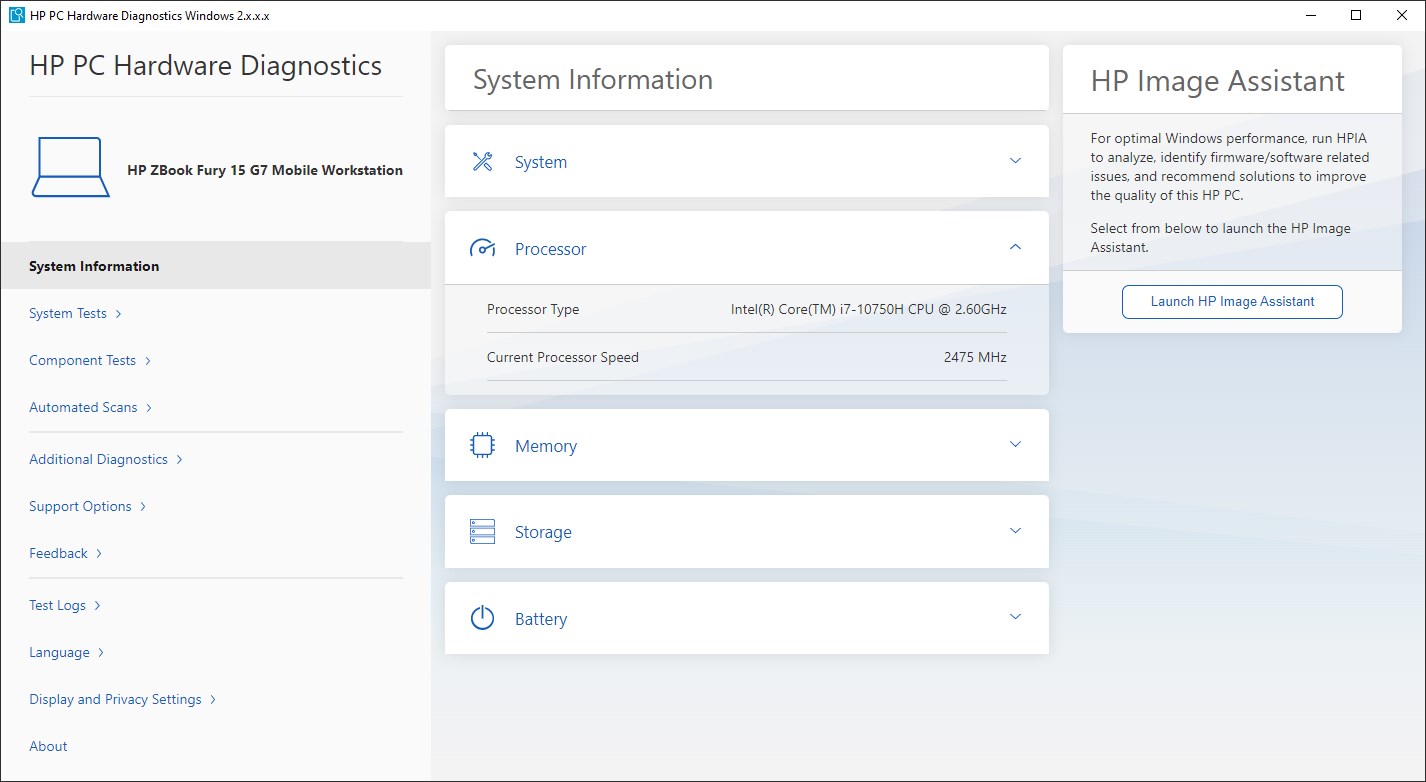
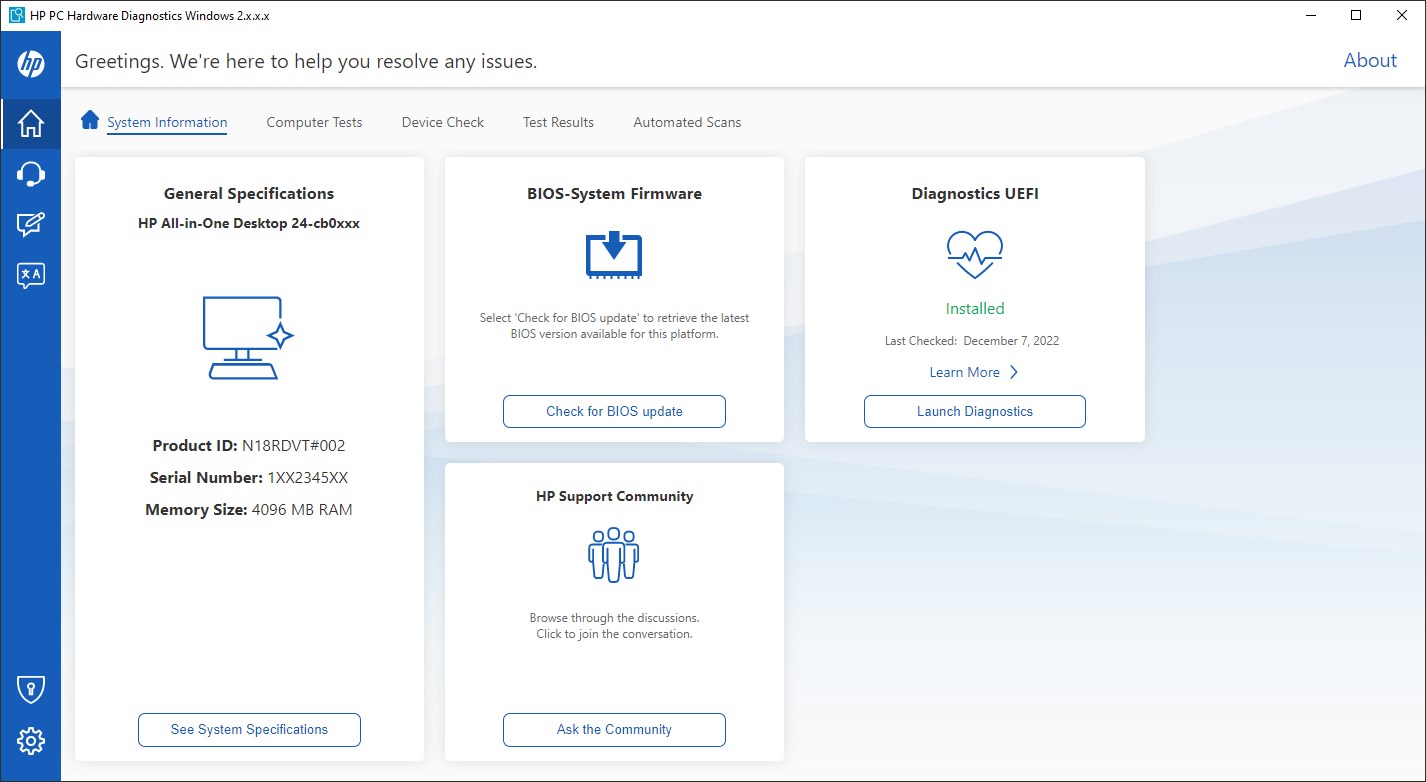
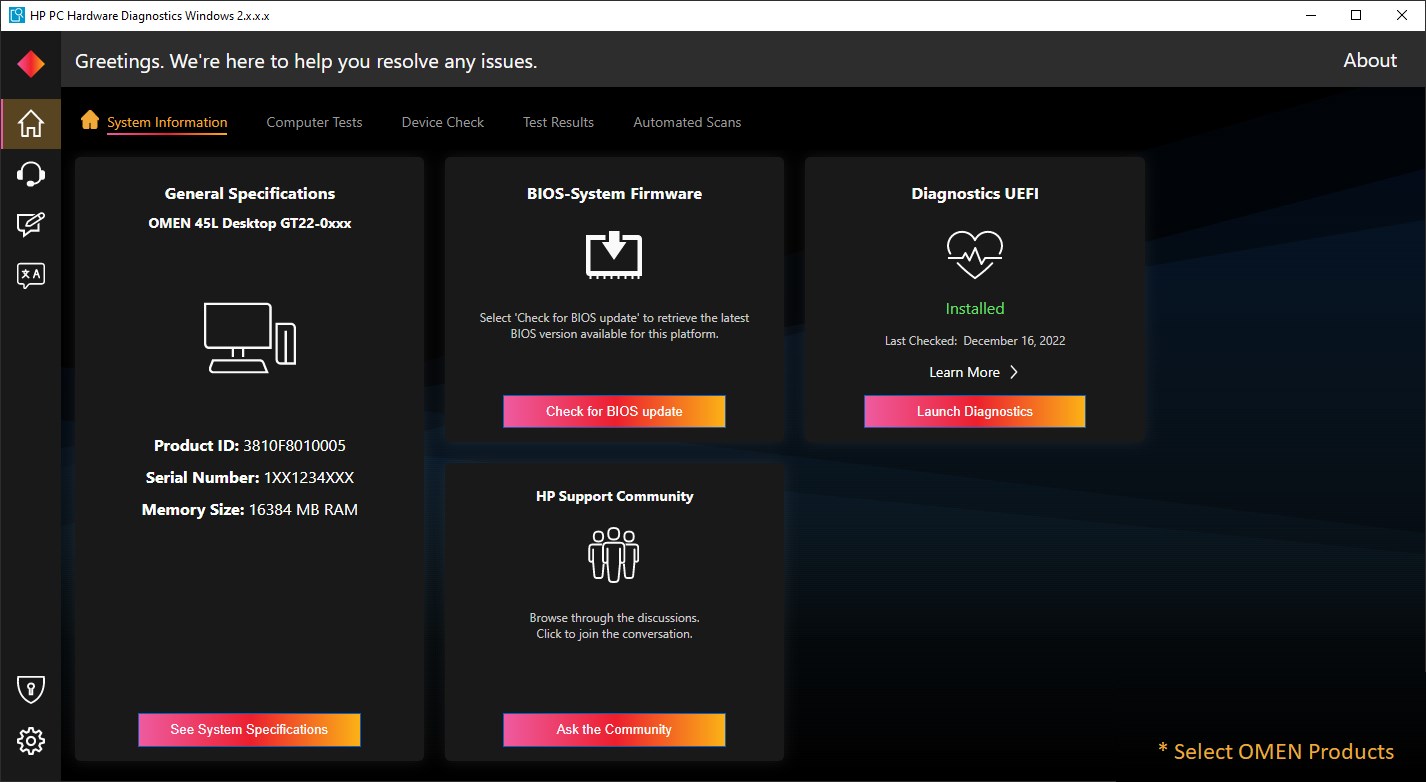
The interface of HP PC Hardware Diagnostics Windows resembles a well-organized dashboard in a modern vehicle—clean, intuitive, and easy to navigate. Users are guided through each step of the diagnostics process, with visual cues and straightforward instructions facilitating smooth operation. The app's responsiveness means tests proceed swiftly, with real-time feedback displayed prominently.
From a usability standpoint, the learning curve is minimal—users can start performing diagnostics almost immediately, even if tech isn't their forte. The app's layout minimizes cognitive load by decluttering options and emphasizing essential tests, making the experience feel less like troubleshooting and more like an everyday checkup. This efficient design reduces frustration and encourages regular use, which aligns with its goal of promoting ongoing hardware health awareness.
Unique Advantages: Workflow Integration and Reduced Cognitive Load
Compared to broader, feature-rich diagnostic tools, HP's solution offers a targeted approach that streamlines workflow integration. For HP users, the app integrates seamlessly with other HP support services, enabling quick transfers of diagnostic data to support teams or for record-keeping. Its simplified feature set reduces the mental effort typically required to interpret complex results, which means less time spent deciphering technical jargon and more time focusing on resolving issues or planning upgrades.
This fusion of efficiency with clarity makes it stand out: rather than overwhelming users with numerous options or complicated procedures, it puts the core diagnostic action front and center—delivering high value with minimal complexity. This thoughtful balance helps reduce the cognitive load, allowing users to maintain focus and confidence during troubleshooting sessions.
Conclusion and Recommendations
In summary, HP PC Hardware Diagnostics Windows is a well-crafted utility tailored for HP device users seeking a reliable, straightforward way to monitor their hardware health. Its most distinctive features—comprehensive targeted tests and a clean, user-centric interface—make troubleshooting less burdensome and more accessible. For everyday users and IT support staff alike, it offers a practical solution that integrates seamlessly into workflows without adding unnecessary complexity.
We recommend this application for anyone who owns an HP PC and wants an easy means to keep tabs on their hardware status. Regular use can catch potential problems early, saving time and preventing unexpected failures. Overall, it's a valuable, user-friendly tool that elevates routine hardware maintenance from a daunting chore to a manageable task.
Pros
- User-friendly interface
- Comprehensive hardware tests
- Quick test execution
- Official support from HP and Microsoft
- Guided troubleshooting steps
Cons
- Limited functionality for non-HP hardware
- Occasional false negatives in diagnostics
- Requires administrative privileges
- Limited reporting details
- Occasional crashes or errors during operation











