

- Name Hotspot Shield - VPN
- Category Productivity
- Available on PC
- OS Windows 10 version 0.0 or higher
- languages English (United States)
Introducing Hotspot Shield - VPN for Windows
Hotspot Shield - VPN for Windows is a straightforward yet powerful virtual private network application designed to safeguard your online presence and unlock the web's full potential from your Windows device.
About the Developer
Developed by Pango Inc., a reputable team specialized in internet security solutions, Hotspot Shield leverages extensive experience in protecting users' digital footprints with user-friendly tools.
Key Features at a Glance
- Robust Privacy & Security: Encrypts your internet traffic, shielding you from hackers, trackers, and invasive advertisements.
- Unlimited Global Access: Connects you through numerous global servers, bypassing geo-restrictions effortlessly.
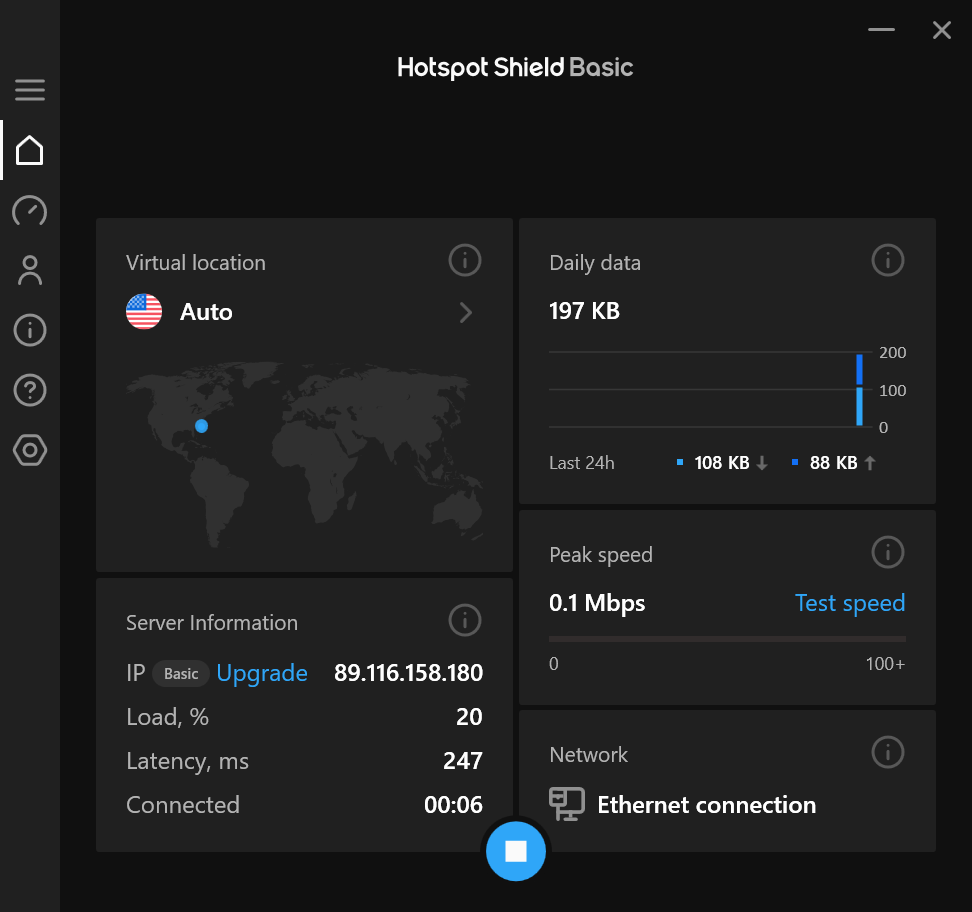
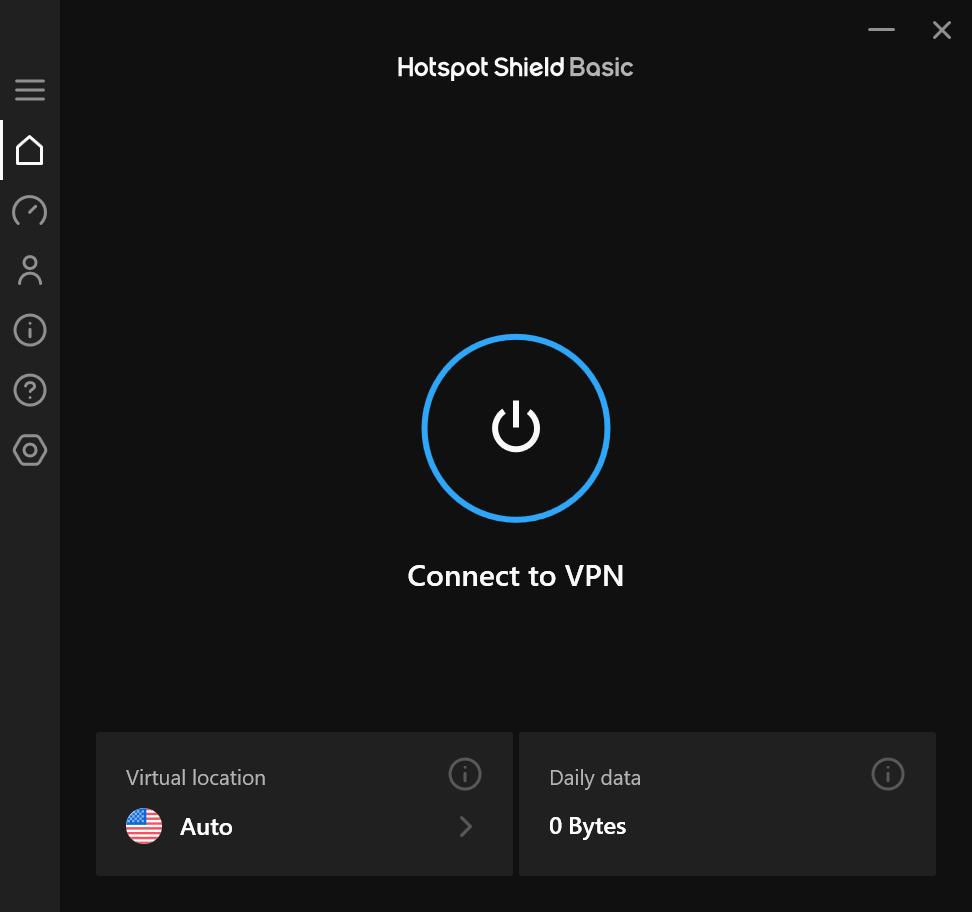
- Easy One-Click Connection: Simple interface that allows quick toggling between protected and unprotected states.
- Data Compression & Speed Optimization: Ensures a smooth browsing experience even on slower networks by reducing data load.
Engaging Introduction: Your Digital Cloak and Dagger
Imagine stepping into a bustling marketplace—brightly lit, full of vibrant stalls, yet lurking behind every corner are prying eyes eager to peek into your digital dealings. That's where Hotspot Shield comes into play, acting as your digital cloak, shielding your online activities with military-grade encryption while granting you access to the web's secret pathways. Whether you're streaming content, handling sensitive work tasks, or just browsing casually, this VPN aims to keep you secure without turning your digital life into a labyrinth of complexity—think of it as your trustworthy sidekick in the vast digital jungle.
Core Functionality: Privacy, Flexibility, and Performance
Seamless Privacy Protection
Hotspot Shield's primary allure lies in its straightforward yet effective security features. Once activated, the VPN encrypts your internet traffic, creating an impenetrable tunnel that keeps hackers, ISPs, and advertisers at bay. This protection extends across your entire Windows system, automatically securing data exchanges without requiring configuration—making it ideal for users who want peace of mind without fuss.
Global Server Network for Unrestricted Access
With access to a multitude of server locations worldwide, Hotspot Shield allows users to bypass geographical restrictions, opening up geo-blocked streaming services, websites, and social media platforms easily. Switching servers is a breeze—simply click and select your desired location from a clean interface—making you feel like a globe-trotting citizen of the internet with ease.
Optimized Speed and User Experience
Unlike some VPNs that slow down your connection to a crawl, Hotspot Shield incorporates speed optimization features that balance security with performance. Its minimalistic design coupled with quick server toggling offers a smooth, lag-free experience, even during high-bandwidth activities like HD streaming or online gaming. The application's responsiveness and stability make it feel less like a cumbersome tool and more like a natural extension of your Windows environment.
Distinctive Usability and Workflow Integration
One standout aspect of Hotspot Shield is its uncomplicated, intuitive design that seamlessly integrates into your workflow. The one-click connection feature means you don't need to navigate through endless menus or learn complex configurations—just a tap, and your VPN is operational. Compared to other productivity apps that often require juggling multiple settings, this VPN reduces cognitive load significantly, acting more like a trusted assistant rather than an obstacle. Its lightweight interface ensures that it doesn't interfere with other applications, preserving your system's performance and responsiveness—an important consideration for busy professionals or casual users alike.
Final Thoughts and Recommendations
All in all, Hotspot Shield for Windows stands out as a reliable, user-friendly VPN solution that strikes a fine balance between security, ease of use, and performance. Its core strengths lie in effortless privacy protection and broad global access—making it a solid choice for both casual users and those with higher security needs. If you're seeking a VPN that integrates smoothly into your daily workflow with minimal fuss yet delivers trustworthy protection, this app is certainly worth considering. I recommend it to users who prioritize simplicity and robust security without the need for intricate setups or feature overloads.
Pros
- Strong security features
- High-speed connections
- Wide server network
- User-friendly interface
- Dedicated mobile app
Cons
- Limited free data allowance
- Occasional connection drops
- Premium subscription required for full features
- Limited customization options
- Occasional latency issues during peak hours











