

- Name GIMP
- Category Multimedia design
- Developer GIMP team
- Available on PC
- OS Windows 10 version 18362.0 or higher
- Memory 4 GB
- Keyboard Not specified
- Mouse Not specified
- languages English (United States)
Unleashing Creativity with GIMP for Windows
If you're looking for a versatile, powerful image editing tool that doesn't break the bank, GIMP for Windows is like adding a Swiss Army knife to your digital toolbox—robust, reliable, and packed with features. Designed by the dedicated GIMP team, this open-source software offers professional-grade capabilities wrapped in an accessible interface, perfect for both beginners and seasoned designers alike.
An Overview: Who's Behind the Magic?
Developed by the GIMP team, this application is published by GIMP, a community-driven initiative committed to creating free and open-source image manipulation tools. Its development strives to democratize photo editing, making high-quality tools accessible to everyone—whether you're a hobbyist, a student, or a professional looking for a cost-effective solution.
Core features of GIMP for Windows include extensive layer management, advanced selection tools, and customizable brushes. These elements empower users to craft detailed artworks, touch up photos, or create complex compositions from scratch. Its non-destructive editing capabilities and support for various file formats such as PSD, JPEG, PNG, and TIFF make it a flexible choice for multimedia projects. Geared primarily towards graphic designers, digital artists, and photographers, GIMP stands out as a formidable alternative to proprietary software like Adobe Photoshop, especially for those committed to open-source software.
Embark on a Creative Journey: A Closer Look
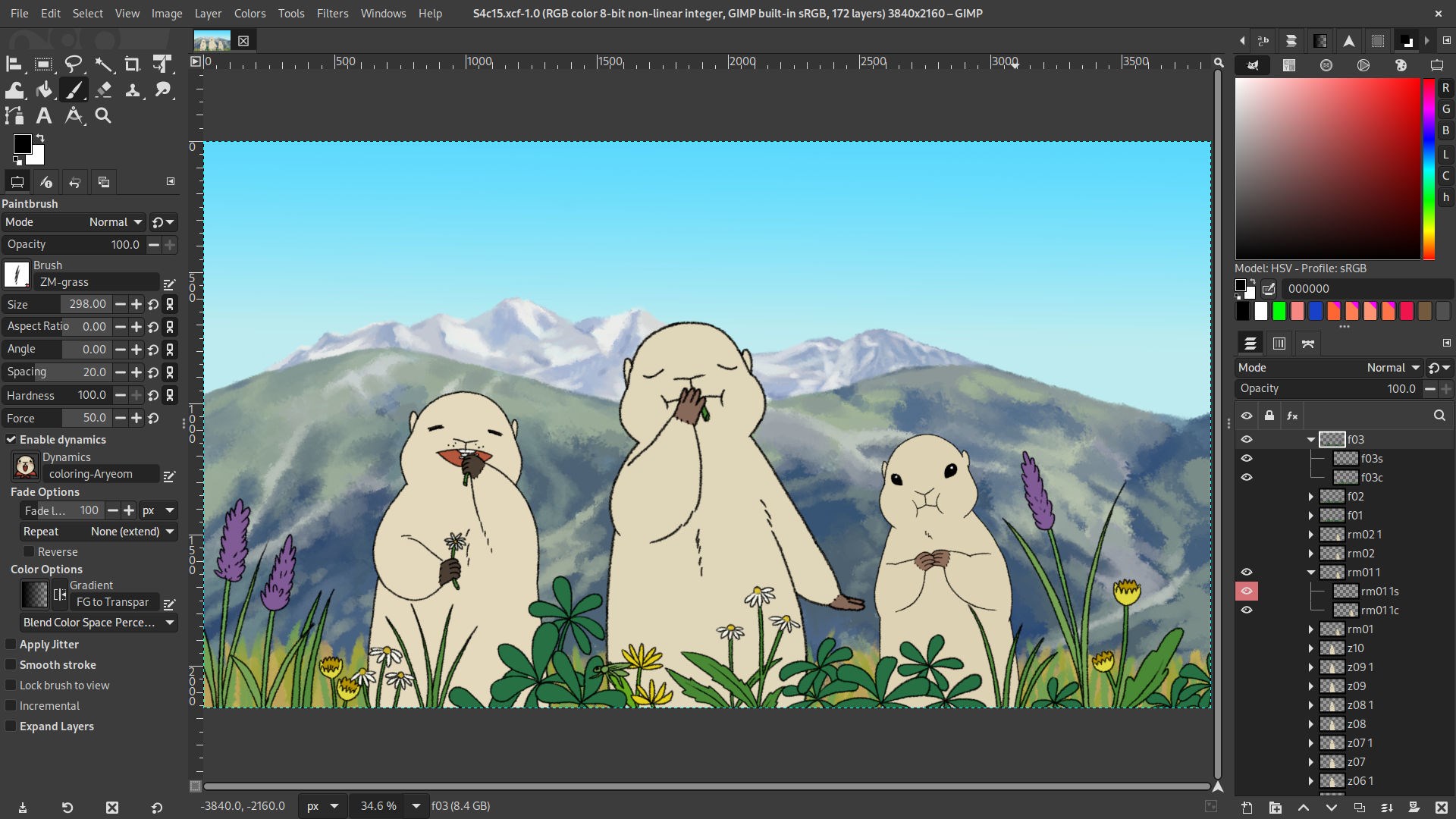
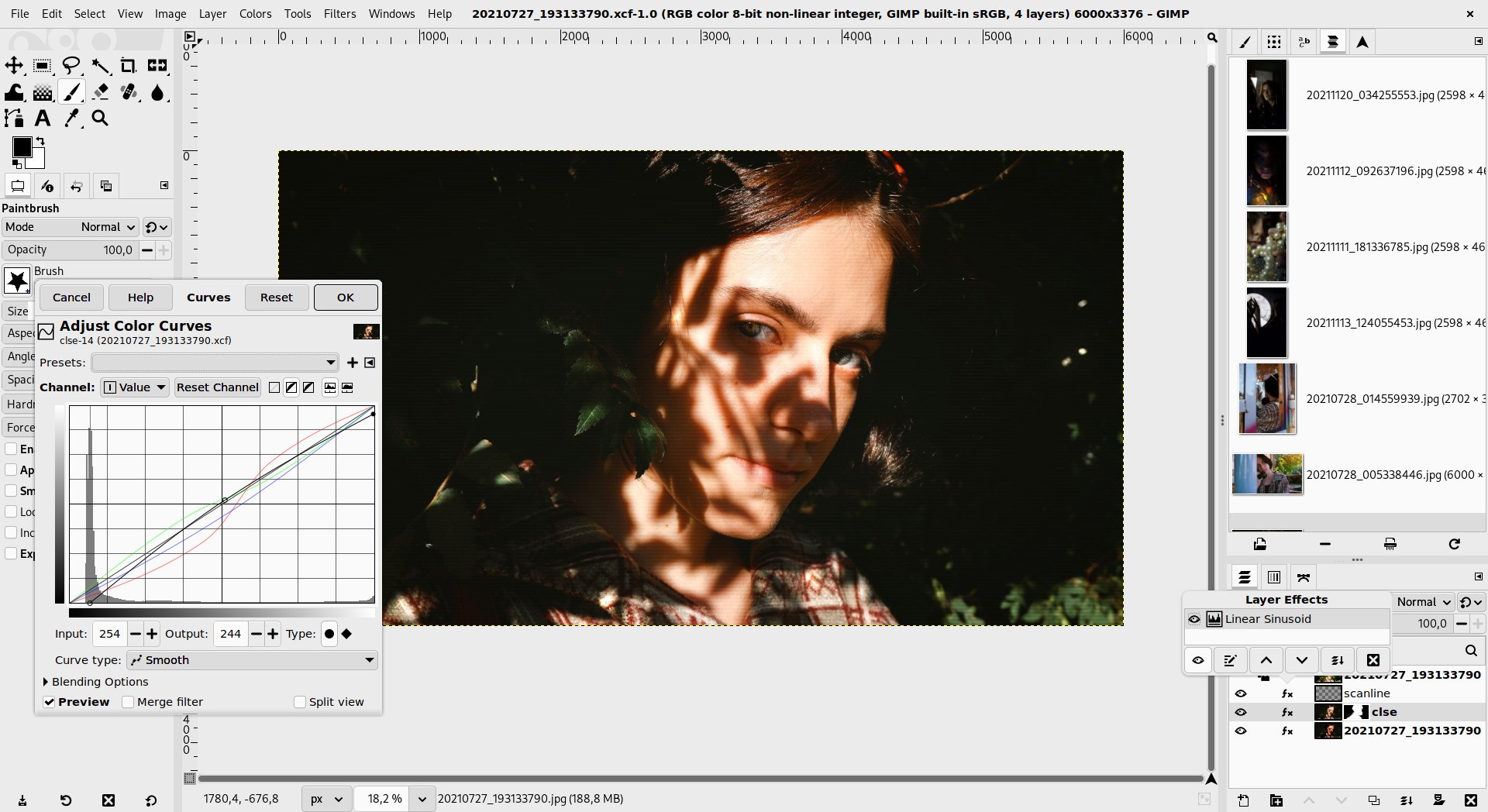
Imagine opening GIMP for Windows as stepping into an artist's studio—organized, inviting, yet brimming with tools waiting to bring your ideas to life. Its interface strikes a thoughtful balance, resembling a sleek digital workspace that minimizes clutter while providing quick access to essential features. The layout is customizable, allowing you to tailor your workspace to suit different projects, whether detailed photo retouching or bold digital illustrations.
Powerful Layer and Mask Management
One of GIMP's standout features is its sophisticated layer system, akin to stacking transparent sheets, each containing different elements of your artwork. Managing these layers with intuitive controls allows for non-destructive editing, giving you the freedom to experiment without fear. Layer masks further enhance creativity, enabling precise control over visibility—much like using a stencil or a stencil spray to add complexity without altering the underlying image. This feature is particularly beneficial for detailed compositing work or subtle photo enhancements.
Advanced Selection and Editing Tools
GIMP's selection tools—like the fuzzy select, free select, and intelligent scissors—are akin to having a digital pair of scissors with superpowers. They allow you to isolate objects or areas with precision, even in complex backgrounds. Paired with its suite of retouching tools such as clone, heal, and perspective correction, users can achieve professional results in tasks like removing blemishes, adjusting proportions, or crafting intricate edits. These core functionalities make GIMP not just an editor, but a comprehensive crafting station for multimedia projects.
From Ease to Expertise: User Experience & Differentiation
On the usability front, GIMP for Windows offers a learning curve that's gentle enough for newcomers yet deep enough to satisfy advanced users. The interface, though packed with features, is thoughtfully organized, preventing overload and allowing seamless navigation. With keyboard shortcuts, customizable panels, and extensive tutorials available online, mastering GIMP becomes an engaging puzzle—like piecing together a mosaic of artistic confidence.
Compared to other multimedia design applications, GIMP's standout advantage lies in its open-source nature paired with a dedicated community supporting continuous improvements. Its flexibility shines in workflows where customization is key—users can add plugins, scripts, or even develop their own extensions. For instance, GIMP's support for multiple color profiles and the ability to handle high bit-depth images are features often found only in commercial alternatives. This makes GIMP particularly appealing for those conscious of budget but unwilling to compromise on professional quality.
Final Verdict: Should You Give it a Try?
All things considered, GIMP for Windows is a compelling choice for anyone serious about digital image editing. Its most distinctive features—advanced layer management and powerful selection tools—set it apart in a crowded field. While it may require a bit of time to familiarize oneself with its interface, the wealth of tutorials and community support cushions the learning curve.
If you're ready to explore a feature-rich, customizable, and cost-free tool that can handle everything from quick edits to intricate creations, GIMP is definitely worth a shot. Whether you're tinkering as a hobby or aiming for professional results, this application offers a serious shot at elevating your digital artistry without limitations.
Pros
- Powerful and feature-rich editing tools
- Open-source and completely free
- Highly customizable interface and workflows
- Extensive plugin support
- Strong community support and documentation
Cons
- Steep learning curve for beginners
- Some advanced features are less polished compared to paid software
- Limited support for certain formats or newer standards
- Performance issues with very large images
- Interface may appear outdated and less intuitive











