

- Name Focus To-Do
- Category Productivity
- Available on PC
- OS Windows 10 version 17763.0 or higher
- languages Bangla, Chinese (Simplified), Chinese (Traditional Chinese), Czech, Dutch, English, Filipino, French, German, Greek, Hindi, Hungarian, Indonesian, Italian, Japanese, Korean, Norwegian, Polish, Portuguese, Romanian, Russian, Slovak, Spanish, Swedish, Telugu, Thai, Turkish, Ukrainian, Vietnamese
Focus To-Do for Windows: Your Streamlined Productivity Companion
Imagine having a personal assistant who not only keeps your tasks organized but also seamlessly integrates into your workflow, reducing cognitive load without overwhelming you with complexity. That's exactly what Focus To-Do for Windows aims to deliver—an efficient, user-friendly task management tool crafted to enhance your focus and productivity without the clutter.
Who's Behind the Tool? A Glimpse into the Developer
Developed by Super Element, a dedicated team known for creating intuitive productivity applications, Focus To-Do for Windows is designed to cater to busy professionals, students, and anyone seeking a smarter way to stay on top of their responsibilities. With a focus on simplicity and effectiveness, Super Element consistently delivers solutions that blend functionality with ease of use.
Core Features That Set Focus To-Do Apart
1. Seamless Pomodoro Timer & Focus Sessions
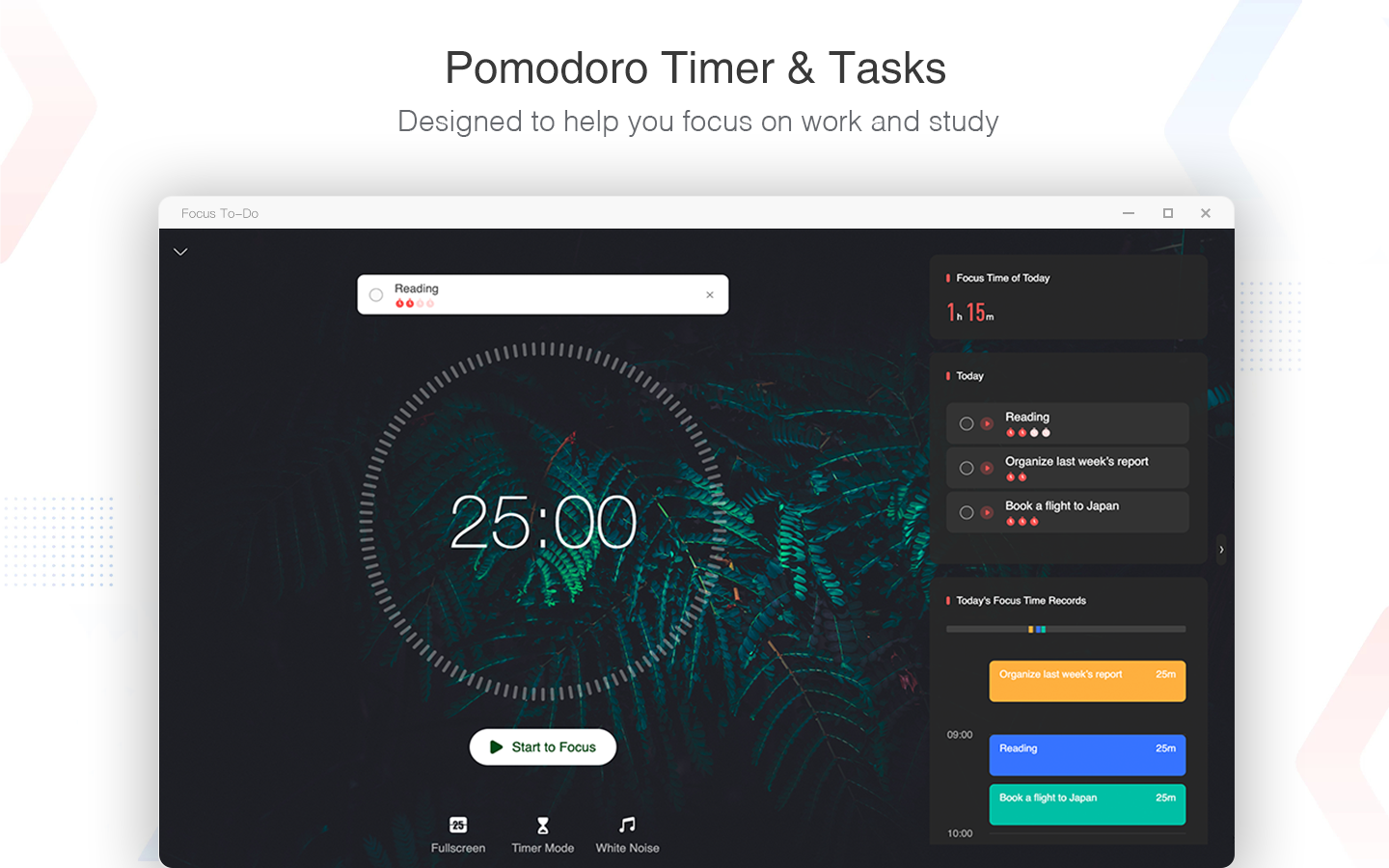
At the heart of Focus To-Do is its integrated Pomodoro timer—a feature that transforms task management into a rhythmic dance of work and rest. Unlike traditional timers, this tool allows users to start, pause, and customize focus sessions effortlessly, fostering a habitual focus cycle that helps curb distractions and sustain concentration throughout the day.
2. Smart Task Organization & Prioritization
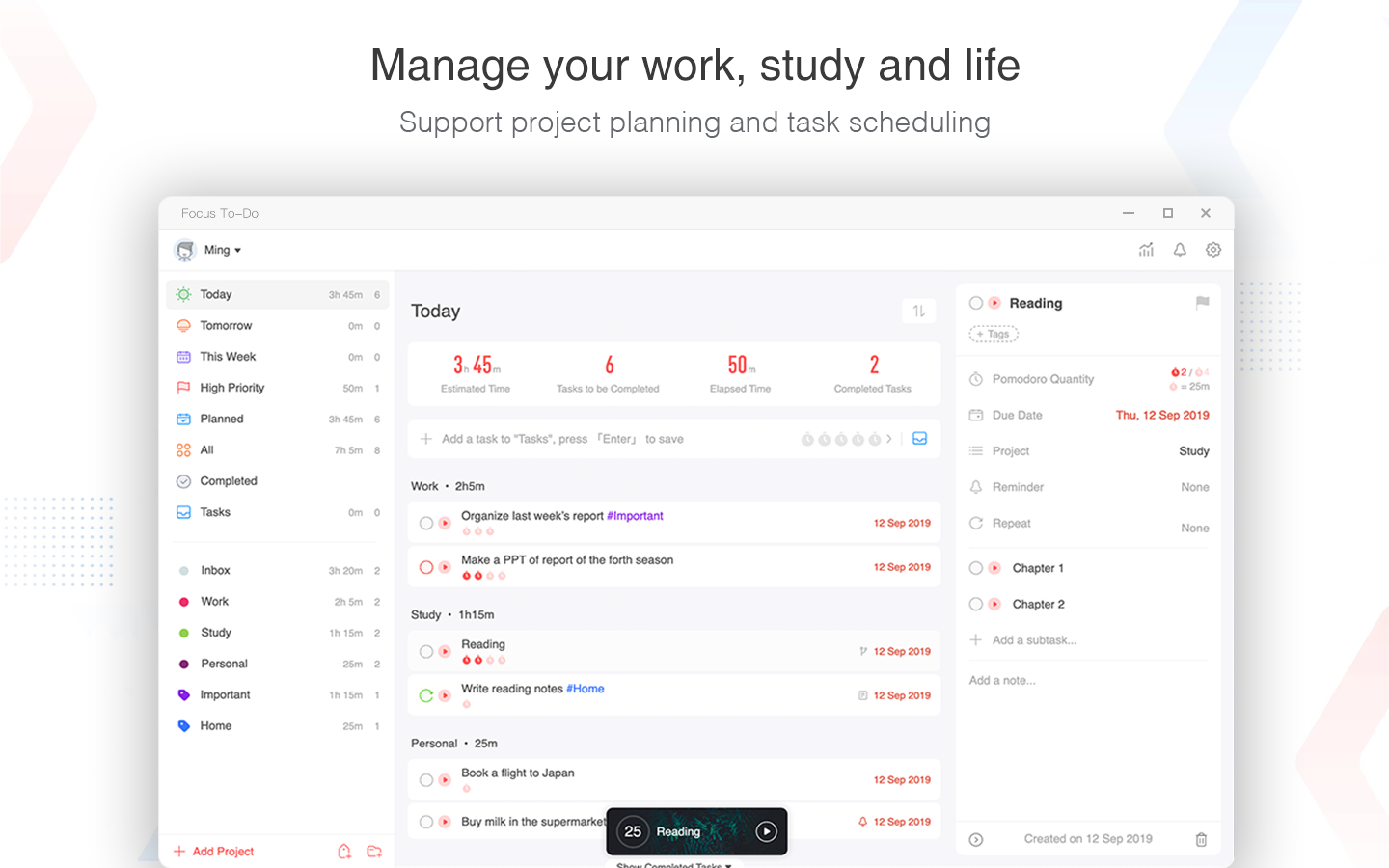
The app's intuitive task interface lets you create, categorize, and prioritize tasks with minimal fuss. Its smart filtering system ensures that your most important items are front and center, while sub-tasks and deadlines help you visualize your workload clearly. What makes it standout is how it encourages a minimal cognitive load—avoiding unnecessary features that can overwhelm and instead focusing on streamlined task flow management.
3. Deep Workflow Integration & Syncing
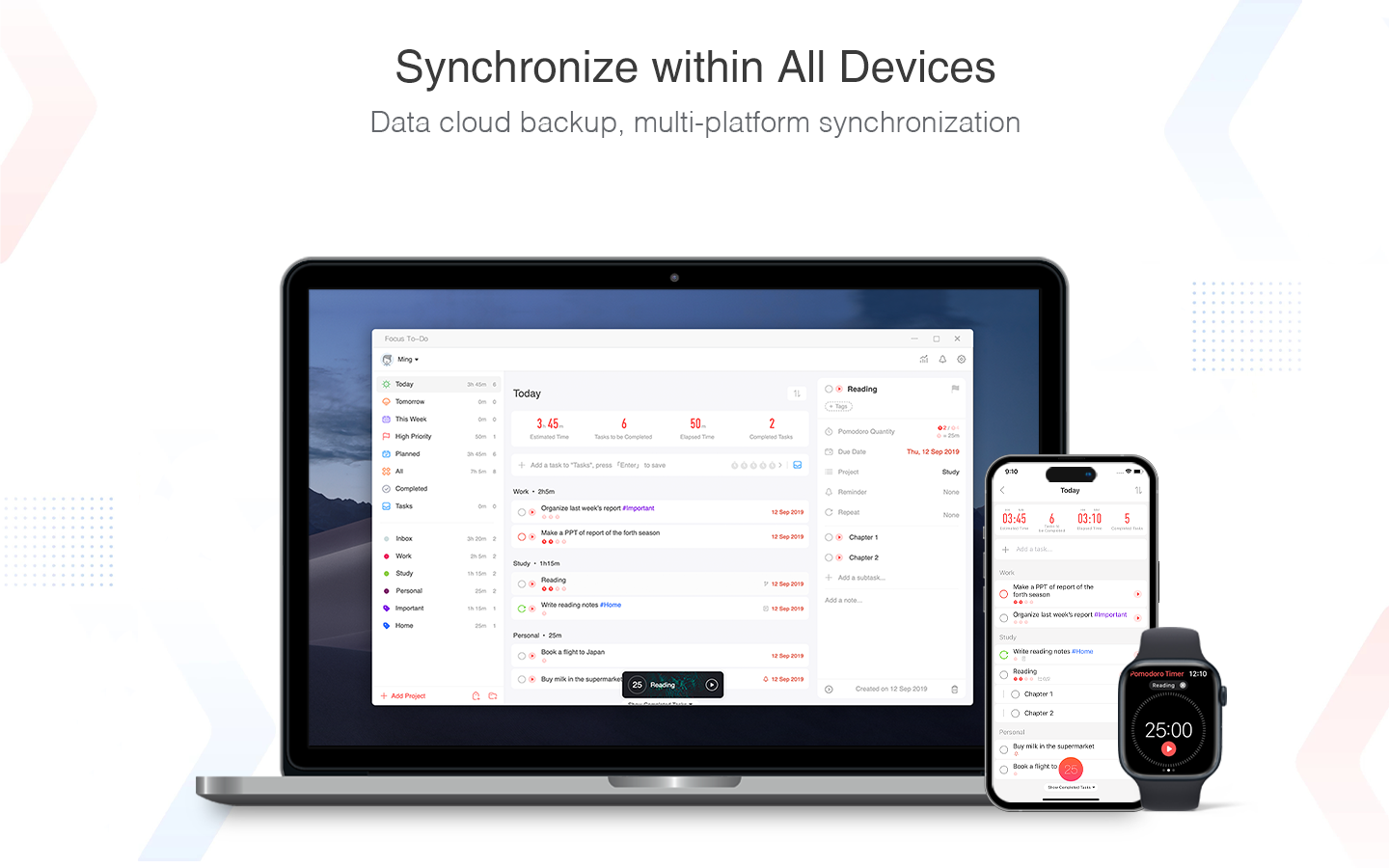
Focus To-Do seamlessly integrates with your existing calendar and reminder systems, allowing you to embed your tasks into your daily schedule. Its synchronization across devices means your task list travels with you, keeping your productivity unbroken whether on your PC, phone, or tablet. This interconnectedness reduces the mental overhead of switching between multiple apps, fostering a smoother work rhythm.
User Experience: Looks Can Be Deceiving, But Comfortable to Use
The application's interface is clean and unobtrusive, much like a well-organized workspace—appealing without distractions. Navigating through task lists, timers, and settings feels intuitive, thanks to logical layout design. The responsiveness is smooth; clicking, dragging, and editing are effortless, maintaining a steady flow that doesn't break your concentration. The learning curve is gentle—new users can get started within minutes, appreciating how the app emphasizes straightforwardness over feature bloat.
What Makes Focus To-Do Truly Unique? The Two Pillars
The app's *most notable strengths* lie in its workflow efficiency and cognitive load reduction. Unlike many task managers packed with elaborate features that often demand a steep learning curve, Focus To-Do adheres to a minimalist philosophy—covering just what you need to stay focused. Its integrated Pomodoro timer directly supports better time management without forcing you to juggle multiple tools, and its smooth syncing minimizes mental overhead by keeping your tasks synchronized across devices. These features effectively reduce the mental clutter often associated with productivity apps, making it a true ally in your daily routines.
Recommendation & Usage Suggestions
If you're looking for a straightforward, well-integrated task management app that emphasizes focus, Focus To-Do for Windows is a solid choice. It's particularly suited for users who prefer a minimalistic approach and value workflow efficiency over extensive customization. For students, professionals, or anyone aiming to incorporate better time management practices, this app offers a balanced blend of simplicity and powerful core features. I recommend giving it a try if reducing cognitive load while enhancing task focus aligns with your productivity goals.
Pros
- Intuitive task organization
- Cross-platform synchronization
- Focus timer feature
- Customizable reminders
- Integration with Microsoft ecosystem
Cons
- Limited free features
- Basic UI customization options
- Occasional sync delays
- Limited offline capabilities
- Minimal collaboration features











