


- Name Dialpad
- Category Productivity
- Available on PC, HoloLens
- OS Windows 10 version 19041.0 or higher
- Memory 2 GB
- Keyboard Not specified
- Mouse Not specified
- languages English (United States)
Dialpad for Windows: Seamless Communication at Your Fingertips
Dialpad for Windows is a robust VoIP and unified communications app designed to bring professional-grade calling, messaging, and collaboration directly onto your desktop, streamlining your workflow with intelligent integrations.
About the App and Its Developer
Dialpad for Windows functions as a comprehensive communication hub tailored for modern professionals seeking reliable, high-quality voice and video calls straight from their desktops. Developed by Dialpad Inc., a recognized leader in cloud-native communication solutions, this app embodies their mission to simplify and enhance business communication.
- Main features highlight:
- High-definition voice and video calling integrated with CRM systems
- Real-time transcription and speech analytics for improved productivity
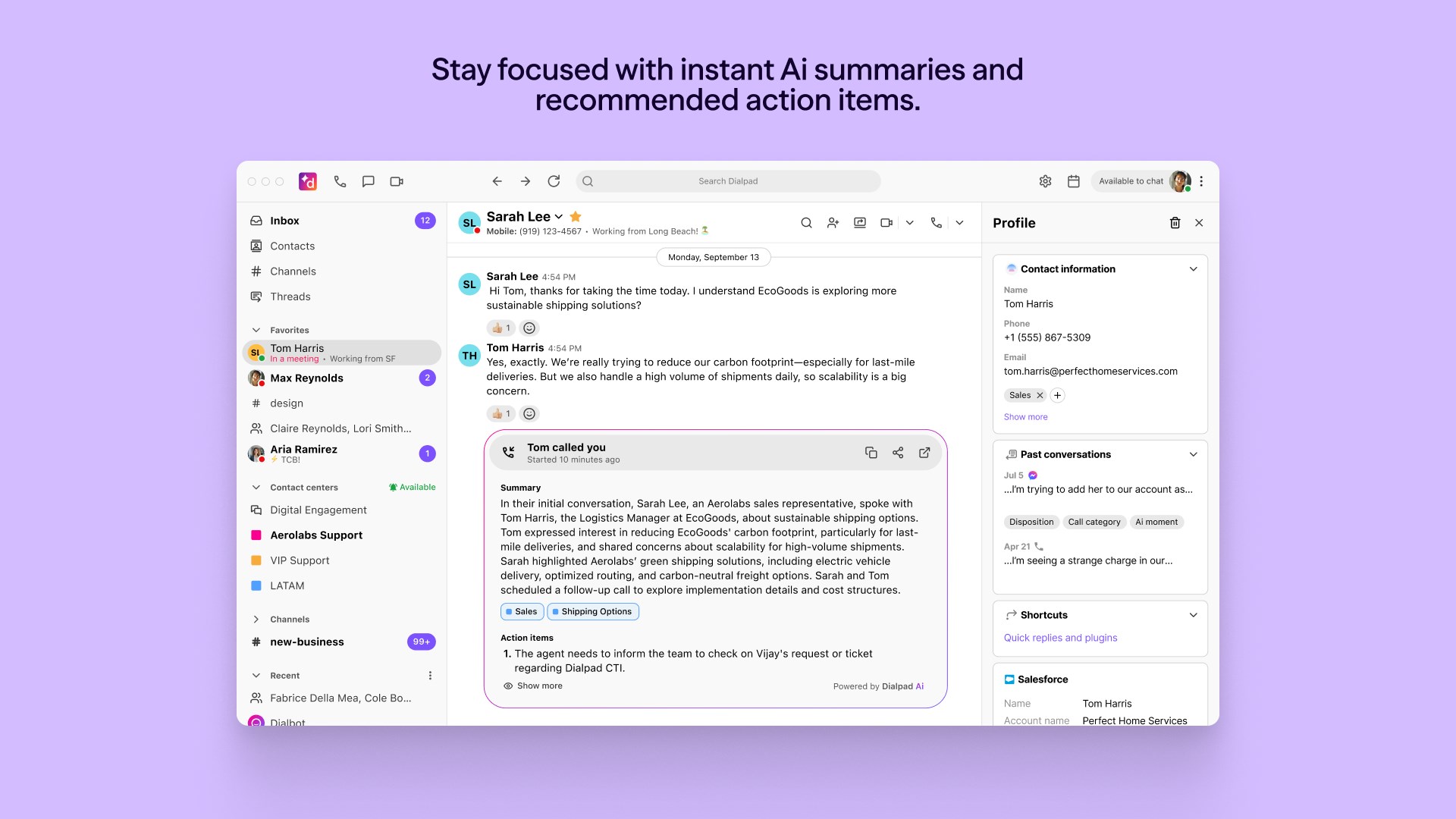
- Instant messaging and file sharing within a unified interface
- Seamless integration with Microsoft 365 and other productivity tools
- Target audience: Busy professionals, remote teams, customer service agents, and sales teams looking for a reliable, integrated communication tool to enhance operations and collaboration.
A Fresh Take on Desktop Communications
Imagine sitting at your desk, juggling multiple communication channels, and wishing for a way to streamline everything efficiently—Dialpad for Windows acts like that best friend who keeps all your conversations organized and accessible. With crisp audio and video quality, it makes you feel like your remote meetings are happening in the same room, removing the frustrating lag or connectivity issues that often mar virtual communication.
Core Features That Make a Difference
Unified Calling and Messaging for a Cohesive Workflow
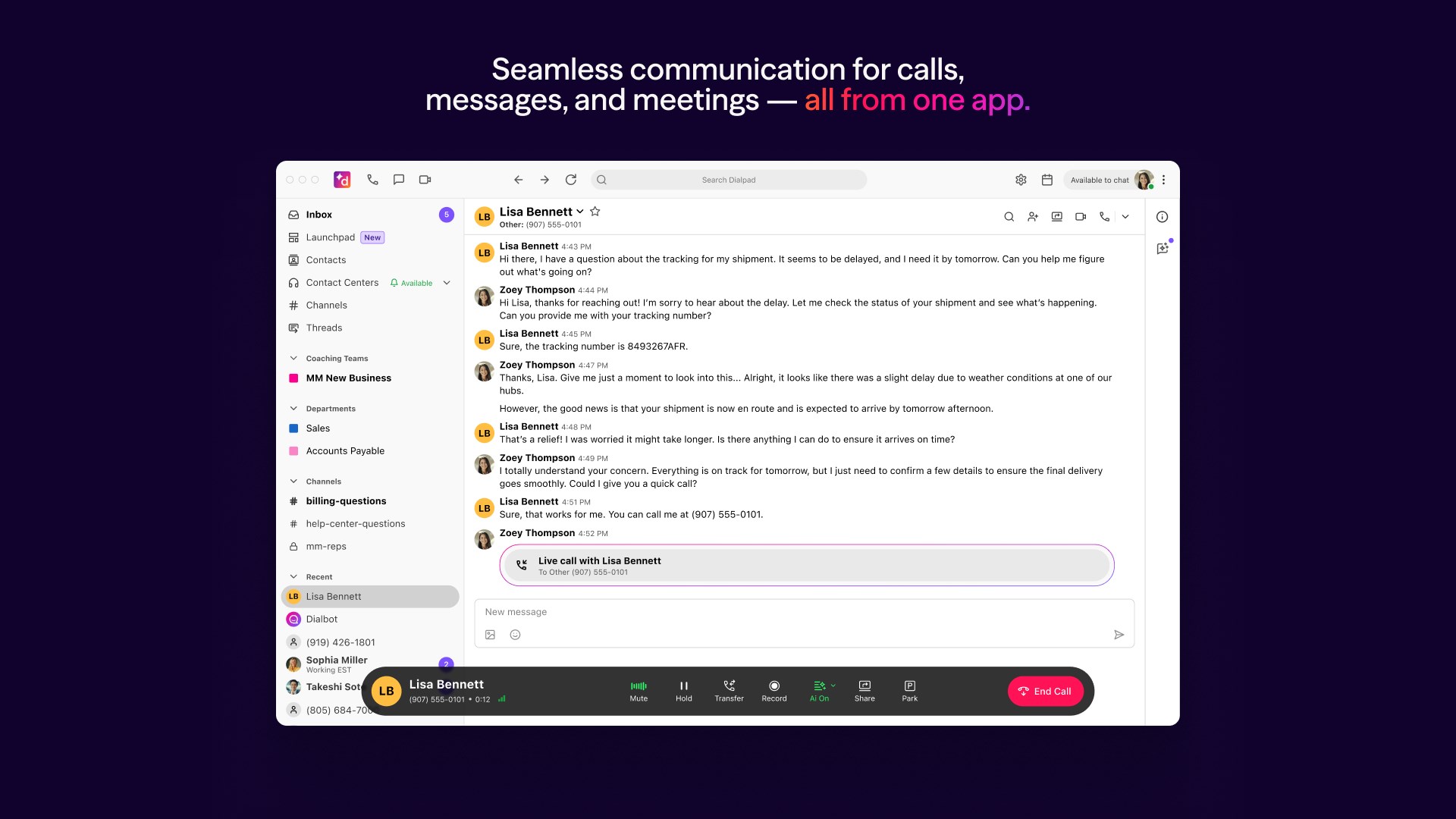
The standout feature of Dialpad for Windows is its ability to unify voice, video, and messaging within a single interface. Whether you're making a quick voice call or hosting a video conference, everything can be done seamlessly without switching apps. The intelligent call routing and connection clarity ensure that your conversations are smooth—a necessity in fast-paced work environments. Plus, instant messaging complements calls perfectly, enabling quick check-ins or sharing critical documents on the fly. This integration radically reduces context-switching, helping you stay focused and efficient.
Real-Time Transcriptions and Speech Analytics
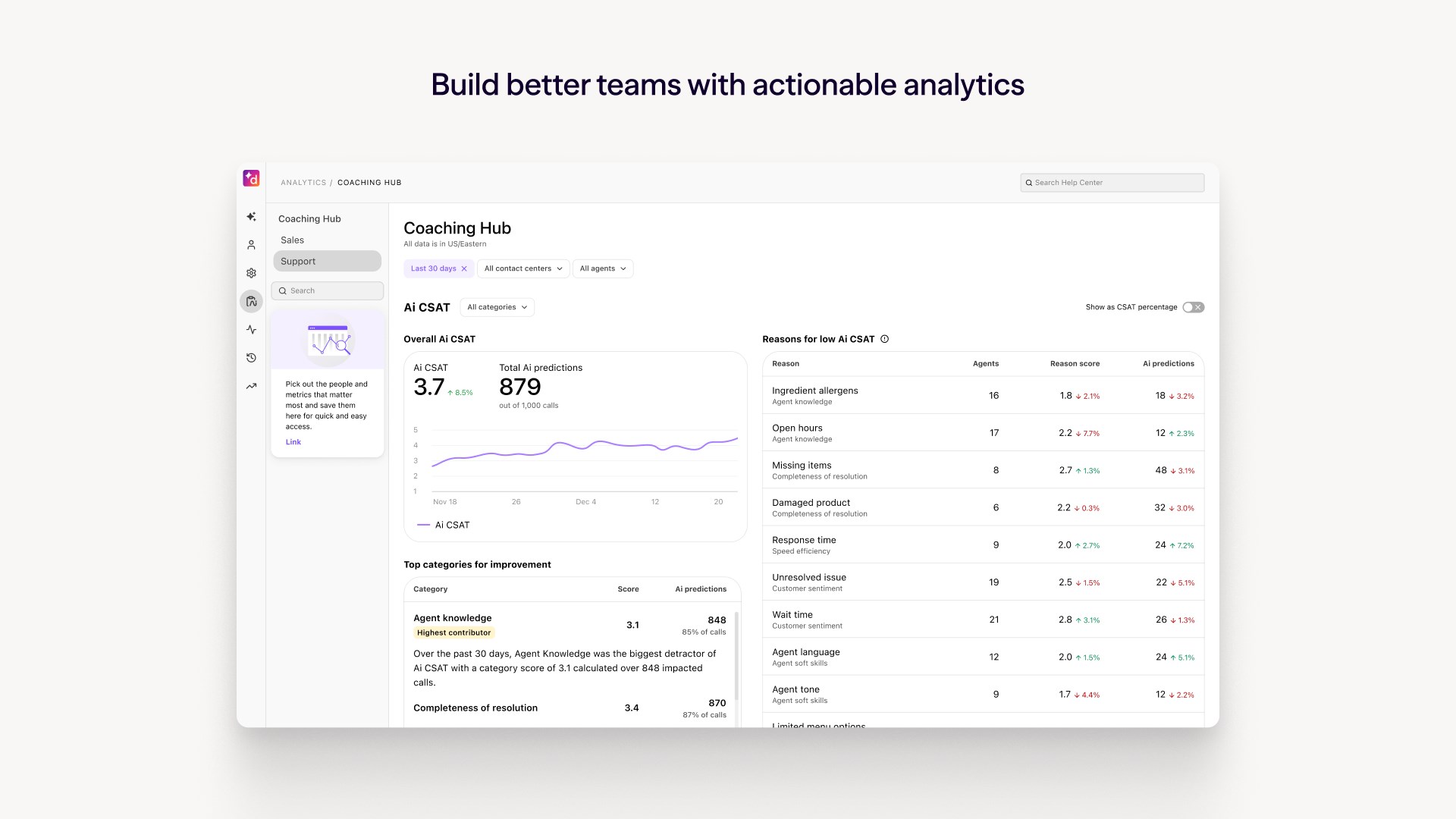
One of the app's most compelling features is its real-time transcription—think of it as having a virtual assistant taking notes for you. During a call or meeting, spoken words are instantly converted into text, which can be reviewed later or shared with team members. This feature reduces cognitive load, freeing you from frantic note-taking while you focus on the conversation's content. Additionally, speech analytics provide insights into call patterns, sentiment analysis, and productivity metrics, empowering managers and teams to optimize communication strategies.
Performance, Interface, and User Experience
From a usability perspective, Dialpad for Windows boasts a clean, modern interface that feels intuitive, even to first-time users. The layout mimics typical communication apps—call controls, chat windows, and contact lists are logically arranged, encouraging effortless navigation. The app runs smoothly on most Windows configurations, with minimal lag or crashes, which is essential for daily business use. Its learning curve is gentle; users familiar with standard communication apps will find it straightforward to adapt.
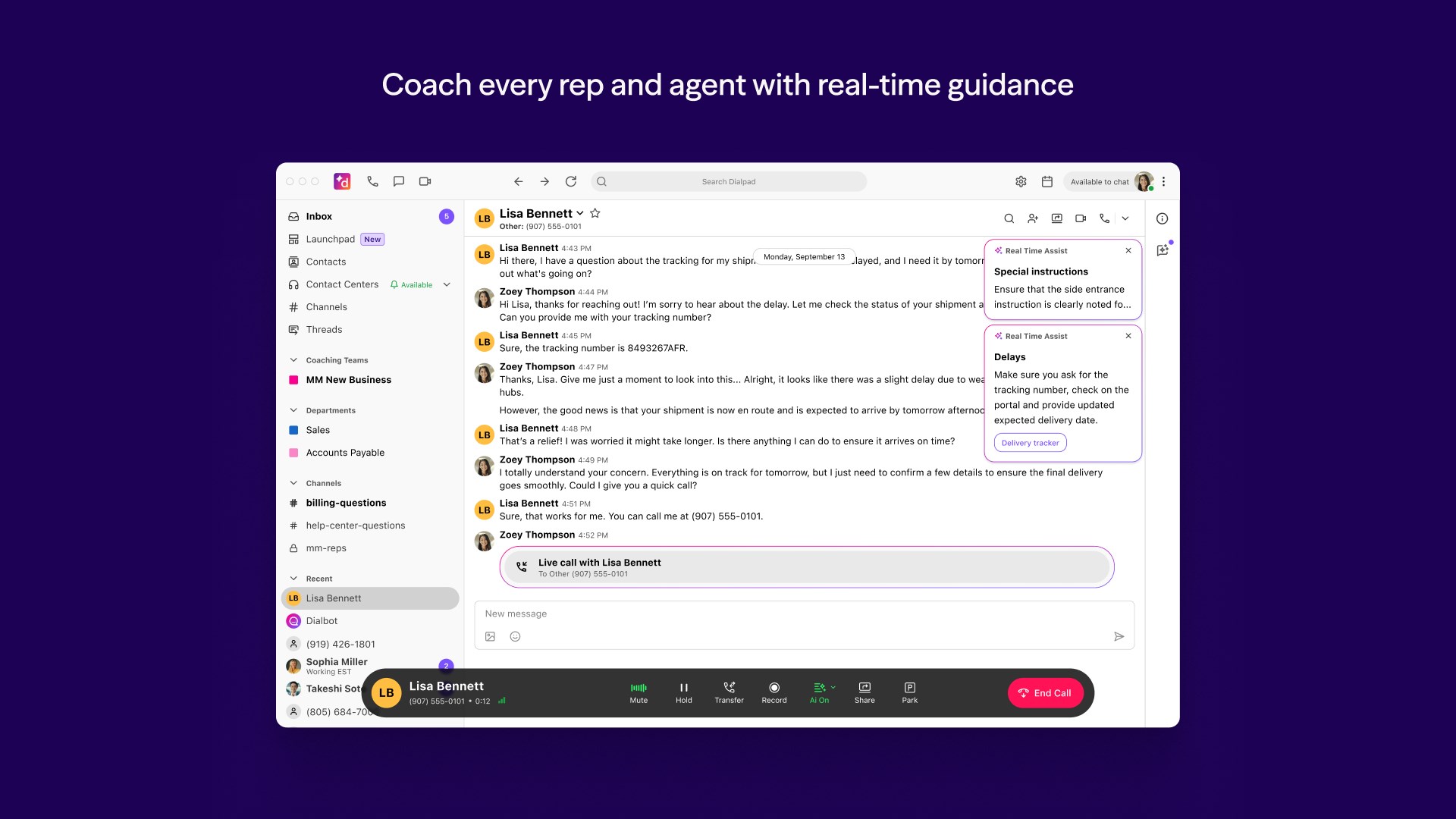
Compared to other productivity tools, Dialpad's emphasis on workflow integration sets it apart. Its focus is not just on feature richness but on reducing cognitive burden—by providing relevant information and context during calls, it minimizes the mental effort to juggle multiple data sources. This intelligent design effectively cuts down on unnecessary complexity, making your communication more efficient without overwhelming you with options.
Final Thoughts and Recommendations
Dialpad for Windows is a solid choice for professionals seeking a unified, easy-to-use communication platform that emphasizes high-quality, real-time information sharing. Its unique strengths—particularly the real-time transcription and tightly integrated workflow—stand out among similar applications. It's especially recommended for remote teams, customer service reps, and salespeople aiming for a more connected, streamlined workday.
While it might not replace specialized tools for advanced conferencing or complex workflows, its balance of functionality and simplicity makes it a highly valuable addition to your productivity arsenal. For those looking to reduce their cognitive load while maintaining clear, effective communication, Dialpad for Windows offers a compelling solution worth trying out.
Pros
- Seamless VoIP Integration
- User-Friendly Interface
- Multiple Device Support
- Advanced Collaboration Tools
- Integration with Business Apps
Cons
- Occasional Connectivity Issues
- Limited Customization Options
- Battery Consumption
- Learning Curve for New Users
- Occasional Synchronization Delays











