
- Name Corel Painter Essentials
- Category Multimedia design
- Developer Corel Corporation
- Available on PC
- OS Windows 10 version 0.0 or higher
- Keyboard Integrated Keyboard
- Mouse Integrated Mouse
- Memory 4 GB
- languages English, French, German, Japanese, Chinese (Traditional Chinese)
Unveiling Creativity: A Detailed Look at Corel Painter Essentials for Windows
If you're an aspiring digital artist or hobbyist looking for a versatile yet accessible painting tool, Corel Painter Essentials for Windows positions itself as a friendly gateway into the world of digital artistry. This software offers powerful tools tailored for beginners and enthusiasts alike, all wrapped in an inviting interface that makes creative exploration feel like a walk in the park.
About the App: Basic Information
Corel Painter Essentials is designed to be a user-friendly digital painting application that brings the traditional feel of painting into the modern digital realm. Developed and published by Corel Corporation, a veteran in creative software development, this app emphasizes simplicity without sacrificing creative depth. Its key features include an extensive collection of natural media brushes, real-time color blending, and intuitive editing tools—making it accessible for all skill levels. The primary target audience comprises beginners in digital art, hobbyists, students, and anyone interested in experimenting with painting without a steep learning curve.
Igniting Imagination: Why You'll Love This App
Imagine unlocking a box of vibrant art supplies right on your computer—Corel Painter Essentials transforms your device into a charming studio, inviting you to create, experiment, and learn. Whether you're doodling in your spare time or working on a serious project, this software offers an inviting platform to nurture your creativity with a sense of ease and fun.
Exploring Core Features: Natural Media Brushes and Realistic Effects
Ultimate Natural Media Experience
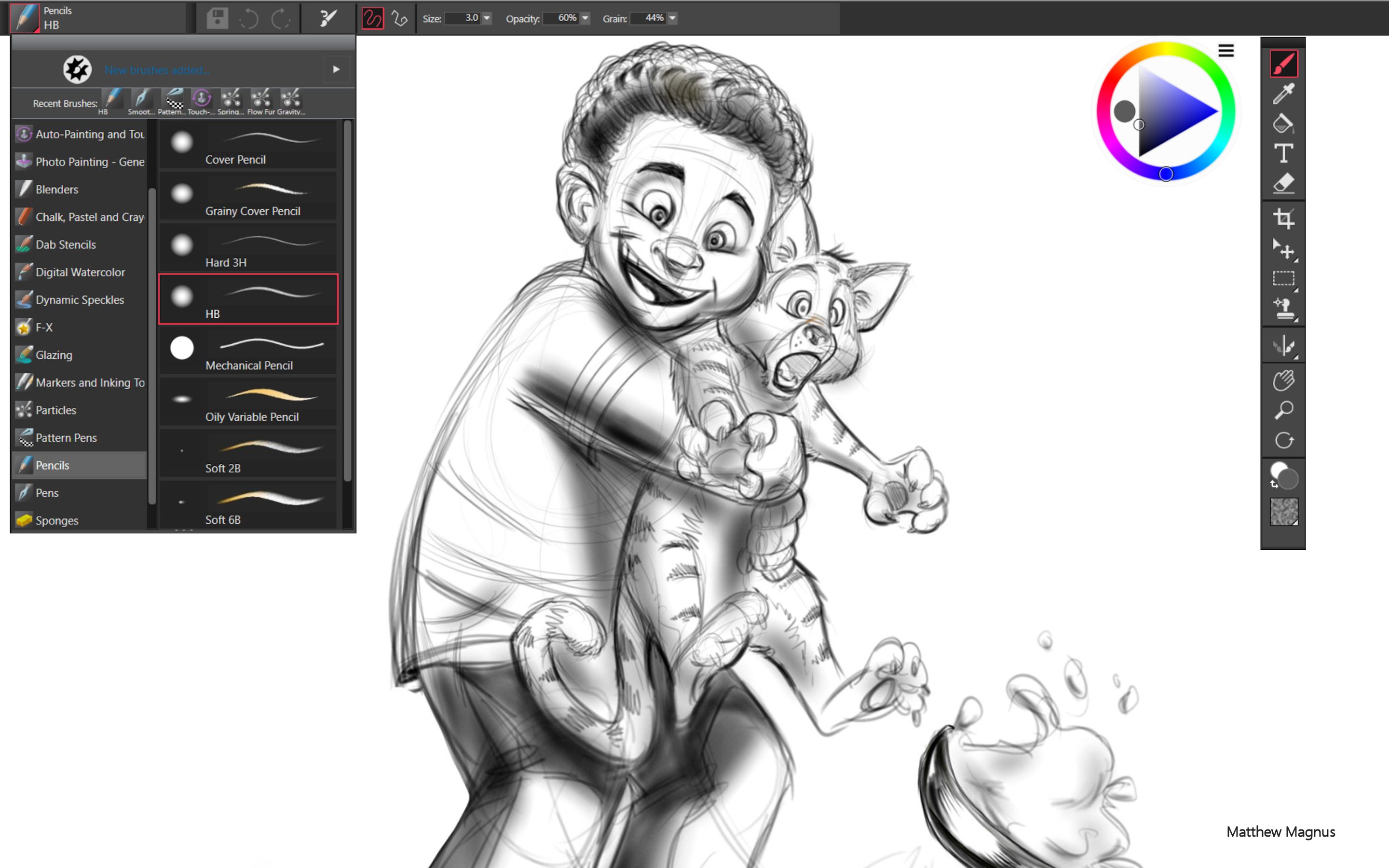
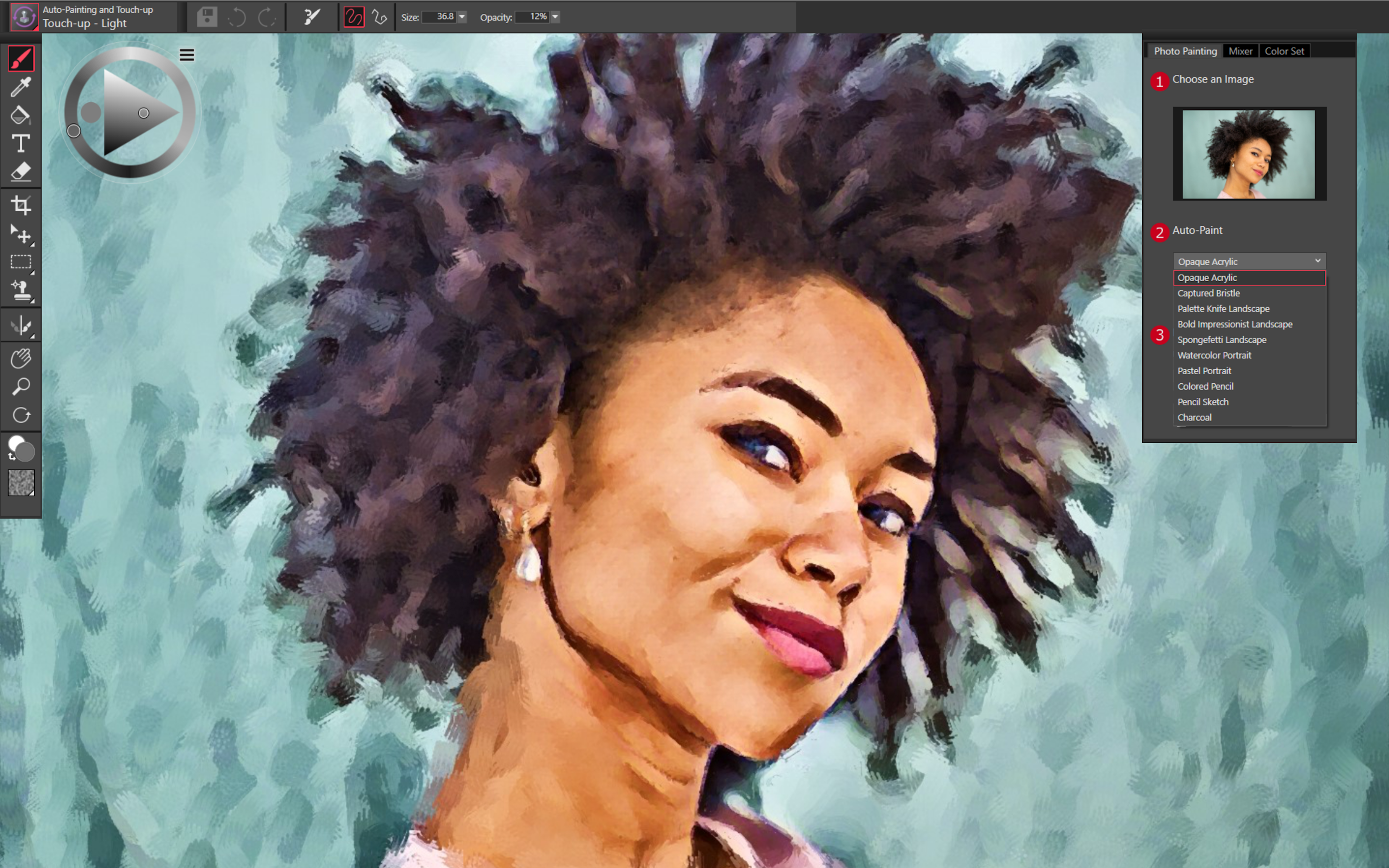
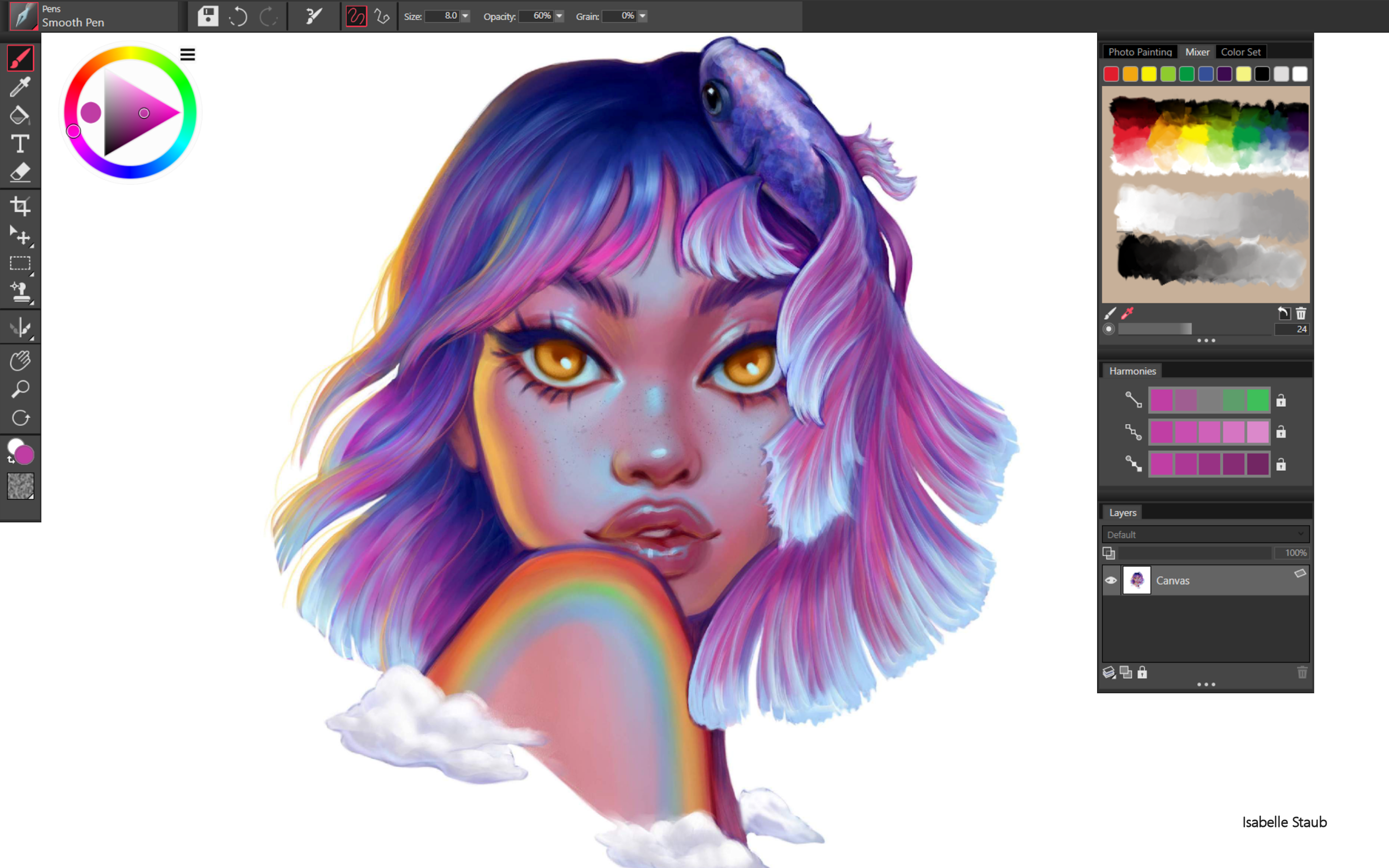
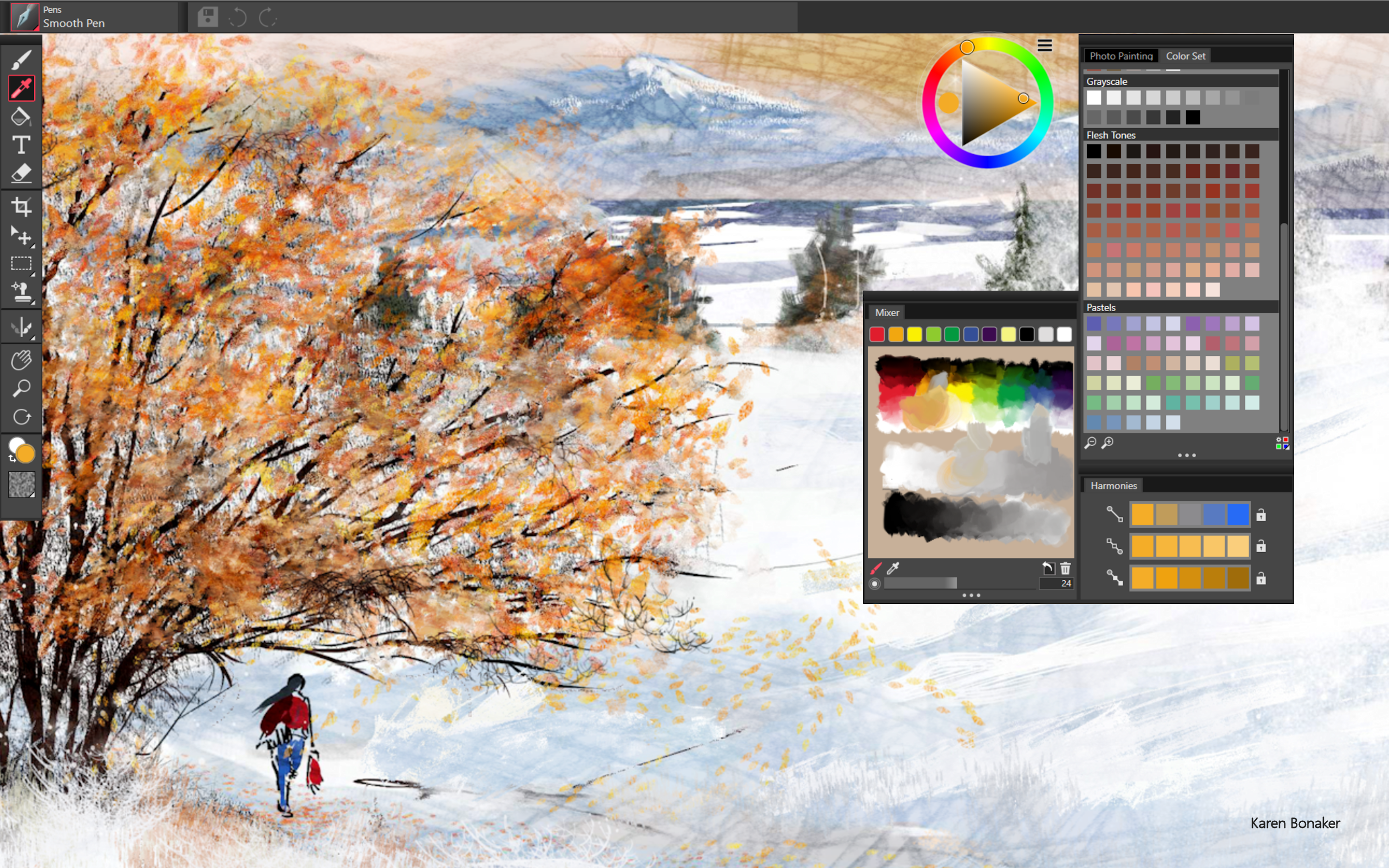
The heart of Corel Painter Essentials lies in its collection of digital brushes that emulate traditional media—acrylics, watercolors, pastels, and more. These brushes aren't just static tools; they respond dynamically to your strokes, pressure, and flow, mimicking the unpredictable yet beautiful imperfections of real-world media. This feature alone is a game-changer because it bridges the gap between digital convenience and traditional authenticity, giving artists a real feel of brushwork and texture without needing physical supplies.
Intuitive Color Blending and Adjustment Tools
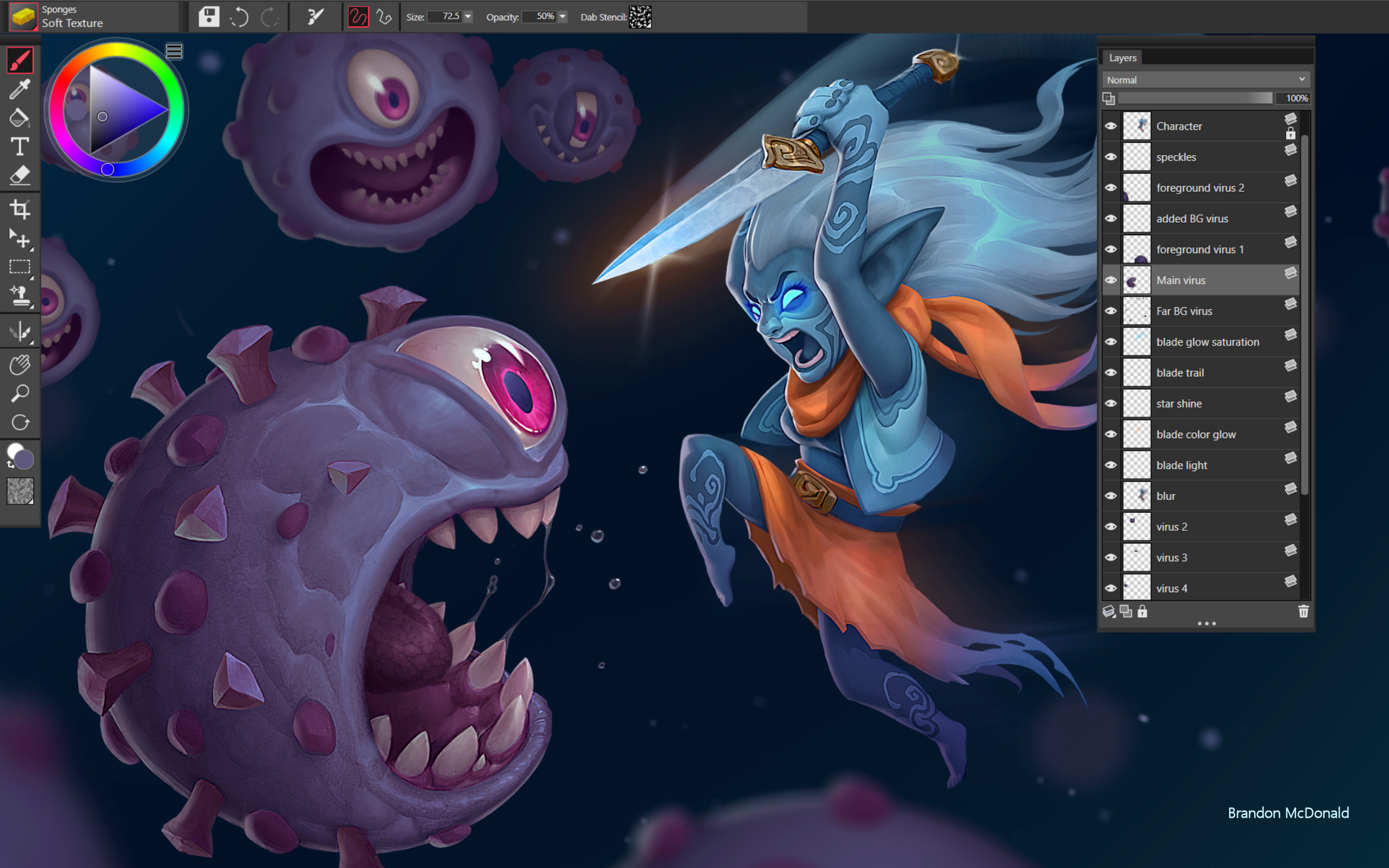
Another standout is its real-time color blending system. Picture pouring a stream of colors that seamlessly flow together as if you're blending wet paints on canvas. This feature allows users to experiment with shades and hues effortlessly, fostering an organic, painterly approach. The simple sliders, eyedropper tools, and layering options make adjustments straightforward, turning digital art into a fluid and enjoyable process.
User Experience: Seamless, Friendly, and Accessible
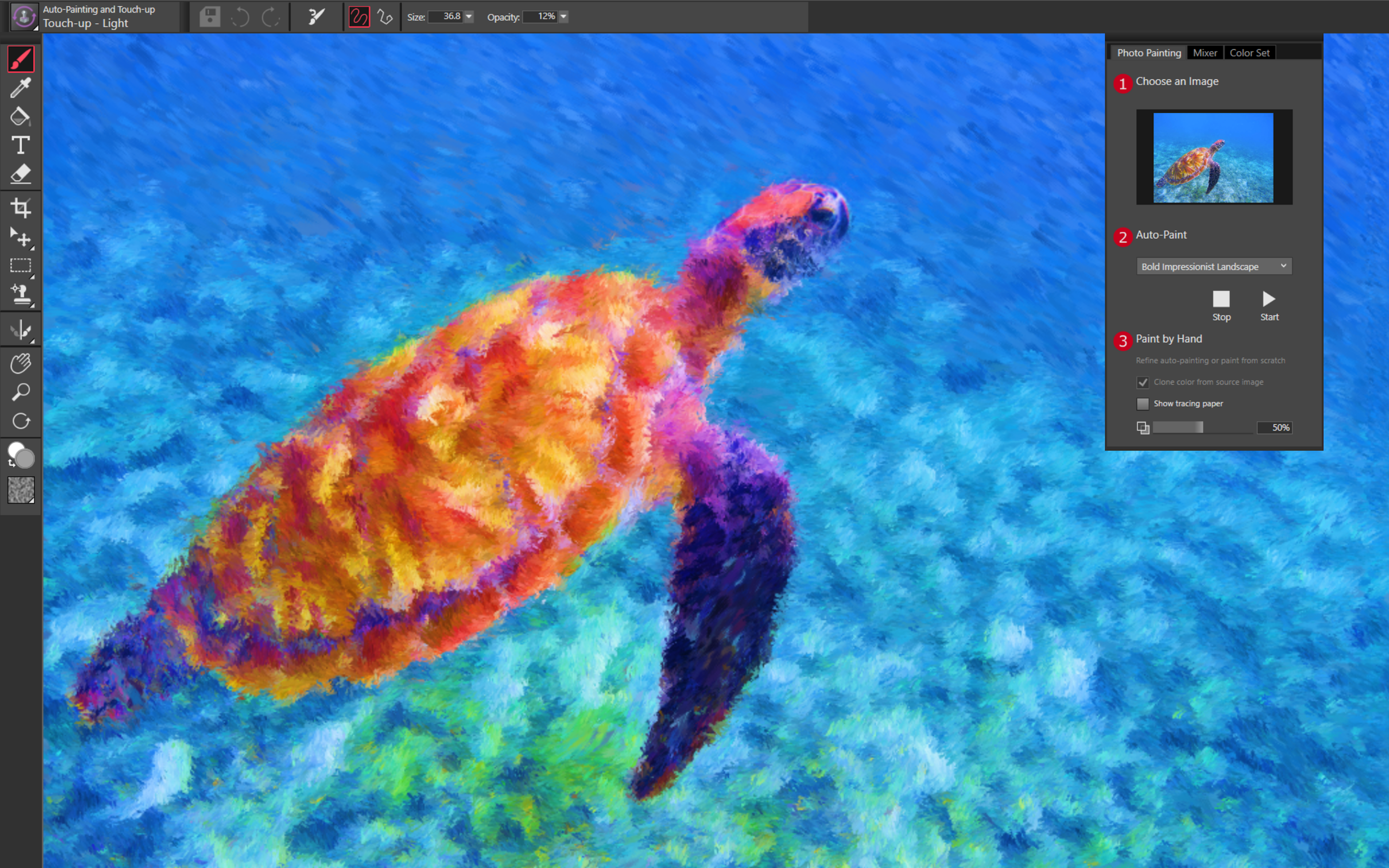
The interface of Corel Painter Essentials is designed with a clean, welcoming layout that feels less like navigating a complex software and more like opening a well-organized art supply kit. The learning curve is gentle—recommended features are clearly highlighted, and tools are logically grouped, which means you can start creating within minutes. The application runs smoothly on most Windows platforms, with responsive brush strokes and minimal lag, ensuring your creative flow is uninterrupted. For those new to digital art, the tutorial templates and guided workflows act like friendly instructors, easing you into more advanced techniques as you grow confident.
Unique Selling Points: What Sets It Apart
While many digital painting programs tend to favor detailed professional tools and steep learning curves, Corel Painter Essentials differentiates itself by focusing on natural media simulation and ease of use. Its highly responsive brushes and intuitive blending capabilities stand out, giving it a tactile feel that appeals to traditional artists transitioning to digital media. Additionally, its affordability compared to high-end counterparts makes it an attractive choice for novices who want a taste of professional-grade tools without a hefty investment.
Final Verdict: Is it Worth a Try?
For those who want a friendly introduction to digital painting with a focus on natural media and straightforward operation, Corel Painter Essentials is a strong contender. Its engaging, realistic brushes and smooth user experience make it ideal for hobbyists, students, or anyone curious to experiment in the creative realm. While it may lack some of the advanced features found in more complex digital art suites, it compensates with its approachable design and authentic painting experience. I recommend it as a reliable stepping stone or a charming companion for casual artistic pursuits. Give it a shot—you might find that your creative spirit is just a brushstroke away from realization.
Pros
- Intuitive and user-friendly interface
- Rich set of brushes and tools
- High-quality output with detailed textures
- Supports pressure-sensitive tablets
- Cross-platform compatibility with Windows and Mac
Cons
- Limited advanced features compared to full-featured painting software
- Occasional lag during complex projects
- Limited file format export options
- Learning curve for some specialized tools
- Occasional crashes on certain system configurations











