
- Name Circuit Access Premium (Lifetime Subscription)
- Category Productivity
- Developer ChrisOne AI Apps
- Available on PC, Mobile, Surface Hub, HoloLens
- OS Windows 10 version 10240.0 or higher
- languages English (United States)
An Efficient Companion for Windows Power Users
Circuit Access Premium (Lifetime Subscription) for Windows is a comprehensive productivity tool designed to streamline and enhance your workflow with intelligent automation and seamless access to your circuit workflows. Developed by ChrisOne AI Apps, this application aims to be an indispensable assistant for professionals seeking to boost efficiency while maintaining clarity amidst complex tasks.
Meet the Developer and Understand the Core Strengths
ChrisOne AI Apps is a dedicated developer team specializing in intelligent productivity solutions tailored for Windows users. Their focus is on creating tools that prioritize user-centered design, automation, and workflow integration.
Key features that make Circuit Access Premium stand out include:
- Lifetime Access to Circuit Workflows: Unlock and manage all your circuits with lifetime access, enabling persistent and effortless automation.
- Seamless Workflow Integration: Connect diverse applications and tools effortlessly, creating a unified automation hub.
- User-Friendly Interface: Intuitive design that minimizes learning curve, allowing users to start automating in minutes.
- Focused on Cognitive Load Reduction: Simplifies complex processes, reducing mental effort and streamlining task management for busy professionals.
The target users include professionals, students, and small teams who seek to optimize routine tasks, reduce repetitive work, and enhance productivity without fussing over complicated setups.
A Firsthand Look: Making Automation Feel Natural
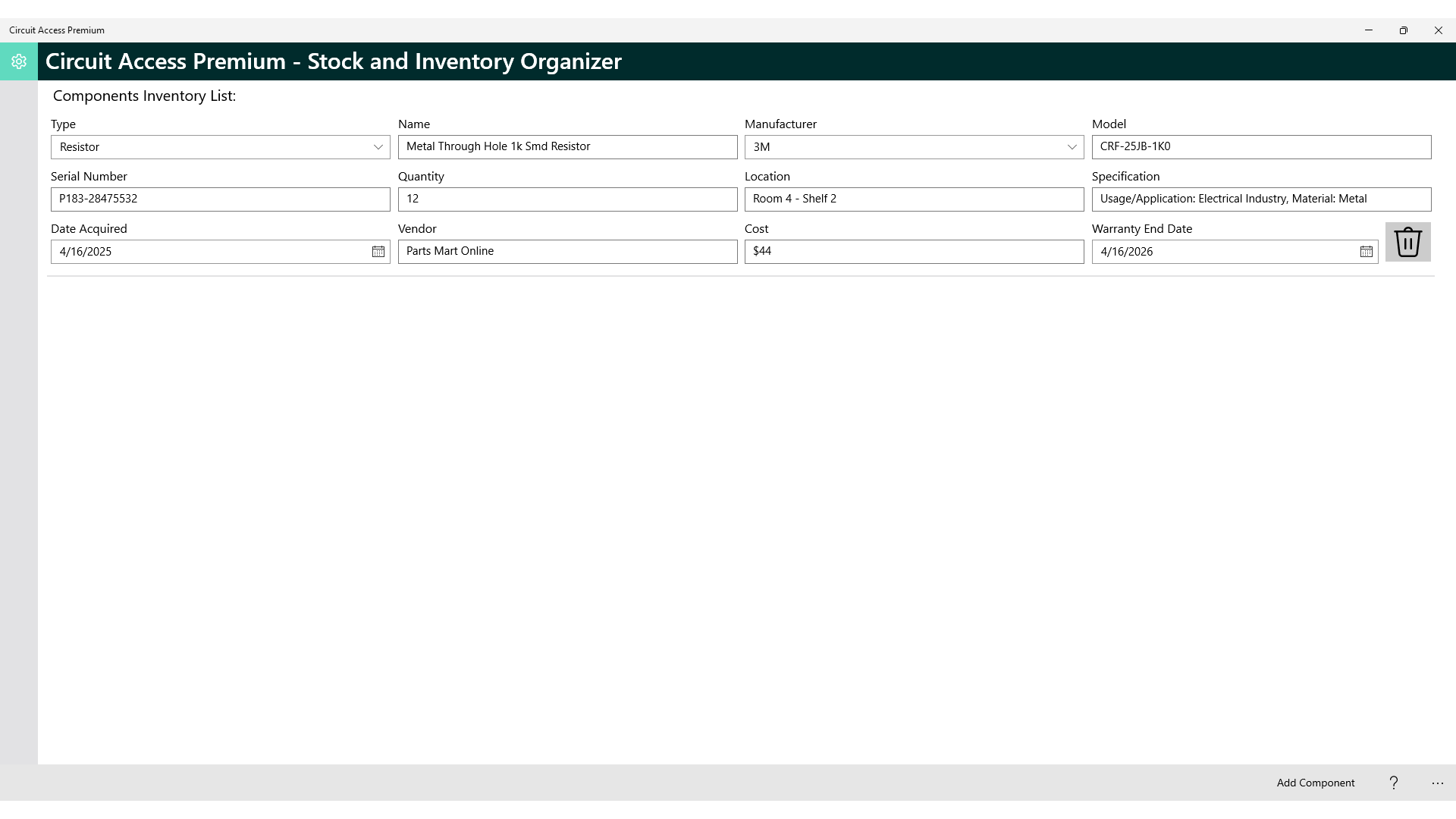
Imagine this app as your digital assistant that anticipates your needs—quietly working behind the scenes while you focus on strategic tasks. The moment you open Circuit Access Premium, you're greeted by a clean, thoughtfully organized dashboard that feels less like a technical tool and more like a friendly workspace.
Core Functionality: Intelligent Workflow Automation
At its heart, Circuit Access excels at consolidating your workflows into a single, accessible hub. You can create, manage, and execute circuits that connect various applications, such as email, cloud storage, and productivity suites. Its standout feature—the ability to set up these circuits with minimal complexity—is akin to crafting a personalized assistant that handles routine tasks. For instance, automatically saving email attachments to a designated folder or updating project statuses across different platforms becomes effortless. The app's automation engine is designed to be accessible; even those without advanced scripting knowledge will find it approachable.
Intuitive Interface and Smooth Operation
The user experience is notably positive. The interface employs a modern, minimalistic style, with drag-and-drop elements that make circuit creation feel like assembling with building blocks. Navigation is fluid, with quick access to circuits, settings, and logs. Once set up, the app performs reliably and swiftly, allowing users to run large and complex workflows without noticeable lag. The learning curve is gentle, thanks to integrated tutorials and clear labeling, making it ideal for both beginners and seasoned automation enthusiasts.
Unique Advantages Over Similar Apps
What sets Circuit Access apart from other productivity tools is its superior focus on reducing cognitive load. Unlike feature-heavy options that can overwhelm users, this app emphasizes simplicity and workflow efficiency. Its strength lies in providing just enough automation power—without turning into a labyrinth of clutter—thus enabling users to accomplish more with less mental effort. The app's design philosophy ensures that automation feels natural, not intimidating, making it a perfect fit for those who want smarter workflows without the headache.
Final Verdict and Recommendations
Based on a comprehensive review, Circuit Access Premium (Lifetime Subscription) offers a compelling package for users who value streamlined automation and ease of use. Its focus on reducing cognitive burden while maintaining robust functionality makes it an attractive choice for professionals seeking to optimize daily tasks. While it may not yet replace highly specialized automation solutions for advanced scripting, its intuitive design is a significant advantage for most users.
I would recommend this app to anyone looking to make their Windows environment more intelligent and less cluttered—especially if you prefer a straightforward, no-nonsense approach to workflow automation. For those tired of juggling multiple apps and complex setups, Circuit Access could become your new productivity sidekick. Just be prepared to invest a few minutes in initial setup, and you'll be rewarded with a smarter, calmer work experience.
Pros
- Extensive Circuit Library
- Lifetime Subscription
- User-Friendly Interface
- Detailed Component Data
- Regular Updates
Cons
- Limited Customization Options
- Occasional Performance Lag
- In-App Search Functionality Could Be Improved
- Limited Offline Documentation
- Learning Curve for Advanced Features











