


- Name Cinebench
- Category Productivity
- Developer MAXON Computer GmbH
- Available on PC
- OS Windows 10 version 10240.0 or higher
- Keyboard Integrated Keyboard
- Mouse Integrated Mouse
- Memory 12 GB
- languages English (United States)
Introducing Cinebench for Windows: A Benchmarking Powerhouse for Creative Minds
Cinebench for Windows is a robust and professional-grade benchmarking tool designed specifically to evaluate the performance of your computer's CPU and graphics hardware. Crafted by MAXON Computer GmbH, this application bridges the gap between raw technical metrics and real-world creative demands, offering a reliable yardstick for designers, 3D artists, and hardware enthusiasts alike.
Who's Behind the Scenes: Developed by MAXON Computer GmbH
MAXON Computer GmbH, the renowned developer behind industry-standard 3D modeling and rendering software Cinema 4D, brings its extensive expertise to Cinebench. Their focus on delivering precise, scientifically validated benchmarks ensures that users receive accurate insights into their hardware capabilities, aligning technical performance with creative workflows.
Key Highlights That Make Cinebench Stand Out
- Real-World Rendering Benchmarking: Using the same rendering engine as Cinema 4D, Cinebench simulates actual workflows to deliver performance metrics reflective of creative tasks.
- Multi-Platform Compatibility: Available on Windows via the Microsoft Store, it ensures easy access and updates with a seamless user experience.
- Advanced GPU Testing: Beyond CPU evaluation, it offers detailed GPU benchmarking to assess graphics rendering performance effectively.
- User-Friendly Interface: Designed with clarity, enabling users to navigate complex benchmarks without prior technical expertise.
Embarking on the Benchmark Journey: An Engaging Introduction
Imagine firing up your workstation, ready to tackle a 3D scene, only to wonder how your hardware stacks up against industry standards. Cinebench is your backstage pass — a window into your computer's performance performance that's as straightforward as a friendly chat but as detailed as a precision instrument. Whether you're tweaking your hardware setup or validating new purchases, this tool transforms abstract specs into meaningful insights, making performance measurement less like decoding hieroglyphics and more like talking shop with a knowledgeable friend.
Core Features in Focus
1. Rendering Performance Benchmarks
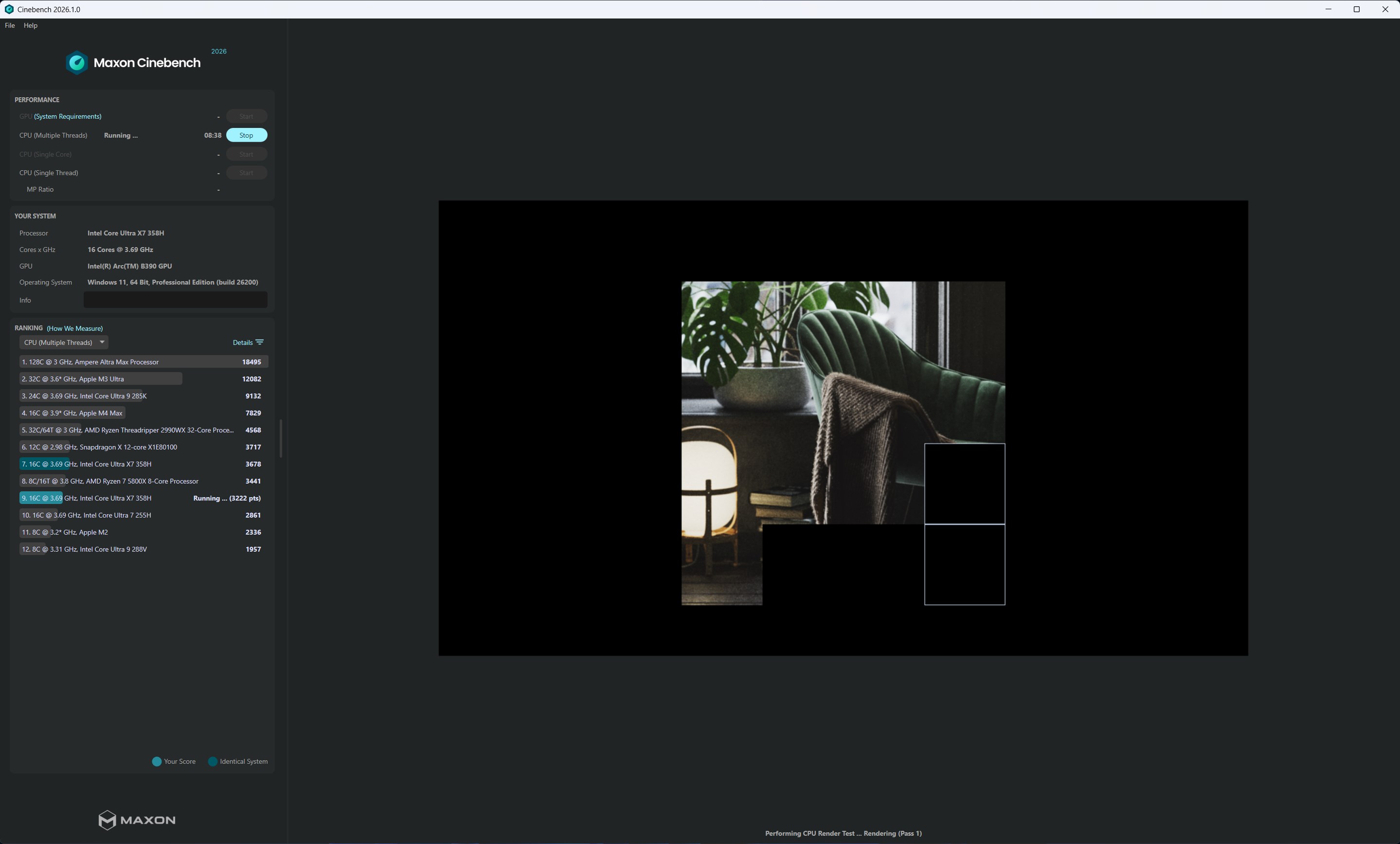
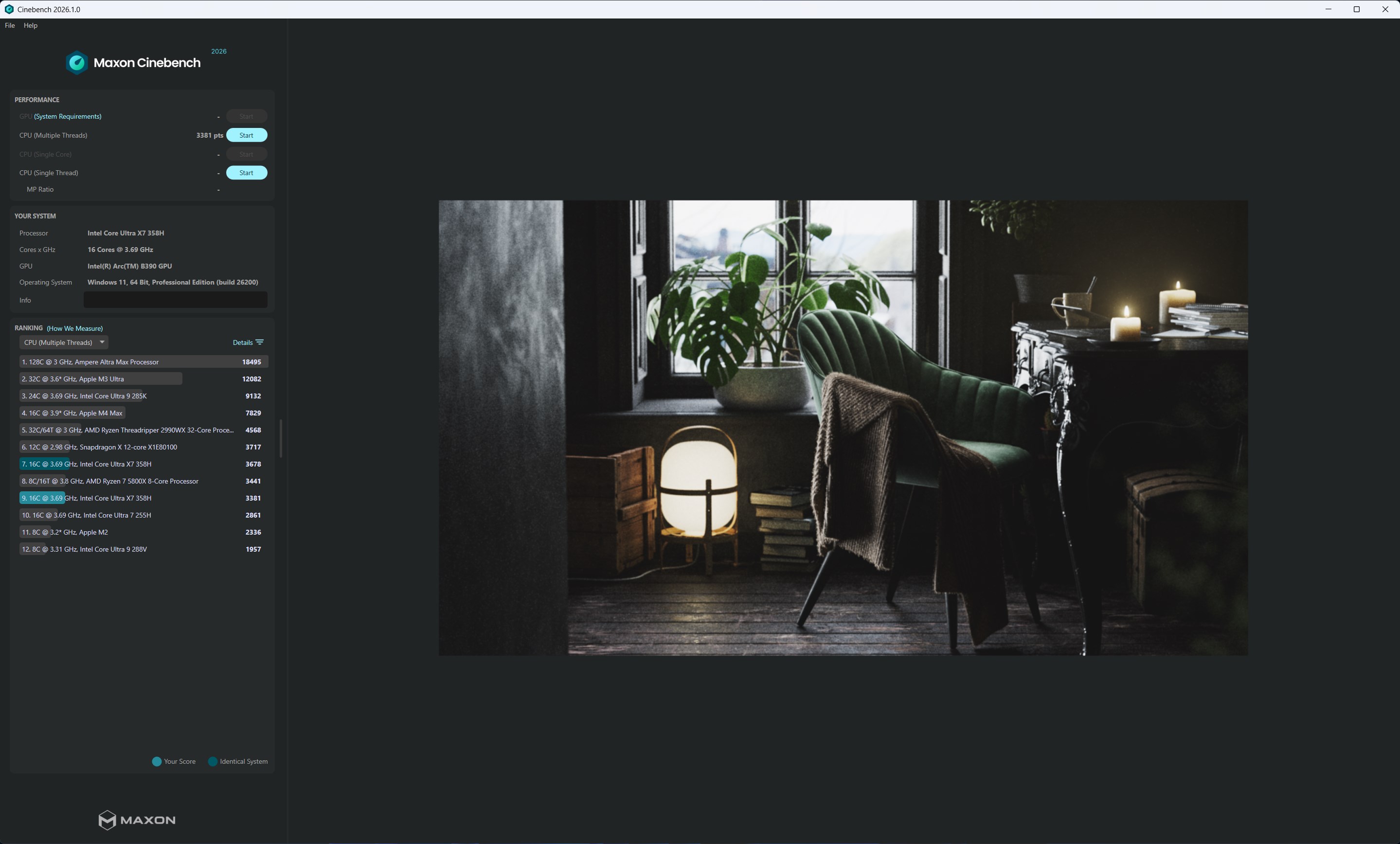
At the heart of Cinebench lies its rendering test, which uses MAXON's Cinema 4D engine to simulate a typical 3D scene. This resembles how an artist might work — complex reflections, shadows, and textures — but distilled into a numerical score that encapsulates how swiftly your CPU can bring designs to life. This benchmark is especially valuable for 3D artists and VFX professionals aiming to ensure their systems can handle intensive rendering tasks without breaks or lag.
2. GPU Performance Evaluation
In addition to CPU testing, Cinebench's GPU benchmark assesses graphics card prowess by rendering shaded scenes that test GPU processing power. Whether you're a gamer or a digital creator, this feature provides insights into your graphics hardware's capability, enabling informed upgrades and optimization for demanding graphical workloads. The GPU tests run smoothly, with iterative frames that gauge rendering stability and speed, akin to a race where every millisecond counts.
3. User Experience & Workflow Integration
The interface design resembles a clean, well-organized workshop — straightforward with labeled sections, so even newcomers can quickly start testing and interpreting results. Its operation is seamless, and benchmark runs execute swiftly without dragging down system responsiveness. Compared to similar productivity apps, Cinebench emphasizes reducing cognitive load: its clear results, minimal settings, and easy-to-understand scores allow users to interpret performance without wading through needless complexity. For professionals juggling multiple projects, this means less time deciphering data and more time focusing on their creative output.
What Sets Cinebench Apart: The Unique Edge
While many benchmarking tools pack in a multitude of features, Cinebench's core strength lies in its ability to directly simulate real-world rendering workflows rooted in professional 3D graphics. Its dual emphasis on CPU and GPU performance, combined with the graphical render tasks based on Cinema 4D's engine, ensures that results mirror actual work scenarios rather than synthetic tests. This focus significantly enhances workflow integration efficiency, allowing artists and engineers to predict how their hardware will perform during intensive creative tasks. Additionally, its minimalistic design reduces cognitive load, making performance assessment less intimidating and more actionable.
Final Verdict & Recommendations
If you're seeking an objective, reliable benchmark to evaluate your workstation's readiness for creative duties or gaming excellence, Cinebench for Windows deserves strong consideration. Its easy-to-use design and realistic testing scenarios make it particularly well-suited for professionals who want quick, accurate insights without the hassle of complex configurations. I recommend it for 3D artists, hardware enthusiasts, and IT specialists who need dependable performance metrics to inform upgrades or validate system stability. While not a substitute for comprehensive stress testing tools, Cinebench is an excellent go-to for regular performance checks and comparative assessments.
In essence, Cinebench acts as your performance compass — guiding you through the complex landscape of hardware capabilities with simplicity and precision. It's a smart, efficient tool that keeps the focus on what truly matters: how well your machine performs in the demanding world of digital creation.
Pros
- Accurate benchmarking tool
- User-friendly interface
- Supports multi-core testing
- Offers quick evaluation
- Widely recognized in the industry
Cons
- Limited to CPU benchmarking
- Lack of detailed analysis
- Potential performance impact during testing
- No cloud-based comparison features
- Occasional compatibility issues with newer OS updates











