

- Name BreeZip: RAR & ZIP
- Category Productivity
- Available on PC
- OS Windows 10 version 18362.0 or higher
- languages Chinese (Simplified), Dutch, English (United States), French, German, Italian, Japanese, Korean, Portuguese (Brazil), Russian, Spanish
Introducing BreeZip: A Compact Powerhouse for Windows Compression Needs
BreeZip: RAR & ZIP for Windows is a straightforward yet robust compression tool designed to streamline your archive management, making file compression and extraction a seamless part of your daily workflow.
Who's Behind the Curtain?
Developed by BreeZip, a dedicated team committed to enhancing productivity through functional and user-friendly software solutions, this app embodies their goal of simplifying complex tasks.
Major Features That Stand Out
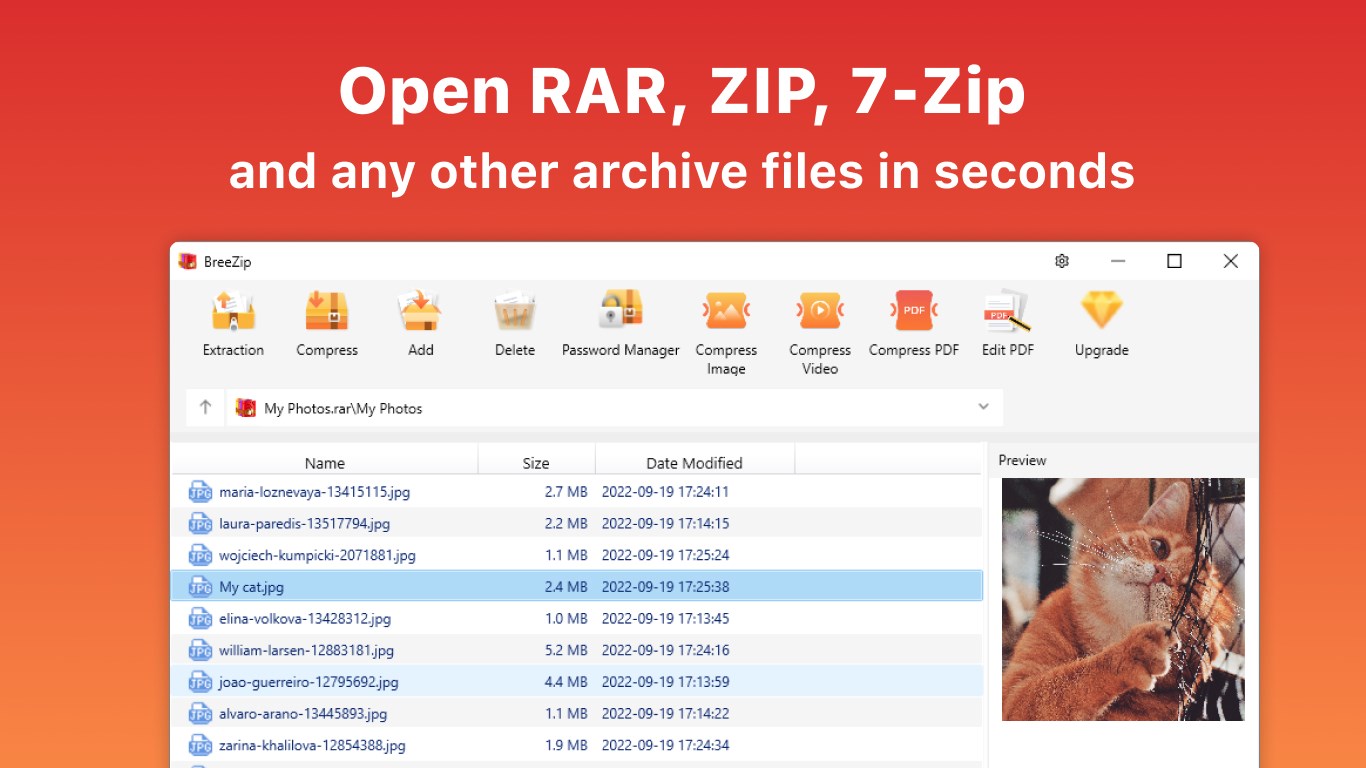
- Supports a broad range of archive formats including ZIP, RAR, 7z, and more, ensuring versatility across different compressed files.
- Intuitive drag-and-drop interface combined with quick right-click context menu options for effortless archive creation and extraction.
- Batch processing capabilities to handle multiple files simultaneously, saving time and reducing repetitive actions.
- Built-in file preview and integrity check features to assure your files are intact and ready to use.
A Fresh Take on File Compression: Making It Feel Like Second Nature
If you've ever wrestled with complicated file management tools that make simple tasks feel like navigating a maze, BreeZip is a breath of fresh air. Imagine effortlessly slipping a compressed folder into your workflow, almost like folding a piece of paper neatly into your pocket. BreeZip's design philosophy centers around minimizing the cognitive load, so users—be they tech newbies or seasoned professionals—spend less time figuring out how to do something and more time getting things done. Its clean interface and logically organized features transform what could be a chore into a breeze.
Core Functionality: Simplified Yet Powerful
Archive Management at Your Fingertips
BreeZip excels with its support for multiple archive formats, from ZIP and RAR to 7z and beyond. This means users no longer need to juggle different tools or worry about compatibility issues. The application allows quick creation of archives using straightforward drag-and-drop, coupled with one-click options through context menus. Whether you're zipping up logs for sharing or extracting critical data from a received file, this feature does it smoothly and efficiently, much like a well-oiled machine.
Batch Processing for the Power User
Handling multiple files at once is where BreeZip truly shines. Its batch processing function resembles a skilled conductor leading an orchestra of files, ensuring all are compressed or extracted simultaneously without a hitch. This reduces repetitive steps and accelerates workflows, making it ideal for professionals dealing with large volumes, such as IT administrators or content creators. The app's ability to queue actions minimizes waiting time and keeps your productivity humming along.
File Preview & Integrity Checks
Previewing files without extraction is another killer feature—think of it as flipping through a photo album to quickly verify content. Plus, the built-in integrity check reassures users that files are complete and uncorrupted, critical during data transfer or backup tasks. These features act like guardrails, bolstering confidence in your files and preventing mishaps before they happen.
User Experience: Friendly, Fluent, and Functional
Design-wise, BreeZip adopts a minimalist yet functional interface, similar to a tidy workspace where everything has its place. Navigating this app feels intuitive—think of it as a well-organized toolbox rather than a cluttered drawer. The responsiveness and operation speed are noteworthy; tasks that might take longer with bulkier applications are executed swiftly here, keeping your rhythm unbroken. Learning curve? Near zero. With clear icons, tooltips, and straightforward options, even newcomers can master the app within minutes, akin to learning a new dance move—simple, rhythmic, satisfying.
Standing Out in the Sea of Compression Tools
Compared to other productivity applications, BreeZip's key strength lies in its focus on workflow efficiency and reducing cognitive load. Many alternatives cram in flashy features that, while powerful, can overshadow usability. BreeZip cuts through that noise by offering essential functions wrapped in a clean, easy-to-navigate package. Its support for batch operations and rapid extraction capabilities mean you can process large sets of files with minimal effort—much like having a helpful assistant who anticipates your needs and acts swiftly. This clarity and efficiency position BreeZip as a valuable addition to any user's toolkit who values straightforwardness without sacrificing depth.
Conclusion: A Smart, Resourceful Companion for Your Compression Tasks
In summary, BreeZip is not just another compression utility; it's a thoughtfully designed tool that integrates seamlessly into your workflow. Its standout features—particularly its support for multiple formats and batch processing—make it a fine choice for both casual users and power users alike. I recommend giving it a try if you're seeking a reliable, user-friendly, and efficient archiving solution that quietly handles the heavy lifting without adding complexity. Install BreeZip, and experience a compression tool that's as simple as folding a letter and as reliable as the sunrise.
Pros
- User-friendly interface
- Supports multiple archive formats
- Fast compression and extraction speeds
- Built-in file preview feature
- Lightweight and low resource consumption
Cons
- Limited advanced features in free version
- Occasional crashes during large archive processes
- Limited customization options for compression settings
- Lack of detailed error messages
- No built-in encryption features in free version











