

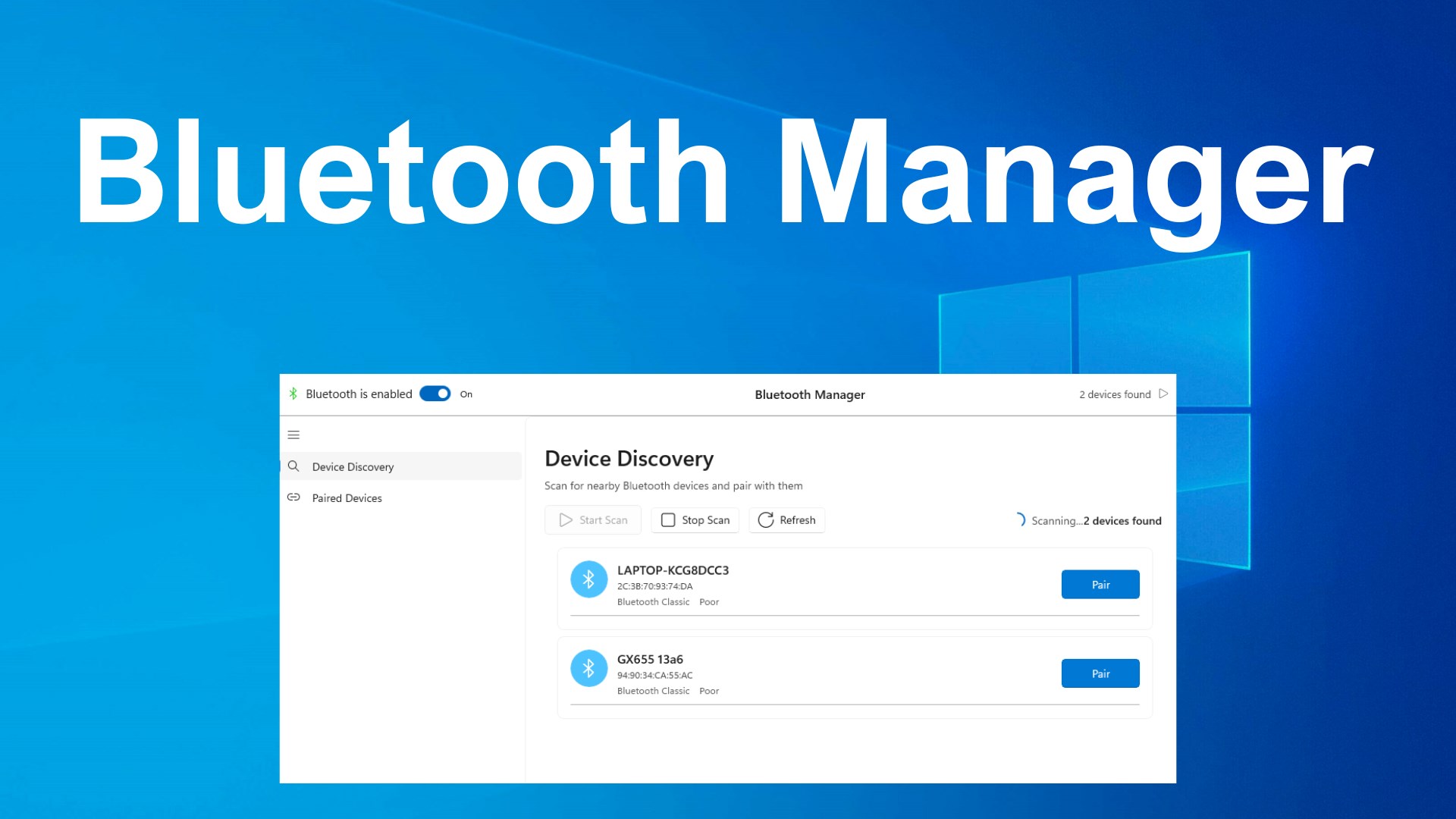
- Name Bluetooth for Windows
- Category Productivity
- Developer Device Manager
- Available on PC, Mobile, Surface Hub, HoloLens
- OS Windows 10 version 17763.0 or higher
- languages English (United States)
Simplifying Connectivity: An In-Depth Look at Bluetooth for Windows
As wireless devices become increasingly interwoven into our daily tech routines, managing Bluetooth connections seamlessly is more crucial than ever. Bluetooth for Windows by Device Manager emerges as a straightforward solution aimed at streamlining device pairing and monitoring on Windows systems with a focus on user-friendliness and efficiency.
Essential Details: What Is Bluetooth for Windows?
This application provides users a centralized platform to connect, manage, and troubleshoot Bluetooth devices directly from their Windows PC. It eliminates the hassle of diving into complex system settings, offering a simplified interface tailored to everyday users.
- Developer/Pubisher: Device Manager
- Main Features Highlights:
- Easy device pairing and unpairing straight from a dedicated interface
- Real-time device connectivity status monitoring
- Quick troubleshooting tools for common Bluetooth issues
- Battery level indicators for connected devices
- Target Audience: Windows users seeking a more intuitive Bluetooth management tool, including non-technical personnel, presenters, and casual tech enthusiasts.
A Vibrant Gateway to Device Connectivity
Imagine the frustration of your wireless headset repeatedly disconnecting or the effort of hunting through Windows settings just to pair a new device. Bluetooth for Windows shines as a cheerful, approachable companion in such scenarios, transforming mundane device management into a quick, almost enjoyable task. Its minimalistic design and straightforward operation echo the calming experience of a well-organized workspace—everything in its place, effortless to access.
User Interface and Experience — Smooth Sailing
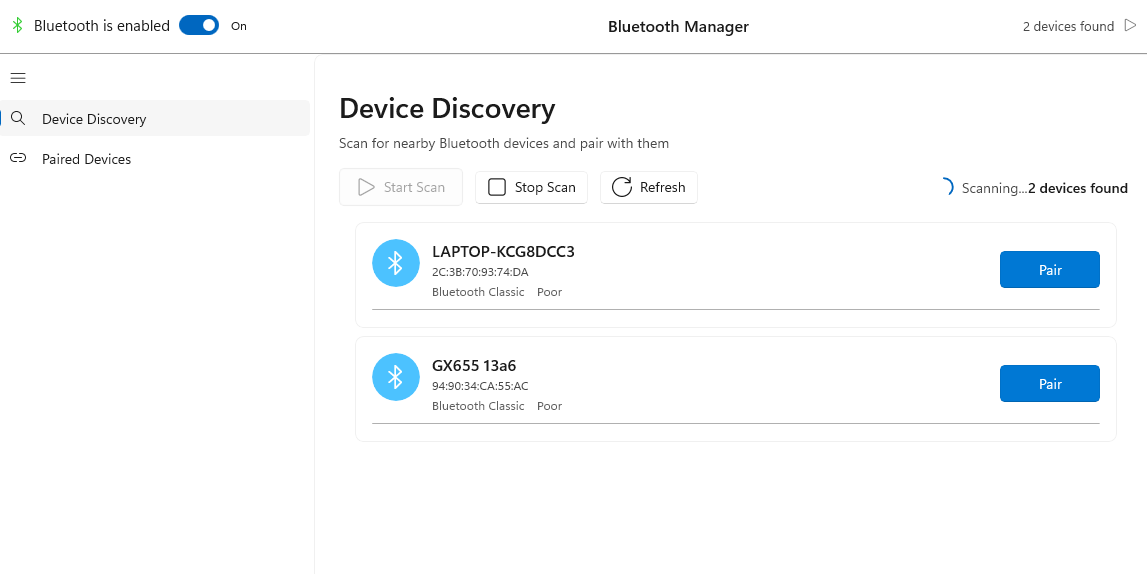
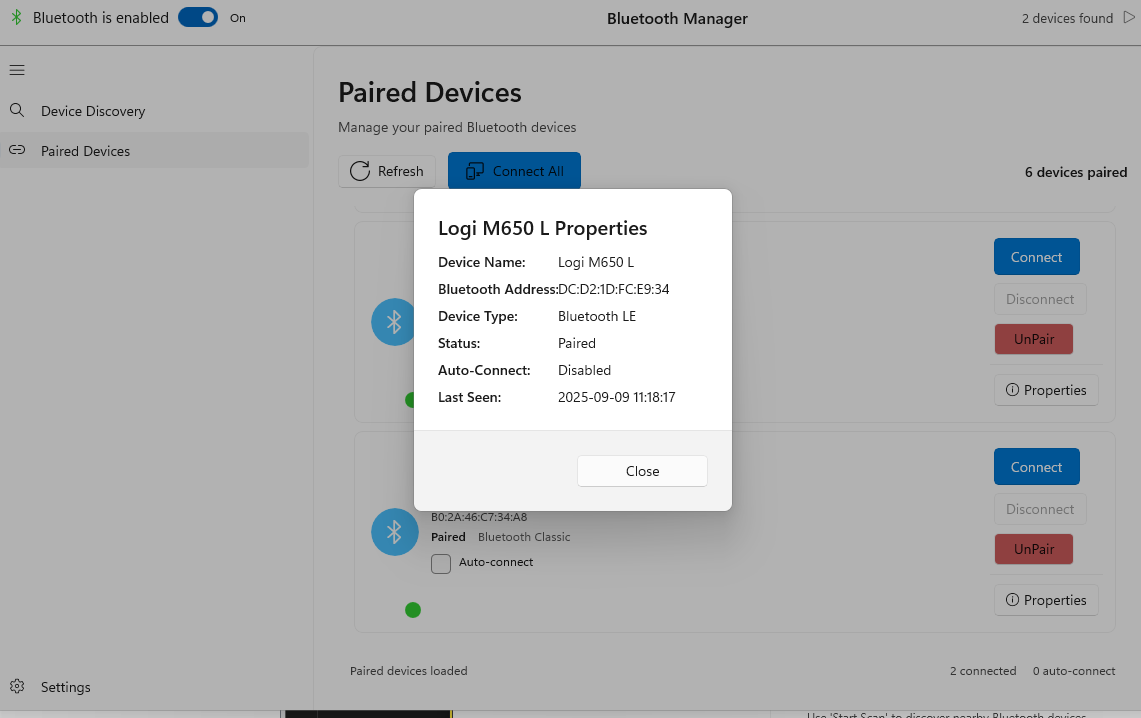
The app's interface resembles a clean digital dashboard—bright, uncluttered, and intuitive. Users are greeted with a simple device list showing connected and available Bluetooth hardware, along with status indicators. The transition from viewing device status to pairing or troubleshooting is lightning-fast, with immediate feedback reducing cognitive effort. Navigation is so natural that even novice users can master it within minutes. The app's responsiveness ensures that managing multiple devices feels akin to orchestrating a symphony—precise, fluid, and rewarding.
Core Functions: Making Connectivity Effortless
Its first standout feature is the streamlined pairing process. Unlike standard Windows Bluetooth settings that sometimes feel like navigating a labyrinth, this app offers one-click pairing with clear prompts. The second feature, real-time connection monitoring, acts like a vigilant guardian, promptly displaying device status updates and alerting users about disconnections or battery issues. Lastly, its troubleshooting toolkit simplifies diagnosing problems—highlighting potential fixes without requiring technical expertise.
Standing Out in the Crowd: Unique Strengths
In comparing Bluetooth for Windows to other Bluetooth management solutions, the application's true strength lies in its focus on workflow efficiency. Unlike apps packed with layers of complex features that increase cognitive load, this app emphasizes "less is more." By reducing the mental burden of managing multiple devices and presenting only relevant information, it facilitates a more efficient, less stressful user experience. Its design philosophy aligns with an intuitive workflow—think of it as the concierge service for your Bluetooth devices rather than a cluttered toolbox.
Final Thoughts: Is This App for You?
Bluetooth for Windows earns a solid recommendation for users seeking a lightweight, easy-to-use Bluetooth management tool. It's particularly beneficial for those who value simplicity and quick access over overwhelming feature sets. For professionals, students, or casual users tired of cluttered system menus, this app makes device management feel less like a struggle and more like a friendly assistant guiding your connections effortlessly. In an era where speed and clarity matter, Bluetooth for Windows stands out as a pragmatic, user-centric solution.
Pros
- Seamless Bluetooth device management
- Native integration with Windows OS
- Fast device discovery
- Supports a wide range of Bluetooth profiles
- Regular updates from Microsoft
Cons
- Occasional connectivity dropouts
- Limited settings customization
- Inconsistent performance with some Bluetooth earbuds
- Requires Windows updates for optimal performance
- Minor UI improvements needed











