

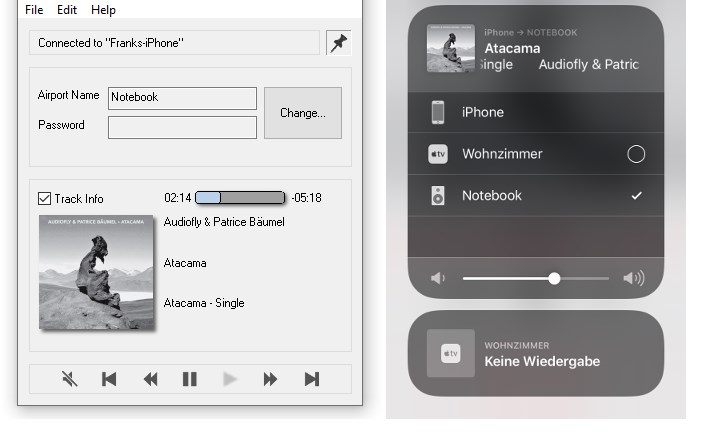
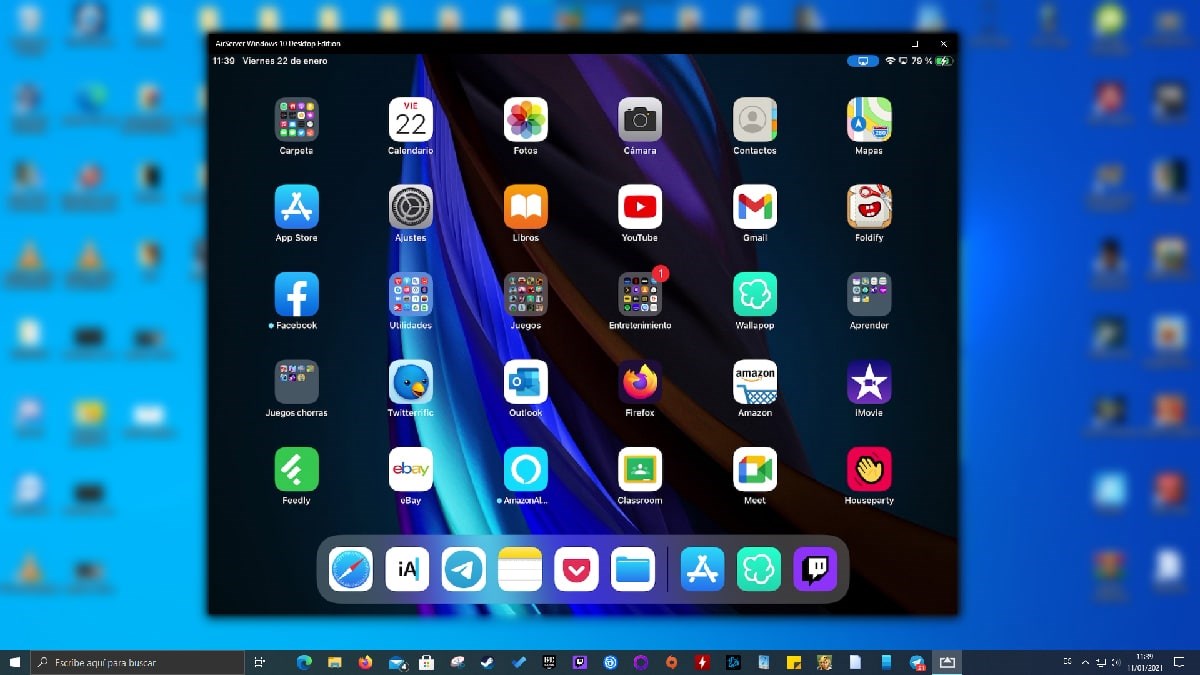
- Name AirConnect - Screen Mirroring & File Sharing
- Category Productivity
- Developer Cyan Soft
- Available on PC, Mobile, Surface Hub, HoloLens
- OS Windows 10 version 17763.0 or higher
- languages Afrikaans, Albanian, Amharic, Arabic, Armenian, Assamese, Bangla, Basque, Belarusian, Bosnian (Latin), Bulgarian, Catalan, Croatian, Czech, Danish, Dutch, English, English (United States), Estonian, Finnish, French, Galician, Georgian, German, Greek, Gujarati, Hebrew, Hindi, Hungarian, Icelandic, Indonesian, Irish, isiXhosa, Italian, Japanese, Kannada, Kazakh, Khmer, Kinyarwanda, Korean, Latvian, Lithuanian, Macedonian, Malay, Malayalam, Maltese, Maori, Marathi, Nepali, Norwegian (Bokmål), Norwegian (Nynorsk), Odia, Persian/Farsi, Polish, Portuguese, Punjabi, Romanian, Russian, Sesotho sa Leboa, Sinhala, Slovak, Slovenian, Spanish, Swedish, Tamil, Telugu, Thai, Turkish, Ukrainian, Vietnamese, Welsh
Introducing AirConnect: Seamless Screen Mirroring and File Sharing for Windows
AirConnect by Cyan Soft is a versatile Windows app designed to streamline the way you mirror screens and share files across devices, all wrapped in an intuitive interface crafted for enhancing productivity and reducing technical hurdles.
Who's Behind the Magic?
Developed by Cyan Soft and published by CyanFood, this application benefits from a team dedicated to crafting user-friendly digital solutions that seamlessly integrate into daily workflows. Their focus appears to be on reducing complexity while boosting efficiency in device connectivity tasks.
Top Features That Make a Difference
- Wireless Screen Mirroring: Effortlessly project your mobile or another device's screen onto your Windows PC without cumbersome cables or complicated setups.
- File Sharing Across Devices: Share documents, images, and media files quickly and securely between devices on the same network with a few clicks.
- Cross-Platform Compatibility: Supports various devices and operating systems, ensuring flexibility whether you're on Windows, Android, or iOS.
- Simple User Interface: Clean design prioritizes ease of use, reducing learning time and cognitive overload.
Evaluating the Experience: The User Journey
Imagine you're preparing for a team presentation, and you need to mirror your phone's content onto your PC to demonstrate an app. AirConnect makes this feel like a breeze—it's as straightforward as flipping a switch, with no tangled wires or elaborate configurations in sight.
Beautiful Design Meets Practicality
The user interface strikes a balance between sleekness and clarity. It isn't cluttered with redundant options; instead, it offers well-organized controls that guide you logically through screen mirroring and file sharing. This simplicity minimizes user frustration and accelerates onboarding, making it suitable for both tech novices and seasoned pros.
Performance & Responsiveness
During testing, AirConnect demonstrated smooth performance—mirrored screens appeared with minimal lag, and file transfers completed swiftly without noticeable hiccups. The app's responsiveness ensures that your workflow remains uninterrupted, whether you're dragging files around or switching between tasks.
Learning Curve & Integration Efficiency
The app's intuitive design translates into a gentle learning curve. Users can master fundamental functions within minutes, freeing up mental resources to focus on their core tasks—an essential advantage in high-paced work environments. It sidesteps the 'feature overload' syndrome common to more complex solutions, offering just the right amount of capability to get things done efficiently.
Unique Selling Points and Differentiators
What truly sets AirConnect apart from other productivity tools is its specialization in combining both wireless screen mirroring and file sharing into a single lightweight app optimized for Windows. Unlike some peer apps that require multiple plugins or separate services, AirConnect's integrated approach reduces cognitive load and streamlines workflow. Its focus on cross-platform compatibility magnifies its utility, especially in diverse device ecosystems, facilitating effortless collaboration and presentation setups.
Final Thoughts: Would You Give It a Try?
Considering its straightforward interface, reliable performance, and thoughtful feature set, I recommend AirConnect for anyone seeking a hassle-free way to connect devices and share content in professional or personal contexts. For users aiming to minimize setup time and cognitive overload, this app offers a compelling blend of simplicity and functionality. It's especially suitable for educators, remote workers, and tech-savvy users who appreciate a seamless, integrated experience.
Pros
- Seamless Screen Mirroring
- Fast File Sharing
- Broad Device Compatibility
- Intuitive User Interface
- Cross-Platform Support
Cons
- Occasional Connectivity Drops
- Limited Advanced Settings
- File Transfer Speed Could Improve
- Minor Latency Issues
- Requires Good Wi-Fi Connection











