

- Name Adobe Fresco
- Category Multimedia design
- Developer Adobe
- Available on PC
- OS Windows 10 version 0.0 or higher
- Memory 8 GB
- DirectX DirectX 12 API, Hardware Feature Level 12
- languages English, Chinese (Simplified), Chinese (Traditional Chinese), Czech, Danish, Dutch, Dutch, English (United Kingdom), Finnish, French, Russian, Spanish, Ukrainian, Spanish (Mexico), French (Canada), German, Italian, Norwegian, Polish, Portuguese (Brazil), Portuguese, Swedish, Turkish, Japanese, Korean
Adobe Fresco for Windows: A Digital Painting Companion with Bold Ambitions
Adobe Fresco for Windows is a versatile drawing and painting application designed to bring the natural feel of traditional media to your digital workspace, making it a compelling choice for artists seeking a fluid and intuitive creative experience on their PCs.
About This App
Developed by Adobe, a global leader in creative software, Adobe Fresco aims to blend the realism of traditional art mediums with the flexibility of digital art. It's tailored for artists, illustrators, and graphic designers who want to craft detailed artworks without the fuss of complicated tools.
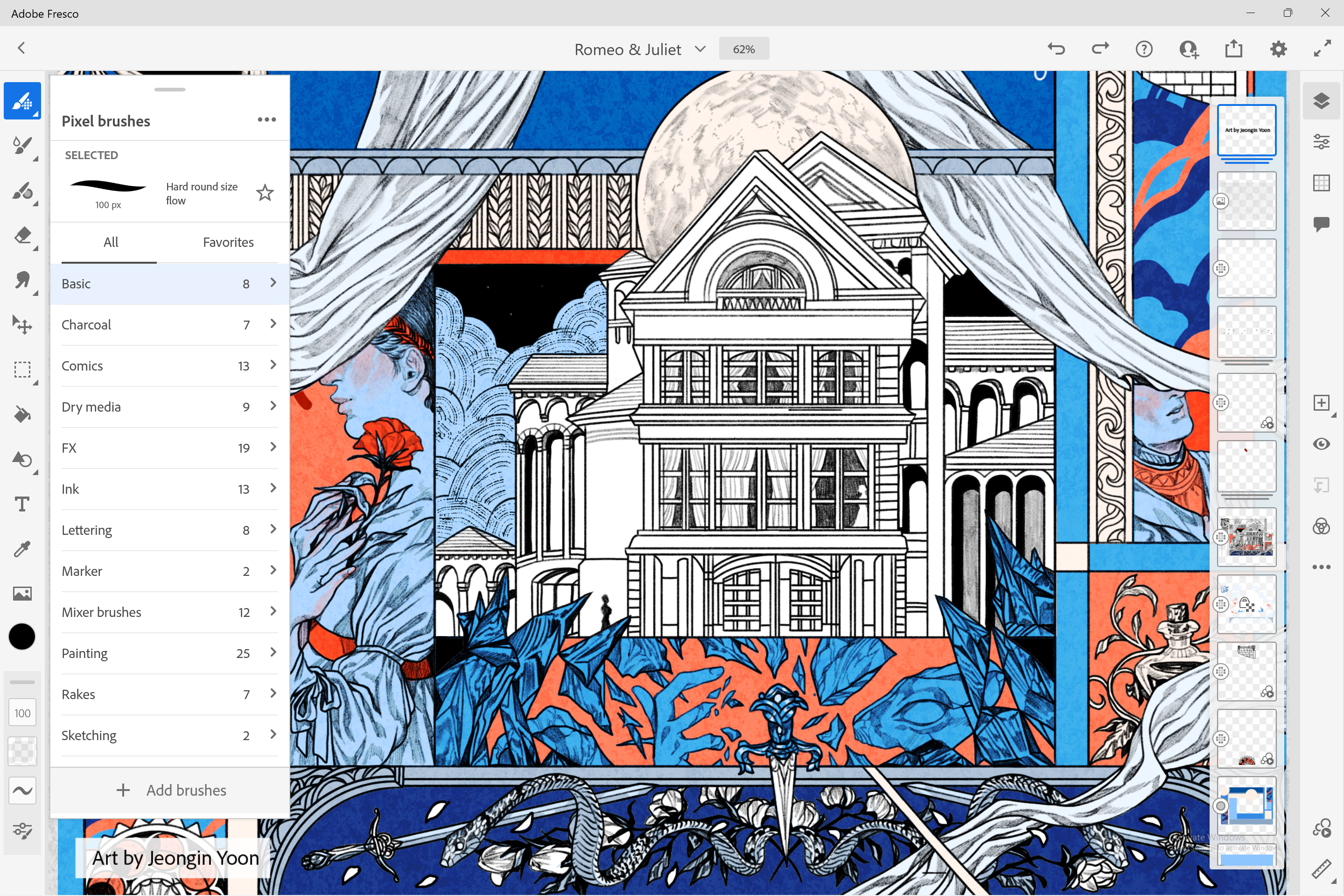
- Main Features: Realistic brush simulations with live watercolor and oil options, seamless vector and raster integration, and a powerful layering system that keeps your creative process fluid and non-destructive.
- Target Audience: Digital artists, hobbyists, students, and professionals seeking an accessible yet robust painting app for Windows.
Immersive and Natural Drawing Experience
From the moment you launch Fresco, it's like stepping into an artist's studio reimagined for the digital age. The interface strikes a perfect balance—minimalist yet packed with tools—allowing your imagination to flow unhindered. Thanks to Adobe's innovative brush engine, the watercolor and oil brushes emulate real-world textures with astonishing authenticity. Imagine painting in watercolors where the pigments blend seamlessly on your digital canvas, or oil brushes that offer rich, textured strokes, all with a natural resistance that responds to pressure and tilt—it's like having a palette and brush right at your fingertips.
This application truly shines in its rendering of traditional media, making it especially appealing for artists who want to replicate their favorite physical tools digitally. The responsiveness and realism of the brushes foster an immersive experience that keeps you rooted in your creative flow.
Core Features That Elevate Creativity
Realistic Brush and Media Simulation
One of Fresco's standout features is its sophisticated brush engine, which faithfully mimics watercolor, oil, dry media, and more. The 'Live Brushes' are particularly impressive—they simulate the way real paints behave, blending naturally and creating authentic strokes that can be layered and manipulated freely. This realism not only inspires confidence but also opens new avenues for experimental art and quick ideation.
Dynamic Layering and Masking
The layering system is a powerhouse—allowing artists to work non-destructively, combine elements fluidly, and apply various effects. Masks, adjustment layers, and blend modes make complex compositions manageable, even for beginners. The ability to easily reorganize and tweak parts of your artwork fosters a smooth workflow and encourages exploratory creativity.
Vector and Raster Hybrid Workspace
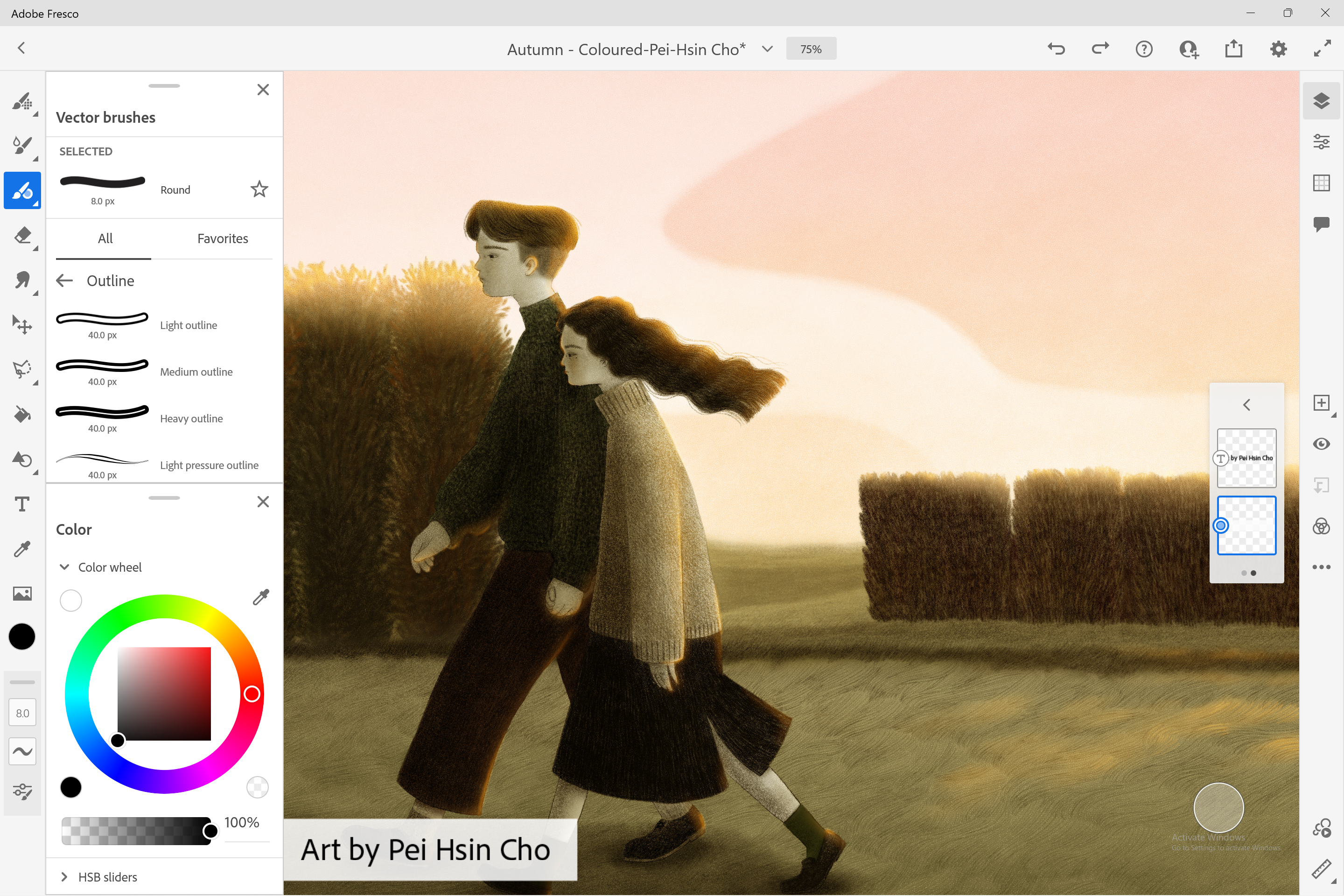
Fresco's unique architecture supports both vector and raster graphics, giving users the freedom to create detailed illustrations that are scalable without loss of quality. This hybrid approach means you can sketch rough ideas quickly with raster brushes, then refine with crisp vector strokes—ideal for comics, logos, and refined illustrations alike.
Design, Usability, and Unique Strengths
The interface is thoughtfully designed with artist comfort in mind—clean and intuitive, it invites creativity without overwhelming with options. The workspace adapts well to different workflows; tools are accessible yet unobtrusive. Response times are snappy, making it easy to switch between brushes and layers without lag, which is crucial during intense creative sessions. While there's a slight learning curve for newcomers, seasoned digital artists will appreciate the depth of control and customization available.
Unlike many competitors, Fresco's standout feature—its 'Live Brushes'—sets it apart by bridging the gap between traditional and digital mediums. This realism immerses artists in a tactile experience that is typically absent in digital tools, making it especially appealing for those transitioning from physical media or looking for a more authentic painting feel.
My Verdict: A Creative Canvas Worth Exploring
Overall, Adobe Fresco for Windows offers a compelling blend of realism, flexibility, and ease of use. Its unique Live Brush system and hybrid vector/raster environment are particularly noteworthy, making it a top contender for digital artists seeking a natural drawing experience on Windows. While it might require some initial familiarization—especially if you're new to digital art—the app rewards patience with its depth and authenticity.
If you're looking for a digital painting app that feels close to working with traditional media and integrates smoothly into your existing Adobe ecosystem, Fresco comes highly recommended. I suggest it for artists of all levels who want a powerful yet approachable tool to bring their ideas to life. For casual sketching or professional projects alike, it's a valuable addition to your creative arsenal.
Pros
- Intuitive Brush Customization
- Natural Drawing Experience
- Integration with Adobe Cloud
- Vector and Raster Support
- User-Friendly Interface
Cons
- Limited Layer Support on Free Version
- Occasional Lag During Intensive Tasks
- Few Advanced Texture Features
- Export Options Are Slightly Limited
- Learning Curve for Advanced Features











