
- Name Adobe Express
- Category Multimedia design
- Developer Adobe
- Available on PC
- OS Windows 10 version 19041.0 or higher
- Memory 4 GB
- Keyboard Not specified
- Mouse Not specified
- languages English (United States)
Adobe Express for Windows: A User-Friendly Creative Companion
Adobe Express for Windows positions itself as a streamlined, approachable design tool that brings the power of Adobe's creative engine directly to your desktop, aiming to make content creation accessible and efficient.
Who's Behind the Magic?
Developed by Adobe Inc., a global leader in creative software, Adobe Express leverages years of expertise in digital design, offering a polished experience tailored to both casual users and small business creators looking to craft stunning visuals effortlessly.
Highlighting the Main Features
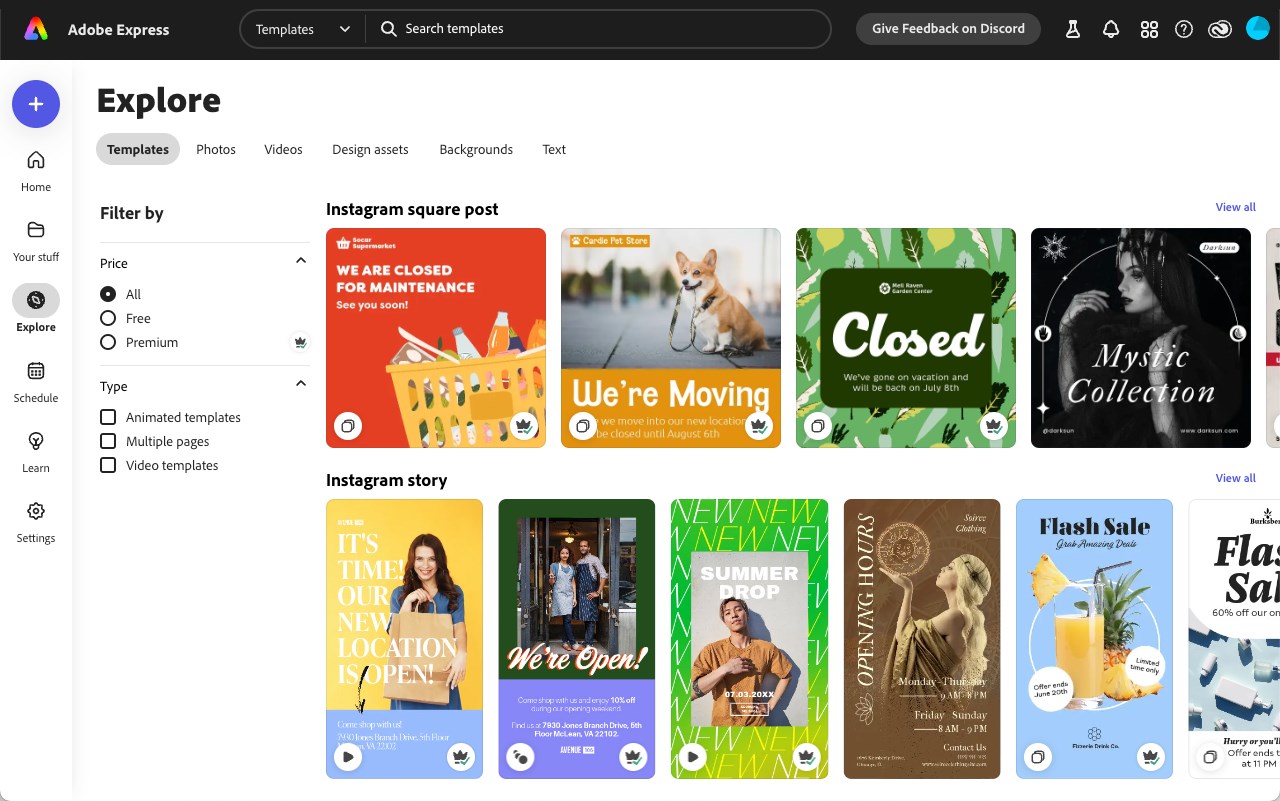
- Intuitive Templates and Themes: Provides a vast library of customizable templates, enabling users to whip up social media posts, flyers, and presentations with just a few clicks.
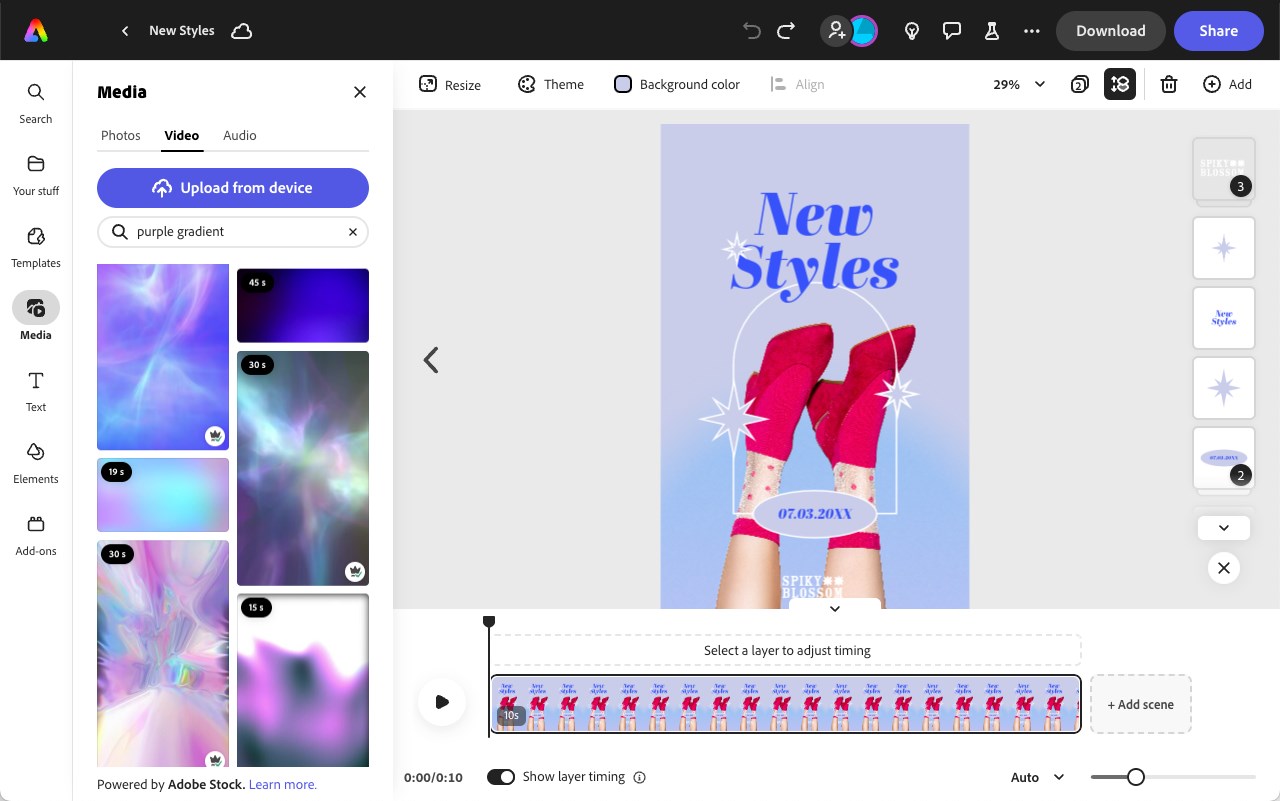
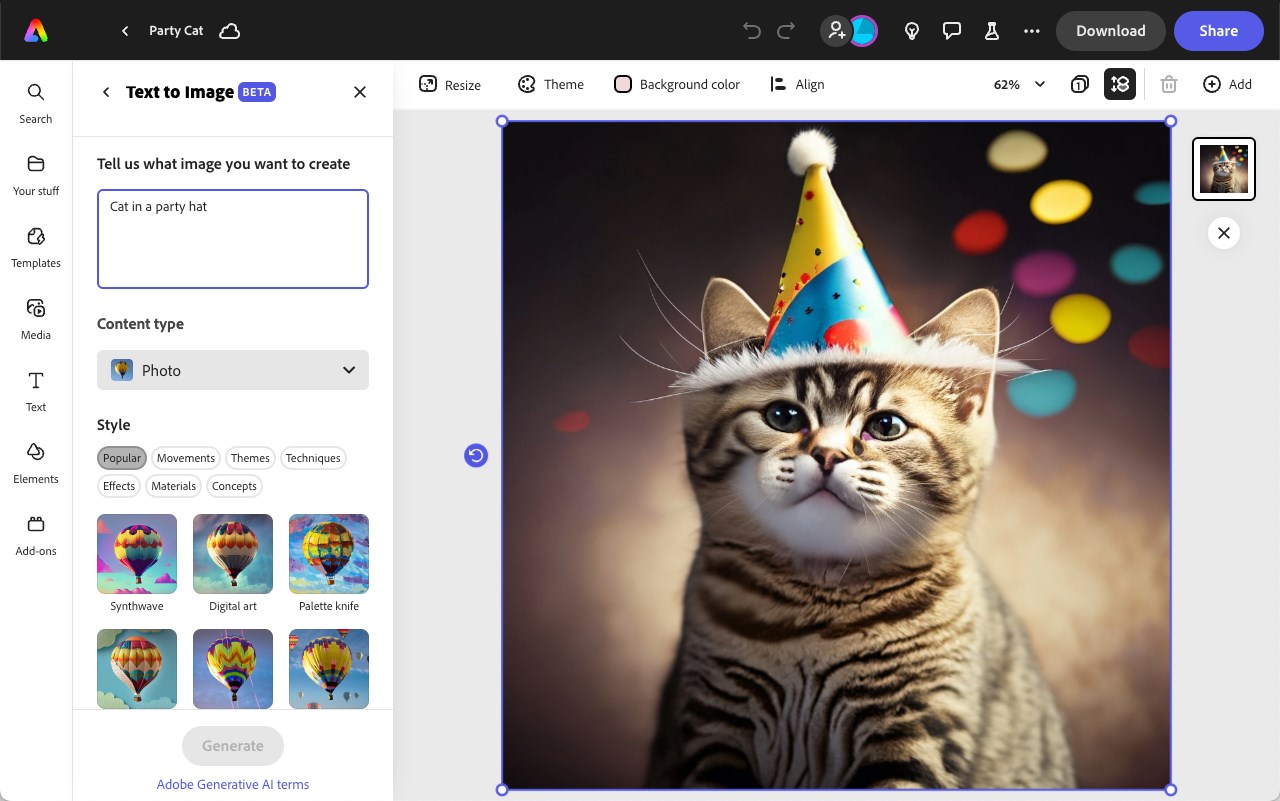
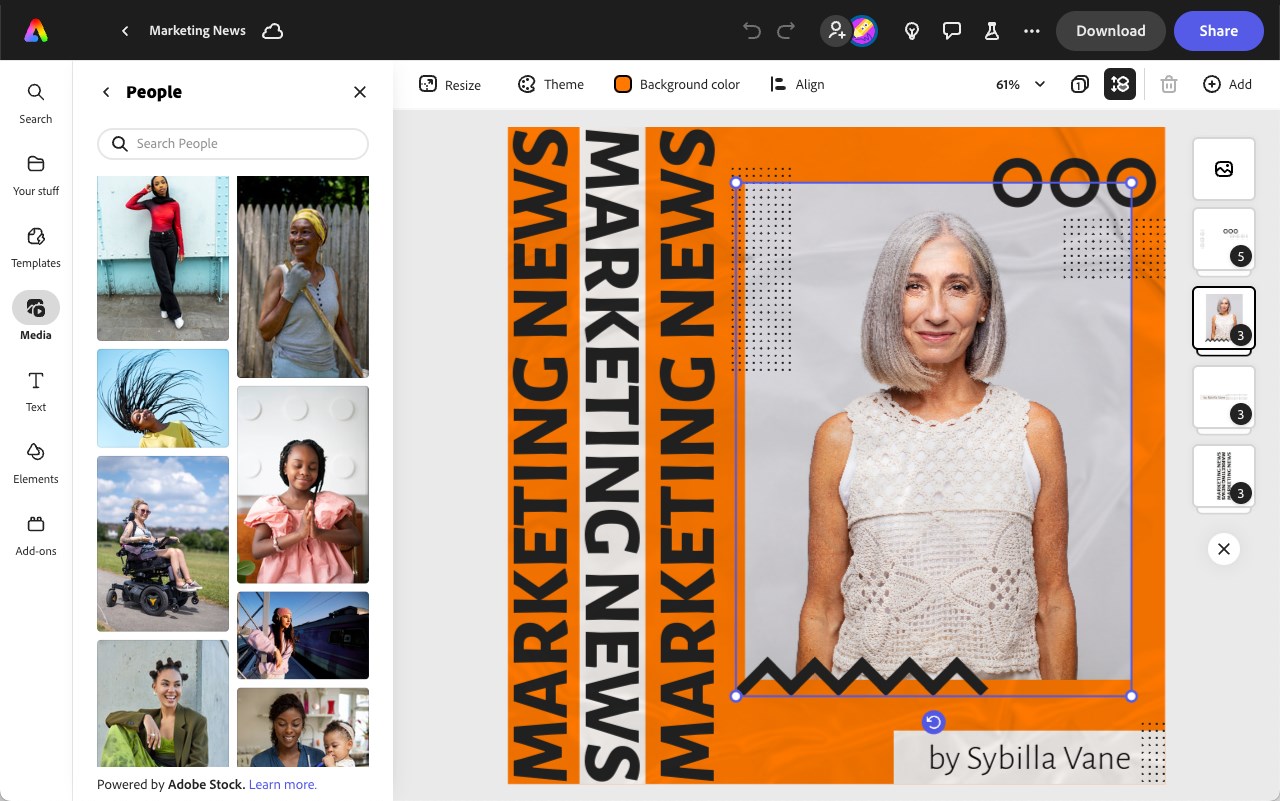
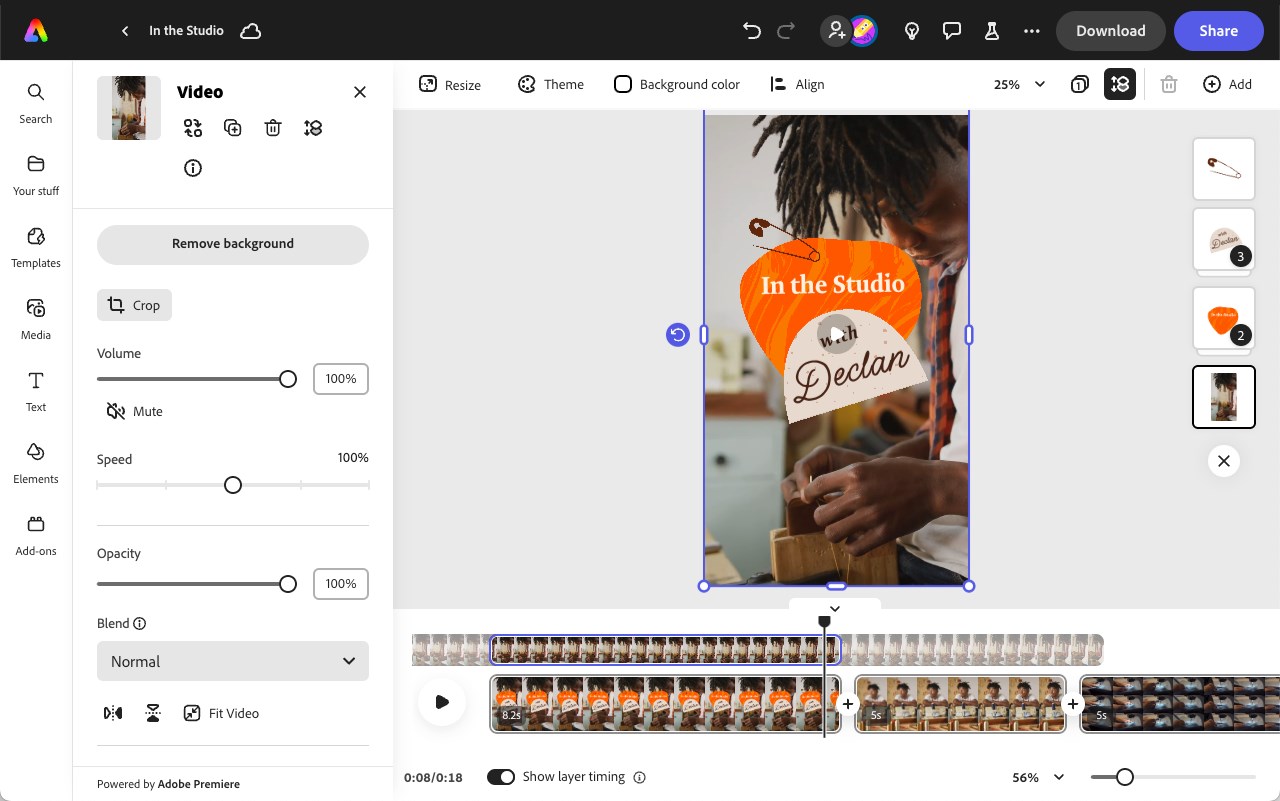
- Rich Media Integration: Seamlessly incorporates photos, icons, and videos, simplifying multimedia integration for more dynamic designs.
- Quick Editing Tools: Offers powerful yet user-friendly editing options like resize, crop, and filter adjustments, streamlining the creation process.
- Cloud Sync and Sharing: Syncs projects across devices and facilitates instant sharing, making collaboration and deployment a breeze.
Delving Deeper into the Experience
Launching Adobe Express on Windows feels like greeting an old friend with a fresh new look—clean, inviting, and ready to assist. The interface's modern design ensures that even newcomers won't feel overwhelmed, thanks to clear icons and logical layout. Navigating through the myriad of templates feels like flipping through a design magazine, inspiring creativity without requiring a steep learning curve. The app's responsiveness is impressive; scrolling through templates, editing images, or exporting files happens smoothly, even on mid-range hardware, thanks to optimized performance under the hood.
Core Functionality: Templates and Media Integration
One of Adobe Express's most outstanding features is its extensive template library. Think of it as a well-stocked artist's studio—organized, diverse, and ready to inspire ideas. Whether you're designing a social media banner or a business poster, the templates are highly customizable, allowing you to tweak colors, fonts, and layouts effortlessly. Coupled with seamless media integration—uploading and manipulating images or videos—users can craft professional-looking compositions without fuss. This is particularly beneficial for those who don't want to start from scratch but still crave personalized results.
Core Functionality: Editing Tools and Export Options
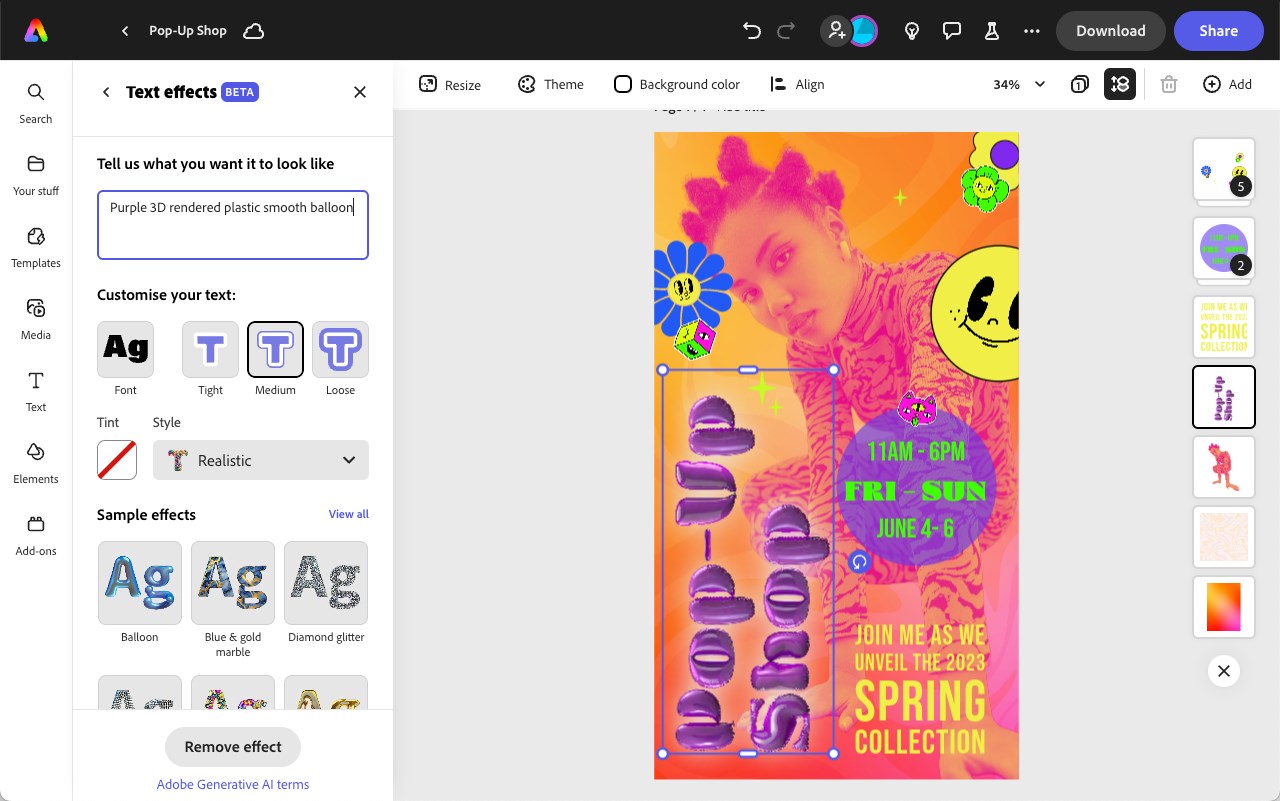
The app's editing suite offers everything you need—resizing images to perfect proportions, applying filters to match your mood, or adding text overlays with detailed font controls. These tools are approachable but not sacrificing depth, making it easy for beginners to learn while still satisfying seasoned designers. Export options are flexible: choose your preferred resolution, format, and sharing methods directly within the app. Whether you're prepping a social media post or a print-ready file, Adobe Express's export capabilities cover a broad spectrum of needs.
Breathing Life into Creativity: User Experience and Differentiation
Adobe Express for Windows excels in delivering a smooth, frustration-free user experience. The design is polished, and the interface intuitively guides users through tasks, akin to turning a corner in your favorite craft store—you feel guided but free to explore. Its learning curve is gentle enough for novices yet robust enough for more experienced users seeking quick, high-quality results. A noteworthy differentiator from competing multimedia design apps is Adobe Express's combination of simplicity with a vast resource library and robust media handling, making it a versatile, one-stop solution for quick content needs.
Should You Give It a Try?
If you're looking for a lightweight yet powerful tool for creating eye-catching visuals without diving into complex software, Adobe Express for Windows is definitely worth exploring. It simplifies the design process while still providing enough depth to produce professional results. For social media managers, small businesses, or casual designers, this app can turn your ideas into reality faster than you'd think possible. However, serious and intricate projects might still benefit from more advanced programs—this is more like the handy toolkit for day-to-day creativity rather than the full arsenal for large-scale design.
Overall, Adobe Express for Windows demonstrates that powerful creative tools don't have to be complicated or intimidating. It's a friendly, efficient, and surprisingly capable companion that caters well to those who want quick, beautiful results without a steep learning curve. I'd recommend giving it a try if your goal is to craft professional-looking visuals with ease—think of it as your trusty digital sketchbook that's always ready to go.
Pros
- User-friendly interface
- Extensive template library
- Integration with Adobe Creative Cloud
- Free basic features
- Mobile and web accessibility
Cons
- Limited advanced editing tools
- Resource-intensive on low-end devices
- Limited file format support for exports
- Premium features require subscription
- Occasional lag during complex projects











