


- Name Adobe Acrobat Reader DC
- Category Productivity
- Developer Adobe Inc.
- Available on PC
- OS Windows 10 version 0.0 or higher
- Keyboard Integrated Keyboard
- Mouse Integrated Mouse
- Memory 4 GB
- languages Chinese (Simplified), Chinese (Traditional Chinese), Czech, Danish, Dutch, English, Finnish, French, German, Hungarian, Italian, Japanese, Korean, Norwegian, Polish, Portuguese (Brazil), Russian, Slovak, Slovenian, Spanish, Swedish, Turkish, Ukrainian
Introducing Adobe Acrobat Reader DC for Windows: The Essential PDF Companion
Adobe Acrobat Reader DC is more than just a PDF viewer—it's your reliable partner for viewing, annotating, and managing PDF documents seamlessly on Windows.
About the Developer and Main Features
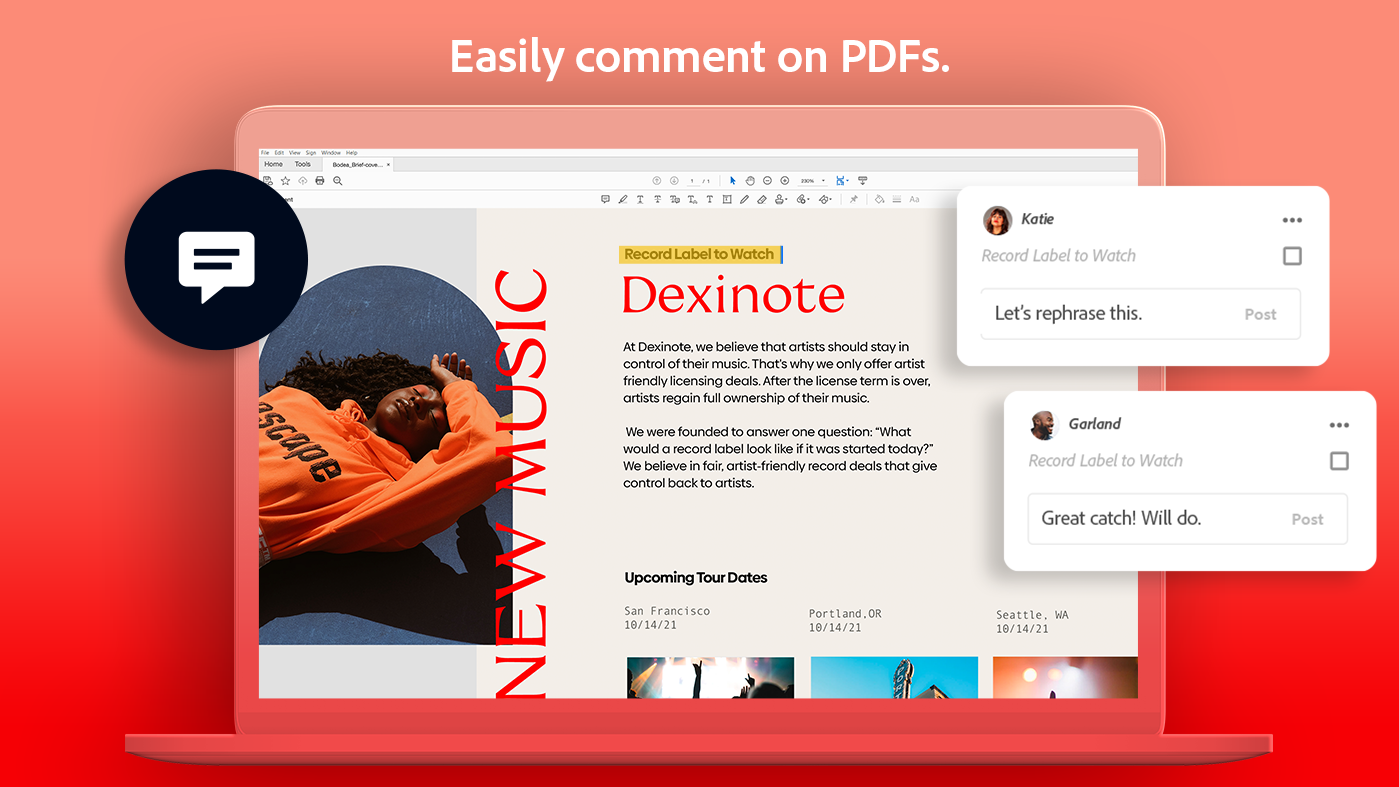
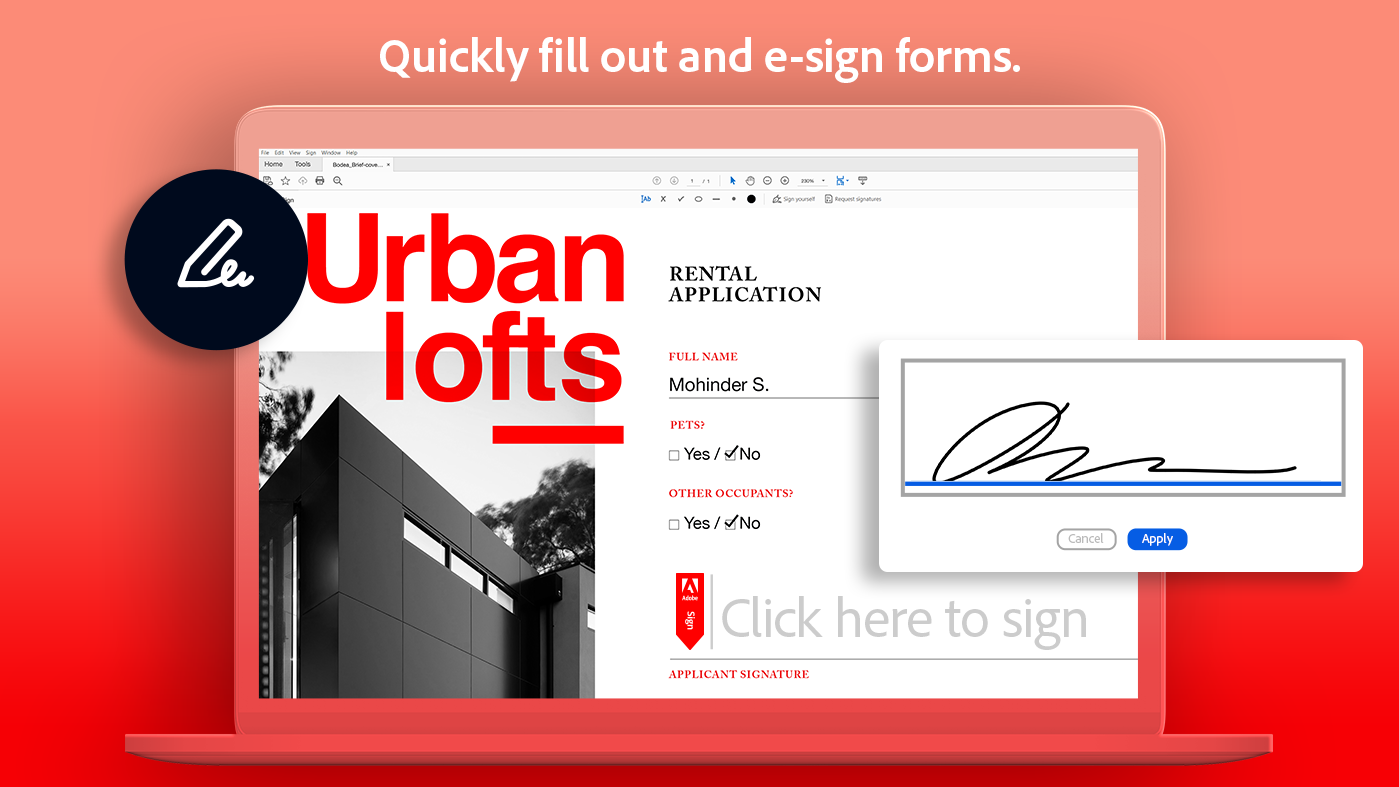
Developed by Adobe Inc., a global leader in digital document solutions, Acrobat Reader DC offers a suite of tools designed to enhance your reading and document collaboration experiences. Its standout features include real-time annotation and commenting, easy form filling and signing, and integrated cloud connectivity, making document workflows smoother than ever. This application targets a broad spectrum of users—from students and office workers to professionals needing quick access to PDF content and collaboration tools.
Bright and User-Friendly Interface: Navigating PDFs with Ease
Imagine opening your favorite book—beautifully designed pages, intuitive navigation, and minimal distractions. That is exactly what Acrobat Reader DC replicates in the digital realm. Its interface is clean, modern, and optimized for simplicity, allowing users to focus on their documents rather than wrestling with complex menus. Whether scrolling through lengthy reports or jumping between pages, the smooth transition and layout make reading a pleasant, stress-free experience. The toolbar is logically organized, with essential tools like zoom, rotate, and comment readily accessible, reducing the learning curve for new users.
Powerful Core Functionalities for Everyday PDF Tasks
Seamless Annotation and Review
The feature that truly sets Acrobat Reader DC apart is its intuitive annotation tools. Users can highlight text, add comments, draw shapes, and even insert stamps directly onto the PDF—just like marking up a printed manuscript, but without the clutter. The real-time synchronization of comments makes collaborative review sessions efficient, whether you're working with colleagues remotely or sharing feedback with friends.
Effortless Form Filling and Digital Signatures
Filling out contracts, applications, or surveys is made straightforward with Acrobat Reader DC's form recognition capabilities. Interactive forms automatically adapt to the document's design, guiding you through each field smoothly. Additionally, the built-in digital signature feature empowers users to sign documents securely within seconds, streamlining workflows that once required printing, signing, and scanning back.
Robust Cloud Integration and Document Management
Thanks to its tight integration with Adobe Document Cloud and other popular cloud services, users can access their PDFs from anywhere. This cloud connectivity translates into effortless sharing, synchronization, and storage management—turning what used to be a messy folder of files into a centralized, organized hub. This aspect is especially appealing to professionals juggling multiple projects and team collaborations.
Evaluating the User Experience and Unique Advantages
Adobe Acrobat Reader DC's interface feels like a well-designed dashboard—both inviting and functional. The application runs smoothly on Windows, with quick load times and responsive interactions that keep cognitive load low. Unlike some complex PDF editors packed with features that can overwhelm users, Acrobat Reader DC strikes a fine balance by focusing on core functionalities that genuinely enhance workflow efficiency.
What makes this app truly shine is its emphasis on reducing cognitive strain. Its simplified menu and contextual tools help users find what they need without sifting through layers of options. The real-time annotation features and cloud integration directly support collaborative workflows, making it a standout choice for those who prioritize ease of use without sacrificing power.
Final Thoughts and Recommendations
In summary, Adobe Acrobat Reader DC for Windows is a reliable, user-friendly application tailored for everyday PDF needs. Its most distinctive features—streamlined annotation and seamless cloud integration—offer tangible benefits for enhancing workflow efficiency and reducing the mental effort involved in managing PDF documents. Whether you're reviewing reports, signing contracts, or simply reading e-books, this app provides a balanced suite of tools that feel natural to use.
Given its free access and robust core functionalities, I recommend Acrobat Reader DC to anyone seeking a straightforward yet powerful PDF viewer that improves productivity without complexity. It's a virtual desk assistant, helping you handle your documents smoothly, so you can focus more on your work and less on navigating software hurdles.
Pros
- User-friendly interface
- Comprehensive PDF tools
- Fast performace and stability
- Strong integration with Microsoft ecosystem
- Regular updates and security patches
Cons
- Limited free features
- Occasional syncing issues with cloud storage
- Large app size and resource usage
- Some advanced features require an internet connection
- Inconsistent OCR accuracy in scanned documents











