

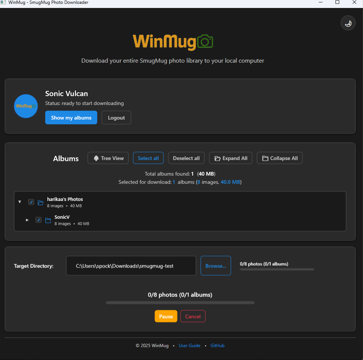
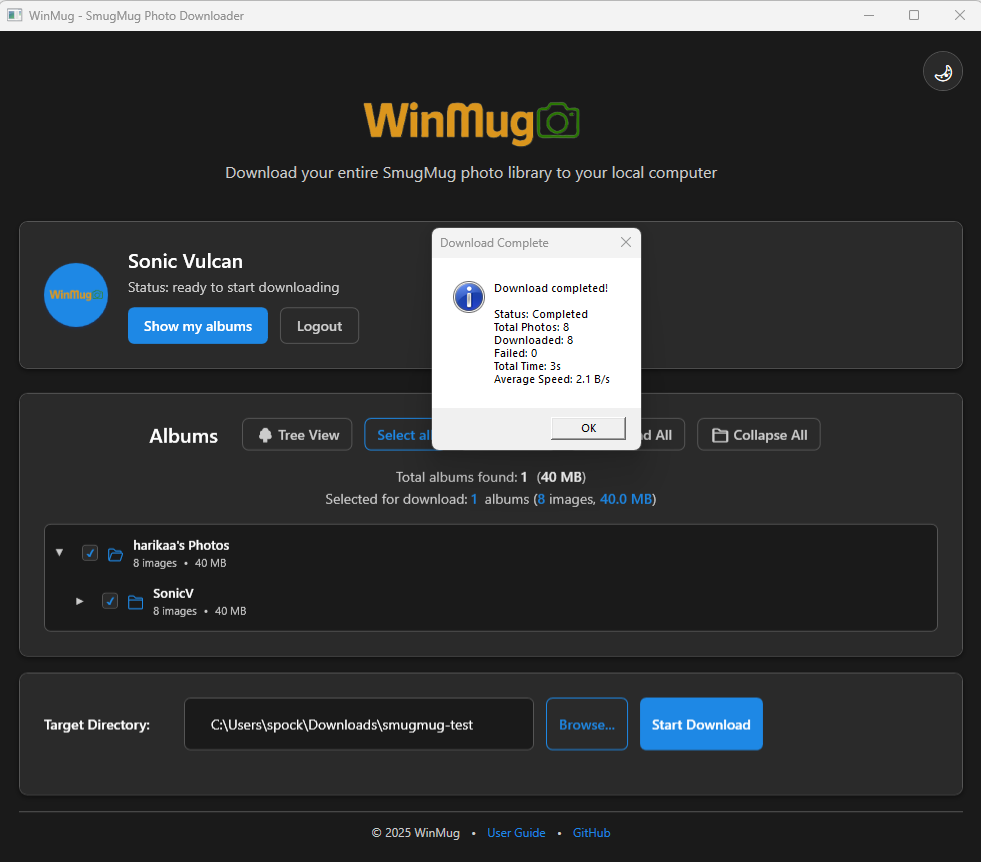
- Name WinMug
- Category Photo & video
- Developer YVCode Apps
- Available on PC, Mobile, Surface Hub
- OS Windows 10 version 17763.0 or higher
- Keyboard Integrated Keyboard
- Mouse Integrated Mouse
- Memory 8 GB
- languages English (United States)
Introducing WinMug: Your Windows-Friendly Mug Customizer
WinMug for Windows is a charming application designed to let users create personalized mug designs effortlessly. Whether you're looking for a unique gift idea or a fun way to showcase your personality, this app offers a simple yet versatile platform for customizing mug prints right from your desktop.
Meet the Developers and Main Features
Who's Behind WinMug?
Developed and published by YVCode Apps, a team dedicated to crafting user-centric and accessible creative tools for Windows. Their goal seems to be making personalization accessible to everyone, regardless of technical skill.
Key Highlights of WinMug
- Intuitive Design Customization: Easily upload images, add text, and select colors with a user-friendly interface.
- Preview & Print-Ready Output: View a real-time preview of your mug design before ordering or saving.
- Multiple Templates & Styles: Offers various layout options to suit different aesthetic preferences.
- High-Resolution Export: Ensures your designs are sharp and print-quality, ready for professional reproduction.
The main target audience includes hobbyists, small business owners, or anyone interested in personalizing mugs, especially those who appreciate a straightforward tool without the complexity of advanced graphic design software.
A Fun and Friendly Introduction to WinMug
Imagine a cozy workshop where you can craft your perfect mug design without breaking a sweat — that's what WinMug promises. Whether you're preparing for a special occasion, creating customized gifts, or simply indulging in a bit of creative venting, this app feels like your new best friend in the realm of personalization. Its straightforward approach invites users of all skill levels to unleash their imagination, transforming simple images and phrases into charming, professional-looking mug prints. It's the kind of app that makes you feel like a designer, even if you've never held a graphics tablet in your life.
Core Features in Detail
Seamless Customization Experience
WinMug's primary attraction lies in its ease of use. The interface is designed to be both welcoming and efficient, with drag-and-drop functionalities and clear icons. Uploading your favorite photos or adding text is as simple as clicking a button, and the app's layout ensures that you're never overwhelmed. Real-time previews help you adjust placements and colors instantly, enabling you to see how your finished product will look. This instant feedback loop nurtures creativity while eliminating the frustration often associated with more complex tools.
Template Variety and Flexibility
One of WinMug's standout features is its collection of templates and style options. Whether you prefer a minimalist look or a vibrant, energetic design, the app offers enough templates to inspire you. The flexibility to customize these templates—changing fonts, colors, and images—makes each mug truly unique. Such versatility really sets WinMug apart from more static design apps, aligning perfectly with casual users and small entrepreneurs alike who want a quick yet professional-looking result.
High-Quality Output and Printing Readiness
After crafting your masterpiece, exporting a high-resolution image is key. WinMug delivers sharp, print-ready images that can be easily sent to professional printing services or used for personal printing at home. The clarity and detail maintained in the export process give users confidence that their designs will look just as good in print as on their screen. This focus on quality is a crucial feature in differentiating WinMug from simpler, low-resolution online editors.
User Experience & Comparisons
In terms of user experience, WinMug excels with its straightforward workflow and clean layout. It does not overwhelm with endless options but provides enough customization to satisfy most casual users. The learning curve is gentle—perfect for those new to digital design—and the interface's clarity ensures that users can focus on their creative process without disruptions.
Compared to other photo and video applications, what truly makes WinMug stand out is its dedicated focus on one niche—mug design—paired with a simple, intuitive interface. Unlike comprehensive editing suites that cater to complex projects, WinMug hones in on delivering a smooth, distraction-free experience specifically targeting personalized mug creation. Its specialization means fewer confusing features and more focus on what matters: creating a meaningful, attractive design quickly and efficiently.
Final Thoughts: Is WinMug Worth a Try?
All things considered, WinMug is a delightful, user-friendly solution for anyone interested in customizing mugs without diving into complicated software. Its standout features—intuitive design tools and high-quality exports—make it ideal for hobbyists and small businesses alike. I'd recommend giving it a shot if you value simplicity paired with professional-looking results, especially for small batch or one-off projects. For those seeking a dedicated, approachable mug customization app, WinMug is certainly worth exploring.
Pros
- Intuitive User Interface
- Good Customization Options
- Fast Performance
- Regular Updates
- Rich Content Library
Cons
- Limited Free Content
- Occasional App Crashes
- In-app Ads in Free Version
- Customization Options Could Be More Extensive
- Sparse Help Documentation











