

- Name Webcam Surveyor
- Category Photo & video
- Available on PC
- OS Windows 10 version 0.0 or higher
- Keyboard Integrated Keyboard
- Mouse Integrated Mouse
- Memory 300 MB
- DirectX Version 9
- languages Arabic, Bulgarian, Bulgarian, Chinese (Simplified), Chinese (Simplified) (China), Croatian, Croatian (Bosnia and Herzegovina), Croatian, English, English (Bulgaria), English (United States), French, German, German (Austria), German, German (Liechtenstein), German (Luxembourg), German (Switzerland), Hebrew, Hebrew, Hungarian, Hungarian, Italian, Italian, Italian (Switzerland), Norwegian, Norwegian (Bokmål), Norwegian (Bokmål), Norwegian (Nynorsk), Norwegian (Nynorsk), Norwegian (Bokmål), Portuguese, Portuguese (Brazil), Portuguese (Portugal), Russian, Russian (Armenia), Russian (Belarus), Russian (Kazakhstan), Russian, Russian (Ukraine), Serbian, Spanish, Spanish (Åland Islands), Spanish (Albania), Spanish (American Samoa), Spanish (Americas), Spanish (Andorra), Spanish (Angola), Spanish (Anguilla), Spanish (Antarctica), Spanish (Antigua and Barbuda), Spanish (Argentina), Spanish (Aruba), Spanish (Azerbaijan), Spanish (Bahamas, The), Spanish (Barbados), Spanish (Belize), Spanish (Benin), Spanish (Bermuda), Spanish (Bhutan), Spanish (Bolivia), Spanish (Bonaire, Saint Eustatius and Saba), Spanish (Bosnia and Herzegovina), Spanish (Botswana), Spanish (Bouvet Island), Spanish (British Indian Ocean Territory), Spanish (British Virgin Islands), Spanish (Brunei), Spanish (Burkina Faso), Spanish (Burundi), Spanish (Cameroon), Spanish (Canada), Spanish (Cape Verde), Spanish (Cayman Islands), Spanish (Central African Republic), Spanish (Chad), Spanish (Chile), Spanish (Christmas Island), Spanish (Cocos (Keeling) Islands), Spanish (Colombia), Spanish (Comoros), Spanish (Congo (DRC)), Spanish (Congo), Spanish (Cook Islands), Spanish (Costa Rica), Spanish (Côte d'Ivoire), Spanish (Cuba), Spanish (Curaçao), Spanish (Djibouti), Spanish (Dominica), Spanish (Dominican Republic), Spanish (Ecuador), Spanish (El Salvador), Spanish (Equatorial Guinea), Spanish (Eritrea), Spanish (EU), Spanish (Falkland Islands (Islas Malvinas)), Spanish (Faroe Islands), Spanish (Fiji), Spanish (French Guiana), Spanish (French Polynesia), Spanish (Gabon), Spanish (Gambia, The), Spanish (Georgia), Spanish (Ghana), Spanish (Gibraltar), Spanish (Greenland), Spanish (Grenada), Spanish (Guadeloupe), Spanish (Guam), Spanish (Guatemala), Spanish (Guernsey), Spanish (Guinea-Bissau), Spanish (Guinea), Spanish (Guyana), Spanish (Haiti), Spanish (Heard Island and McDonald Islands), Spanish (Honduras), Spanish (Jamaica), Spanish (Jersey), Spanish (Kiribati), Spanish (Kyrgyzstan), Spanish (Laos), Spanish (Latin America), Spanish (Lesotho), Spanish (Liberia), Spanish (Libya), Spanish (Macao SAR), Spanish (Madagascar), Spanish (Malawi), Spanish (Maldives), Spanish (Mali), Spanish (Marshall Islands), Spanish (Martinique), Spanish (Mauritius), Spanish (Mayotte), Spanish (Mexico), Spanish (Micronesia), Spanish (Moldova), Spanish (Monaco), Spanish (Mongolia), Spanish (Montserrat), Spanish (Mozambique), Spanish (Myanmar), Spanish (Namibia), Spanish (Nauru), Spanish (New Caledonia), Spanish (Nicaragua), Spanish (Niger), Spanish (Niue), Spanish (Norfolk Island), Spanish (Northern Mariana Islands), Spanish (Palau), Spanish (Palestinian Authority), Spanish (Panama), Spanish (Papua New Guinea), Spanish (Paraguay), Spanish (Peru), Spanish (Pitcairn Islands), Spanish (Puerto Rico), Spanish (Reunion), Spanish (Rwanda), Spanish (Saint Barthélemy), Spanish (Saint Helena, Ascension and Tristan da Cunha), Spanish (Saint Kitts and Nevis), Spanish (Saint Lucia), Spanish (Saint Martin (French Part)), Spanish (Saint Pierre and Miquelon), Spanish (Saint Vincent and the Grenadines), Spanish (Samoa), Spanish (San Marino), Spanish (São Tomé and Príncipe), Spanish (Senegal), Spanish (Seychelles), Spanish (Sierra Leone), Spanish (Sint Maarten (Dutch Part)), Spanish (Solomon Islands), Spanish (Somalia), Spanish (South Georgia and the South Sandwich Islands), Spanish (Spain), Spanish (Suriname), Spanish (Svalbard and Jan Mayen), Spanish (Swaziland), Spanish (Tajikistan), Spanish (Tanzania), Spanish (Timor-Leste), Spanish (Togo), Spanish (Tokelau), Spanish (Tonga), Spanish (Turks and Caicos Islands), Spanish (Tuvalu), Spanish (U.S. Minor Outlying Islands), Spanish (U.S. Virgin Islands), Spanish (Uganda), Spanish (United States), Spanish (Uruguay), Spanish (Vanuatu), Spanish (Holy See (Vatican City)), Spanish (Venezuela), Spanish (Wallis and Futuna), Spanish (Zambia), Spanish (Zimbabwe), Turkish, Turkish, Romanian, Romanian
Unlocking Your Webcam's Potential with Webcam Surveyor for Windows
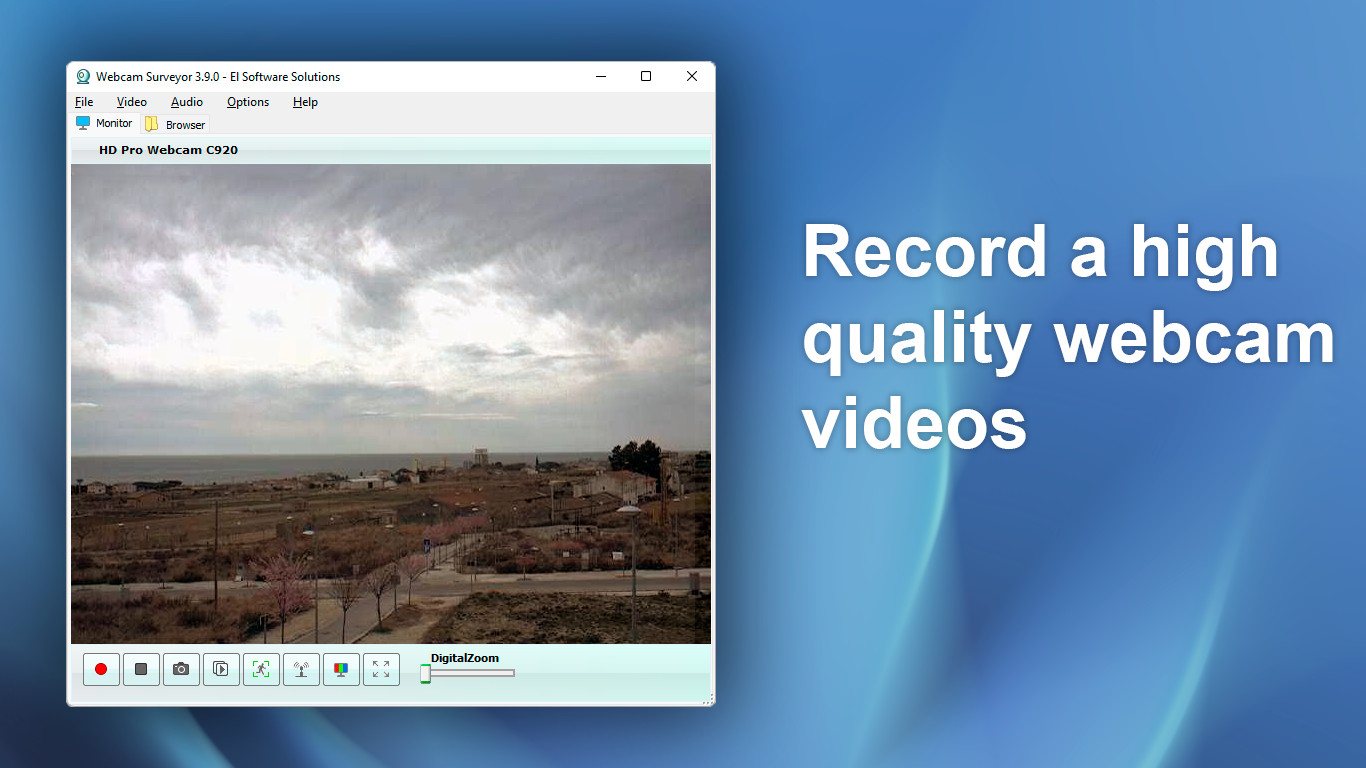
If you've ever felt limited by your standard webcam setup or wanted more control over your video recordings, Webcam Surveyor offers a surprisingly powerful toolkit wrapped in an intuitive interface. Developed by El Software Solutions, this application aims to serve both casual users and professionals who need more features than the typical webcam software provides. Whether monitoring a home security setup or capturing high-quality footage for projects, this app positions itself as a versatile companion for Windows users.
A Closer Look at the Developer and Core Features
El Software Solutions is known for crafting utility-focused applications aimed at enhancing everyday digital interactions. Their expertise shines through in Webcam Surveyor, which introduces several noteworthy features:
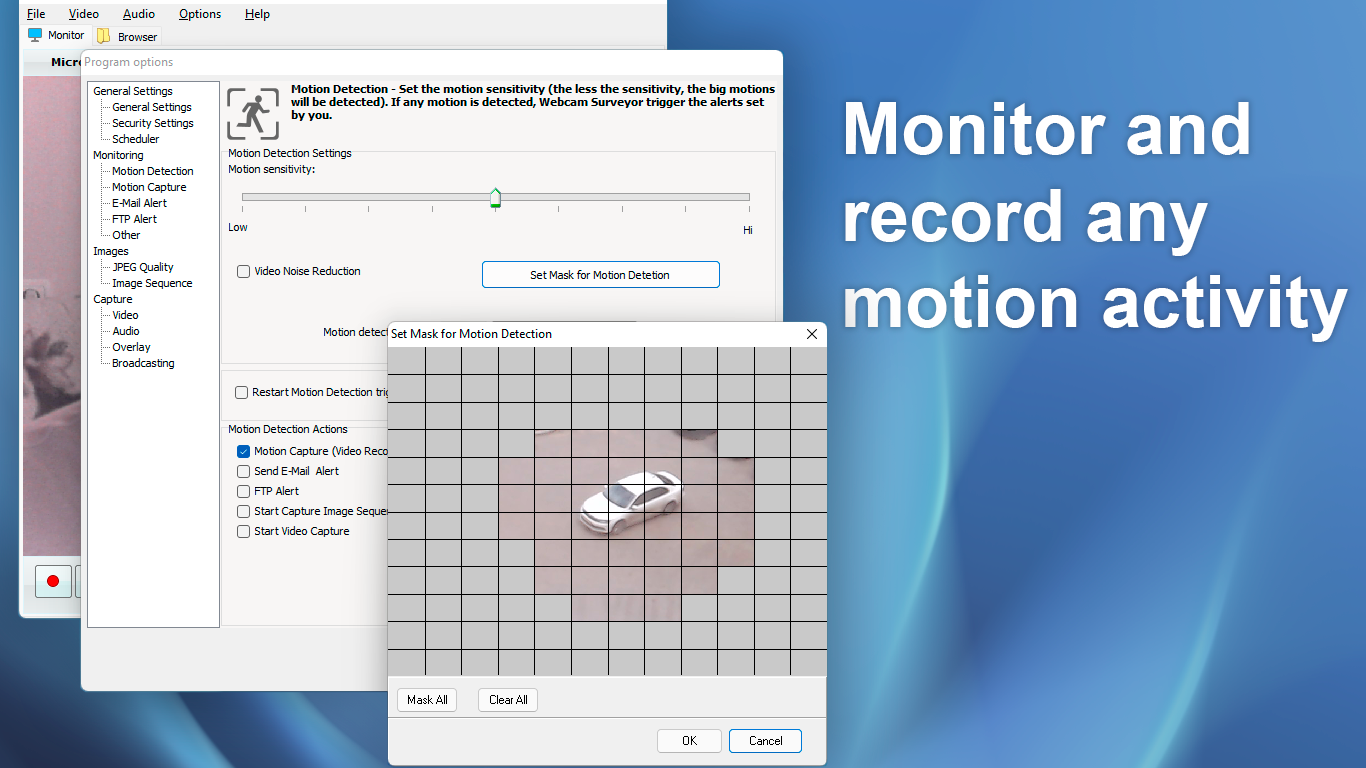
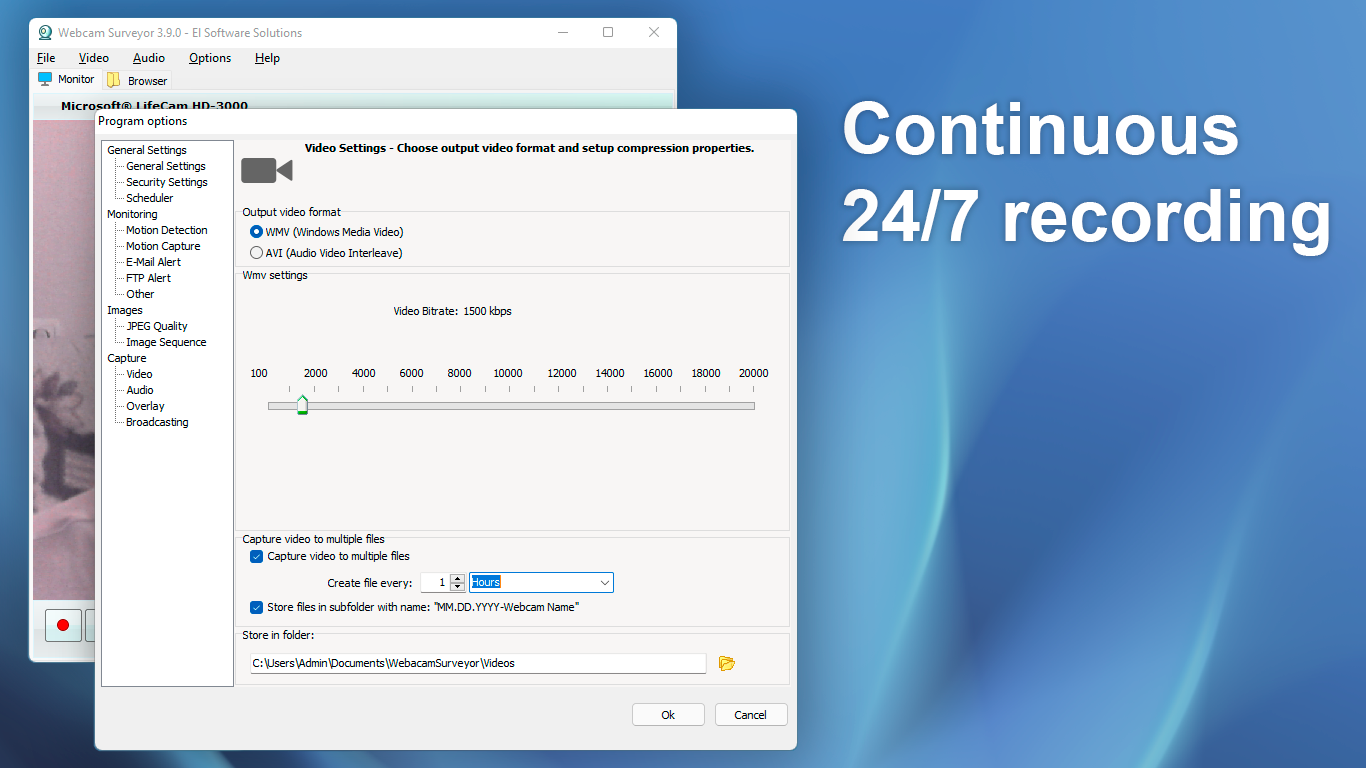
- Multi-Mode Recording and Monitoring: Supports both continuous recording and motion detection, adapting to various surveillance needs.
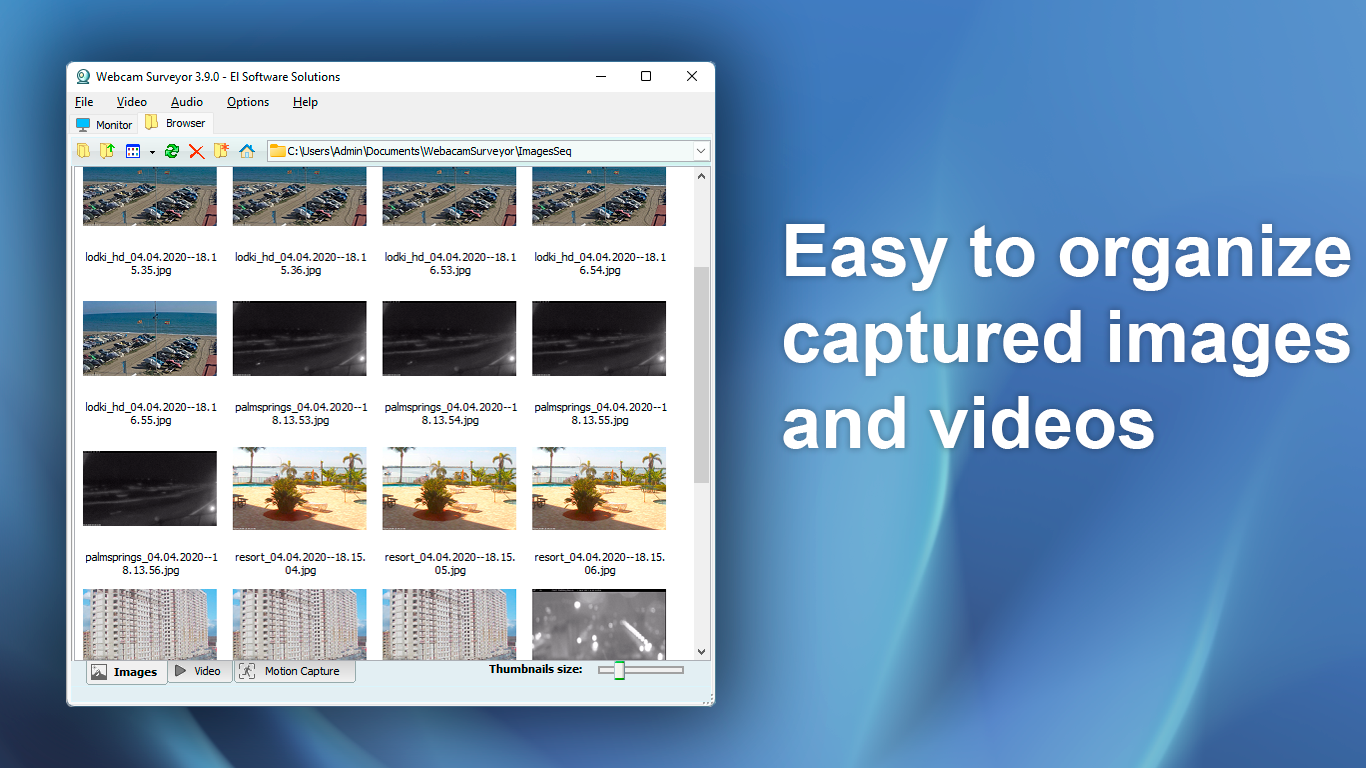
- Advanced Image Processing: Offers tools like timestamp overlays, image snapshots, and video annotations to customize recordings.
- Flexible Camera Management: Easily connects multiple webcams and provides granular control over camera settings such as focus, brightness, and contrast.
- Remote Access Capabilities: Enables remote monitoring, making it suitable for home security or remote surveillance.
Designed primarily for users seeking a comprehensive webcam monitoring solution, it appeals to hobbyists, small business owners, and security-conscious individuals alike.
A Vibrant Dive into Features and User Experience
Stepping into the World of Webcam Monitoring
From the moment you launch Webcam Surveyor, it feels like stepping into a control room—sleek, organized, and ready to handle multiple tasks. The interface strikes a balance between professional controls and user-friendly layouts, somewhat akin to a cockpit dashboard. Navigation feels intuitive, even for those who aren't tech wizards, thanks to thoughtfully grouped functions and helpful icons. The app's responsiveness is impressive: switching between modes, adjusting settings, or previewing footage happens seamlessly, fostering a smooth user experience that doesn't distract with lag or confusion.
Core Functionalities That Stand Out
- Motion Detection & Recording: The core strength of Webcam Surveyor is its reliable motion detection. Once set, it actively monitors the scene, triggering recordings only when movement occurs. This feature is akin to a vigilant security guard—alert, precise, and energy-efficient—saving storage and time. Users can fine-tune sensitivity levels and designate specific areas to monitor, making it adaptable to various environments—whether it's a cozy home or a busy storefront.
- Custom Overlays and Annotations: Unlike many monitoring tools, Webcam Surveyor allows users to overlay timestamps, labels, or custom text directly onto video feeds. This is particularly useful for documentation and evidence gathering, turning mundane recordings into professional, timestamped logs. Imagine reviewing footage with annotations highlighting important moments—it's as if you've got a digital notebook attached to your recordings.
- Multi-Camera Control & Remote Access: Managing multiple webcams from a single interface provides a panoramic view of your monitoring setup. Additionally, the remote access feature means you can keep an eye on things from anywhere, transforming your local webcam into a portable surveillance station. This level of flexibility is ideal for remote monitoring scenarios, setting it apart from more static webcam apps.
Evaluating User Experience and Unique Selling Points
The design of Webcam Surveyor is thoughtful, with a clear layout that minimizes the learning curve. It feels like navigating a well-organized control panel instead of puzzling through cluttered menus. The app's performance is generally smooth, with quick response times and stable operations, which are crucial when relying on it for security or urgent recordings.
Compared to other Webcam & Video applications, Webcam Surveyor's unique advantage lies in its dual focus on surveillance and customization. Its ability to overlay annotations directly onto videos and manage multiple cameras simultaneously are features that are often missing in competing applications. Think of it as a Swiss Army knife for webcam monitoring, offering both the robustness of security features and the flexibility of creative annotations.
Recommendation and Usage Tips
Overall, Webcam Surveyor earns a solid recommendation for users seeking an all-in-one webcam solution with a focus on surveillance and documentation. For casual users, the interface provides enough guidance to set up basic monitoring quickly. For more advanced users, the extensive controls on motion detection, camera management, and overlay customization unlock considerable potential.
If your primary need is straightforward video recording or streaming, other simpler tools might suffice. But if you're interested in creating a customizable, multi-camera surveillance setup with annotations and remote monitoring, Webcam Surveyor is a reliable choice. My advice is to spend some time exploring its features and fine-tuning the settings to match your environment—this app's true strength lies in its flexibility. With patience, you'll find it transforms your webcam into a professional monitoring station—without the steep learning curve.
Pros
- User-friendly interface
- Advanced recording features
- Multiple camera support
- Motion detection and alerts
- Flexible video playback
Cons
- Limited compatibility with some third-party webcams
- Steep learning curve for beginners
- Occasional software crashes during recording
- Limited editing and sharing capabilities
- Requires a relatively powerful PC for smooth operation











