

- Name Video screen saver
- Category Photo & video
- Developer Kenji
- Available on PC
- OS Windows 10 version 17763.0 or higher
- languages English (United States)
Transform Your Windows Screen into a Dynamic Visual Wonderland
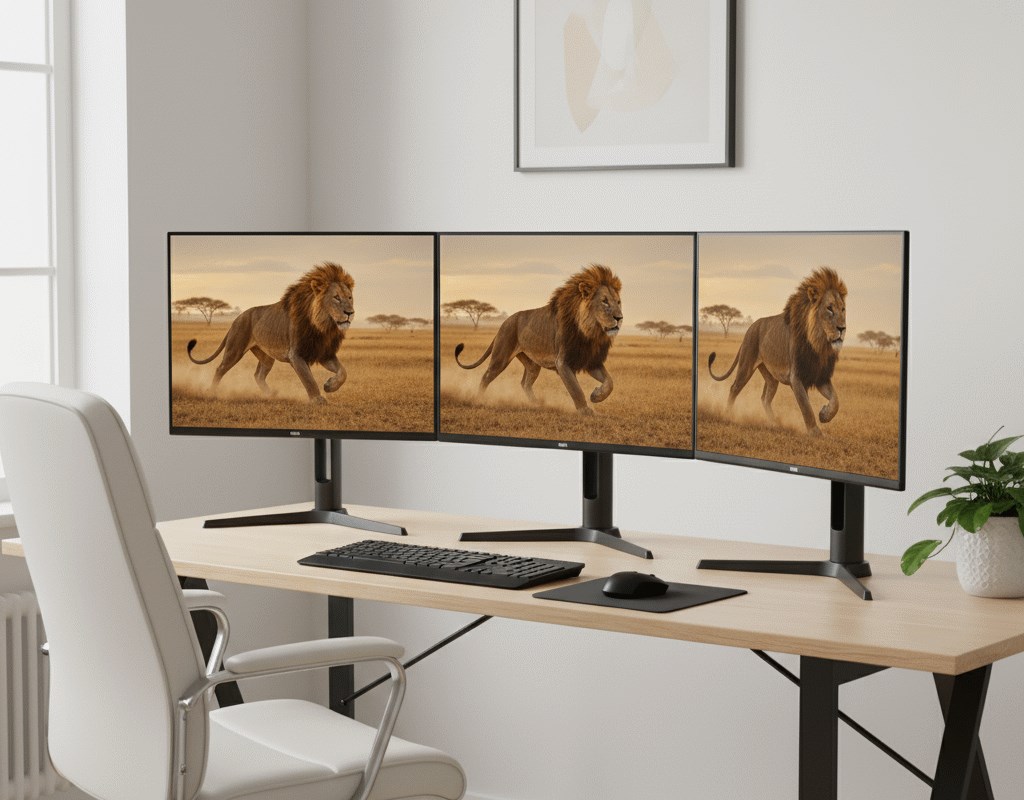
Video Screen Saver for Windows, developed and published by Kenji, promises to turn your mundane desktop into a captivating visual experience with stunning video backgrounds. It's perfect for those who want a lively, constantly changing backdrop without the complexity of traditional wallpapers or screensavers.
Elegant Simplicity Meets Rich Visual Content
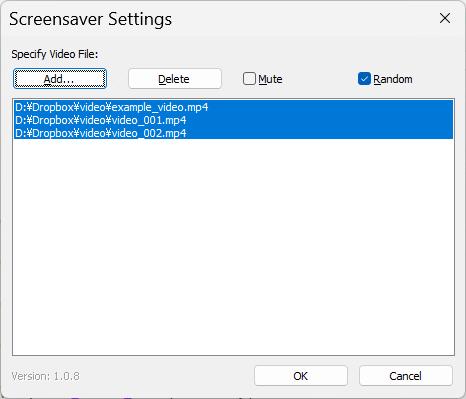
The app boasts a user-friendly interface that makes setting up mesmerizing videos on your screen straightforward and hassle-free. With a sleek design inspired by modern aesthetics, it ensures that even novices can quickly customize their screensavers with minimal effort. The main attraction is its curated library of high-quality videos that breathe life into your desktop environments.
Core Functionality Highlights
- Vast Video Library: Kenji offers a curated collection of looping videos that serve as engaging backgrounds. From serene landscapes to abstract art, this library aims to cater to diverse tastes, letting you pick a video that resonates with your mood.
- Seamless Video Playback: The app provides smooth, glitch-free video playback, ensuring your screensaver runs flawlessly. It's optimized to minimize CPU usage, meaning it won't bog down your system performance while delivering stunning visuals.
- Customizable Activation Settings: Users can choose whether the video screensaver activates after periods of inactivity, during specific time frames, or manually. This flexibility makes it adaptable to various work and leisure scenarios.
- High-quality video playback
- Wide variety of video options
- Easy to customize
- User-friendly interface
- Lightweight application
- Limited free content
- Limited customization options
- occasional stability issues
- Ads in free version
- Limited settings for sleep mode
Intuitive User Experience and Design
Navigating Video Screen Saver for Windows feels like flipping through a well-organized visual library. Its interface is minimalist but thoughtfully designed, with large preview thumbnails and simple controls that make customization a breeze. The app responds swiftly to user inputs, providing a smooth setup process that feels almost instinctive.
From a usability standpoint, the learning curve is gentle. Even users unfamiliar with screensavers or video backgrounds will find it easy to get started. Switching between different videos, adjusting playback settings, or previewing changes happens in real time, adding to the app's overall accessibility.
What Sets It Apart from Other Photo & Video Apps?
Unlike typical photo or video apps that focus on static images or media sharing, Video Screen Saver for Windows emphasizes creating an immersive environment directly on your desktop. Its particular strength lies in its ability to deliver large, high-quality videos seamlessly integrated into your workspace. Furthermore, the app's focus on lightweight operation and system optimization ensures that it doesn't compromise your device's performance, a common concern with more resource-intensive video applications.
Another standout feature is the curated video library tailored specifically for screensavers, which is rare among other general media apps. This targeted approach provides users with readily available, high-quality visual content designed specifically for background display, setting this app apart from more generic media players or editing tools.
Final Thoughts & Recommendations
I see Video Screen Saver for Windows as a solid choice for users seeking to elevate their desktop aesthetics with minimal fuss. It's well-suited for individuals who value visual appeal and want a touch of dynamism on their screens without complex setup procedures. For those tired of static wallpapers or standard screensavers, this app offers a refreshing alternative—bringing calming landscapes or engaging abstracts right to your workspace.
While it's a relatively straightforward application, its focus on high-quality video playback, ease of use, and a curated content library makes it a compelling option. I recommend giving it a try if you're interested in a beautiful, customizable visual environment that integrates smoothly with your Windows PC. Overall, it's a practical yet delightful way to make your screens come alive—without sacrificing system performance or usability.











