

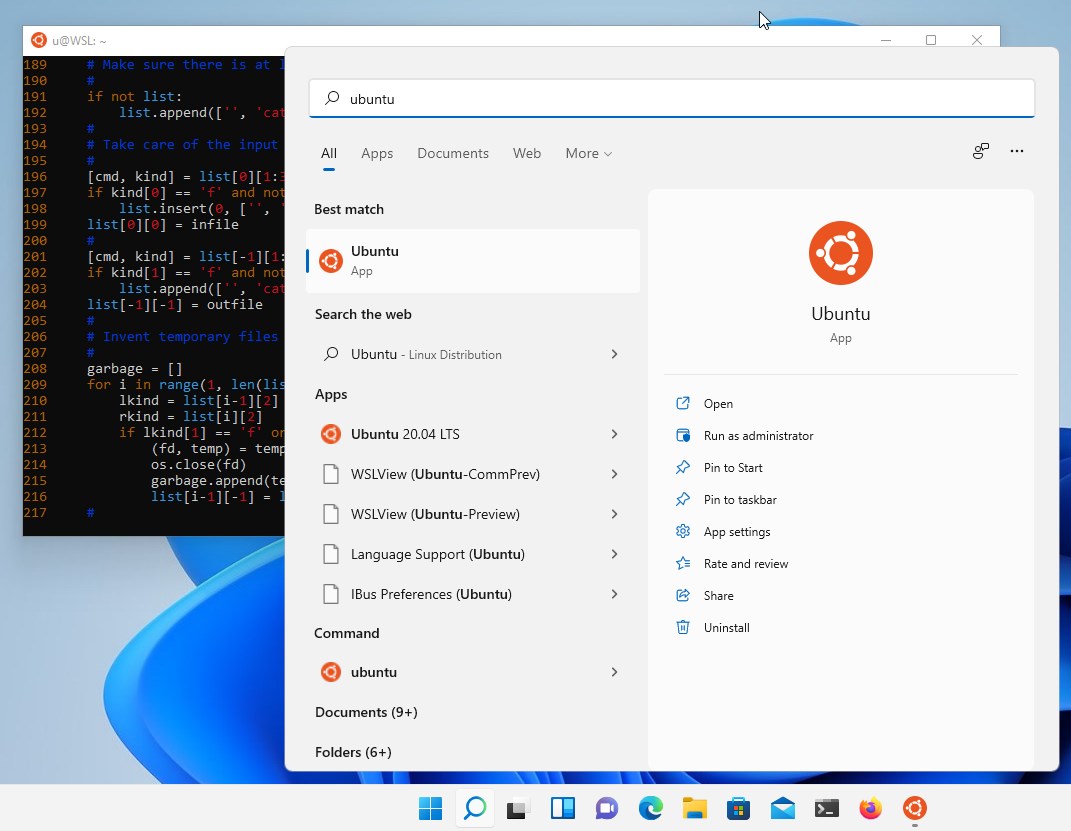
- Name Ubuntu
- Category Developer tools
- Developer Canonical Ltd. and the OpenSource community
- Available on PC
- OS Windows 10 version 16215.0 or higher
- Keyboard Integrated Keyboard
- Memory 4 GB
- languages English (United States)
Introducing Ubuntu for Windows: A Seamless Linux Experience on Your Desktop
Ubuntu for Windows, developed by Canonical Ltd. in collaboration with the open-source community, offers a robust and streamlined way to run a full Ubuntu Linux environment directly within Windows. It bridges the gap between Windows users and the power of Linux, making development, scripting, and system management more accessible than ever before.
What Makes Ubuntu for Windows Stand Out?
With its core focus on simplicity and performance, Ubuntu for Windows introduces several compelling features:
- Native Linux Environment Integration: It provides a genuine Ubuntu shell without the need for dual booting or virtualization, ensuring close-to-native performance.
- Ease of Setup and Use: Installation is straightforward via the Microsoft Store with minimal configuration, empowering users with limited Linux experience.
- Access to Extensive Package Repositories: Users can leverage Ubuntu's vast repository system to install and manage countless open-source tools effortlessly.
- Windows-Subsystem-Aware Compatibility: Deep integration allows seamless file sharing between Windows and Linux, plus access to Windows tools from within Ubuntu.
Targeted at developers, sysadmins, and curious tech enthusiasts, Ubuntu for Windows caters to users seeking the power of Linux without leaving their Windows environment behind.
A Fun Jump into the Linux World: Setting the Stage
Imagine you're a Windows user who's heard about the magic of Linux but hesitated to dive into its world due to setup hassles. Now, picture opening the Microsoft Store and instantly launching an Ubuntu terminal that feels as natural as opening Command Prompt—this is exactly what Ubuntu for Windows offers. It's like adding a secret passage to the Linux domain, right within your familiar Windows castle. Whether you're scripting in Bash, managing servers, or just exploring open-source software, this app transforms your workflow into an effortless journey through the Linux landscape.
Core Functionality Deep Dive: Power and Simplicity Combined
Seamless Linux Integration & Package Management
One of Ubuntu for Windows' most compelling features is its ability to run a genuine Ubuntu environment side-by-side with Windows. Thanks to Windows Subsystem for Linux (WSL) 2, it delivers near-native speed and compatibility. Installing new packages feels just like working on an Ubuntu machine—quick, intuitive, and efficient. The availability of the apt package manager means you can install, upgrade, and manage a trove of open-source tools without leaving your Windows desktop. It's akin to having a miniature Linux server residing peacefully alongside your Windows apps.
Deep Windows-Linux Synergy
This app shines brightest in how it effortlessly bridges the Windows and Linux worlds. Files stored in Windows folders can be accessed from within the Linux environment with straightforward paths, making cross-platform workflows a breeze. Commands can be run across both systems, and scripts that require access to Windows data can be executed without complicated configurations. This symbiosis is much like having a bilingual assistant who effortlessly translates between two languages, making your tech tasks much smoother.
User Experience: Friendly, Intuitive, Yet Powerful
From the moment you launch Ubuntu for Windows, it's designed to feel familiar yet potent. Its interface is clean, minimalistic, and free of clutter—much like a well-organized toolbox. The command-line interface runs smoothly without noticeable lag, and even newcomers can pick it up quickly thanks to clear documentation and straightforward commands. While Linux can sometimes appear intimidating, Ubuntu for Windows simplifies the initial steps, reducing the learning curve for Windows users venturing into Linux territory.
What Sets It Apart from Competitors?
Compared to virtualization solutions like VMs or dual-boot configurations, Ubuntu for Windows offers a lightweight and resource-efficient alternative that integrates seamlessly into Windows. Unlike traditional Linux distributions installed from scratch or dual-booted, it doesn't require partitioning or complex setups; it's as simple as downloading an app. Furthermore, its tight integration with Windows allows tools like PowerShell or Windows Explorer to work hand-in-hand with Linux commands, creating a cohesive, unified environment. This unique blend of simplicity, speed, and integration makes Ubuntu for Windows an attractive choice for users who want Linux capabilities without the overhead of virtualization or dual-booting.
Final Thoughts: To Recommend or Not?
If you're a Windows user curious about Linux or need a reliable environment for development and scripting, Ubuntu for Windows is a highly recommended tool. Its ease of installation, genuine Linux experience, and deep Windows compatibility make it stand out in the crowded field of cross-platform solutions. For beginners, it offers a manageable entry point with enough power for advanced users to leverage most Linux features without switching environments. I'd suggest trying it out if you're aiming to expand your toolkit with minimal hassle—it's like adding a Swiss Army knife to your Windows setup, ready to assist whenever needed.
Pros
- Seamless integration with Windows
- Easy installation process
- Full Linux command-line support
- Automatic file system access
- Regular updates and improvements
Cons
- Limited graphical interface support
- Performance depends on system resources
- Network compatibility issues
- Limited support for some hardware peripherals
- Initial setup requires familiarity with command-line operations










