

- Name Ubuntu 24.04.1 LTS
- Category Developer tools
- Developer Canonical Ltd. and the OpenSource community
- Available on PC
- OS Windows 10 version 16215.0 or higher
- Keyboard Integrated Keyboard
- Memory 4 GB
- Mouse Not specified
- languages English (United States)
Introducing Ubuntu 24.04.1 LTS for Windows: A Seamless Linux Experience on Your Desktop
Ubuntu 24.04.1 LTS for Windows offers a robust, streamlined way to run the popular Linux distribution directly within the Windows ecosystem, bridging the gap between two worlds for developers, sysadmins, and tech enthusiasts alike.
Developer and Core Features
Developed collaboratively by Canonical Ltd. and the open-source community, this application aims to bring Ubuntu's reliable and user-friendly Linux environment to Windows users. Key highlights include simplified installation, native integration with Windows, and a full Ubuntu command-line experience that feels natural even for newcomers. Designed primarily for developers, IT professionals, and power users, it provides a versatile platform to compile, run, and manage Linux applications without dual-booting or virtualization.
A Fresh Take on Linux on Windows: A Fun and Practical Review
Imagine waking up to a house that's both modern and familiar — Ubuntu 24.04.1 for Windows is just that: a beautifully crafted bridge connecting the Windows world you know with the vibrant universe of Linux. Whether you're a developer eager to test cross-platform apps or a sysadmin managing remote Linux servers, this app promises to be your loyal assistant, all inside your Windows machine, without the hassle of setting up a separate machine or complex virtual machine configurations.
Core Functionality 1: Seamless Windows-Ubuntu Integration
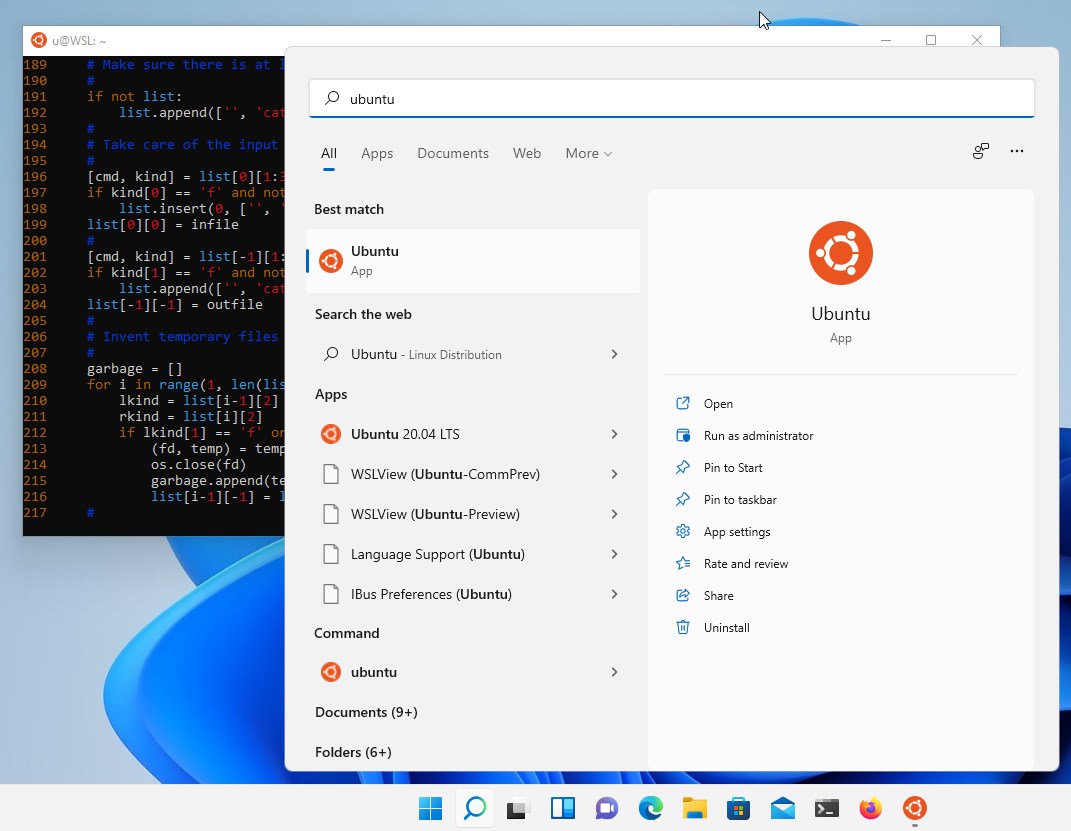
One of the standout features is how smoothly it integrates with Windows. Think of it as having a secret passage into Linux, accessible directly from your start menu or command prompt. You can invoke Ubuntu commands just as easily as Windows commands. The app's architecture leverages Windows Subsystem for Linux (WSL) 2, which provides near-native performance, making tasks like compiling code, running scripts, or managing Linux resources feel remarkably natural. The interface remains consistent and snappy, with a terminal that mimics familiar Linux environments, but with the comfort of Windows integration.
Core Functionality 2: User-Friendly and Customizable Environment
The app simplifies getting started with Linux. Upon installation, it provides an easy setup process with options to install common tools and packages. The Ubuntu environment is highly customizable—users can add software repositories, install programming languages, or configure desktop environments if needed. The terminal interface is clean and responsive, which makes command-line operations a pleasant experience rather than a chore. Its thoughtful design minimizes the learning curve, especially for those new to Linux but comfortable with Windows.
Outstanding User Experience and Unique Differentiators
Visually, the app adopts a sleek, modern aesthetic that aligns with Windows's style—no jarring interface shifts or confusing menus. The performance remains fluid, with commands executing swiftly, owing to the efficient WSL 2 backend. For users familiar with Linux, the ecosystem's flexibility shines through—custom scripts, aliases, and package management are all straightforward. For newcomers, the minimal fuss and well-structured setup make it accessible without overwhelming.
What really sets Ubuntu 24.04.1 for Windows apart from other developer tools is its native-like performance and stability combined with the benefit of Windows integration. Unlike traditional virtual machines, it doesn't require hefty resources and boots up almost instantly. Compared to other Linux-on-Windows solutions, Ubuntu's deep community support, regular updates, and official backing by Canonical ensure reliability and continuous improvements, making it a trustworthy choice.
Final Thoughts: A Solid Pick for Developers and Curious Users
In summary, Ubuntu 24.04.1 LTS for Windows is a well-rounded, user-centric way to explore Linux without stepping out of the Windows environment. Its standout features—especially the seamless integration and ease of setup—make it a valuable tool for anyone looking to leverage the best of both worlds. Whether you're testing software, running Linux-specific tools, or just curious about Linux, this app offers a practical, efficient gateway.
While it might not replace a dedicated Linux machine for all advanced tasks, it strikes a commendable balance between power and convenience. I recommend it particularly for developers who need a lightweight, reliable Linux environment on Windows, or for users eager to learn Linux fundamentals without a steep learning curve. Overall, consider giving it a try—you might find your new favorite tool for cross-platform workflows.
Pros
- Seamless integration with Windows Subsystem for Linux (WSL)
- Regular updates and security patches from Ubuntu 24.04.1 LTS
- Supports a wide range of Linux tools and packages
- Easy installation through the Microsoft Store
- Provides a lightweight and fast Linux environment
Cons
- Initial setup can sometimes be slow or encounter errors
- Limited GUI support for graphical Linux applications
- Certain hardware or driver issues may affect performance
- File system integration can sometimes be inconsistent
- Some advanced Linux features are not fully supported yet










