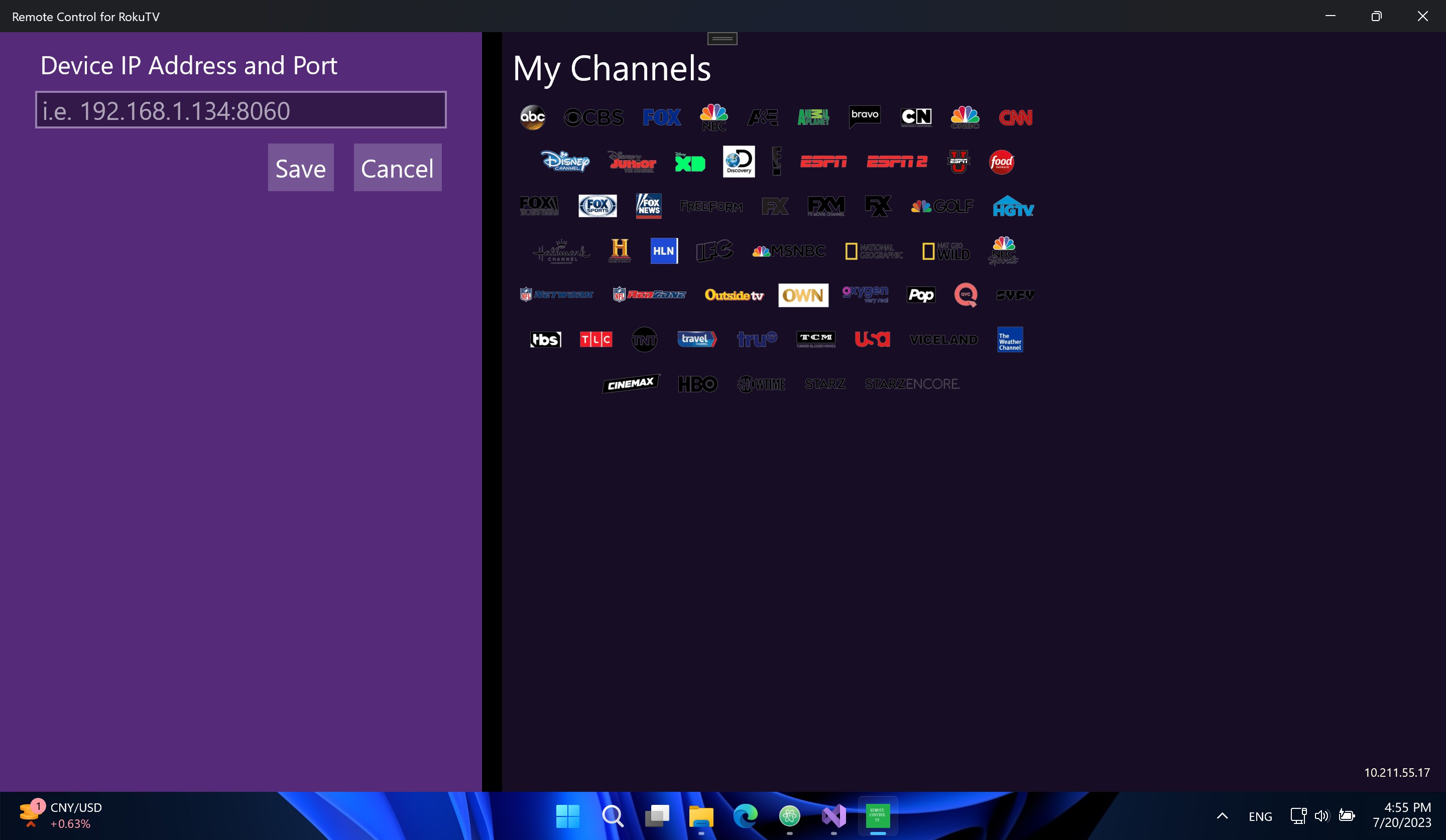
- Name Remote Control for RokuTV
- Category Lifestyle
- Available on PC, Mobile, Surface Hub, HoloLens
- OS Windows 10 version 16299.0 or higher
- languages English (United States)
A Handy Companion for RokuTV Users: Remote Control for RokuTV on Windows
If you're like many electronics enthusiasts, controlling your smart TV should be as seamless as flipping a switch—without the hassle of finding that elusive remote. That's where "Remote Control for RokuTV" for Windows comes in, promising a simple yet powerful way to turn your PC into an effective remote for your Roku TV. Developed by GoodmorningStudio, this app aims to bridge the gap between your computer and your living room entertainment, bringing convenience and control right to your fingertips.
Core Features That Stand Out
1. Universal Compatibility and Easy Setup
This application supports all RokuTV models, ensuring broad usability regardless of your device generation. Setting up is straightforward: connect your PC and RokuTV to the same Wi-Fi network, and the app automatically detects your device. No complicated configurations are needed, making it accessible even for tech novices.
2. Intuitive Remote Control Interface
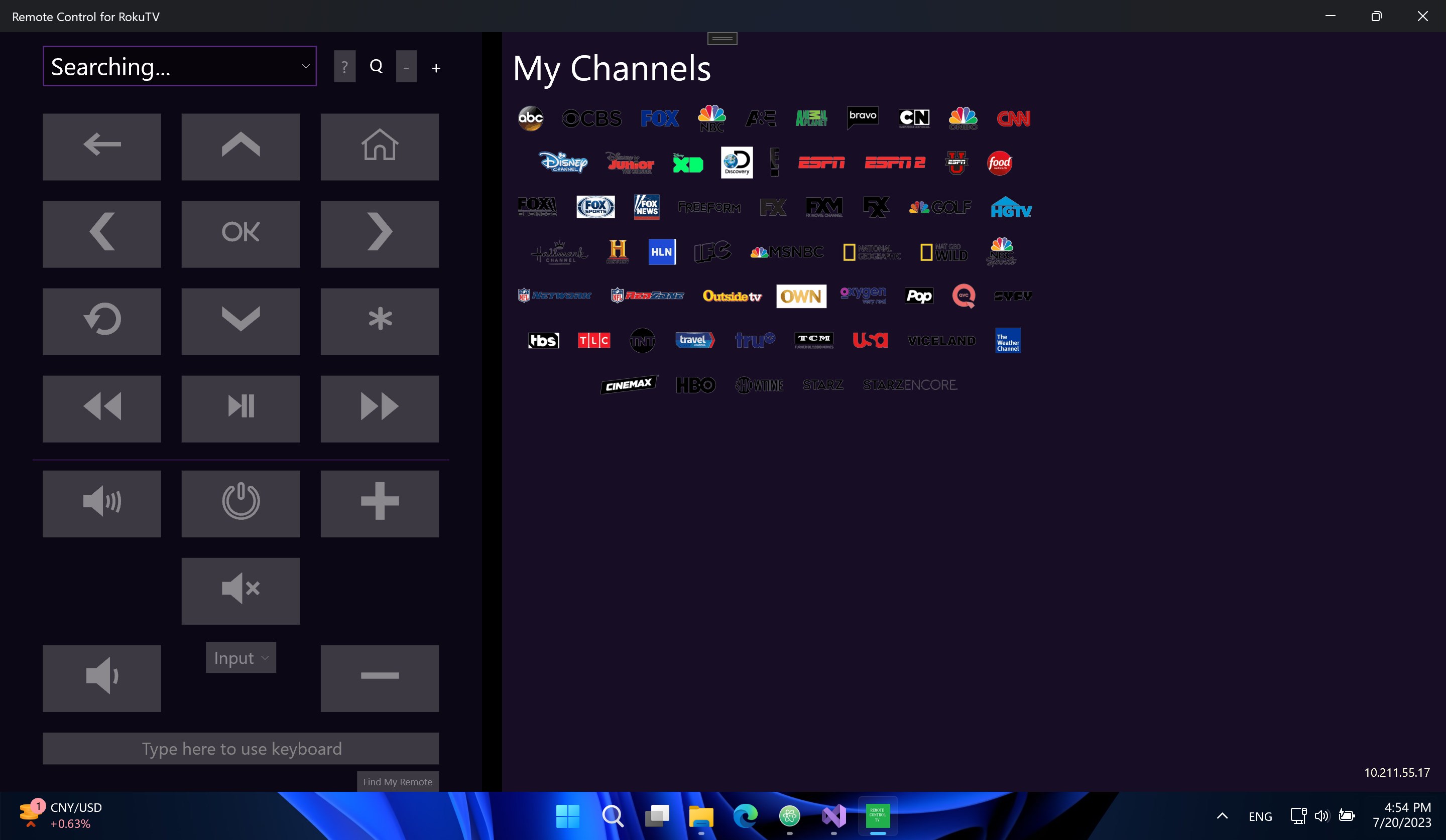
The app offers a clean, user-friendly interface that emulates the standard Roku remote. It features navigation arrows, volume controls, and quick access buttons for streaming apps like Netflix and Hulu. The interface's design mimics a traditional remote, so users can easily pick it up and immediately understand its functions—no steep learning curve here.
3. Additional Functionality and Customization
Beyond basic control, the app allows customization of buttons and even supports keyboard input for searching content or typing URLs. It also offers quick access to system settings and device info, giving tech-savvy users more granular control over their RokuTV environment. Plus, the app is lightweight and runs smoothly without hogging system resources or introducing noticeable lag.
Enjoying the Experience: User Interface and Usability
The application's user interface is designed with clarity and simplicity in mind. Navigating through options feels natural, akin to flipping through a familiar remote. Transition animations are smooth, and response times are minimal, giving users a near-instant control experience—much like having the physical remote right in your hand.
The learning curve is shallow, suitable for users of all ages and tech skills. Even first-time users will find it easy to connect and start controlling their RokuTV within a few minutes. The app's layout and responsiveness contribute to an overall satisfying experience, transforming your Windows device into a versatile remote control with minimal fuss.
Differentiation and Unique Selling Points
Unlike generic remote control apps, "Remote Control for RokuTV" by GoodmorningStudio emphasizes content authenticity and expert focus on user convenience. Its key differentiation lies in its automatic device detection and customizable interface, tailored specifically for RokuTVs—unlike broader lifestyle or universal remote apps that may lack deep integration. Moreover, the app's focus on responsiveness and minimal latency ensures a reliable experience that rivals using the physical remote, setting it apart from less optimized competitors.
Furthermore, this app acts as a mini control center—integrating system info and quick settings—adding layers of functionality that cater to both casual users and more tech-inclined enthusiasts who appreciate enhanced control over their devices. This targeted approach enhances content control credibility, providing users with a trustworthy tool for managing their entertainment environment from their PC.
Should You Try It? Recommendations for Use
Given its straightforward setup, responsive performance, and thoughtful design, "Remote Control for RokuTV" is a solid pick for anyone looking to streamline their streaming experience. It's especially recommended for users who frequently switch between their PC and RokuTV, or those who prefer navigating with a keyboard and mouse rather than a traditional remote.
While it may not replace all advanced remote functionalities (like voice commands or deep system controls), it covers essential functions with ease and reliability. For casual users seeking convenience and tech aficionados craving additional customization, this app is a commendable choice. I would recommend giving it a try if you're aiming for a more integrated and flexible entertainment setup at home.
Pros
- User-Friendly Interface
- Comprehensive Remote Control Features
- Seamless Connectivity
- Additional Features
- Compatibility
Cons
- Occasional Connectivity Drops
- Limited Customization Options
- Lag in Button Response
- No Voice Control Support
- App Size and Resource Usage