
- Name Diarium: Journal & Diary
- Category Lifestyle
- Developer Timo Partl
- Available on PC
- OS Windows 10 version 19041.0 or higher
- languages Arabic, Bulgarian, Catalan, Chinese (Simplified), Chinese (Traditional Chinese), Czech, Danish, Dutch, English (United States), Finnish, French, German, Greek, Hebrew, Hindi, Hungarian, Icelandic, Indonesian, Italian, Japanese, Korean, Lithuanian, Malay, Norwegian (Bokmål), Polish, Portuguese (Brazil), Portuguese (Portugal), Romanian, Russian, Slovak, Slovenian, Spanish, Swedish, Thai, Turkish, Ukrainian
Diarium: Journal & Diary for Windows — Your Digital Canvas for Personal Reflection
Diarium offers a sleek and versatile journaling experience designed for Windows users seeking a reliable digital diary that combines simplicity with powerful features. Whether you're jotting down daily thoughts or maintaining a detailed personal archive, Diarium positions itself as a trusted companion in your self-expression journey.
About the Developer and Core Features
Developed by Timo Partl, Diarium is a product of dedicated craftsmanship aimed at transforming the traditional journaling process into an engaging digital activity. The app's main highlights include:
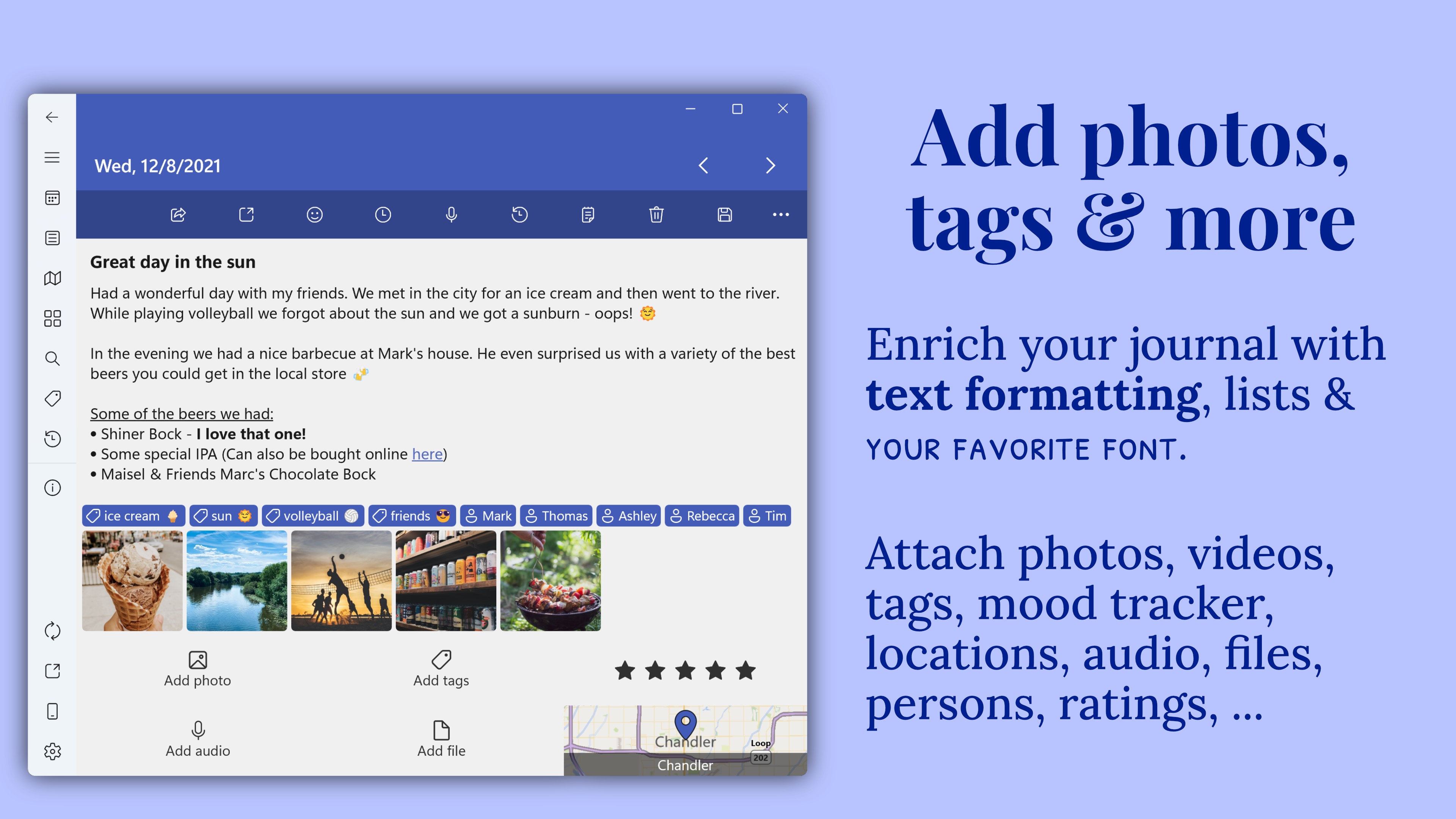
- Rich Text and Multimedia Support: Seamlessly integrate images, audio recordings, and links within your journal entries, turning simple logs into multimedia-rich narratives.
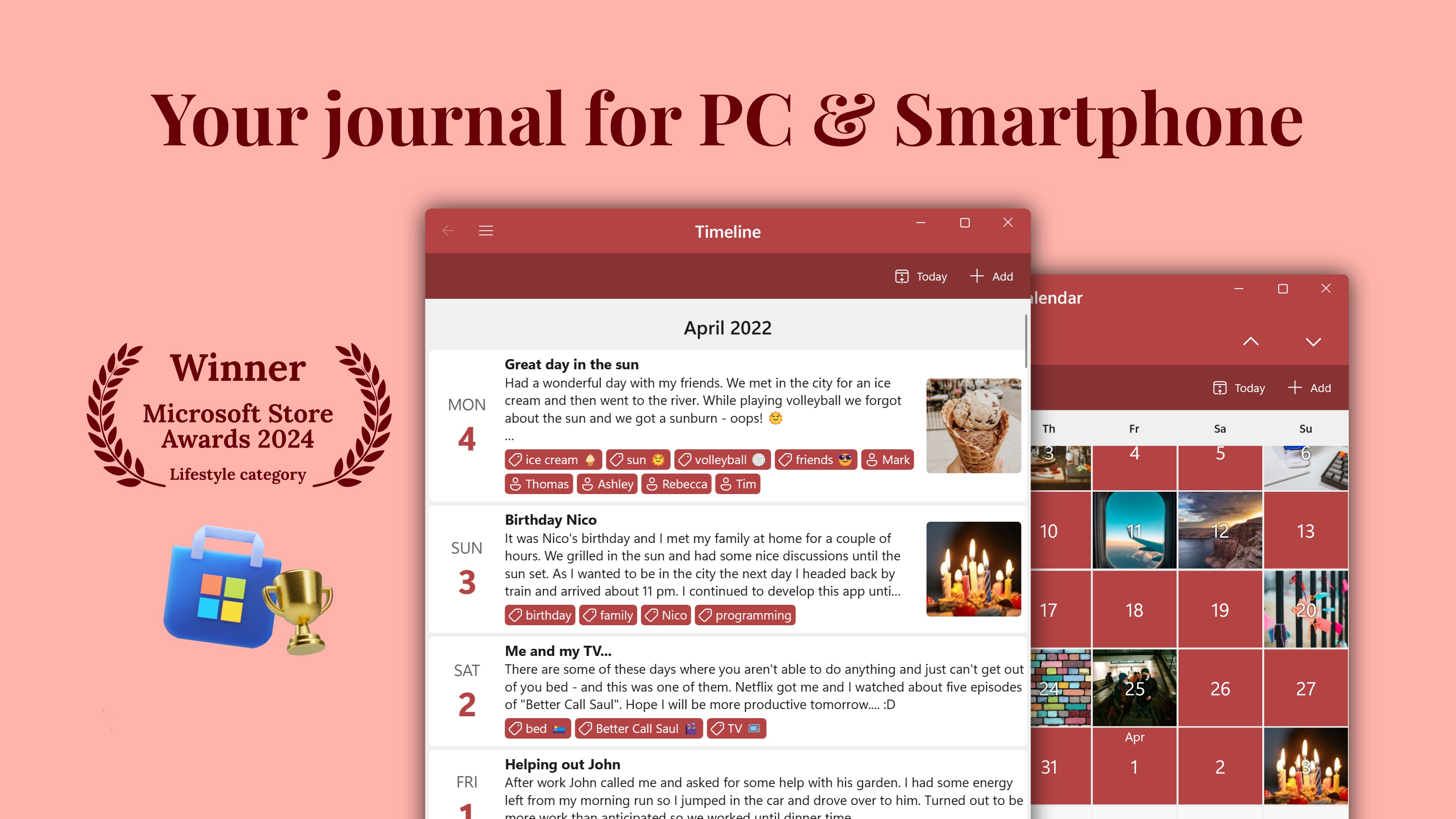
- Intelligent Organization: Tags, categories, and scheduled entries make it effortless to organize and revisit past thoughts, creating a personalized mental map.
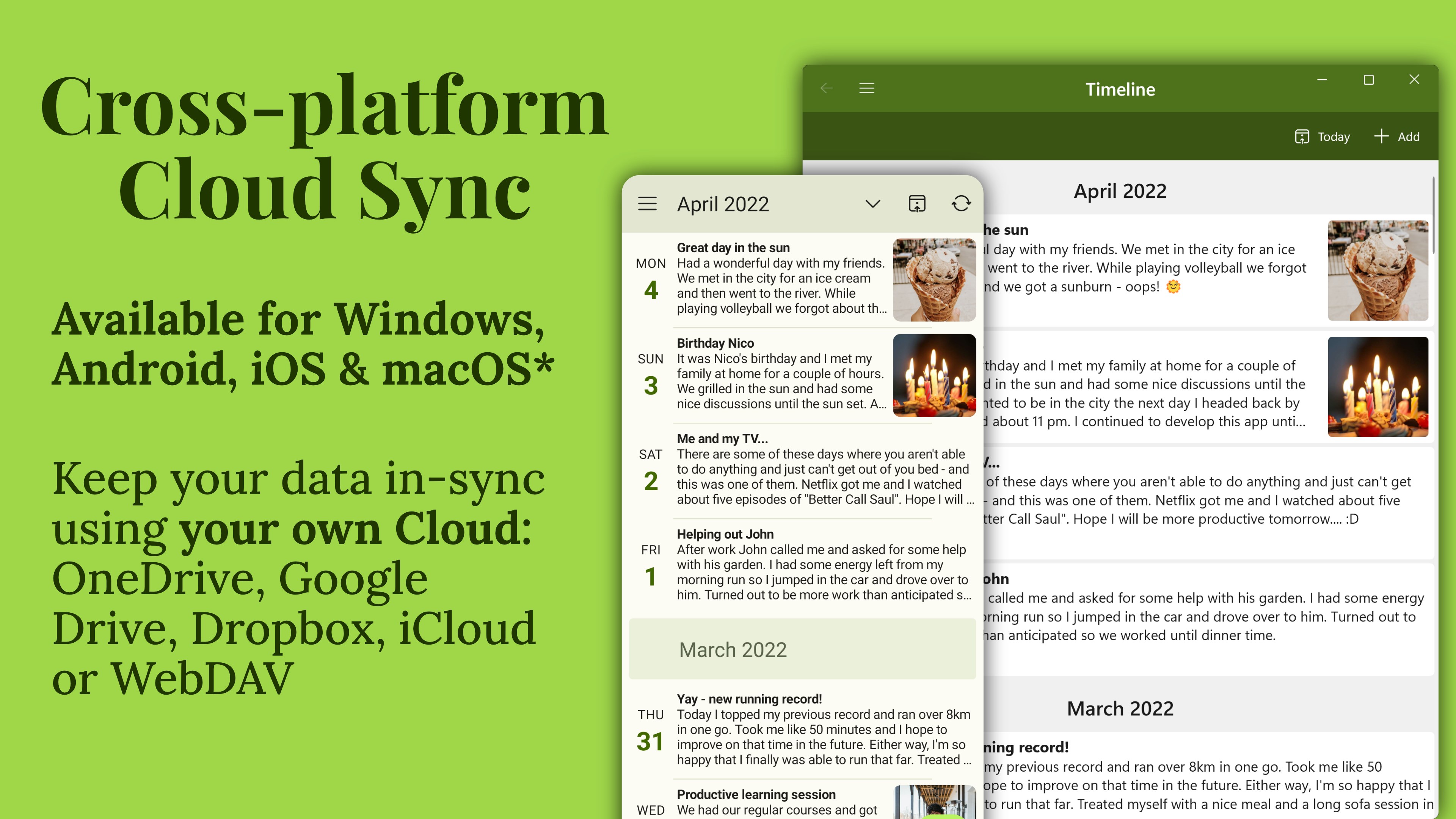
- Synchronization & Export Options: Sync your diary across platforms and export entries in various formats to ensure your memories are preserved and accessible.
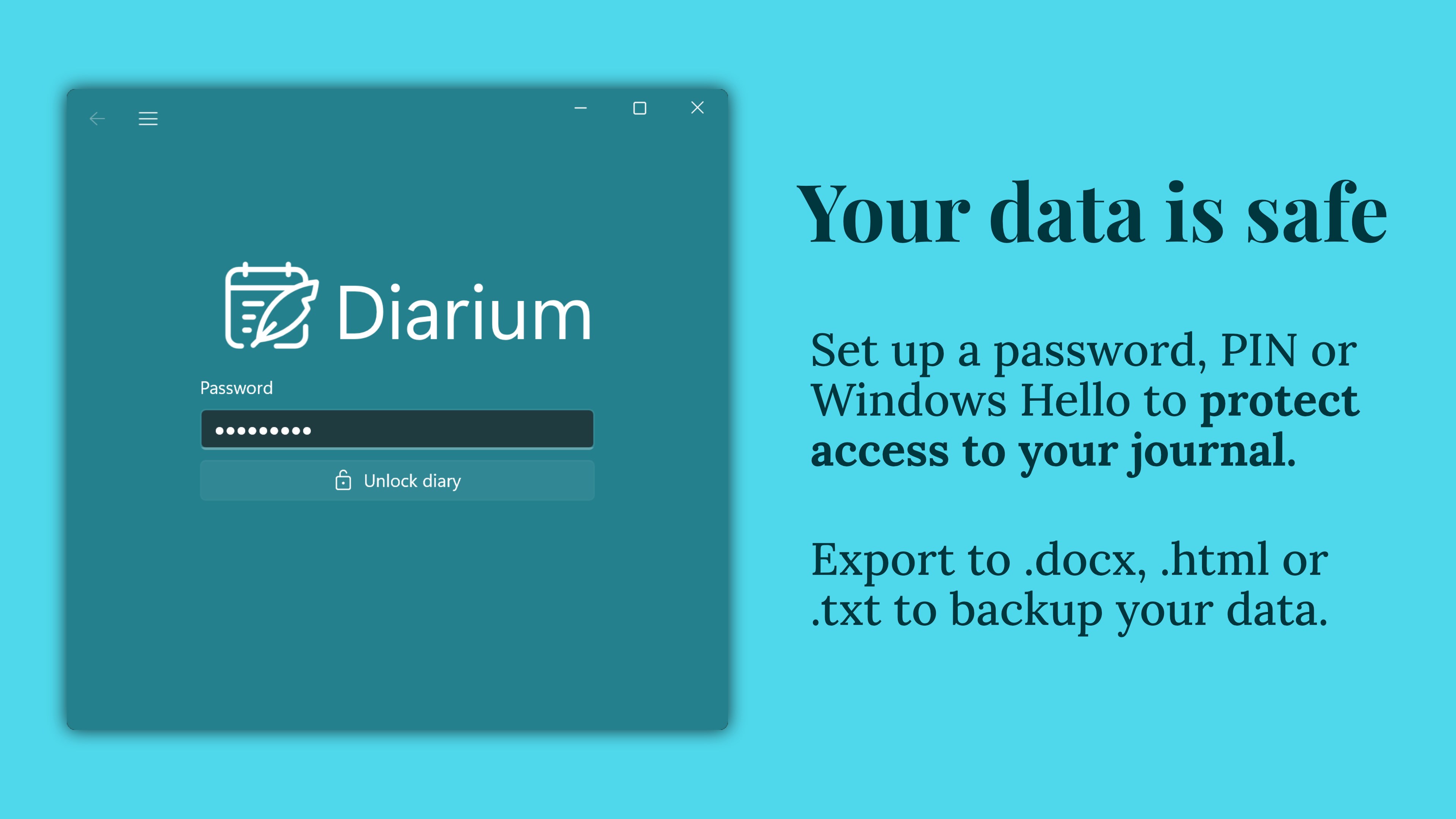
- Privacy & Security: Local storage and optional password protection give users peace of mind in maintaining confidentiality.
Targeted at daily journalers, writers, students, and anyone eager to document their life thoughtfully, Diarium appeals to a broad spectrum of digital diary enthusiasts.
Experience the Journal: A Close-Up
Imagine settling into your favorite cozy corner with a warm cup of tea—Diarium transforms this simple ritual into an intuitive ritual of self-discovery. Its design strikes a balance between minimalism and functionality, inviting users to start writing without distractions. The interface is clean, with a sidebar that feels like a well-organized desk drawer, easily accessible but unobtrusive.
Intuitive Interface & Seamless Operation
One of Diarium's most commendable qualities is its user experience. The interface employs a familiar, clutter-free layout that reduces the learning curve. Creating a new journal entry feels as natural as jotting down thoughts in a physical notebook: just click, type, and add multimedia if desired. Navigating through your entries is fluid thanks to smooth scrolling, and the tagging system allows quick categorization, making revisiting specific memories a breeze. The app's responsiveness ensures that even inserting images or recording audio is swift, keeping your writing flow uninterrupted.
Powerful Organization & Unique Features
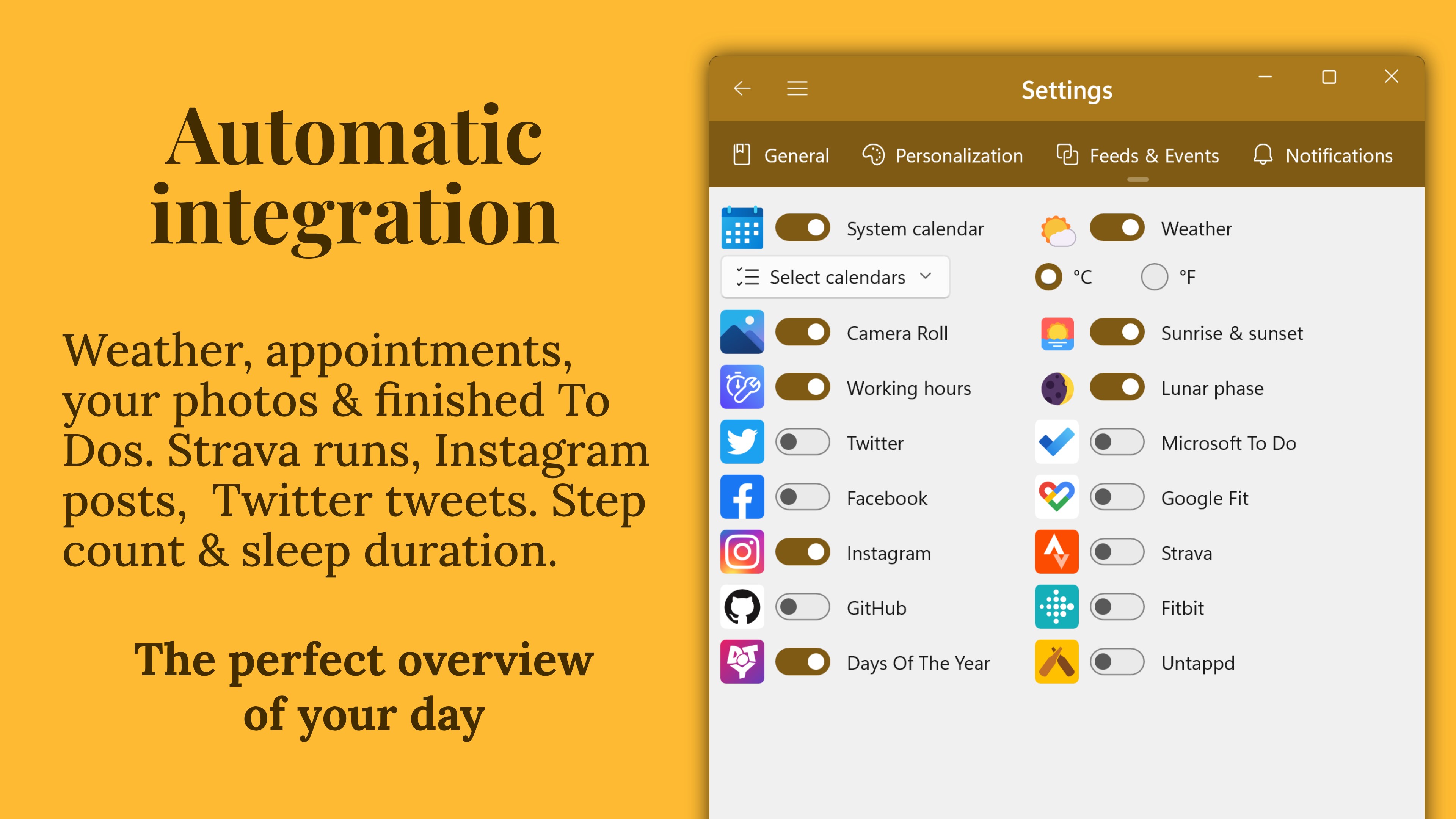
What sets Diarium apart from other lifestyle apps isn't just its straightforwardness but its thoughtful innovation. Its analytical tagging system acts like a mental GPS, helping you trace your moods, locations, or themes over time. Additionally, its built-in scheduler and reminder functions turn journaling into a habit, encouraging daily reflections. The ability to embed audio or attach photos transforms entries from mere text logs into lively chronicles of your life.
Most notably, Diarium's synchronization feature ensures your journal isn't confined to a single device. Whether you're on your desktop or on a tablet, your memories stay consistent and readily accessible. This seamless connectivity, combined with options to export your journal in PDF or plain text, elevates the app from a simple diary tool to a versatile digital archive with secure privacy controls.
Comparative Edge and Final Recommendation
When stacked against other lifestyle or journaling applications, Diarium's niche lies in its balance of user-friendly design, multimedia integration, and thoughtful organization tools. Whereas many apps focus solely on text entries, Diarium emphasizes rich content and flexible management. Its ability to handle multimedia, combined with reliable synchronization and privacy features, makes it an especially strong contender for users seeking more than just a basic diary.
While not overly complex or laden with unnecessary features, Diarium excels in delivering a clean, effective journaling experience. Its learning curve is gentle, making it accessible for beginners, yet it offers enough depth to satisfy more seasoned journalers.
In terms of recommendation, I would rate Diarium as a solid choice for personal development, daily logging, or reflective writing. For those who value multimedia content and cross-device synchronization in their journaling habit, Diarium is certainly worth trying out.
Overall, Diarium stands out as an elegant, reliable, and innovative digital diary solution that respects your privacy while empowering your self-expression. If you're looking for a well-crafted journaling app on Windows that combines simplicity with potency, Diarium deserves a spot in your toolbox.
Pros
- Intuitive and user-friendly interface
- Rich customization options
- Multiple media attachments
- Cloud sync and backup
- Robust security features
Cons
- Limited export formats
- Occasional syncing delays
- Learning curve for advanced features
- Limited reminder options
- Battery consumption during media attachment