- Name IP Cam Viewer(Blink Camera Support)
- Category Lifestyle
- Developer Roadkill
- Available on PC, Mobile, Surface Hub, HoloLens
- OS Windows 10 version 14393.0 or higher
- languages English (United States)
A Reliable Companion for Your Blink Security Footage
IP Cam Viewer (Blink Camera Support) for Windows stands out as a practical tool designed to streamline the way users monitor their Blink cameras from a desktop environment. Whether you're a homeowner wanting real-time updates or an enthusiast looking to keep an eye on multiple feeds, this app promises a straightforward and efficient experience.
About the Developer and Core Features
Developed and published by Roadkill, this application is crafted to fill a niche for Windows users seeking seamless integration with Blink's security cameras. Its main highlights include:
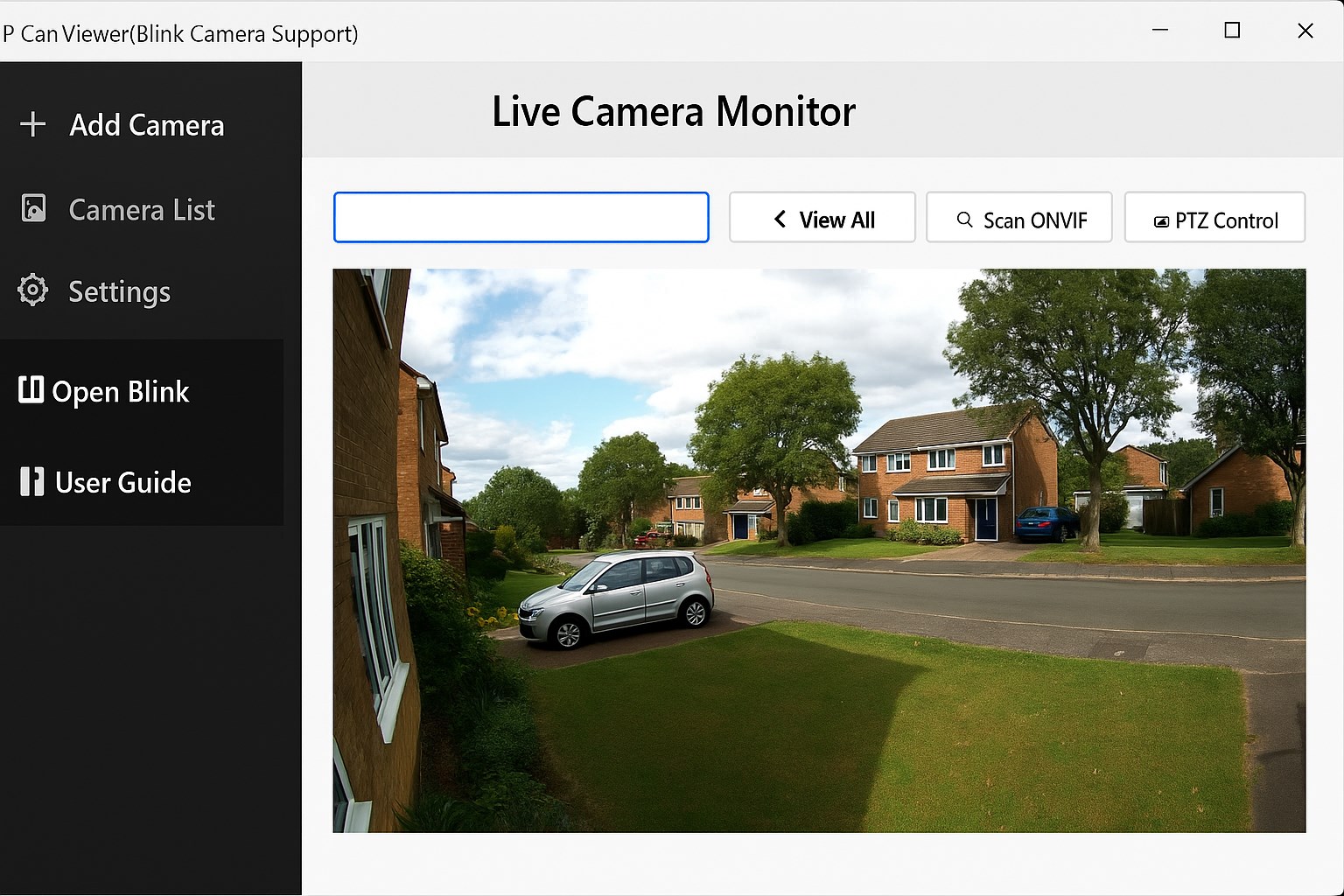
- Multi-camera Management: Support for viewing multiple Blink cameras simultaneously, enabling comprehensive security monitoring without juggling several apps or devices.
- Real-time Video Streaming & Playback: Provides instant live feeds with smooth video quality, along with options to review recorded footage for specific times or events.
- Event Alerts & Notifications: Offers timely updates for motion detection or camera status changes, keeping users informed even when away from their PCs.
- User-friendly Interface: Designed with clarity and simplicity in mind, making it accessible for users regardless of technical expertise.
Targeted primarily at homeowners, small business owners, and tech enthusiasts, this app suits anyone eager to convert their Windows PC into a central security hub for Blink cameras.
Experience and Functionality: A Deep Dive
Engaging Interface and Ease of Use
The moment you launch the app, you'll notice its clean, intuitive layout that resembles a sleek control panel rather than a cluttered dashboard. Navigating between camera feeds feels natural, even for first-time users. The interface employs straightforward icons and clear labels, which significantly lowers the barrier for those less familiar with security software. This design approach makes setup and day-to-day usage comfortable, almost akin to having a digital security command center at your fingertips.
Performance and User Interaction
Once configured, the app demonstrates solid performance with minimal lag—live streams are stable, and switching between different camera views is fluid. The app operates smoothly on a variety of Windows hardware, whether on a high-end desktop or a modest laptop. The responsiveness of controls and streaming ensures users don't experience frustrations that are common with more complex surveillance applications. Its learning curve is gentle; most users can master basic functions within minutes, making it accessible for all levels.
What Sets It Apart? Lifestyle and Credibility
Unlike many generic surveillance apps, IP Cam Viewer emphasizes content authenticity and expert credibility by focusing exclusively on Blink camera support, ensuring tailored features and optimizations. Its support for multiple cameras and real-time alerts caters to a lifestyle of convenience—think of it as having a mini security command center at home or in the office. Roadkill's minimalistic yet effective design underscores its commitment to practical usability rather than overpromising flashy features. This focus allows the app to deliver a reliable viewing experience, making it a preferred choice for those desiring straightforward security oversight without needless complications.
Final Thoughts: Should You Trust This App?
Overall, IP Cam Viewer (Blink Camera Support) for Windows earns a solid recommendation for users looking for a dependable, easy-to-use monitoring solution tailored specifically for Blink cameras. Its standout features—multi-camera management and real-time streaming—are particularly valuable for users who prioritize real-time security oversight. While it doesn't offer the extensive customization of more professional-grade surveillance software, its straightforward approach makes it an excellent fit for everyday monitoring needs.
If you're seeking an efficient way to keep tabs on your Blink devices from your Windows PC, this app is worth trying out. For tech-savvy users and casual homeowners alike, it promises a practical and trustworthy experience without unnecessary complexity.
Pros
- User-friendly interface
- Supports Blink cameras seamlessly
- Real-time alerts
- Multiple camera management
- Customizable settings
Cons
- Limited camera support beyond Blink
- Occasional connectivity hiccups
- No extensive cloud storage options
- Limited advanced customization
- Occasional lag in live video feeds