
- Name DS4 Controller - DS5 / DSX GamePad Manager
- Category Lifestyle
- Available on PC, Mobile, Surface Hub, HoloLens
- OS Windows 10 version 17763.0 or higher
- languages English (United States)
An In-Depth Look at DS4 Controller - DS5 / DSX GamePad Manager for Windows: Your Console in a Click
If you're a dedicated gamer or a tech enthusiast seeking seamless controller management on Windows, the DS4 Controller - DS5 / DSX GamePad Manager offers a promising solution to connect, customize, and optimize your gaming experience effortlessly.
Who's Behind the Controller? Unpacking the Development Team
Developed by MathewsJ, this application emerges from a small but dedicated group focused on enhancing controller management for Windows users. Their goal is to bridge the gap between various gaming controllers—especially those from Sony—providing a centralized platform that simplifies customization and connectivity.
What Makes This App a Gamer's Ally? Key Features to Know
- Universal Compatibility & Device Management: Supports DS4, DS5, and DSX controllers, enabling users to easily connect and switch between multiple gamepads without juggling different software.
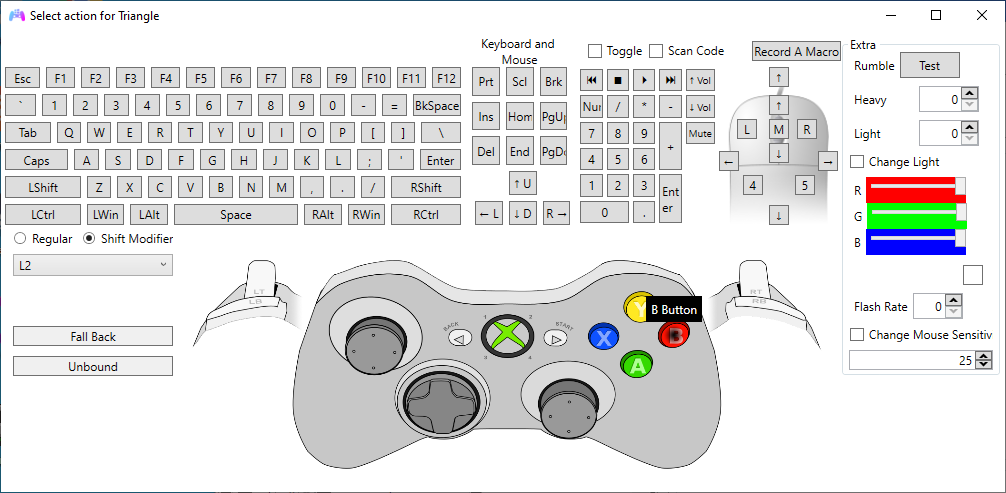
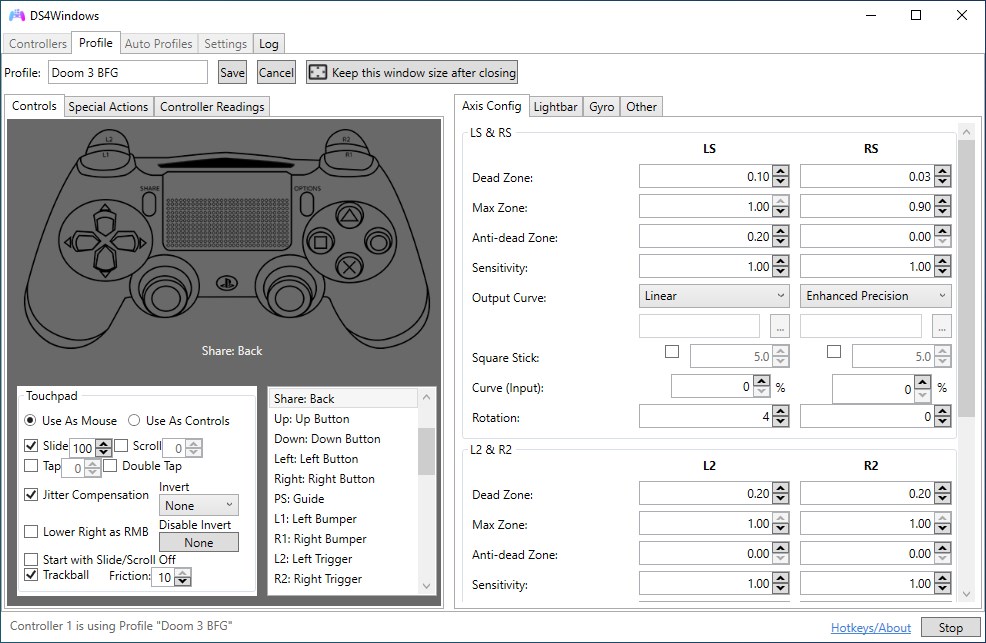
- Customizable Button Mapping & Profiles: Allows detailed remapping of buttons and creation of multiple profiles, giving gamers control over their controls tailored to each game or genre.
- Real-Time Firmware & Driver Updates: Streamlines updating your controllers' firmware and drivers directly through the app, ensuring optimal performance and compatibility.
- Intuitive User Interface & Ease of Use: Designed with user-friendly navigation, making complex configurations accessible even for newcomers.
Playing with the App: From Installation to Customization
Launching into the world of DS4 Controller Management feels like stepping into a well-organized control room—everything is where you expect it to be, and navigating through options is straightforward. The initial setup involves connecting your controllers via USB or Bluetooth, after which the app intuitively detects each device. This immediate recognition fosters a smooth onboarding experience, akin to finding the perfect playlist to match your mood.
Streamlined Interface and User Experience
The application's clean layout resembles a dashboard in a sleek spaceship cockpit—minimalistic but packed with essential controls. Menus are logically organized, with clear icons and labels that guide users through device management, profile creation, and firmware updates. Transitioning between different settings feels seamless, supported by quick response times that make adjustments feel almost reflexive. Even those new to controller customization will find the learning curve gentle, thanks to concise prompts and helpful tooltips.
Unique Selling Points: What's Truly Special?
Compared to generic controller management tools, this app's standout features are its robustness and focus on authenticity. Its capacity to manage multiple high-end controllers simultaneously—especially DS4, DS5, and DSX models—sets it apart in the lifestyle category of gaming tools. Moreover, the app emphasizes content authenticity by providing professional-level remapping options that preserve the nuances of gameplay, making it suitable for both casual players and competitive gamers alike.
Its ability to update firmware within a unified platform ensures controllers stay current without hassle or the need for multiple vendor-specific software. This centralized approach diminishes the clutter of separate apps and enhances credibility by offering official-looking, reliable firmware management backed by professional-grade features.
Should You Try It? Recommendations and Usage Scenarios
I'd recommend this manager for gamers who regularly switch between controllers or seek a more tailored gaming experience. If you're tired of the limited configuration options on default drivers or cumbersome setup processes, this app offers a practical, well-structured solution. For those invested in maintaining their controller's firmware health and creating specific profiles—perhaps for racing simulations, FPS shooters, or fighting games—it's a handy tool that consolidates these needs.
While it's not a universal panacea—especially for casual users who only occasionally connect controllers—it excels as a semi-professional utility, elevating your controller setup with precision and ease. As a friendly tip: investing some time to familiarize yourself with its profile management capabilities can significantly enhance your gaming sessions, making every button press more intuitive and personalized.
The Bottom Line: A Reliable Companion for Controller Enthusiasts
All in all, DS4 Controller - DS5 / DSX GamePad Manager hits the sweet spot between functionality and user-friendliness. Its ability to handle multiple controllers effortlessly and provide deep customization options makes it a valuable tool for dedicated gamers. While it may not replace the necessity for official manufacturer software entirely, it offers a compelling layer of flexibility that's perfect for those who want their controllers to work just the way they like—smooth, personalized, and hassle-free. Consider giving it a try if you're serious about optimizing your Windows gaming setup.
Pros
- Intuitive Configuration Interface
- Broad Compatibility
- Advanced Mapping Features
- Real-time Control Testing
- Extensive Support Resources
Cons
- Occasional Connectivity Issues
- User Interface Slightly Complex for Beginners
- Limited Drive Support for Certain Controllers
- Performance Lag on Older Systems
- Lacking Advanced Profiling Features