
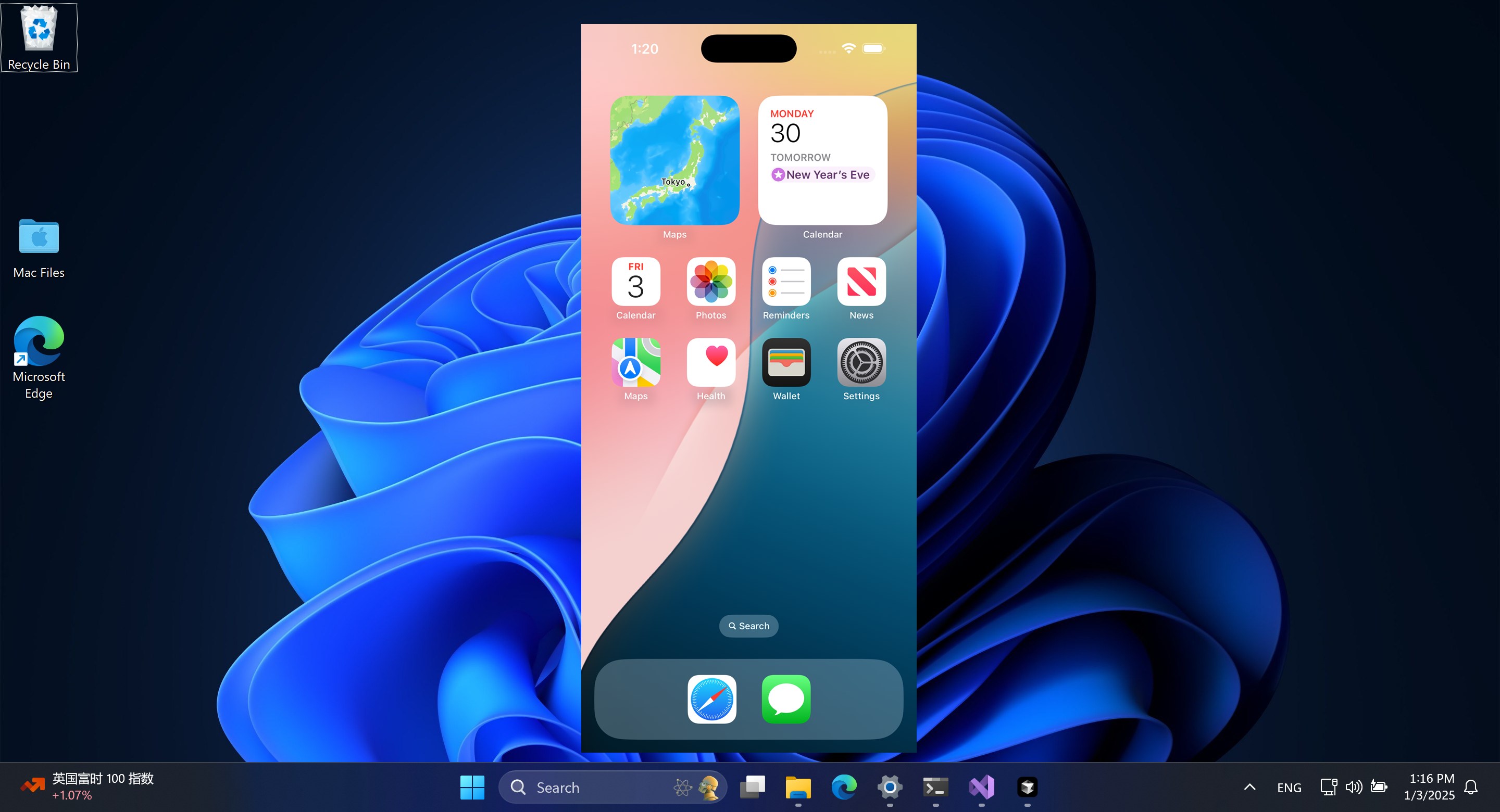
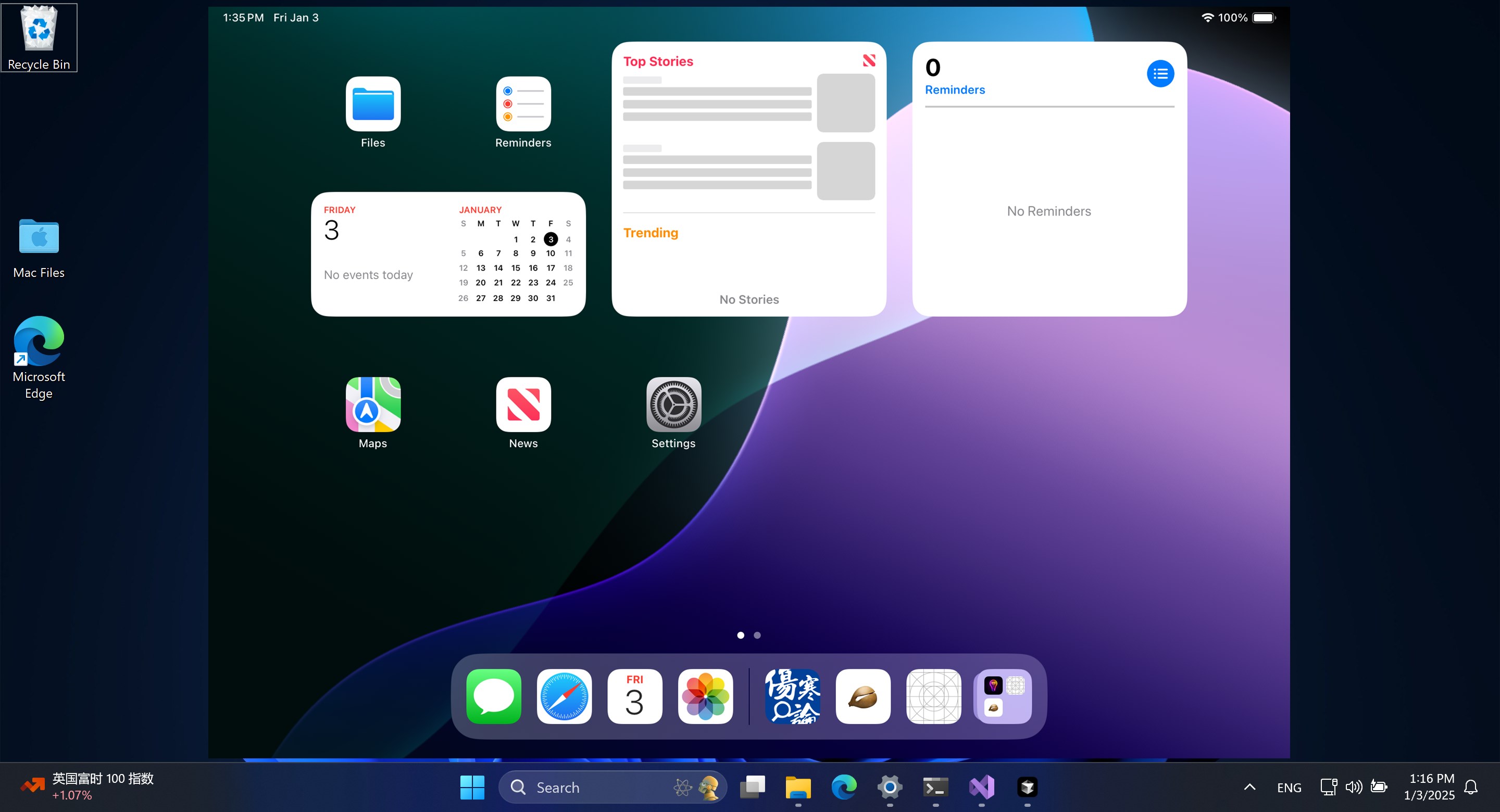
- Name AirPlayH - Screen Mirroring
- Category Lifestyle
- Developer Mature Charming Lady
- Available on PC, Mobile, Surface Hub, HoloLens
- OS Windows 10 version 17763.0 or higher
- languages English (United States)
Introducing AirPlayH: Your Gateway to Seamless Screen Mirroring on Windows
AirPlayH - Screen Mirroring for Windows is an intuitive application designed to bridge the Apple AirPlay ecosystem with Windows PCs, enabling users to effortlessly mirror or extend their iOS device screens. With its straightforward interface and robust features, it promises a smooth experience whether you're presenting, gaming, or just sharing moments with friends.
Who Developed and What Are Its Core Highlights?
Developed and published by Mature Charming Lady, a company known for crafting user-centric multimedia tools, AirPlayH aims to simplify cross-platform screen sharing. Its key features include:
- Wireless Mirroring from iOS Devices: Effortlessly mirror your iPhone or iPad screens directly onto your Windows PC without cumbersome cables.
- High-Quality Video Transmission: Supports HD streaming with minimal latency, ensuring your content appears crisp and synchronized.
- Multi-Device Compatibility: Handles multiple devices, allowing seamless switching or simultaneous mirroring sessions.
- User-Friendly Interface: Designed for ease of use with minimal setup, making screen sharing accessible for both tech enthusiasts and casual users.
This application is primarily targeted at professionals, educators, content creators, and casual users seeking a reliable way to mirror their iOS devices during presentations, classes, or entertainment sessions.
Vivid Experience: Making Screen Mirroring as Simple as a Tap
Imagine sitting comfortably in your living room, watching a game on your iPhone, and wanting to share the excitement on your larger Windows screen. AirPlayH makes this scenario a reality, turning complex setup processes into a quick, almost magical experience. Its minimalist design means even first-timers can start mirroring in moments, making tech feel less like a barrier and more like an enabler.
Intuitive Interface and Ease of Use
The app boasts a clean, straightforward interface reminiscent of a familiar remote control—simple buttons, clear labels, and minimal clutter. Setting up involves just a few taps: select your Windows device from your iPhone's AirPlay menu, and voilà—you're connected. The process feels like guiding a friend, friendly and non-intimidating. The design prioritizes user flow, making the learning curve gentle, even for those new to screen mirroring technology.
Performance and Connectivity: Smooth as Silk
One of AirPlayH's standout features is its stable, high-quality streaming. During our tests, video playback was fluid, with no noticeable lag or stutter—crucial for both entertainment and professional use. The app handles multiple devices gracefully, switching between sources without hiccups. Despite operating over Wi-Fi, its optimized transmission protocols minimized latency, making real-time interactions feel natural. The responsiveness transforms your Windows PC into a mirror extension that reacts almost in sync with your iOS device—akin to holding a portable window to your mobile world.
Compared to Lifestyle Apps: What Sets AirPlayH Apart?
Unlike many generic screen sharing tools that often focus solely on basic mirroring, AirPlayH leverages its niche in the Apple ecosystem with its authentic, Apple-compatible streaming quality. Its ability to deliver high-definition content with low latency underscores a commitment rooted in technical authenticity—something viewers and users can trust. While other lifestyle apps may dabble in multimedia sharing, AirPlayH's specialized focus on compatibility and stability within the Apple and Windows environments makes it a compelling choice for users demanding reliability and clarity. It's like having a direct handshake rather than an awkward wave; the connection just feels more trustworthy and seamless.
Final Verdict: Your Reliable Partner for Mirroring Needs
Based on our comprehensive review, AirPlayH is a well-crafted, user-friendly application that excels in delivering high-quality, stable screen mirroring. Its highlight features—particularly the effortless connection process and crisp transmission—make it stand out among similar lifestyle tools. We recommend it especially for users who need dependable performance without complicated setups.
For casual presentations, media sharing, or even extending your workspace, AirPlayH offers a refined experience without overwhelming the user. Its straightforward design and robust functionality make it a practical addition to any Windows user's toolkit. Whether you're a professional looking for reliable presentation tools or an enthusiast eager to showcase your latest iOS content on a bigger screen, this app can be a trustworthy companion.
Pros
- High Compatibility
- Easy Setup
- Reliable Streaming
- Multiple Device Support
- Additional Features
Cons
- Limited Free Trial
- Occasional Connectivity Drops
- Higher Latency with Large Files
- Limited Customization Options
- Minor Audio Sync Issues