
- Name Real HEIC to JPG Converter
- Category Photo & video
- Developer Xiaoya Lab.
- Available on PC
- OS Windows 10 version 17763.0 or higher
- languages English (United States)
Transforming HEIC Images into JPEGS with Ease: An Overview of Real HEIC to JPG Converter for Windows
If you've ever found yourself battling with HEIC files from your iPhone, wishing for a straightforward way to turn them into universally compatible JPEGs, this app might just be your new best friend. Designed with simplicity and efficiency in mind, Real HEIC to JPG Converter for Windows promises to streamline your image conversion process without the fuss.
About the Developer: Xiaoya Lab - Innovators in Utility Apps
Developed and published by Xiaoya Lab., a team dedicated to creating user-friendly and practical software solutions, this application is part of their mission to simplify digital workflows. Known for crafting lightweight yet powerful tools, Xiaoya Lab. aims to bridge the gap between complex image formats and everyday user needs.
Key Features That Stand Out
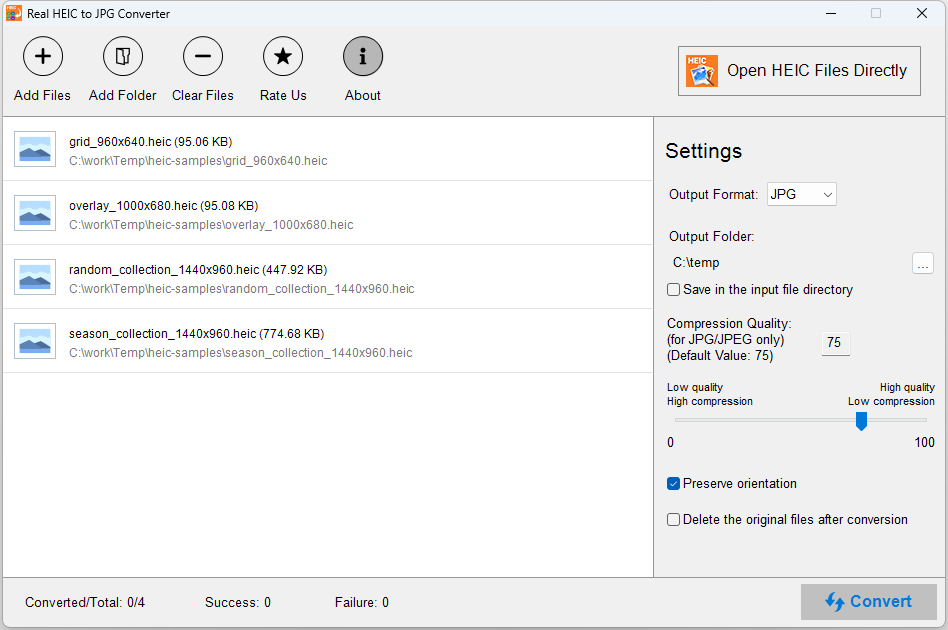
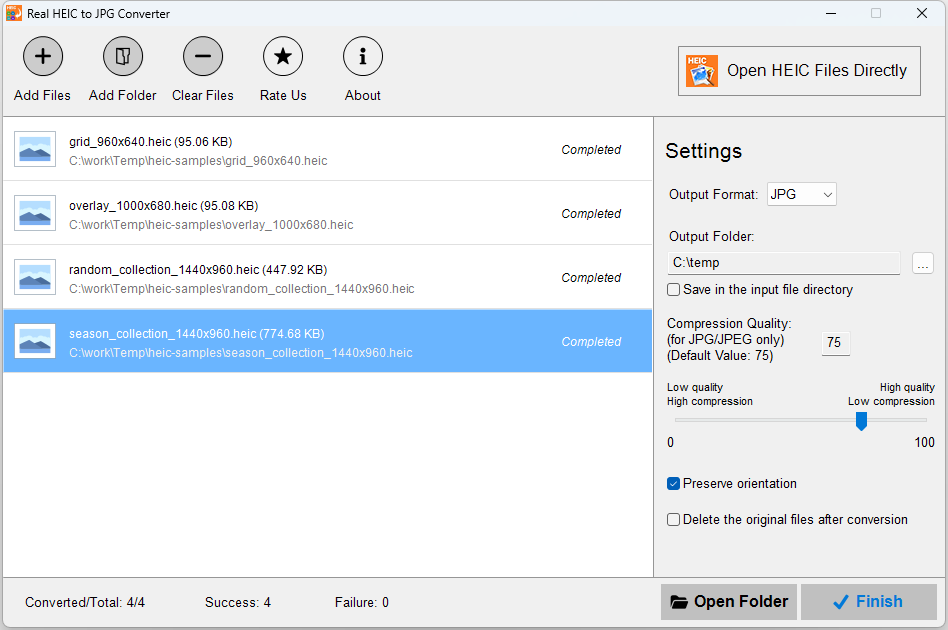
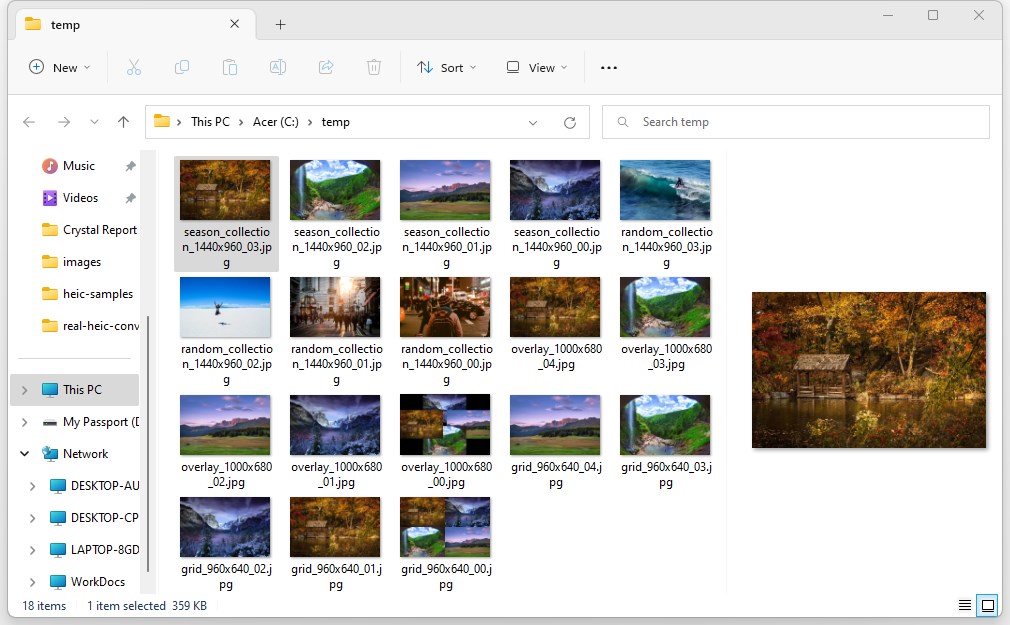
- Seamless Batch Conversion: Convert multiple HEIC images into JPEGs simultaneously, saving valuable time when handling Collections from smartphones or cameras.
- Fast and Efficient Processing: Leverages optimized algorithms to ensure quick conversions without compromising image quality, even with large files.
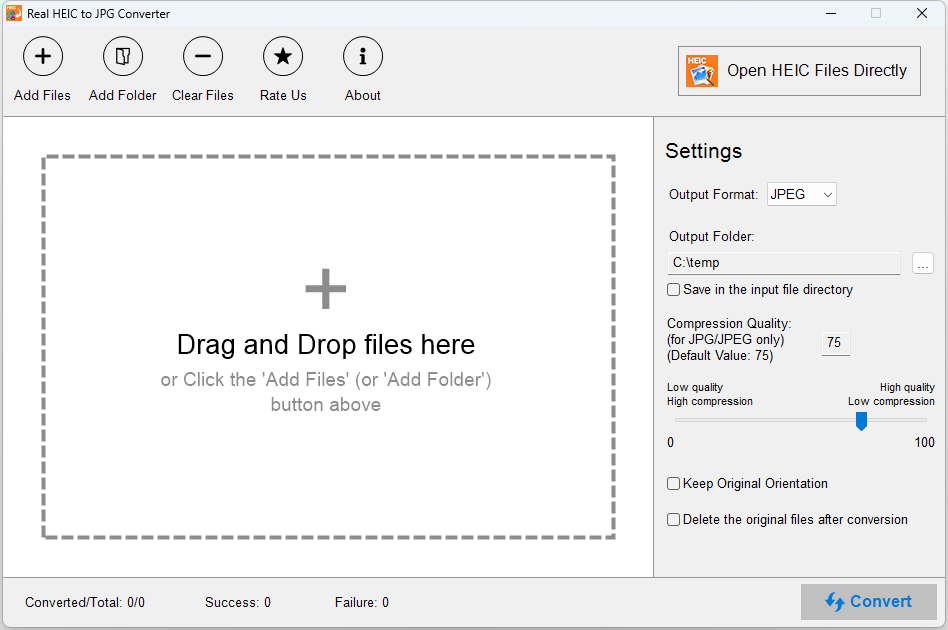
- Simple Drag-and-Drop Interface: User-friendly design allows you to convert images effortlessly by dragging files into the app, no complicated menus required.
- Maintains Image Quality: Preserves the original resolution and quality during conversion, ensuring your JPEGs look just as good as the source HEIC files.
Engaging the User: A Clear-Cut, Friendly Experience
Imagine opening an app that feels more like a friendly assistant than a complex software suite—this is what Real HEIC to JPG Converter offers. Its intuitive interface welcomes users with minimal clutter, inviting you to simply drag, drop, and convert. As someone who has wrestled with HEIC files from iPhones, I found this app to be a breath of fresh air. No more hunting for obscure settings or complex workflows; the process is as straightforward as snapping your fingers. The app executes conversions rapidly, making it perfectly suited for those who need quick results—think of it as a reliable workflow buddy.
Core Functionality: The Heart of the App
User Interface and Usability
The design embraces simplicity—clean, clutter-free, with clear buttons and a minimalistic layout. The drag-and-drop feature turns what could be a tedious task into a speedy routine. The interface is highly responsive, with smooth transitions that reassure you that you're in good hands. Even those new to image conversion will find their learning curve shallow; just a few clicks are enough to master the process.
Conversion Speed and Quality Preservation
When it comes to processing speed, Real HEIC to JPG Converter does not disappoint. It leverages efficient algorithms to churn through batches of images in seconds, even when dealing with hundreds of files. Moreover, it emphasizes maintaining image fidelity—your JPEGs won't suffer from compression artifacts or resolution loss. This is particularly significant for professional photographers or designers who depend on pristine image quality.
What Makes It Unique? The Differentiation Factors
Compared to other photo converters, this app's standout feature is its "batch + quality preservation" combo. While some tools struggle with large batches or compromise image quality for speed, Real HEIC to JPG Converter balances both masterfully. Its focus on maintaining original resolution is crucial for users who need high-fidelity images. Additionally, the drag-and-drop simplicity offers a user experience that feels almost as effortless as flipping a switch, setting it apart from more complicated, menu-driven alternatives.
Final Verdict and Recommendations
Overall, I find this app to be a solid choice for anyone frequently working with HEIC files—be it casual users, professional photographers, or digital artists. Its ease of use, speed, and quality retention make it a valuable addition to your Windows toolkit. I'd recommend it especially for those needing quick batch conversions without sacrificing output quality. However, if your workflow demands more advanced editing features or format support, you might want to explore more comprehensive solutions. For straightforward HEIC to JPG conversion tasks, this app is indeed a reliable and user-friendly partner.
Pros
- High-quality conversion
- User-friendly interface
- Fast processing speed
- Supports multiple HEIC files at once
- Lightweight and resource-efficient
Cons
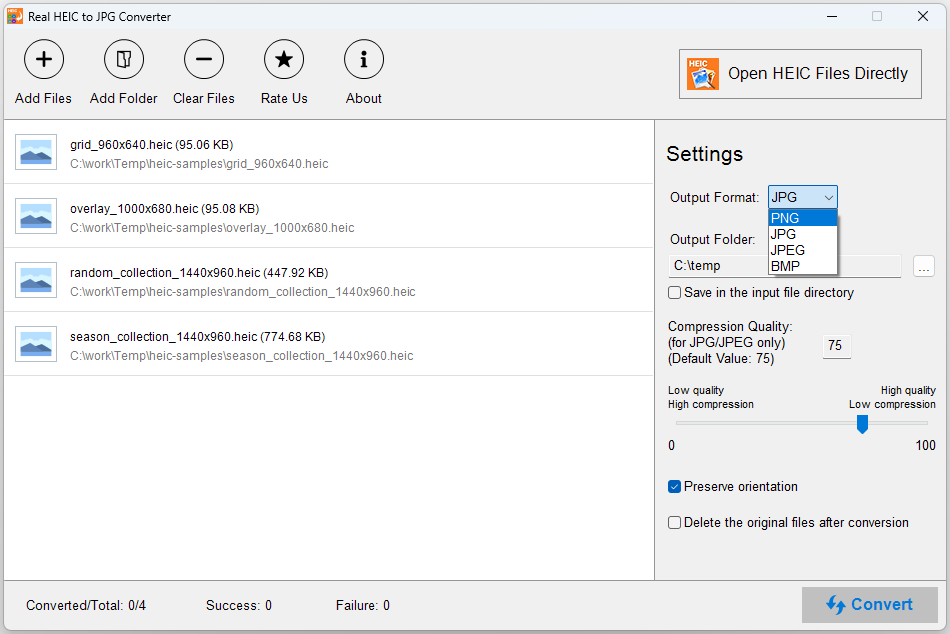
- Limited format options
- No built-in editing tools
- Offline functionality varies
- Limited customization options
- No support for other formats











