

- Name Pixillion
- Category Photo & video
- Developer NCH Software
- Available on PC
- OS Windows 10 version 15063.0 or higher
- Mouse Integrated Mouse
- languages English (United States)
Pixillion for Windows: A Versatile Image Conversion Tool
Pixillion for Windows is a user-friendly image converter designed to streamline the process of transforming images between various formats with efficiency and ease. Whether you're an amateur photographer or a professional designer, this application promises to simplify your workflow without sacrificing quality.
Developed by NCH Software, a reputable name in multimedia solutions
Produced by NCH Software, a well-known developer specializing in intuitive multimedia and utility tools, Pixillion leverages years of experience to deliver a reliable image conversion experience. NCH's focus on straightforward interfaces and practical features makes this app suitable for both casual users and advanced professionals.
Key Features that Make Pixillion Stand Out
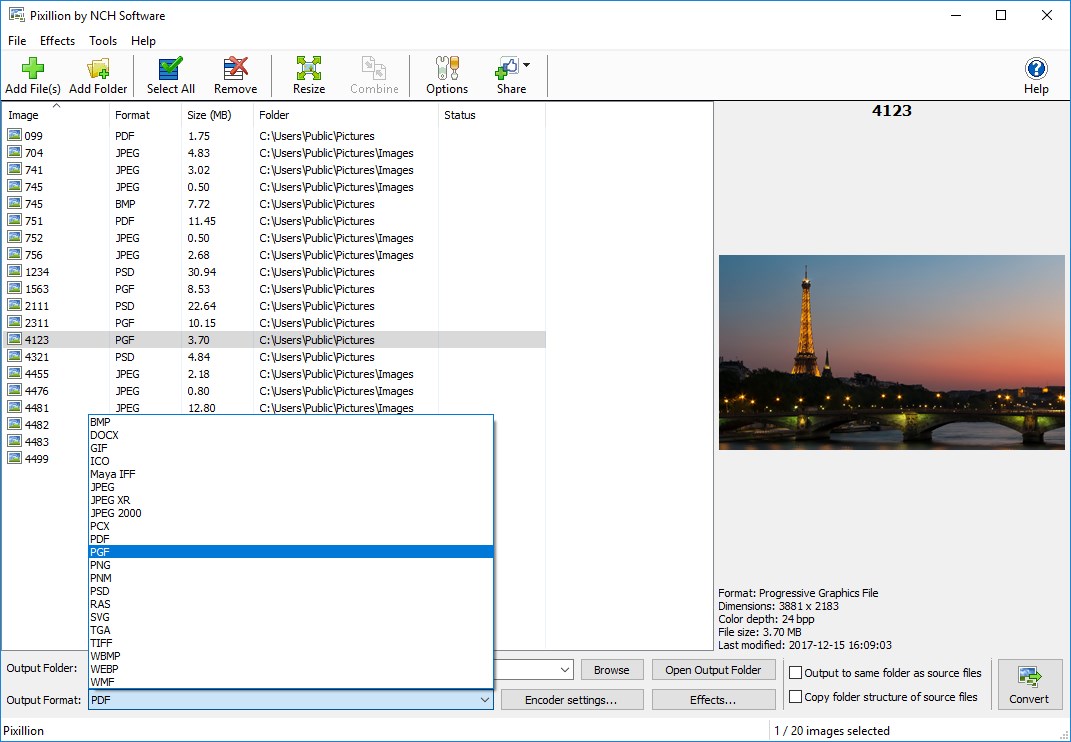
- Wide Format Support: Converts images to and from over 40 formats, including JPEG, PNG, GIF, BMP, TIFF, and RAW, accommodating diverse user needs.
- Batch Conversion Capability: Allows users to convert multiple images simultaneously, saving time and effort, especially for large projects.
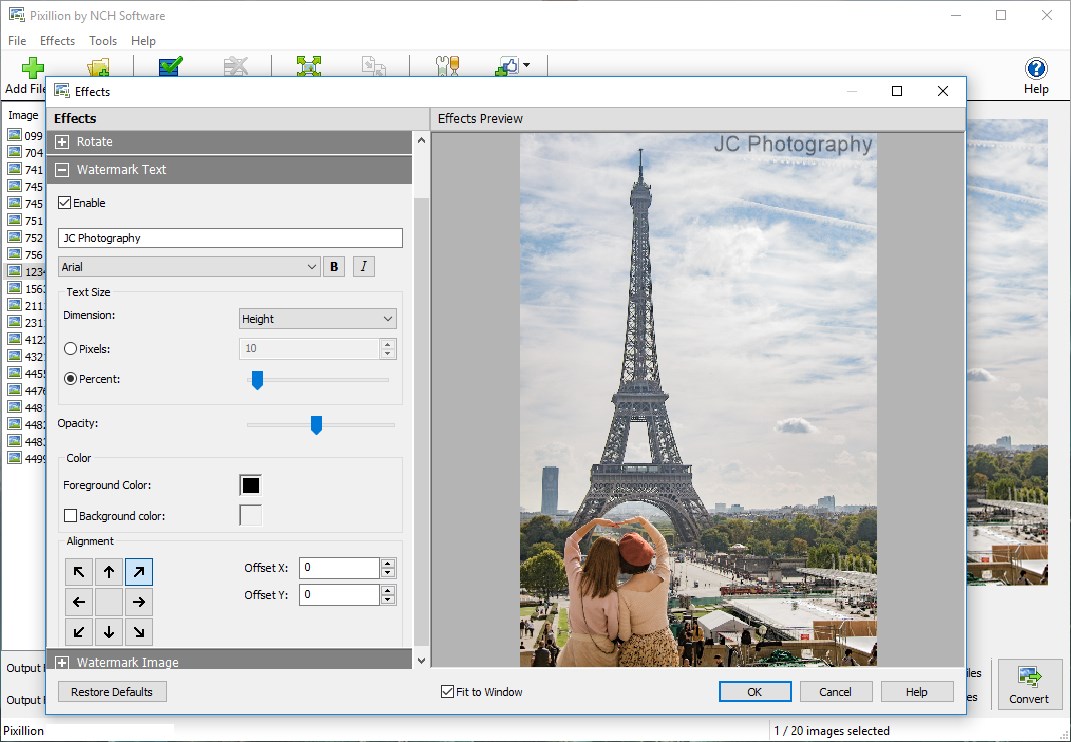
- Built-in Image Editing: Offers basic editing tools such as resizing, cropping, and rotating images during the conversion process.
- Drag-and-Drop Interface: Simplifies operation by enabling quick file addition through drag-and-drop, making the process intuitive even for beginners.
An Engaging Dive into Pixillion's Core Functionalities
Imagine you're tasked with preparing a set of images for an online portfolio. The thought of converting each photo individually might seem daunting—here's where Pixillion steps in as your reliable assistant, turning what could be a tedious chore into a swift, almost enjoyable activity.
Seamless Conversion with Batch Processing
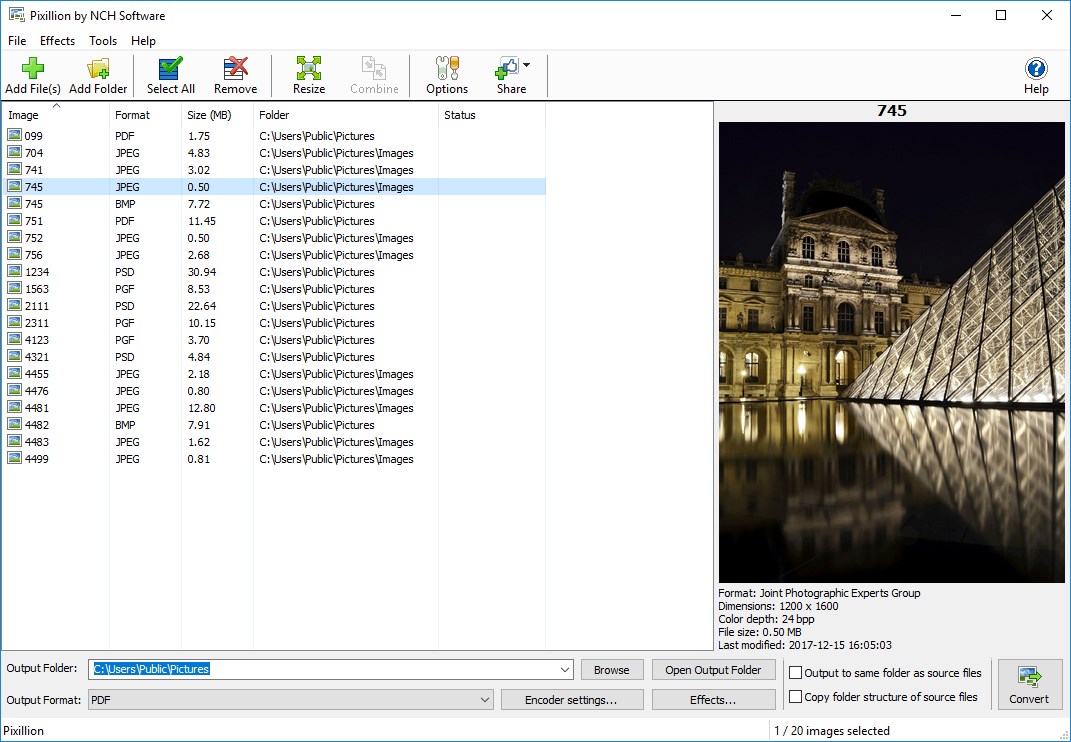
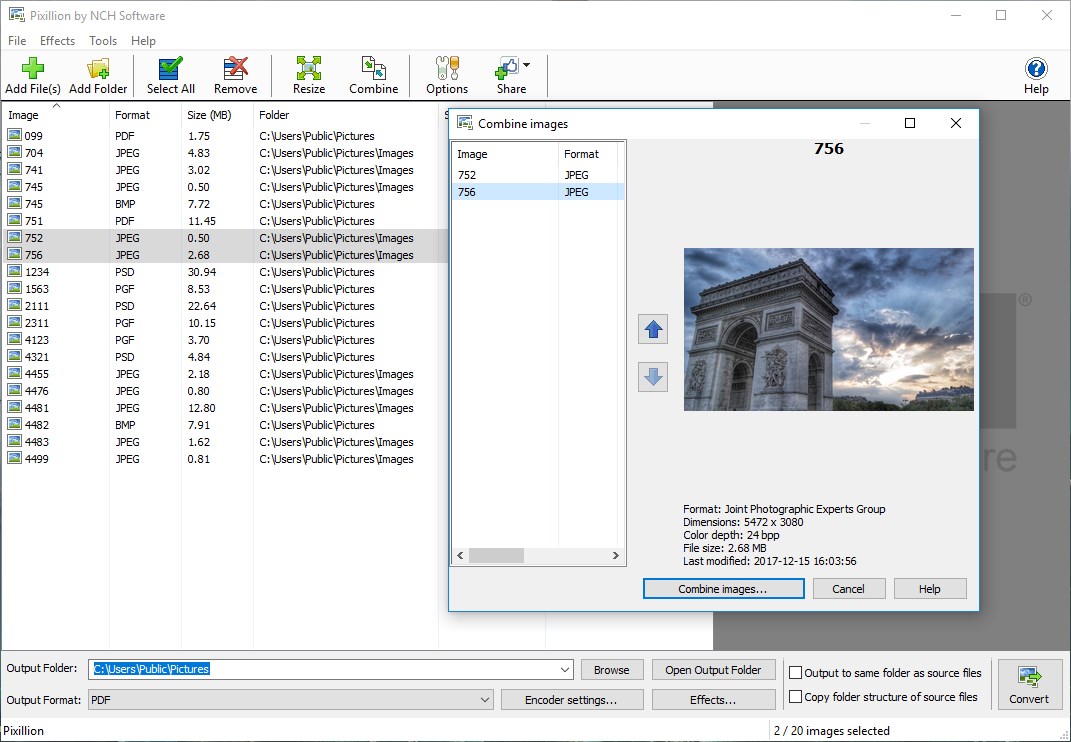
The standout feature of Pixillion is its ability to handle multiple images in one go. As a user, you simply select a batch of photos, choose your desired output format, and let the app do the heavy lifting. The conversion process itself is brisk, with real-time progress updates that keep you informed. What makes this feature particularly attractive is its efficiency: no more waiting hours for bulk conversions when you're rushing to meet a deadline.
Intuitive Interface and User Experience
The interface resembles a sleek digital workspace—clean, uncluttered, and inviting. The drag-and-drop functionality feels like slipping photos into an inbox, making it accessible even for those with limited tech experience. Navigation is logical; the core options are readily visible, minimizing the learning curve. During testing, the app demonstrated smooth operation with responsive controls, ensuring that users can focus on their creative or professional tasks rather than troubleshooting technical glitches.
Beyond Conversion: Basic Editing Tools
While primarily a converter, Pixillion's built-in editing features add extra value. Simple adjustments such as resizing images for web use or cropping unwanted areas are available instantly within the same workflow. Imagine refining your images while converting them—this integration streamlines your process, saving steps and software toggling.
What Sets Pixillion Apart from Peers?
Compared to other photo and video applications, Pixillion's simplicity is its greatest asset. Unlike complex editors that are overwhelming with options, Pixillion adopts a straightforward approach—focusing purely on converting and lightly editing images. Its batch processing feature is a significant efficiency booster, especially for users managing large libraries or preparing images for multiple platforms.
Moreover, its support for numerous formats, including less common RAW types, grants it versatility that some competitors lack. This makes Pixillion especially appealing to photographers needing to convert from raw files without relying on heavier editing suites.
Final Recommendations and Usage Tips
If you frequently work with different image formats, need a reliable batch converter, or require quick editing capabilities, Pixillion for Windows is a solid choice. It's particularly well-suited for small businesses, hobbyists, or anyone looking to automate part of their image management without complexity.
While it's not designed as a professional photo editor, its efficiency, user-friendliness, and format versatility make it a highly practical tool. For optimal use, explore its batch processing features and keep an eye on the supported formats to leverage its full potential.
In conclusion, Pixillion can be considered a trustworthy companion in your digital toolkit—an application that simplifies, speeds up, and enhances your image conversion tasks with commendable reliability.
Pros
- User-friendly interface
- Wide format support
- Batch processing capability
- High-quality output
- Fast processing speed
Cons
- Limited editing features
- Watermark on free version
- Lack of batch customization options
- Occasional stability issues
- Limited platform availability











